Hello! In our last lesson, we focused on managing state within a single component, specifically for handling complex forms and validation. You learned how to implement robust client-side validation using both native browser features and professional libraries like react-hook-form and zod.
Today, we're shifting our focus from local, component-level state to global state. What happens when multiple, unrelated components across your application all need access to the same piece of information, like the currently logged-in user or the website's theme? This lesson introduces the solution for this common challenge, directly addressing the learning outcome: Introduce the React Context API as a method for managing global state.
We will explore:
- The problem of "prop drilling" and why it makes code difficult to maintain.
- The three core concepts of the Context API: creating a context, providing a value, and consuming that value.
- How to manage and update global state using Context combined with the
useStatehook. - Crucial best practices for when and how to use Context effectively to avoid performance issues.
This is a fundamental concept for building scalable React applications, as nearly every app has some form of global state.
1. The Problem: "Prop Drilling"
Imagine you have a component tree like this:
App -> MainPage -> Navbar -> UserAvatar
The App component holds the user object, but only the deeply nested UserAvatar component actually needs it to display the user's profile picture. Without a global state solution, you would have to pass the user object as a prop from App to MainPage, then from MainPage to Navbar, and finally from Navbar to UserAvatar.
MainPage and Navbar don't use the user prop themselves; they just pass it along. This is called prop drilling. While it works for small apps, it quickly becomes a maintenance nightmare. If another component needs the user object, you have to trace the props all the way up and down the tree.
All you need to know about the Context API | React Context API Crash Course
To really understand why Context API is necessary, we first need to grasp the problem it solves. This video from PedroTech gives an excellent explanation of prop drilling and why it's considered an anti-pattern in React development.
Watch the segment from 01:06 to 05:12. Pay close attention to the visual example of the parent-child-grandchild component tree and the explanation of why passing props through intermediate components is inefficient and leads to messy code.
Prop drilling hurts your application in two main ways:
- Code Maintenance: It makes refactoring difficult. If you change where state is held, you may need to update the props in many intermediate components.
- Performance: As the video mentions, passing down props can cause unnecessary re-renders in components that don't even use the data, but are just part of the chain.
2. The Solution: The React Context API
The Context API provides a way to pass data through the component tree without having to pass props down manually at every level. It's like creating a global data store that any component can subscribe to.
The API is built around three main parts:
createContext(): This function creates a "Context" object. Think of this as the central channel for your shared data.Provider: Every Context object comes with a Provider component. You wrap a part of your component tree with this Provider, and it makes the context value available to all components inside it.useContext(): This is a React Hook that lets any functional component inside a Provider subscribe to the context changes and get the current value.
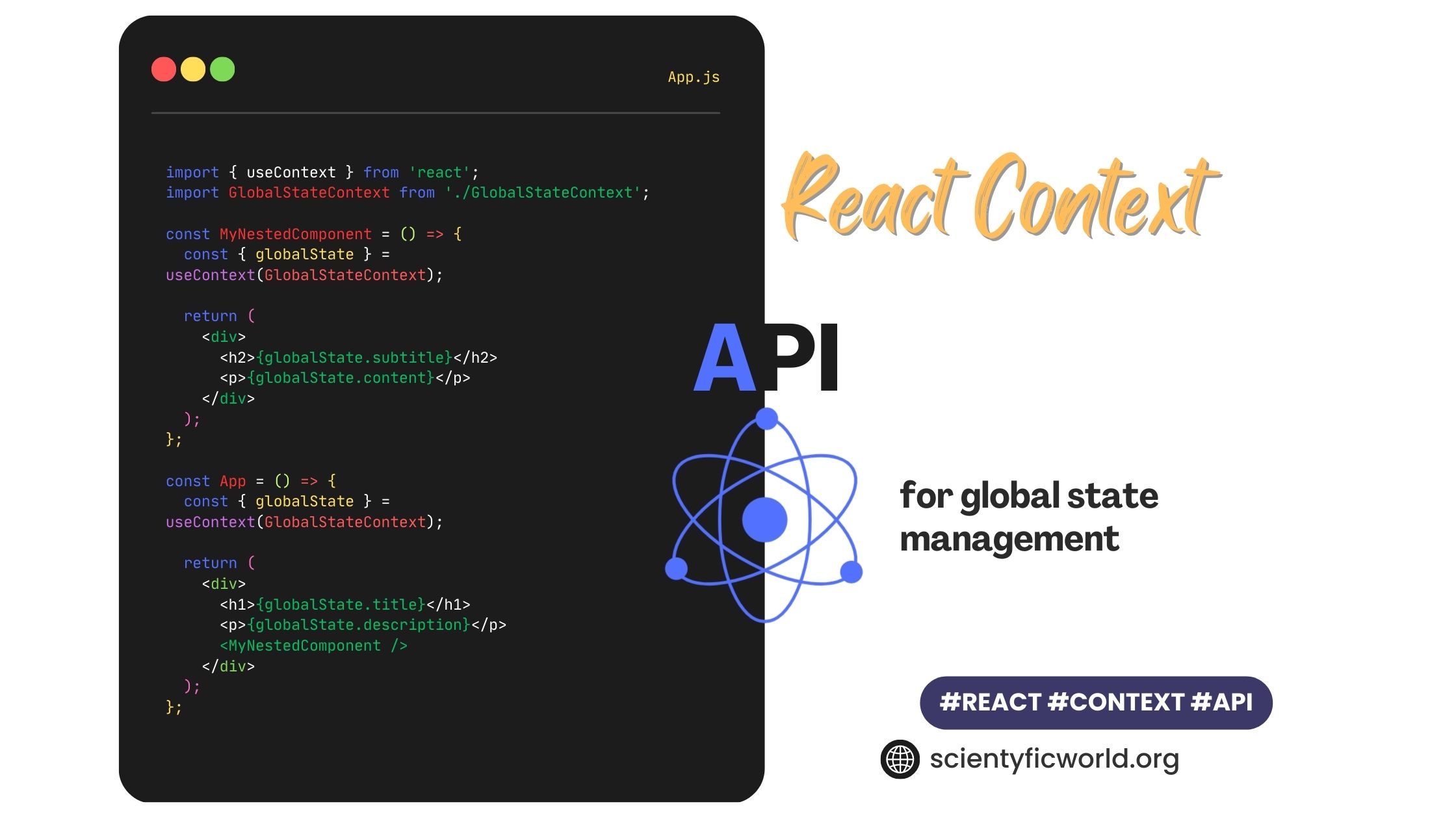
Let's walk through these steps with a great article that explains this process clearly.
The article 'React Context API Explained' provides a concise, step-by-step guide to implementing Context. It breaks down the core concepts with clear explanations and code snippets.
Please read from the Introduction down to the end of Step 3: Consume the Context. This will walk you through: The concept of prop drilling and how Context solves it. The three core concepts (createContext, Provider, useContext). A complete, basic example of creating, providing, and consuming a UserContext.
To summarize the flow from the article:
Step 1: Create the Context
Usually, you do this in a separate file (e.g., src/context/UserContext.js) to keep your code organized.
// src/context/UserContext.js
import { createContext } from 'react';

// You can pass a default value, which is used if a component
// tries to consume the context without a Provider above it.
export const UserContext = createContext(null);
Step 2: Provide the Context
In a top-level component (like App.js), you import the context and its Provider component. You wrap the part of your app that needs access to the data.
// src/App.js
import { UserContext } from './context/UserContext';
import UserProfile from './UserProfile';

function App() {
  const user = { name: 'Alex', email: 'alex@example.com' };

  return (
    <UserContext.Provider value={user}>
      <h1>My App</h1>
      <UserProfile />
    </UserContext.Provider>
  );
}
Anything inside <UserContext.Provider> can now access the user object passed to the value prop.
Step 3: Consume the Context
Now, any component, no matter how deeply nested, can use the useContext hook to get the data.
// src/UserAvatar.js (imagine this is nested deep inside UserProfile)
import { useContext } from 'react';
import { UserContext } from './context/UserContext';

function UserAvatar() {
  const user = useContext(UserContext);

  if (!user) {
    return null; // or a login button
  }

  return <div>Welcome, {user.name}!</div>;
}
No props were passed to UserAvatar! It directly accessed the user object from the context.
3. Making Context Dynamic with State
The previous example used a static user object. For real-world use cases like a theme switcher or authentication, the global state needs to be updatable. You can achieve this by combining useState with your Context Provider.
You simply place your state and the state setter function into the value prop of the provider.
useContext Hook using React Context API | What is Prop-Drilling | Props and Cons of useContext Hook
The video 'useContext Hook using React Context API' by Nisha Singla has a fantastic section that demonstrates how to make context dynamic. It shows how to pass both the state value and the update function through the context.
Watch the segment from 16:10 to 20:47. The presenter explains how to: Use the useState hook inside the component that renders the Provider. Pass an object containing both the state variable (username) and the update function (setUsers) in the value prop. Access and call the update function from a deeply nested child component to change the global state.
Here's a code example for a theme toggler, a classic use case:
1. Create the Provider with state:
// src/context/ThemeProvider.js
import { createContext, useState } from 'react';

export const ThemeContext = createContext();

export function ThemeProvider({ children }) {
  const [theme, setTheme] = useState('light');

  const toggleTheme = () => {
    setTheme(prevTheme => (prevTheme === 'light' ? 'dark' : 'light'));
  };

  // Pass both the current theme and the function to change it
  const value = { theme, toggleTheme };

  return (
    <ThemeContext.Provider value={value}>
      {children}
    </ThemeContext.Provider>
  );
}
2. Wrap your App:
// src/index.js (or App.js)
import React from 'react';
import ReactDOM from 'react-dom/client';
import App from './App';
import { ThemeProvider } from './context/ThemeProvider';

const root = ReactDOM.createRoot(document.getElementById('root'));
root.render(
  <React.StrictMode>
    <ThemeProvider>
      <App />
    </ThemeProvider>
  </React.StrictMode>
);
3. Use it anywhere:
// src/components/ThemeToggleButton.js
import { useContext } from 'react';
import { ThemeContext } from '../context/ThemeProvider';

function ThemeToggleButton() {
  const { theme, toggleTheme } = useContext(ThemeContext);

  return (
    <button onClick={toggleTheme}>
      Switch to {theme === 'light' ? 'Dark' : 'Light'} Mode
    </button>
  );
}
Test your understanding!
In the ThemeToggleButton component above, why do we use object destructuring (const { theme, toggleTheme } = useContext(...)) to get the context value?
Show answer
Because in our ThemeProvider, we passed an object as the value: const value = { theme, toggleTheme };. The useContext hook returns whatever was passed to the value prop of the nearest Provider. In this case, it's an object with theme and toggleTheme properties, so we can destructure it for convenient access.
4. Best Practices and Performance Considerations
Context is powerful, but it's not a silver bullet for all state management. Using it incorrectly can lead to performance problems. It's crucial to know when and how to use it.
The Main Issue: When a context's value changes, every component that consumes that context will re-render, even if it doesn't use the specific part of the value that changed.
All you need to know about the Context API | React Context API Crash Course
The PedroTech video we watched earlier has an excellent follow-up section on the pitfalls of Context and how to use it wisely. This is essential knowledge for writing professional, performant code.
Please watch the following segments: The Performance Problem (13:38 - 16:55): This part explains the core issue with Context—unnecessary re-renders. Understand why changing one value causes all consumers to re-render. Best Practice: Provider Components (10:23 - 13:18): This shows how to encapsulate your context logic into its own component (like our ThemeProvider example). This is a vital pattern for clean code. When to Use Context (and alternatives) (19:49 - 27:31): This segment provides guidance on what kind of state is suitable for Context (low-frequency updates like user info, theme) and briefly mentions alternatives for other scenarios.
Key Best Practices:
- Use Context for low-frequency updates: It is perfect for global data that doesn't change often.
- Good: User authentication status, user profile data, theme, language preference.
- Bad: The value of a text input that changes on every keystroke.
- Split contexts: Don't put everything in one giant global context. Create separate, focused contexts for different concerns (e.g.,
AuthContext,ThemeContext,CartContext). This limits the scope of re-renders. - Create custom Provider components: As shown in the video and our theme example, always create a dedicated wrapper component for your provider (e.g.,
ThemeProvider). This encapsulates the state logic (useState, functions, etc.) and keeps your main application component clean.
Conclusion
Congratulations! You've just learned one of the most fundamental state management patterns in React.
Key Takeaways:
- Prop Drilling is the problem of passing props through intermediate components, leading to messy and hard-to-maintain code.
- React Context API solves this by creating a global data channel that components can subscribe to.
- The core workflow is:
createContext->Provider->useContext. - You can create dynamic, updatable state by combining
useStatewith your Context Provider and passing both the value and the update function. - Context is best for global state that changes infrequently (like user data or themes) to avoid performance issues from excessive re-rendering.
- A key best practice is to split your contexts by concern and encapsulate logic in custom Provider components.
In our next lesson, we will put this knowledge into practice by building on the "best practices" theme. You will learn how to create a dedicated context provider to share state like user information or a theme across the entire component tree, reinforcing the clean, encapsulated pattern we discussed today.