Hello! Welcome back.
In our last lesson, we introduced the useState hook, exploring how to add state to components and how calling the setter function triggers a re-render. We ended by noting that while an update like setCount(count + 1) works for simple cases, it has a subtle but significant flaw.
Today, we'll address that flaw head-on. This lesson is dedicated to learning the robust and recommended pattern for updating state when the new value depends on the previous one. You'll learn how to pass a callback function to your state setter, a technique that prevents common bugs related to asynchronous updates and React's performance optimizations.
1. The Problem with Stale State
Let's revisit our counter example. Imagine we want a button that increments the count by three. A logical first attempt might be to call the setCount function three times in the event handler:
function Counter() {
  const [count, setCount] = useState(0);

  function incrementByThree() {
    setCount(count + 1);
    setCount(count + 1);
    setCount(count + 1);
  }

  return (
    <>
      <h2>{count}</h2>
      <button onClick={incrementByThree}>+3</button>
    </>
  );
}
You would expect the count to increase by three on each click. However, if you run this code, you'll find it only increments by one.
Why? This goes back to the concept from our last lesson: state is a snapshot. When the incrementByThree function is executed, the value of count is fixed for that entire render cycle. If count is 0 when you click the button:
- The first
setCount(count + 1)call becomessetCount(0 + 1). - The second
setCount(count + 1)call also becomessetCount(0 + 1). - The third call is the same:
setCount(0 + 1).
React batches these state updates for performance, and since all three calls are requesting to set the state to 1, the final result is 1, not 3. Each call is working with a stale value of the count state.
This video demonstrates a similar scenario very effectively.
React Hooks Tutorial - 3 - useState with previous state
The video 'React Hooks Tutorial - 3 - useState with previous state' from Codevolution provides a clear, practical example of this stale state problem.
Watch from the beginning to 04:07. The presenter first builds a simple counter and then creates an 'Increment 5' function using a loop. Notice how, despite calling setCount five times, the count only increases by one, perfectly illustrating the issue of stale state.
2. The Solution: The Updater Function
To solve this, React provides a second way to call your state setter. Instead of passing the new value directly, you can pass a function. This is often called an "updater function" or a "callback function".
This function receives the most recent, up-to-date state value as its argument and should return the new state value.
The syntax looks like this:
setCount(previousCount => previousCount + 1);
Here, previousCount (you can name it anything, but prev or prevState is common) is guaranteed by React to be the current state value, even if other updates are pending in the same batch.
Let's fix our incrementByThree function using this pattern:
function incrementByThree() {
  setCount(prevCount => prevCount + 1);
  setCount(prevCount => prevCount + 1);
  setCount(prevCount => prevCount + 1);
}
Now, when React processes this batch:
- It calls the first function with the current state (e.g.,
0), which returns1. - It calls the second function with the result of the first update (
1), which returns2. - It calls the third function with the result of the second update (
2), which returns3.
The final state becomes 3, just as we intended.

The official React documentation is the best place to read about this pattern.
Let's turn to the official React documentation for a definitive explanation. This resource is essential for any React developer.
In the linked page, find and read the section titled 'Updating state based on the previous state'. It provides a clear, concise example and explains exactly how React queues updater functions to ensure correctness.
Now, let's see the fix applied in the video we started with.
React Hooks Tutorial - 3 - useState with previous state
The Codevolution video demonstrates the solution perfectly.
Continue watching from 04:07 to the end (05:36). The presenter refactors the 'Increment 5' function and the other counter buttons to use the updater function pattern, showing how it solves the problem and is the safer approach.
3. A Deeper Dive: Why Updater Functions are Essential
As someone with a coding background, you understand that language features often exist to solve specific underlying problems. The updater function is a solution to two related concepts: state batching and stale closures.
State Batching Explained
As we've discussed, React groups multiple state updates from a single event (like a click) into one single re-render. This is a crucial performance optimization that prevents your UI from re-rendering unnecessarily multiple times.
The following article gives a fantastic step-by-step breakdown of how React handles these batches.
React State Deep Dive: Basics, Gotchas & Patterns - DEV Community
The article 'React State Deep Dive' provides a clear, conceptual walkthrough of why direct updates fail during batching and why functional updates succeed.
Read the subsections under 'Batching & “are state updates synchronous?”', specifically 'Direct value form — why it “fails” here' and 'Updater function form — why it works'. The visual flow (Render 1 starts...) is particularly helpful for understanding the mechanics.
Stale Closures
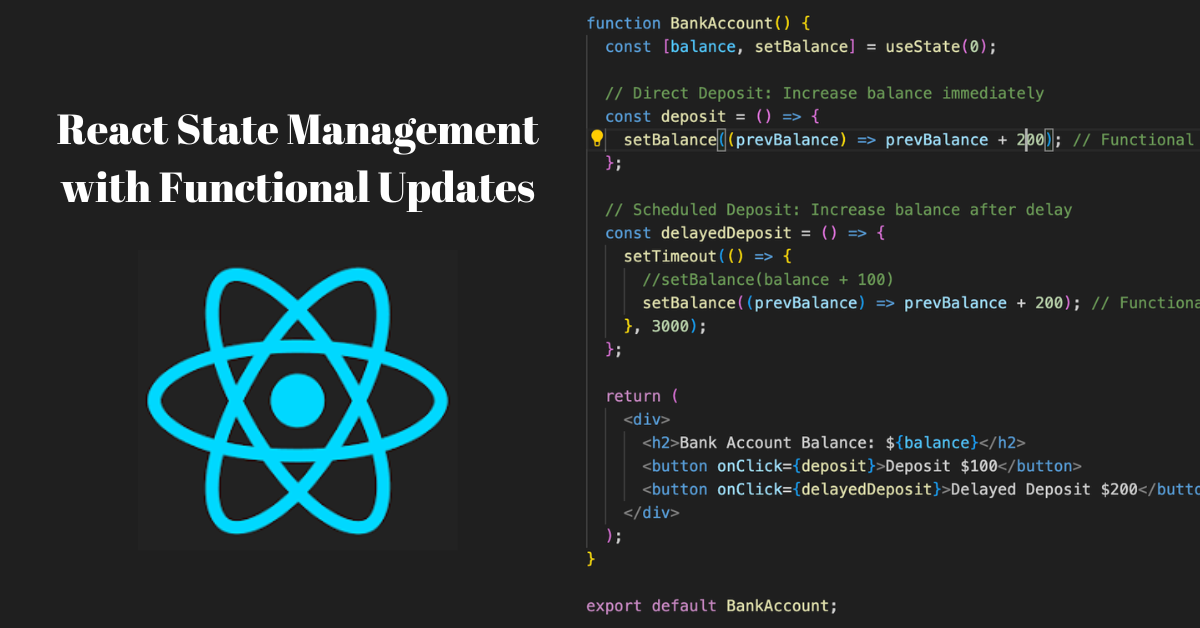
This issue also appears in asynchronous operations, like a setTimeout. A function created inside a component "closes over" the props and state of the render in which it was created. If that state changes later, the function still holds a reference to the old, stale value. The updater function pattern elegantly solves this by not depending on a closed-over variable.
4. Applying the Pattern to Objects and Arrays
This principle isn't just for numbers. It's equally, if not more, important when working with objects and arrays in state. Remember, you must never mutate state directly; you must always replace it. The updater function is the safest way to create a new object or array based on the previous one.
// GOOD: Using an updater function to add an item to an array
setItems(prevItems => [...prevItems, newItem]);

// GOOD: Using an updater to update a property in an object
setUser(prevUser => ({ ...prevUser, name: 'New Name' }));
This final video provides an excellent summary of everything we've covered and extends the concept to arrays and objects.
Avoid this React State Mistake | React Previous State Explained
Dave Gray's video 'Avoid this React State Mistake' recaps the concept and shows how it applies to more complex state.
Watch from 02:08 to 12:28. The first part (until ~07:21) reinforces the counter example. The second part is crucial as it demonstrates how to apply the same prevState pattern when updating arrays and objects, which is a very common task in React applications.
Conclusion
You've now mastered a critical pattern for robust state management in React. While setCount(count + 1) might seem simpler, understanding when and why to use the updater function will save you from hard-to-debug issues down the line.
Key Takeaways:
- Rule of Thumb: If your new state depends on the previous state, always use the updater function form:
setValue(prevState => ...). - This pattern solves issues caused by React's state batching, where multiple updates in one event handler can reference stale state.
- The updater function receives the most up-to-date state as its argument, guaranteeing your update is based on the correct value.
- This principle is universal and applies to all types of state, including numbers, strings, arrays, and objects.
Next Up:
We've now covered the core mechanics of initializing and safely updating a single piece of state. In the next lesson, we'll expand on this by looking at how to manage multiple, independent state variables within a single component, and discuss the trade-offs of grouping related state into an object versus keeping it separate.