Hello! Welcome to the first lesson of our new module.
In the last module, we focused on making our styles reusable, exploring component variants and Tailwind's @apply directive. We concluded that for React apps, co-locating styling logic inside components is often the most scalable approach.
Now, we'll shift our focus from reusable styles to reusable logic. As your applications grow, you'll find yourself writing the same state management patterns, the same data-fetching code, and the same effect setups over and over again in different components. This lesson is all about learning how to spot these repetitions.
By the end of this lesson, you will be able to identify repetitive logic that can be extracted into a custom hook. This is the first and most crucial step in making your component logic cleaner, more maintainable, and easier to reuse.
What Kind of Logic Can We Reuse?
In React, we have a few different tools for reusability, and it's important to know which one to reach for. A great way to think about this is to categorize the logic you want to reuse.
Let's watch a very short and insightful clip that breaks this down perfectly.
Custom Hooks in React - Every React Developer Should Know This
This video from ByteGrad provides a simple and powerful mental model for choosing the right reusability pattern in React.
Watch the first 30 seconds of this clip. The presenter clearly explains the three main ways to reuse logic.
To summarize that excellent point:
- If you want to reuse JSX (UI layout and elements), create a Component.
- If you want to reuse simple JavaScript logic (e.g., sorting an array, formatting a string), create a utility function.
- If you want to reuse logic that involves React hooks (like
useState,useEffect, etc.), you need to create a custom hook.
Today, we're focusing on that third category, which is incredibly powerful for cleaning up our components.
Spotting Repetitive Logic: A Classic Example
Let's imagine you're building an application and you have two different components that need to be aware of the user's network connection status.
- A
StatusBarin the header that shows "✅ Online" or "❌ Disconnected". - A
SaveButtonthat gets disabled when the user is offline.
How would you implement this? In both components, you would likely need:
- A state variable to track if the user is online (
const [isOnline, setIsOnline] = useState(true);). - An effect to add and remove event listeners for the browser's
onlineandofflineevents.
If you implement this in both components, you'll end up with duplicated code. This is a classic sign that you've found logic that can be extracted.
The official React documentation has a fantastic article that walks through this exact scenario.
Reusing Logic with Custom Hooks
Let's read the first part of the official React documentation on custom hooks. It does a great job of showing what this kind of duplication looks like in practice.
Read from the beginning of the article down to the section titled 'Extracting your own custom Hook from a component'. Focus on how the StatusBar and SaveButton components contain identical useState and useEffect blocks.
Seeing that identical block of useState and useEffect in two separate components is the "smell" you're learning to detect. Your first instinct might be to just copy that logic into a regular JavaScript function, but that won't work. Let's see why.
Why Not Just a Regular Function?
You can't just move code containing useState or useEffect into a regular JavaScript function. This is because React has strict "Rules of Hooks":
- Only call hooks at the top level of your components or other hooks.
- Don't call hooks inside conditions, loops, or nested functions.
A regular function isn't a React component or a hook, so it can't call useState. This constraint is what makes custom hooks necessary. A custom hook is a special kind of function that is allowed to call other hooks.
Custom Hooks in React - Every React Developer Should Know This
This clip expands on our first video, explaining exactly why logic containing hooks requires a custom hook and not a utility function.
Watch the video from 11:17 to 11:52. The presenter clearly explains that because useState and useEffect are being used, you must create a custom hook to abide by the Rules of Hooks.
Common Patterns of Repetitive Logic
Now that you know what you're looking for—stateful logic involving hooks that appears in multiple places—let's look at some other common patterns where extracting a custom hook is beneficial.
Pattern 1: Persisting State to Local Storage
A very common feature is saving user data (like a form draft or a theme preference) to the browser's local storage so it persists between sessions. This involves:
- Using
useStateto hold the data. - Initializing the state by reading from local storage.
- Using
useEffectto write to local storage whenever the state changes.
If you need to do this for a user's theme and for the items in their to-do list, you'll quickly find yourself duplicating this logic.
Custom Hooks in React - Every React Developer Should Know This
Let's watch a practical demonstration of this pattern. The developer first implements local storage for one piece of state, then realizes the logic is needed again for a second piece of state—a perfect moment of identifying repetitive logic.
Watch the video from 06:17 to 11:17. Follow along as the logic to get and set items in local storage is built. The key moment is at the end, when the exact same logic is considered for the theme.
Pattern 2: Data Fetching and State Management
Almost every React application needs to fetch data from an API. This process usually involves managing several related pieces of state:
- The data itself (e.g.,
posts). - A loading state (
isLoading). - An error state (
error).
This bundle of useState calls, plus the useEffect to perform the fetch, is a prime candidate for extraction. When you have multiple components all fetching different data, your components can become bloated with this same boilerplate code.
Custom Hooks in React (Design Patterns)
This video shows a great example of a component that has become messy by handling too much stateful logic internally.
Watch from 00:29 to 02:40. Notice how the CommentsPage component mixes logic for fetching comments and adding comments, each with its own loading and error states. This is a clear signal that the logic could be better organized.
The article from OneUptime also provides many excellent examples of common patterns, such as handling form state (useForm), debouncing user input (useDebounce), and tracking window size (useWindowSize). You can skim the headings in the article "How to Build Custom Hooks in React" (ID: LINK) to get a sense of the wide range of problems custom hooks can solve.
The Goal: Cleaner, Declarative Components
The reason we identify and extract this logic is to make our components cleaner, simpler, and more declarative. A component should describe what it does, not get bogged down in the implementation details of how it does it.
By extracting the online status logic into a custom hook called useOnlineStatus, the components from our first example become beautifully simple:
// Before
function SaveButton() {
  const [isOnline, setIsOnline] = useState(true);
  useEffect(() => {
    // ... logic to handle online/offline events
  }, []);

  return <button disabled={!isOnline}>Save</button>;
}

// After
function SaveButton() {
  const isOnline = useOnlineStatus(); // Describes what it needs
  return <button disabled={!isOnline}>Save</button>;
}
The SaveButton no longer cares how the online status is determined. It just asks for it. This is the power of custom hooks. The process of getting from the "before" to the "after" is what we'll be learning in this module.
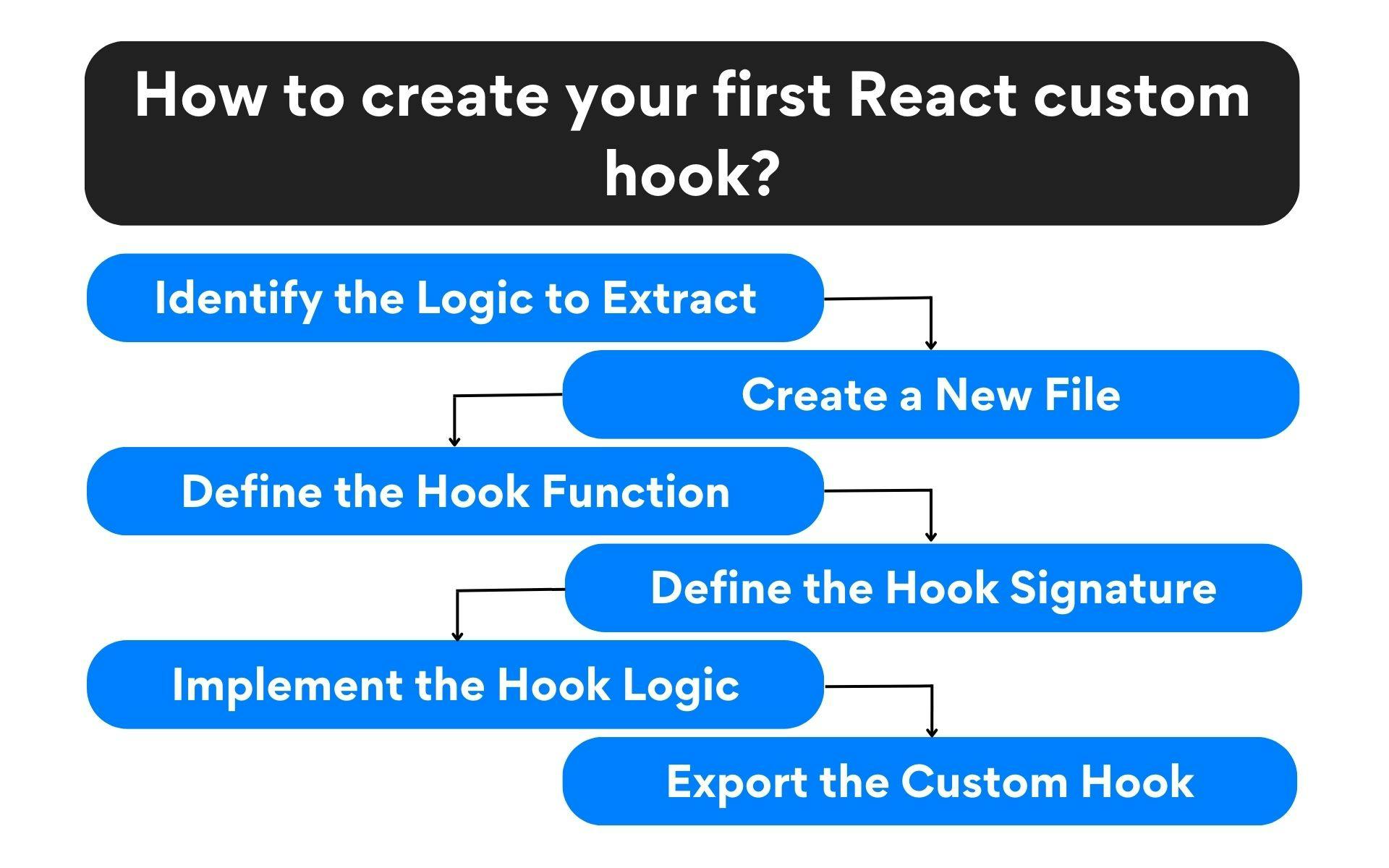
This flowchart gives a great overview of the steps involved. Today, we've focused entirely on the very first step.
Conclusion
You've now learned the fundamental skill of identifying logic that is a good candidate for extraction into a custom hook. This is less about a specific syntax and more about recognizing a pattern of repetition in your components.
Key Takeaways:
- Repetitive logic in React often involves a combination of hooks like
useStateanduseEffect. - This stateful logic cannot be put into a regular function because of the Rules of Hooks. The solution is a custom hook.
- Common patterns ripe for extraction include data fetching, form management, persistence to local storage, and tracking browser events or APIs.
- The primary goal is to make your components more declarative and readable by separating concerns. Your component should focus on its UI, while the custom hook handles the complex logic behind the scenes.
Next Up:
Now that you know what to look for, our next lesson will focus on the how. We'll learn the rules and syntax for creating your own custom hook, see how to return values and functions from it, and build our very first custom hook from scratch to put this new knowledge into practice.