Introduction
Hello! Welcome to the final lesson in our module on designing for data flow and freshness. In the last lesson, we designed the user experience for handling optimistic UI failures. When an action fails, the user needs to know what happened, why, and what they can do next. This raises a crucial question: how does the system know what happened?
To build robust, trustworthy systems, we need a definitive record of every significant action and decision. This record is called an audit trail. Today, we'll focus on this essential architectural component. Our learning outcome is to specify the data and events required in an audit trail to ensure decision traceability.
Think of it as designing the system's memory. Just as a clear error message helps a user trust your application, a detailed audit trail helps developers, support agents, and even regulatory bodies trust your system. This is especially critical for the complex, AI-powered decision systems we are learning to architect.
1. What is an Audit Trail?
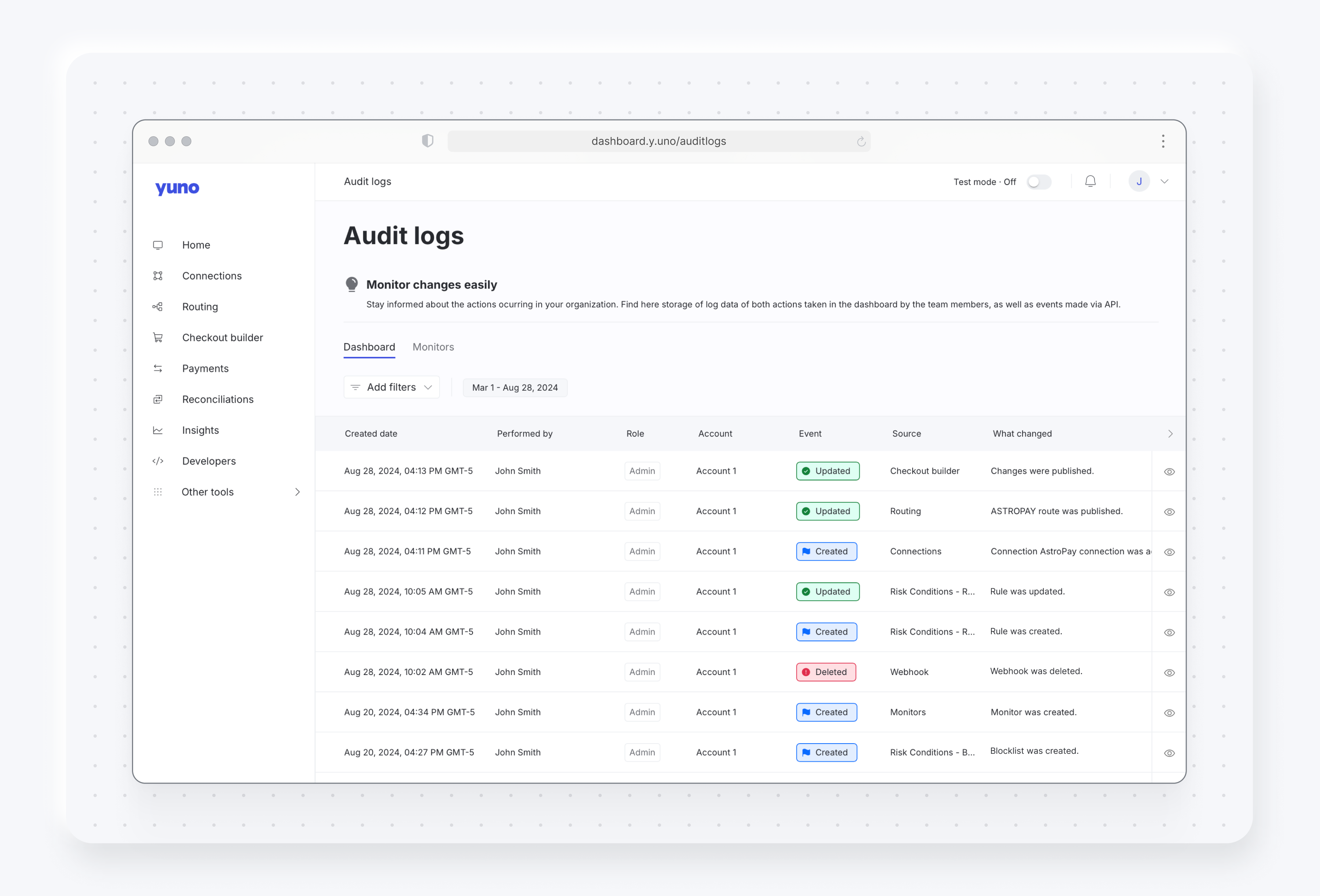
An audit trail (or audit log) is a secure, chronological, and immutable record of events and actions occurring within a system. While developers often use general-purpose logs for debugging, audit trails serve a more formal purpose:
- Accountability: Establishing who did what, and when.
- Security: Detecting and investigating unauthorized or suspicious activity.
- Compliance: Proving adherence to regulations (e.g., in finance or healthcare).
- Reconstruction: Recreating the sequence of events that led to a specific outcome, like a failed transaction or a disputed AI decision.
An effective audit trail provides a clear, understandable history of the system's operations.
2. The Anatomy of an Audit Log Entry
To create a useful audit trail, you first have to decide what information to capture. A good starting point is to ask a series of questions: Who, When, What, Where, and How?
Let's watch a video that explains the fundamentals of high-quality logging. While it speaks to developers, the principles are universal for anyone designing a system's data requirements.
12 Logging BEST Practices in 12 minutes
The video '12 Logging BEST Practices in 12 minutes' from Better Stack provides a concise overview of what makes logs useful. We'll focus on the sections about planning, structure, and content.
Please watch the following segments: 00:16 - 01:06: Focus on the importance of having clear objectives for logging—capturing the right things, not just everything. 02:23 - 03:19: This part explains structured logging (using formats like JSON). For you as a designer, the key takeaway is that structure makes data machine-readable and easy to analyze, which is vital for an auditable system. 03:19 - 04:13: Pay close attention to the list of what to capture. This directly addresses our learning outcome.
As the video highlighted, every audit log entry should contain enough context to be understandable on its own. A robust entry typically includes:
- Who (Attribution):
userIDoragentID: The unique identifier of the user or automated system that performed the action.userRole: The role of the user (e.g., 'Admin', 'Customer').source IP: The IP address from which the request originated.
- When (Timestamp):
timestamp: The exact date and time of the event, always stored in UTC to avoid timezone confusion.
- What (The Event):
eventType: A clear, standardized name for the action (e.g.,USER_LOGIN_SUCCESS,TRANSACTION_CREATED,DOCUMENT_DELETED).
- Where (The Object):
objectID: The unique identifier of the entity that was affected (e.g., a specific customer account, payment ID, or project file).
- How (The Details):
oldValueandnewValue: For any modification, storing the state before and after the change is critical for traceability.requestDetails: Key parameters from the initial request.reason: If applicable, a field for why a change was made, especially for manual overrides.
3. Traceability for AI and Regulated Systems
When dealing with AI agents or systems in regulated industries like fintech and healthcare, the need for traceability becomes even more acute. Decisions are often probabilistic and complex, and regulators require you to "show your work." This means our audit trail specification must expand to capture the entire decision-making process.
The following article from Intuition Labs, though focused on the highly regulated GxP (Good Practices) life sciences space, provides an excellent framework that applies to any high-stakes AI system.
GxP Audit Trails for AI: 21 CFR Part 11 & Annex 11 Rules
Let's read a section from 'GxP Audit Trails for AI' to understand how traditional audit trails are extended for AI workflows. We'll focus on the new types of records AI creates.
Please read the sections 'Audit Trails Tailored to AI Workflows' and the subsequent table. Pay special attention to the practical checklist for AI audit trails and 'Table 2: Key fields recommended in audit logs for AI decision support.' This table is a powerful blueprint for specifying audit requirements.
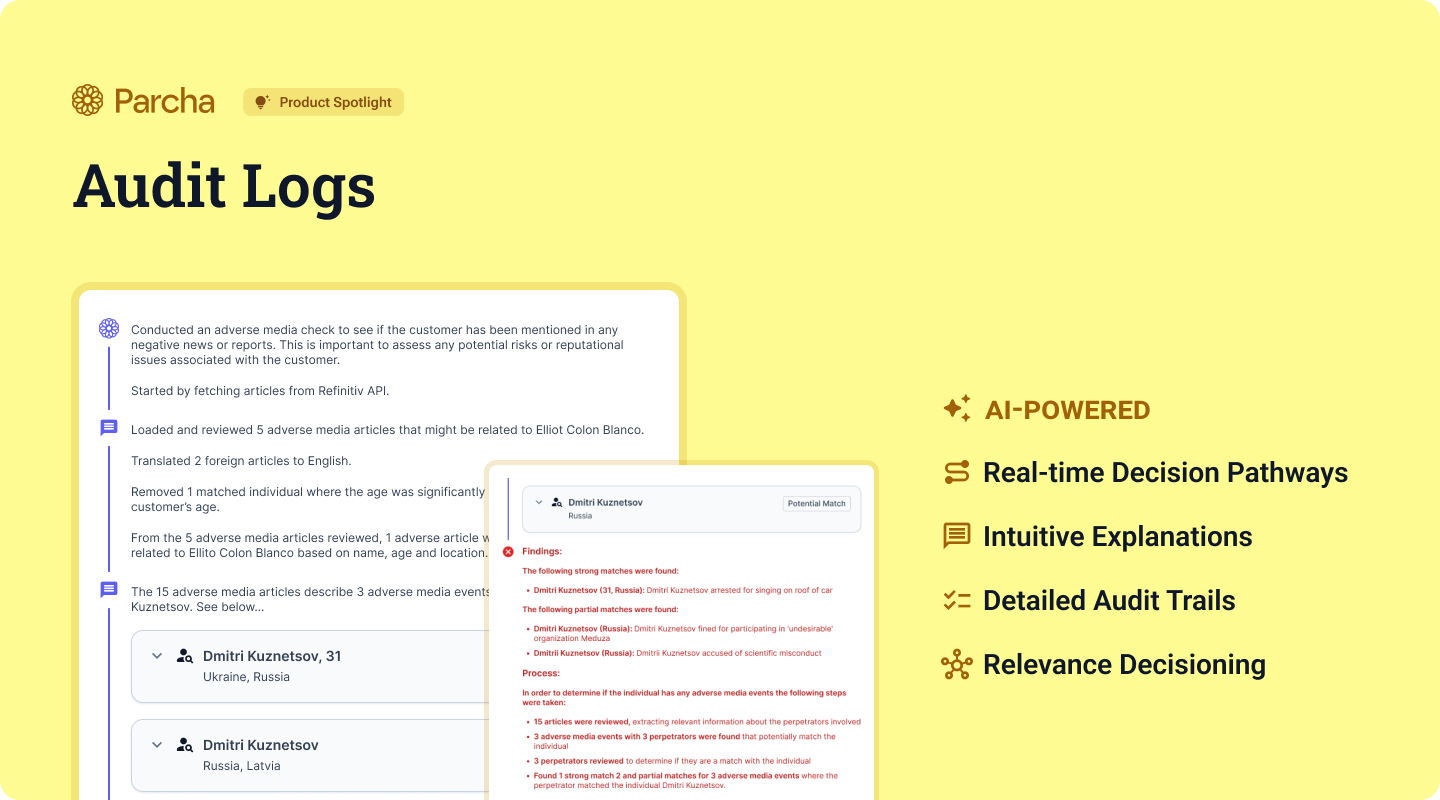
As you just read, for an AI-driven decision, we need to log the entire context. Building on the checklist and table from the article, an audit trail for an AI agent must include:
- Data Provenance: Which data sources were used to train the model? What data was used for this specific decision?
- Model Lineage: What is the
modelNameandmodelVersion(or a unique hash) that made the decision? - Inference Context:
- The full
promptor input data given to the model. - Key
parametersused (e.g., temperature, max tokens).
- The full
- Decision Output:
- The model's full, raw
output. - The model's
confidenceScoreor probability distribution.
- The model's full, raw
- Reasoning and Policy:
- The agent's "chain of thought" or reasoning trace.
- Any
policyIDor business rule that was triggered. - The outcome of any guardrail checks.
- Human-in-the-Loop:
humanReviewerID: If a person reviewed the decision.decision: The final judgment (e.g., 'Approved', 'Rejected', 'Overridden').comments: The rationale for the human's action.
By logging these elements, a "black box" decision becomes a transparent, traceable event.
Let's look at one more practical example from the world of fintech.
Regulatory Machine Learning: Building Auditable, Compliant AI ...
The article 'Regulatory Machine Learning' provides a concrete example of an auditable rationale for a credit application decision. This shows how the abstract data fields come together to form a coherent explanation.
Read the section titled 'Auditable Rationale: Beyond Binary Decisions.' Focus on the two examples provided: 'Credit Application' and 'Content Moderation.' Notice how each entry contains a decision, a policy ID, the rule text, the specific data that triggered the rule, and a timestamp.
These examples show the end goal: an audit log entry so complete that it tells the full story of a decision without needing to consult other systems.
4. Your Turn: Specifying an Audit Trail
Now, it's time to apply what you've learned. As an architect on a new project, you need to specify the audit trail requirements for a critical feature.
Scenario:
You are designing a system for a fintech company called "LendWise." The system uses an AI agent to perform an initial review of small business loan applications. The agent can:
- Approve the application automatically if it meets all criteria.
- Flag for Human Review if the application is borderline.
- Reject the application if it clearly violates a core policy (e.g., the business is in a prohibited industry).
A customer's application was flagged for human review, and then ultimately denied by a loan officer. The customer has filed a dispute, claiming the decision was unfair. A support manager needs to use the audit trail to understand exactly what happened.
Your Task:
Specify the data and events that must be recorded in the audit trail to ensure full traceability for this scenario. Create a list of required fields for each key event. Use the checklists and examples from the resources as your guide.
Consider the following events that need to be logged:
- The initial
ApplicationSubmittedevent. - The
AIAgentReviewevent. - The
HumanReviewevent.
For each event, list the fields you would require in the audit log entry. Think about what information the support manager would need to reconstruct the entire process.
Conclusion
In this lesson, you've learned how to specify the requirements for one of the most critical components of a robust system: the audit trail. By ensuring complete traceability, you build systems that are accountable, secure, and trustworthy.
Key Takeaways:
- An audit trail is a chronological, immutable record designed for accountability, security, and compliance.
- A complete audit log entry answers the questions of Who, When, What, Where, and How.
- For AI-driven decisions, the audit trail must be extended to include data provenance, model lineage, inference context, decision output, and any human-in-the-loop actions.
- The goal of an audit trail is to make every decision fully reconstructible, turning opaque processes into transparent, explainable histories.
Next Steps
We have now concluded our module on data flow and freshness, culminating in the ultimate form of data record-keeping: the audit trail. You are now prepared to architect systems that handle data with clarity, resilience, and accountability.
In our next lesson, we will begin Module 8: Engineering Trust in AI Systems. We'll start by exploring a foundational concept from psychology: System 1 (intuitive) vs. System 2 (deliberate) thinking. Understanding these two modes of human cognition is the first step toward designing AI interfaces that users can understand, trust, and interact with effectively.