Hello! Welcome to the first lesson of our "Python Fundamentals for Analysts" module.
In the previous modules, you've built a strong foundation in core business analysis techniques and mastered how to query complex datasets using SQL. You've learned to extract valuable information, from performing root cause analysis to preparing data for sophisticated cohort analysis.
Now, we're going to add another powerful tool to your arsenal: Python. While SQL is the language for asking questions of a database, Python is a versatile language for working with data once you have it. As a Business Analyst, you'll use Python for data manipulation, automation, statistical analysis, and collaborating effectively with data science and engineering teams.
This lesson is the first step on that journey. We'll start with the absolute basics, covering the learning outcome: Write Python scripts using variables, fundamental data types, and operators. By the end of this session, you'll understand the essential building blocks of any Python program and be able to write your first simple script.
1. Variables: Naming Your Data
Think about your work as a project manager. You don't refer to a budget item as "that money for the thing in Q3." You give it a specific name, like Q3_Marketing_Campaign_Budget, so everyone on the team knows exactly what you're talking about.
Variables in programming serve the same purpose. They are simply names or labels that you assign to values stored in the computer's memory. This makes your code readable, reusable, and easier to manage.
To see what this means in practice, please watch this very short introduction.
Python Variables - Python Tutorial for Beginners with Examples | Mosh
The video 'Python Variables' by Programming with Mosh provides a quick, clear explanation of what variables are and why we use them.
Watch the first minute of the video (00:00 - 00:57) to see how a variable is used to store a number and retrieve it later.
Assigning and Using Variables
As you saw, you create a variable using the assignment operator (=).
# variable_name = value
number_of_users = 1500
campaign_name = "Summer Sale 2024"
Once a variable is defined, you can use its name in place of the value. Let's explore a practical example from a business context.
Python for Business: Introduction to Python
This reading from 'Python for Business' by The Carpentries shows how variables make a financial calculation much easier to write and modify.
Please read the section 'Your First Python Program'. Notice how rewriting the quadratic formula with variables makes it more readable and easier to update than typing the numbers directly into the formula.
A key concept in Python is that variables are references to objects. When you write number_of_users = 1500, you're not putting the number 1500 inside the variable. Instead, Python creates an integer object with the value 1500 in memory, and the variable number_of_users simply points to that object. This distinction will become more important as we work with more complex data.
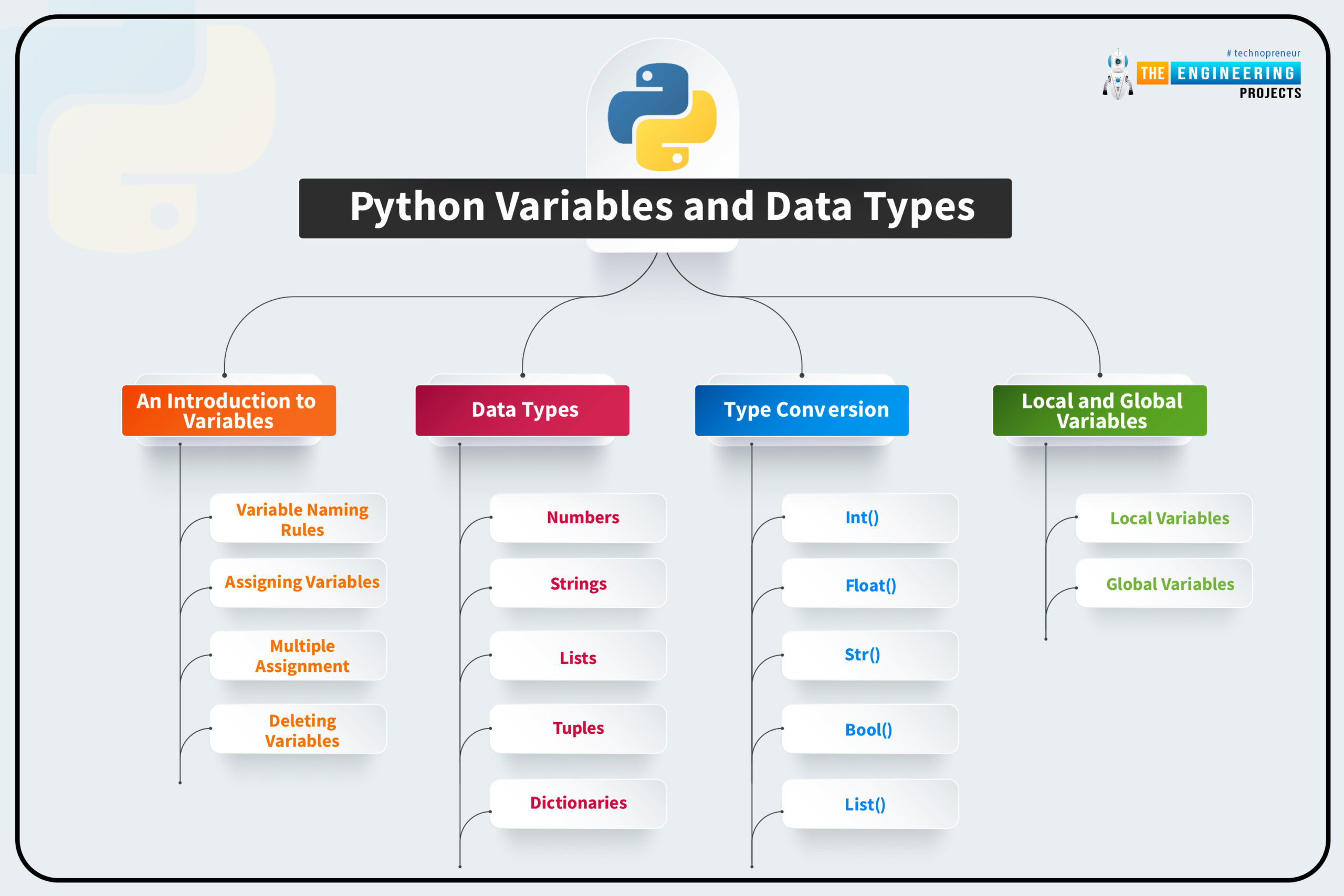
2. Fundamental Data Types
Every value in Python has a data type, which tells Python what kind of data it is and what operations are allowed on it. For now, we'll focus on four fundamental types.
To see them in action, the next video will walk through each one with examples.
Data Types in Python | Python for Beginners
The video 'Data Types in Python' from Alex The Analyst gives a great walkthrough of the basic data types. We'll watch the segments on numeric types, booleans, and strings.
Please watch the following parts of the video: Numeric Types (00:19 - 01:52): Covers integers (int) and floats (float). Boolean Values (01:52 - 02:44): Covers True and False. Strings (02:44 - 04:50): Covers how to create text data. You can stop watching when he starts discussing indexing (slicing with brackets [:]), as we will cover that later.
Let's summarize those core types:
-
Integers (
int): Whole numbers, positive or negative. Used for counting things, like users, clicks, or page views.clicks = 3500inventory_count = -10(maybe representing a stock deficit)
-
Floats (
float): Numbers with a decimal point. Used for measurements and calculations where precision is needed, like rates or financial values.conversion_rate = 0.045cost_per_click = 1.25
-
Strings (
str): A sequence of characters, used for text. You must enclose them in single (') or double (") quotes.user_segment = "High-Value Customers"ad_creative_id = 'AD482-B'
-
Booleans (
bool): Represents one of two values:TrueorFalse. Crucial for logic and decision-making. Note that they are case-sensitive.is_registered_user = Truehas_completed_purchase = False
You can always check the type of a variable using Python's built-in type() function:
cpc = 1.25
print(type(cpc))
# Output: <class 'float'>

campaign_name = "Summer Sale"
print(type(campaign_name))
# Output: <class 'str'>
Test your understanding!
What would be the most appropriate fundamental data type (int, float, str, or bool) to store each of the following pieces of information from an AdTech campaign?
- The number of times an ad was shown (impressions).
- The headline of the ad creative.
- The average time a user spent on the landing page after clicking the ad (in seconds).
- A flag indicating whether the user is from a target demographic.
Show answer
int: Impressions are counted in whole numbers.impressions = 500000str: The headline is text.headline = "Save 50% Today Only!"float: Average time is a measurement that will likely have a decimal.avg_time_on_page = 45.7bool: This is a simple yes/no or true/false condition.is_target_demographic = True
3. Operators: Performing Actions on Data
If variables and data types are the "nouns" of programming, operators are the "verbs." They let you perform calculations, comparisons, and assignments.
Arithmetic Operators
These are used for mathematical calculations.
| Operator | Name | Example | Result |
|---|---|---|---|
+ |
Addition | 5 + 2 |
7 |
- |
Subtraction | 5 - 2 |
3 |
* |
Multiplication | 5 * 2 |
10 |
/ |
Division | 5 / 2 |
2.5 |
** |
Exponent | 5 ** 2 |
25 |
// |
Floor Division | 5 // 2 |
2 |
% |
Modulo | 5 % 2 |
1 |
The Python for Business reading has some great examples of using these in financial calculations.
Python for Business: Introduction to Python
Let's revisit 'Python for Business' to see how these operators are used to build more complex expressions.
Read the sections 'Writing Expression with Variables' and 'Writing Complicated Expressions'. Pay attention to how variables are combined with operators like * and / to implement formulas.
Comparison Operators
These are used to compare two values. The result of a comparison is always a Boolean (True or False).
| Operator | Description | Example | Result |
|---|---|---|---|
== |
Equal to | 5 == 5 |
True |
!= |
Not equal to | 5 != 2 |
True |
> |
Greater than | 5 > 2 |
True |
< |
Less than | 5 < 2 |
False |
>= |
Greater than or equal to | 5 >= 5 |
True |
<= |
Less than or equal to | 2 <= 5 |
True |
This is extremely useful in business analysis. For example, you might create a boolean flag like this:is_high_value_order = order_total > 100.00
4. Writing Your First Script: An AdTech Example
Let's combine everything we've learned. A critical part of writing professional code is using clear, descriptive variable names.
Python Variables - Python Tutorial for Beginners with Examples | Mosh
Let's watch one last clip from Mosh's video, where he discusses best practices for naming variables. This is crucial for writing code that you and your colleagues can easily understand.
Watch the segment from 03:15 to 05:58. He covers four key points about variable naming that are part of a widely adopted style guide called PEP 8.
Now, let's apply these principles. Imagine you have the following data for an online ad campaign and you need to calculate two key metrics: Click-Through Rate (CTR) and Cost Per Click (CPC).
- CTR = (Total Clicks / Total Impressions) * 100
- CPC = Total Spend / Total Clicks
Here is a simple Python script to perform these calculations. Try typing this out yourself in a code editor or a Jupyter Notebook.
# 1. Define variables with data from our campaign
impressions = 500000
clicks = 2500
total_spend = 1200.50

# 2. Calculate the metrics using arithmetic operators
# We multiply by 100 to express CTR as a percentage
click_through_rate = (clicks / impressions) * 100
cost_per_click = total_spend / clicks

# 3. Print the results to the screen
# The 'f' before the string allows us to embed variables directly. It's called an f-string.
print(f"Campaign Results:")
print(f"Click-Through Rate (CTR): {click_through_rate}%")
print(f"Cost Per Click (CPC): ${cost_per_click}")
When you run this script, you should see an output that neatly summarizes your campaign's performance. Notice how the descriptive variable names make the formulas easy to understand.
Conclusion
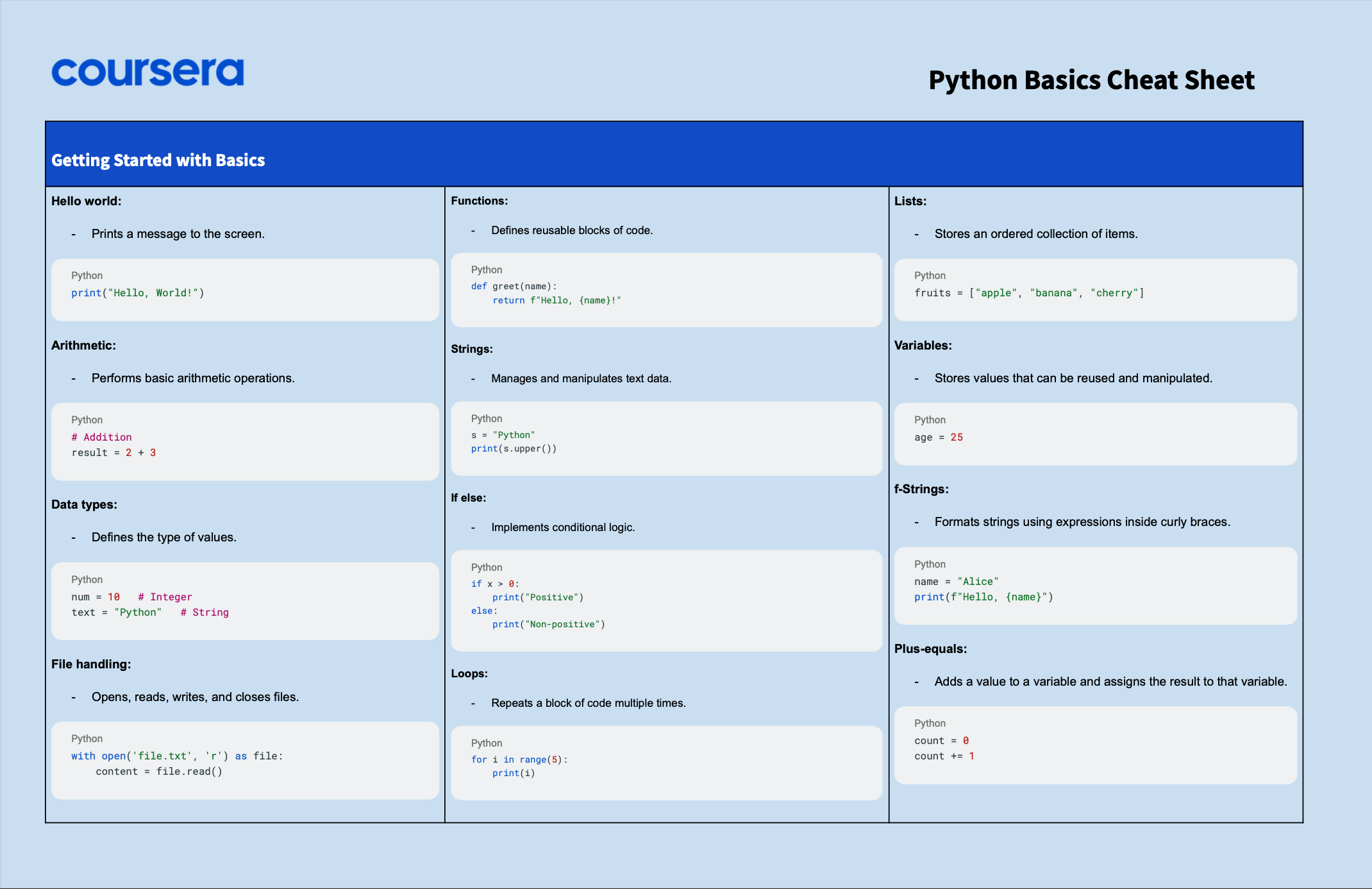
Excellent work! You've just taken your first steps into the world of Python. While these concepts are simple, they are the absolute foundation upon which all complex programs are built.
Key Takeaways:
- Variables are named references used to store and access data (e.g.,
total_spend = 1200.50). - The fundamental data types determine what kind of value a variable holds:
int(whole numbers),float(decimals),str(text), andbool(True/False). - Operators are the symbols that perform actions, like
*for multiplication and>for comparison. - Writing clean code with descriptive variable names (like
cost_per_clickinstead ofcpc) is essential for professional work.
Preview of the Next Lesson:
So far, we've only worked with single values. But what about handling entire lists of customers, or all the performance metrics for a campaign? In our next lesson, we will learn to work with core data structures: lists, tuples, and dictionaries. These will allow you to group and manage collections of data, unlocking much more powerful analysis.