Welcome to your first step into the world of web development! This course is designed to take you from a complete beginner to someone who can build and publish a website, all within your 15-day timeframe. Today's lesson is the foundational bedrock for everything that follows. Before we can build, we must understand our materials.
Our goal for this session is to answer a fundamental question: What is a website made of? You will learn to describe the distinct roles of the three core technologies that power virtually every site you visit: HTML, CSS, and JavaScript. Understanding how they work together is the most important first concept in web development.
The Three Pillars of the Web
Every website, from the simplest personal page to a complex application like Google Maps, is built using three key languages. Think of them as a team where each member has a very specific job.
A great way to visualize this is with a car analogy.
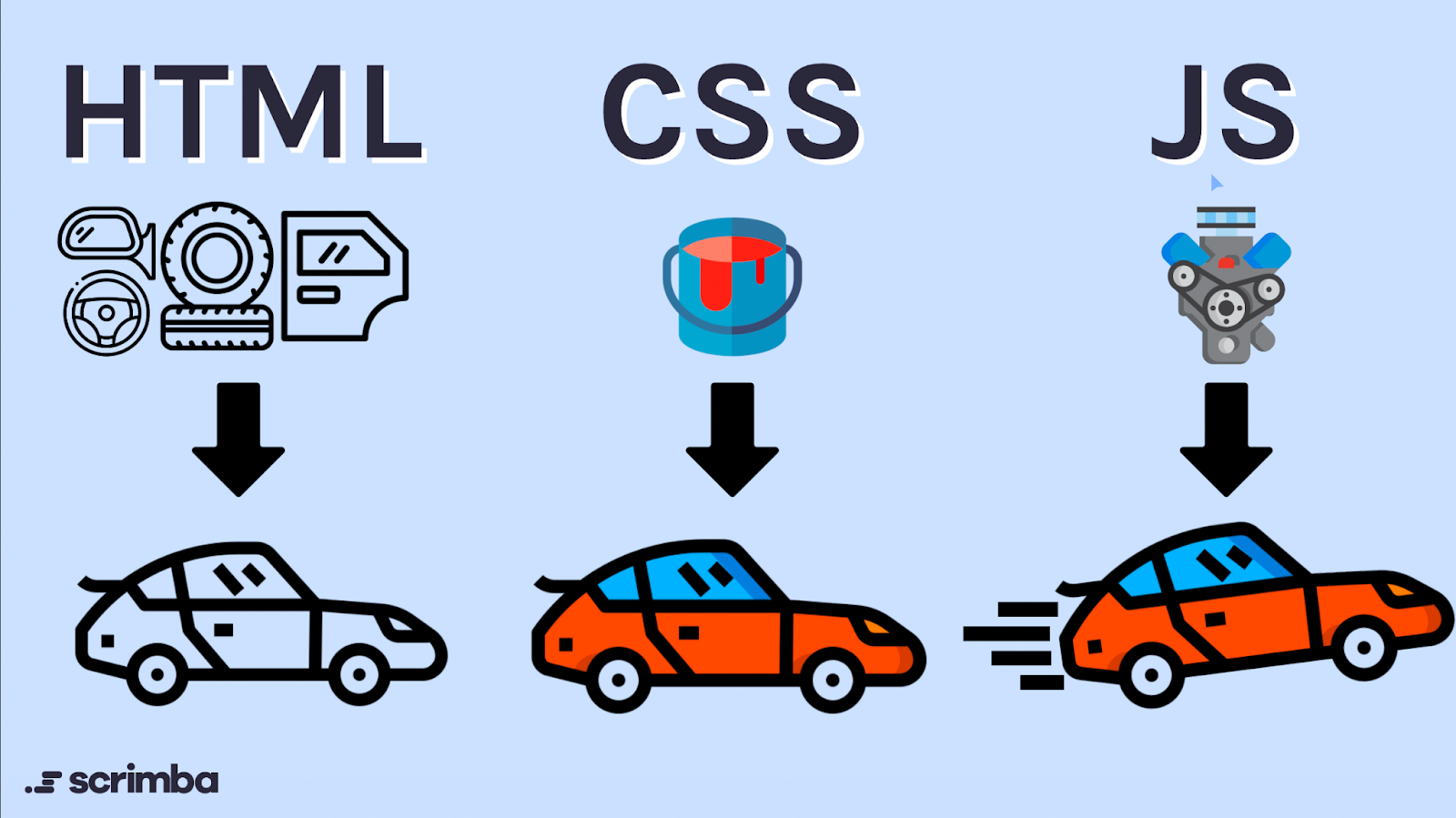
As the image suggests:
- HTML (HyperText Markup Language) is the structure. It's the chassis, the engine block, the doors, and the wheels of the car. It defines all the essential components and puts them in place.
- CSS (Cascading Style Sheets) is the presentation. It's the paint job, the seat upholstery, the chrome trim, and the wheel design. It makes the car look good.
- JavaScript (JS) is the functionality. It's the engine that roars to life when you turn the key, the wipers that clear the rain, and the radio that plays music. It makes the car do things.
To get a quick and dynamic overview of these "three amigos" of web development, take a few minutes to watch this video.
HTML, CSS, JavaScript Explained [in 4 minutes for beginners]
This short video, "HTML, CSS, JavaScript Explained," provides a concise and energetic introduction to the three core languages of the web.
Watch the entire video. Pay attention to the nicknames the creator gives each language—"The Builder," "The Artist," and "The Wizard"—and how she demonstrates a website changing as each language is added. The full video is less than 4 minutes long.
Now that you have the big picture, let's look at each of these languages in a bit more detail.
HTML: The Skeleton of the Web
HTML’s job is to give your webpage structure and to define its content. It doesn't care about colors or fonts; it only cares about what the content is. Is this a heading? A paragraph? An image? A list? You use HTML "tags" to mark up your text and content to tell the browser how to organize it.
For a deeper dive into what HTML is and how it functions as a markup language, please read the following section from a helpful article on freeCodeCamp.
Learn Web Development Basics – HTML, CSS, and ...
This section from the freeCodeCamp article explains HTML in more detail, using an analogy of instructions for a manuscript to clarify what a "markup language" is.
In the article, please read the section titled "What is HTML?". Start from the definition and the explanation that follows. Notice how the plain HTML code example creates a structured but very plain-looking page. This is the core role of HTML: structure without style.
As you saw, a website with only HTML is functional but visually unappealing. It's all structure and no style, like a building with only its concrete foundation and steel frame exposed. To fix that, we need CSS.
CSS: The Art of Web Design
CSS is the design language of the web. You use it to take the structured content from your HTML and make it visually engaging. CSS controls colors, fonts, spacing, layout, and even animations. It's what transforms a black-and-white document into a beautiful, well-designed webpage.
Nothing illustrates the power of CSS better than seeing a website before and after it's applied.
The following video provides an excellent visual demonstration of CSS's impact and explains its role as the "design language."
What is HTML, CSS, and JavaScript?
This video from the channel Tiff In Tech offers a clear explanation of CSS, complete with a visual comparison of a website with and without styling.
Please watch the segment on CSS, which starts at the introduction to CSS and continues through the main explanation, ending at the end of the section. Pay close attention to the side-by-side comparison of the plain HTML page and the styled page.
JavaScript: Making Websites Interactive
So far, we have a structured (HTML) and styled (CSS) webpage. But it's static. It's like a beautiful brochure. What if you want to make things happen when the user interacts with the page, like clicking a button, submitting a form, or playing a game? That's where JavaScript comes in.
JavaScript is a full-fledged programming language that runs in the web browser. It can manipulate HTML and CSS on the fly, respond to user actions (like clicks and keyboard input), and communicate with servers to fetch new data. It brings your website to life.
Let's return to the freeCodeCamp article to understand JavaScript's role.
Learn Web Development Basics – HTML, CSS, and ...
These sections explain what CSS and JavaScript are, using analogies of human appearance and brain function to make the concepts relatable.
First, quickly review the section "What is CSS?" which begins right after the HTML section you just read. Then, continue on to the section titled "What is JavaScript?". Read from the explanation of its role as a programming language. The analogy of how your brain is programmed to react to events is particularly useful here.
Separation of Concerns
A core principle in modern web development is "separation of concerns." This means we keep the files for structure (HTML), style (CSS), and logic (JavaScript) separate. This makes our code much cleaner, easier to manage, and more reusable.
An HTML file will contain a link to a CSS file to tell it which styles to apply, and a link to a JavaScript file to tell it what behaviors to execute. The article below explains this concept using a city-planning analogy.
The Relationship Between HTML, CSS and JavaScript ...
This article introduces the important concept of keeping your HTML, CSS, and JavaScript in separate files.
Please read from the beginning of the article down to the section titled "An Example of A Basic File Directory." Focus on the explanation of "separation of concerns" and look at the diagram showing the index.html, styles.css, and scripts.js files in one folder.
Don't worry about the code details for now. The key takeaway is that we build websites using three distinct languages, each with its own file and its own clear purpose.
Conclusion
In this lesson, we've established the foundational concepts of web development. You now know the "what" and "why" behind the three essential languages of the web.
Key Takeaways:
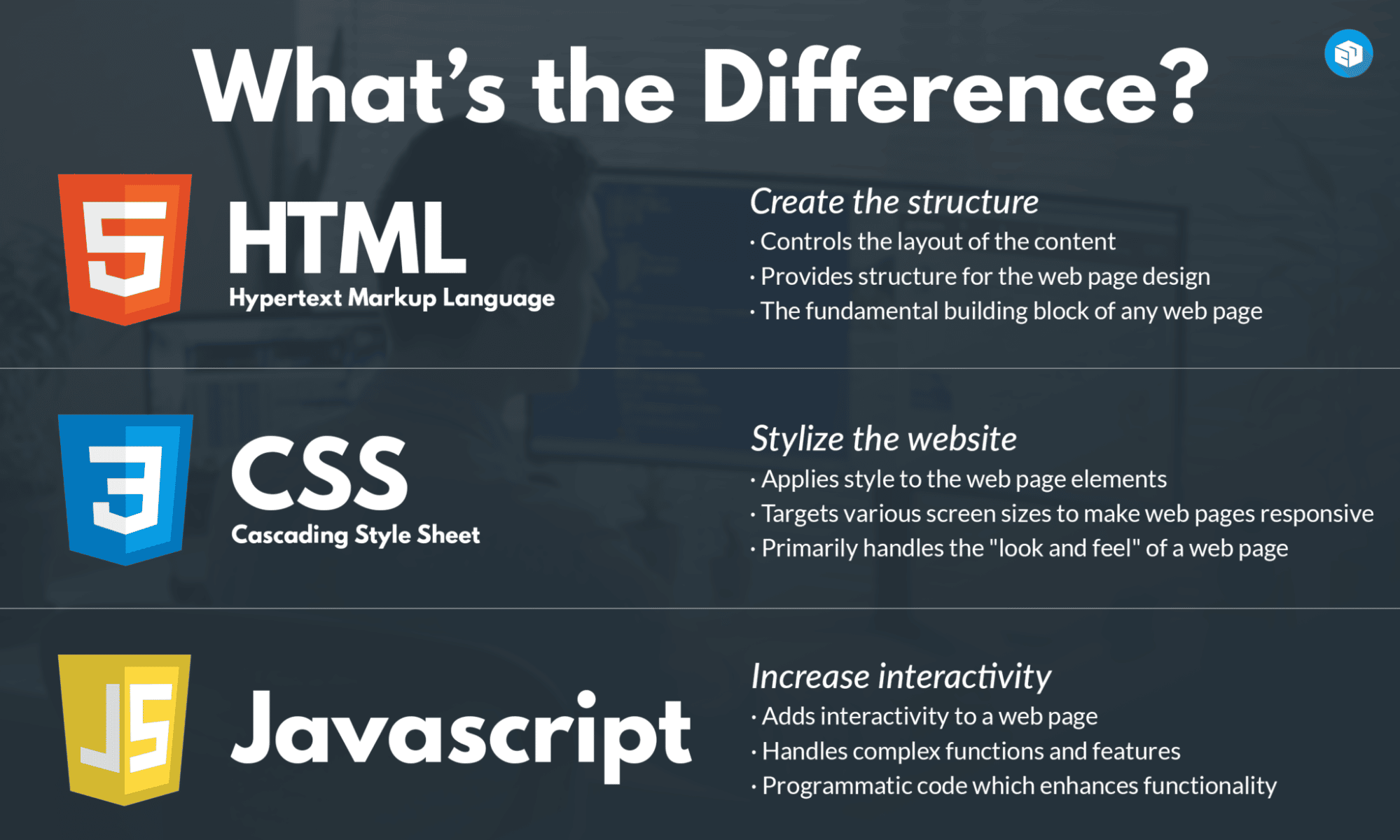
- HTML is for structure. It defines the content of a page, like headings, paragraphs, and images. It's the skeleton.
- CSS is for style. It controls the visual presentation, including colors, fonts, and layout. It's the appearance.
- JavaScript is for interactivity. It's a programming language that makes websites dynamic and responsive to user actions. It's the behavior.
- These three languages work together but are typically kept in separate files, a practice known as separation of concerns.
This theoretical foundation is crucial. Now that you understand the roles of your tools, you're ready to pick them up. In our next lesson, we will move from theory to practice by setting up your local development environment. You'll install a code editor, which is the primary software you'll use to write the HTML, CSS, and JavaScript for the website you're going to build.