Welcome to your first lesson. We are embarking on a project to design and build a pair of smart glasses for real-time obstacle detection, all while adhering to an extremely tight budget of under $100. This initial module is dedicated to the foundational, and perhaps most critical, phase of the project: selecting the core hardware components.
Your first major decision is choosing the "brain" of the system. This component will be responsible for capturing images from the stereo cameras, running the AI model for obstacle detection, and triggering the feedback mechanism. Today, we'll compare the capabilities and costs of budget-friendly edge computing platforms. This will involve weighing the trade-offs between two distinct classes of devices: versatile, power-hungry Single-Board Computers (SBCs) like the Raspberry Pi Zero 2 W, and specialized, power-efficient Microcontroller Units (MCUs) like the ESP32-S3.
The Two Architectures: SBCs vs. MCUs
At the heart of our hardware selection lies a fundamental architectural choice. On one hand, we have Single-Board Computers (SBCs), and on the other, Microcontroller Units (MCUs). Understanding their differences is key to making an informed decision for a wearable, battery-powered device.
-
Single-Board Computers (SBCs): Think of these as miniature, full-fledged computers. A prime example is the Raspberry Pi family. They run a general-purpose operating system (like Linux), possess significant RAM (typically >512MB), and feature powerful multi-core processors. This makes for a familiar development environment where you can write Python scripts and use standard libraries like OpenCV and TensorFlow with ease. The trade-off is significantly higher power consumption, which is a major concern for any device that isn't tethered to a wall.
-
Microcontroller Units (MCUs): These are simpler, more specialized devices designed for control tasks and low-power operation. Examples include the ESP32 and Raspberry Pi Pico. They don't run a traditional OS; instead, you deploy firmware that runs directly on the "bare metal" or on top of a Real-Time Operating System (RTOS) like FreeRTOS. They have much less memory (measured in kilobytes of SRAM) and are less powerful for general-purpose computing. However, their ultra-low power consumption and deterministic, real-time performance make them ideal for embedded applications. Modern MCUs are also increasingly including hardware tailored for AI workloads.
For our smart glasses, this choice boils down to a classic engineering trade-off: the ease of development and raw power of an SBC versus the power efficiency and real-time control of an MCU.
Contender 1: The Specialist — ESP32-S3
The ESP32-S3 from Espressif has emerged as a leading contender in the "TinyML" space. It's an MCU, but one specifically designed with AI on the edge in mind.
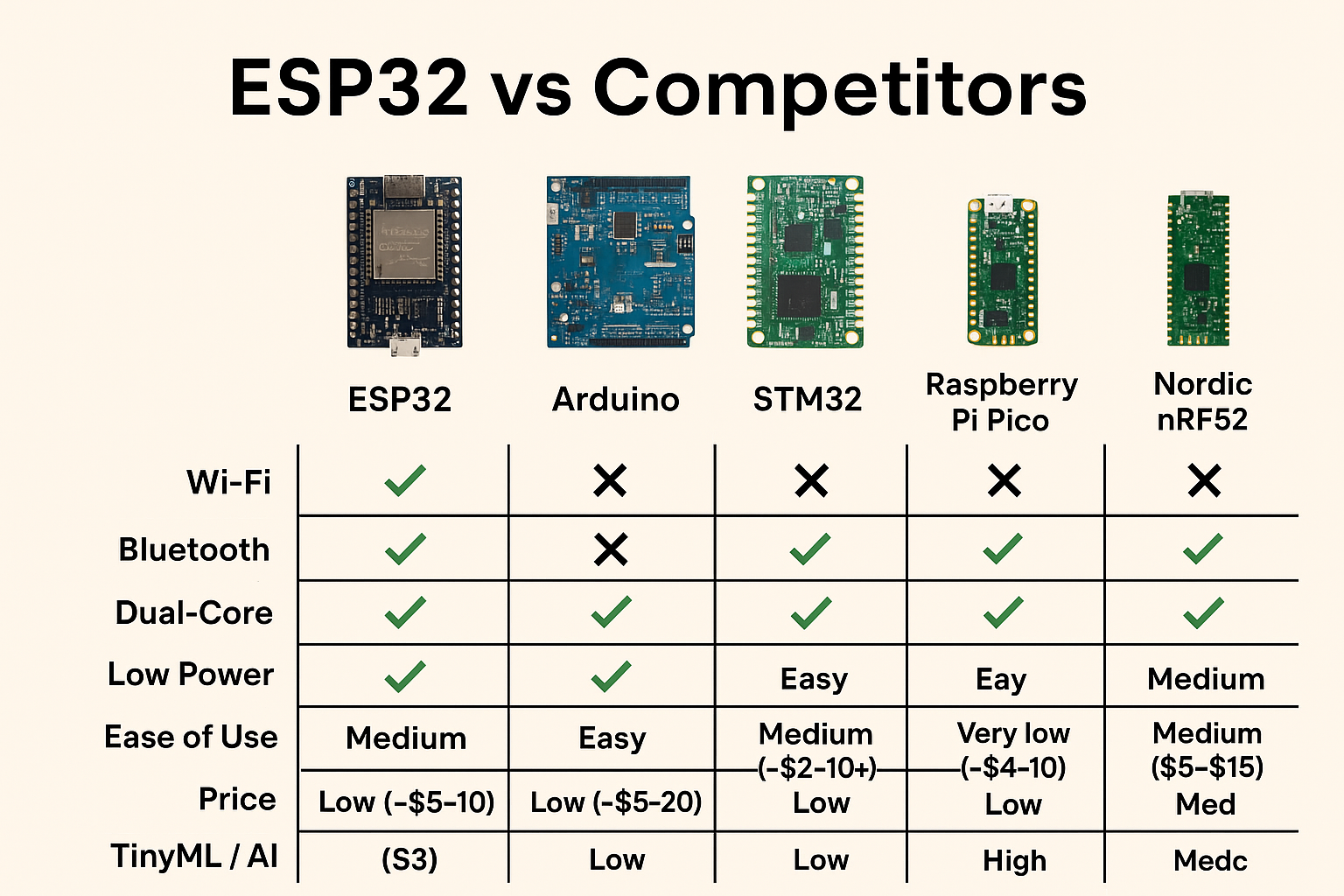
The ESP32-S3's primary advantage for our project is its CPU architecture. Let's explore its specifications in more detail.
This article from PCBway provides an excellent technical breakdown of what sets the ESP32-S3 apart from its popular predecessor, the ESP32. Focus on the sections that detail its performance and AI capabilities.
Please read the first two main sections of the article. Start with Core Performance Comparison, paying close attention to the description of the Xtensa LX7 architecture. Then, continue to the next section, AI and Image Processing Capabilities. This part is crucial, as it explains the hardware feature that makes the S3 so well-suited for on-device AI.
As you've just read, the key upgrade in the ESP32-S3 is the Xtensa LX7 CPU, which includes a vector instruction set. These instructions enable Single Instruction, Multiple Data (SIMD) operations, providing hardware acceleration for the convolutions and matrix multiplications that form the backbone of neural network inference. This allows the S3 to execute lightweight AI models significantly faster and more efficiently than MCUs lacking this feature.
The article also highlights another critical feature: dedicated camera interfaces. This will be essential when we begin connecting our stereo cameras in a later module.
But how does this translate to real-world performance? A recent research paper on using ultra-lightweight CNNs for insect detection provides compelling evidence. The researchers deployed their system on an ESP32-S3.
This research paper demonstrates the practical application of running AI models on an ESP32-S3 for a real-world task. We will look at their methodology and results to understand the performance we can expect.
First, read the brief section on their power measurement setup, Power, to see the specific hardware used. Next, examine their results in Figure 5 and the accompanying text. The section starts here. Finally, look at Table 4 in the "Performance" subsection, which you can find by searching for the text in this paragraph. This table directly compares the power consumption and performance of their ESP32-S3 setup against systems using the Raspberry Pi Zero 2 W and other boards.
The key takeaways from this paper are the concrete performance and power metrics:
- Power Consumption: The entire ESP32-S3 system, while running inference, drew less than 300mW.
- Performance: Even their most accurate model could process over 2 frames per second (FPS), with more lightweight models exceeding 8 FPS.
- Comparison: Table 4 shows the ESP32-S3 consuming an order of magnitude less power than systems based on the Raspberry Pi Zero W/2W (0.125-0.3W vs. 4.4W), enabling projected battery life of weeks instead of a single day.
For our battery-powered smart glasses, this low power draw is a massive advantage.
Contender 2: The Generalist — Raspberry Pi Zero 2 W
The Raspberry Pi Zero 2 W represents the SBC approach. It's a remarkably small yet complete Linux computer, and its familiarity can greatly accelerate development.

To get a better sense of its capabilities, especially in relation to its peers and our project needs, the following video provides a helpful overview.
This video from "Maker by Mistake" compares several "Zero" form-factor SBCs. We will focus on the sections covering the Raspberry Pi Zero 2 W's specifications, performance, and camera support.
Watch the following segments: First, get the basic specs, including its CPU, RAM, and price. Next, see how its CPU performance stacks up in a benchmark. Finally, and most importantly for our project, watch the discussion on camera connectors and software support.
The Raspberry Pi Zero 2 W offers a compelling package:
- CPU & RAM: A 1GHz quad-core ARM Cortex-A53 processor and 512MB of RAM. This provides substantially more general-purpose compute power and memory than the ESP32-S3.
- Ease of Use: It runs Raspberry Pi OS, a full Linux distribution. You can
sshinto it,pip installpackages, and write Python code just as you would on a desktop. This aligns perfectly with your existing software engineering experience. - Camera Ecosystem: It features a dedicated MIPI-CSI camera connector and a mature, well-documented software library (
Picamera2). This significantly simplifies the process of capturing and processing images from a wide variety of camera modules.
However, as we saw in the insect monitoring paper, this power and convenience come at the cost of high energy consumption, making it a challenging choice for a wearable device intended to run for more than a very short time.
Head-to-Head: A Nuanced Look at Performance
Clock speed isn't everything. A processor's architecture and instruction set can have a greater impact on performance for specific tasks. The next video offers a fascinating benchmark that pits the ESP32-S3 against another popular MCU, the Raspberry Pi Pico 2. While our focus isn't on the Pico, the video reveals important insights about the ESP32-S3's performance characteristics.
ESP32-S3 vs. Raspberry Pi Pico 2: The Shocking Speed Test!
This video from educ8s.tv runs a computational speed test. We're interested in how the ESP32-S3 performs and, crucially, how much power it consumes compared to other MCUs.
Please watch these parts: First, observe the initial benchmark result, which compares the ESP32-S3 to a different architecture at a lower clock speed. Next, see how the ESP32-S3 (LX7 core) compares to the original ESP32 (LX6 core). This is relevant to the PCBWay article you read earlier. Finally, watch the power consumption test. This directly compares the board power draw under load.
This benchmark highlights two key points:
- For general floating-point calculations without leveraging its specialized vector instructions, the ESP32-S3's LX7 core shows no significant speed-up over the older LX6. This underscores that its AI advantage comes specifically from those new instructions.
- The power consumption of the ESP32-S3 board, even with Wi-Fi/Bluetooth disabled, is more than double that of the Pico board (~81mA vs. ~40mA at 240MHz). While not an apples-to-apples processor comparison due to different board components, it reinforces that within the MCU world itself, there are significant variations in power efficiency.
Initial Assessment and Path Forward
Let's summarize the trade-offs in the context of our smart glasses project:
| Feature | ESP32-S3 (MCU) | Raspberry Pi Zero 2 W (SBC) |
|---|---|---|
| Primary Strength | Power efficiency & specialized AI hardware | General-purpose power & ease of development |
| Compute | Dual-core 240MHz LX7 with AI vector instructions | Quad-core 1GHz A53 |
| Memory | 512 KB SRAM + external PSRAM support | 512 MB SDRAM |
| Power Consumption | Very Low (<0.5W under load) | High (~4-5W under load) |
| Development | C++/MicroPython on RTOS/bare-metal (ESP-IDF) | Python/C++ on Linux |
| Real-Time Guarantees | Yes (with RTOS) | No (Linux is not a real-time OS) |
| Approximate Cost | ~$8-12 | ~$15 |
For a wearable, untethered device, power consumption is the paramount constraint. The Raspberry Pi Zero 2 W's power draw, while manageable for a stationary project, would likely drain any reasonably-sized battery for glasses in minutes, not hours.
The ESP32-S3, with its combination of ultra-low power consumption and hardware acceleration for AI, presents a much more viable path forward, despite the steeper learning curve associated with firmware development. Its constraints will force us to be disciplined about model size and code efficiency, which is the core challenge of embedded AI.
Conclusion
In this lesson, we contrasted the two main approaches for our project's compute platform: the powerful but power-hungry SBC and the efficient but constrained MCU. We analyzed the ESP32-S3 as a leading MCU candidate, noting its AI-accelerated architecture and extremely low power draw. We compared it with the Raspberry Pi Zero 2 W, a capable SBC that offers a more familiar development environment but at a prohibitive power cost for a wearable device.
Based on this analysis, the ESP32-S3 appears to be the most promising platform for our smart glasses. Its architecture directly addresses the twin challenges of on-device inference and battery life.
In the next lesson, we will build upon this decision. We'll dive into the world of stereo-compatible camera modules, evaluating them based on resolution, frame rate, cost, and—most importantly—their interface compatibility with our chosen ESP32-S3 platform.