Hello! Welcome back to the course.
In our last lesson, you successfully connected the client to the server, creating a full loop where user input is sent, processed, and the results are displayed back on the page. We focused on the "happy path," where every step works perfectly.
Today, we'll tackle the "unhappy paths." Real-world applications must be robust enough to handle things going wrong. What if the user's internet disconnects? What if our server has a temporary problem? This lesson will teach you how to handle network and server errors that can occur during a fetch request, ensuring your application can fail gracefully instead of just breaking.
The Two Types of fetch Errors
When working with fetch, it's crucial to understand that there are two fundamentally different kinds of errors. Confusing them is a very common mistake for developers.
-
Network Errors: These happen when the browser cannot complete the request at all. This could be due to a lost internet connection, a typo in the domain name, or other network-level issues. In this case, the
fetchpromise is rejected. -
HTTP Status Errors: These happen when the network communication is successful, but the server responds with a code indicating an error. For example,
404 Not Found(we asked for a resource that doesn't exist) or500 Internal Server Error(something went wrong on the server). In this case, thefetchpromise is resolved, because from a network perspective, a response was successfully received.
The following article brilliantly explains this distinction, which is the foundation for proper error handling.
Fetch API, do you really know how to handle errors?
The article 'Fetch API, do you really know how to handle errors?' by Diona Rodrigues starts by highlighting a common misconception about fetch and try/catch. It will clarify why a 404 error isn't automatically caught and set the stage for our lesson.
Read from the beginning of the article down to the section 'Checking the response status to handle Fetch API errors'. Focus on understanding why a try/catch block only catches network/CORS errors, and why HTTP errors like 404 and 500 don't trigger it.
Upgrading to async/await with try...catch
In the last lesson, we used .then() and .catch() to handle our fetch promise. This is a valid approach, but modern JavaScript offers a cleaner and more readable syntax called async/await. Since we are now dealing with more complex logic (like checking for errors), it's a good time to upgrade.
- An
asyncfunction is a function that is designed to work with asynchronous operations. - The
awaitkeyword can be used inside anasyncfunction to pause execution until a promise is resolved. - The
try...catchstatement allows us to "try" a block of code and "catch" any errors (rejected promises) that occur.
The try...catch block elegantly handles the first type of error: Network Errors.
The video below demonstrates how to convert a .then() chain into an async/await structure and how the try...catch block works.
How to FETCH data from an API using JavaScript ↩️
The video 'How to FETCH data from an API using JavaScript' by Bro Code, which we've seen before, also contains a great section on using async/await as an alternative to .then(). This will show you the syntax in action.
Watch from 06:20 to 07:50. Pay attention to how the code is wrapped in a try...catch block and how await is used before fetch() and response.json().
The Best Practice: Combining try/catch and response.ok
Now we know how to handle both types of errors separately. The best practice is to combine them into a single, robust pattern that handles everything in one place.
- Wrap the
fetchcall in atry...catchblock to handle network errors. - Inside the
tryblock, immediately after getting theresponse, check if it was successful using theresponse.okproperty. This property istruefor HTTP statuses in the 200-299 range. - If
!response.ok(the response was not ok), we will manually throw a new error. This immediately stops the execution of thetryblock and jumps to thecatchblock.
This way, both network errors and HTTP status errors are handled in the same catch block, centralizing our error logic.
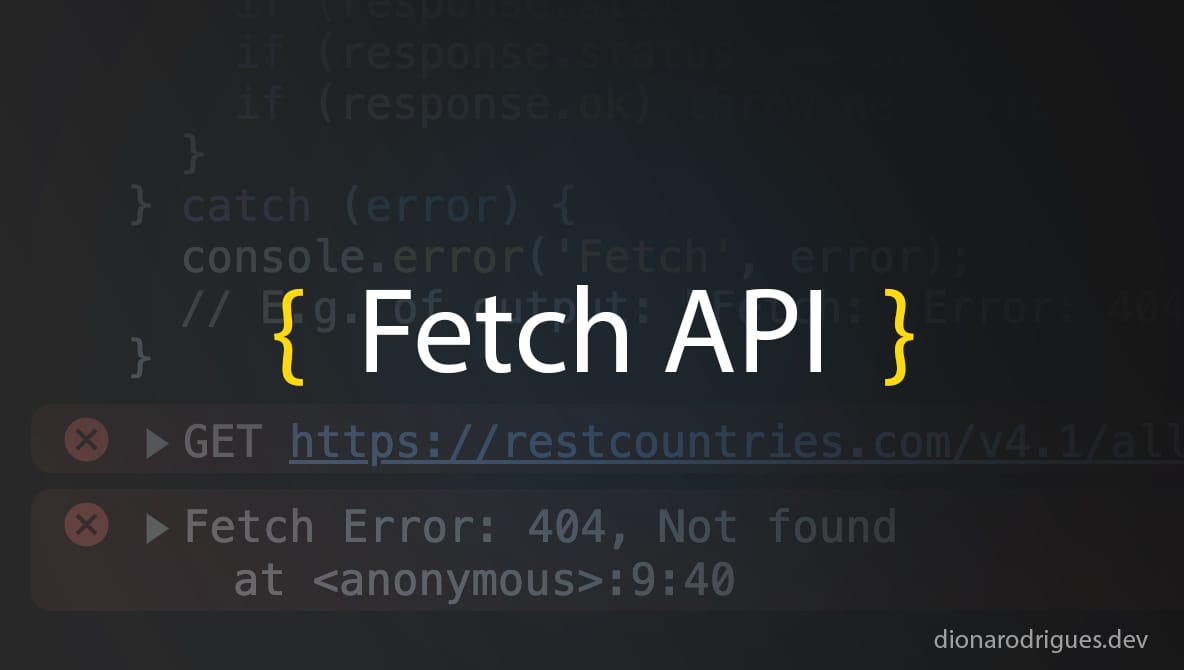
This combined strategy is the most important takeaway of this lesson. The following video explains this pattern for async/await very clearly.
Fetch API with Async/Await (GET, POST, PUT, DELETE)
The video 'Fetch API with Async/Await' by ByteGrad explains exactly how to implement this robust error-handling pattern using async/await and try/catch.
Watch the section from 08:42 to 10:15. Notice how a try...catch block is used for network errors, and an if (!response.ok) check is used inside the try block for server errors.
Let's Update Our Project
Now it's time to apply this to our AI Writing Assistant. We are going to refactor our script.js to use async/await and implement this robust error handling.
First, let's modify the submit event listener in static/js/script.js. We need to make the event listener's function async so we can use await inside it.
// in static/js/script.js

// Make the function async
textForm.addEventListener('submit', async (event) => {
    event.preventDefault();
    const userText = document.getElementById('user-text').value;
    const data = { text: userText };

    // Start a try...catch block
    try {
        const response = await fetch('/api/analyze', {
            method: 'POST',
            headers: {
                'Content-Type': 'application/json'
            },
            body: JSON.stringify(data)
        });

        // CHECK FOR HTTP STATUS ERRORS
        if (!response.ok) {
            // If the server response is not ok, create and throw an error
            throw new Error(`Server responded with status: ${response.status}`);
        }

        // If response is ok, parse the JSON
        const responseData = await response.json();

        console.log('Success:', responseData);

        const resultHTML = `
            <h3>Analysis Complete</h3>
            <p>Word Count: ${responseData.word_count}</p>
            <p>Character Count: ${responseData.char_count}</p>
        `;
        resultContainer.innerHTML = resultHTML;

    } catch (error) {
        // CATCHES NETWORK ERRORS AND THROWN ERRORS
        console.error('Error during fetch:', error);
        // In the next lesson, we will display this error to the user
    }
});
How to Test This:
-
Test the HTTP Status Error (404): Temporarily change the URL in the
fetchcall from'/api/analyze'to'/api/this-does-not-exist'. Run your app, submit some text, and open the browser's developer console. You should see your custom error message logged:Error during fetch: Error: Server responded with status: 404. -
Test the Network Error: This one is a bit trickier to simulate, but you can do it by opening your browser's developer tools, going to the "Network" tab, and setting the throttling to "Offline". Now try to submit the form. You should see a different error logged in the console, something like
TypeError: Failed to fetch, which is our network error being caught. Remember to set the network back to "No throttling" when you're done!
Test your understanding!
Imagine our server sometimes returns an error with a specific JSON message, like {'error': 'Input text is too long'} along with a 400 status code. How could you potentially get that specific message?
Hint: The ByteGrad video (LINK at 09:50) touches on parsing the response body even when there's an error.
Show answer
Even if response.ok is false, the response body might still contain useful JSON data. You could try to parse it before throwing the error.
if (!response.ok) {
    // Try to get more details from the response body
    const errorData = await response.json();
    // Throw an error that includes the server's message
    throw new Error(errorData.error || `Server responded with status: ${response.status}`);
}
This is a more advanced technique, but it's very useful for displaying specific server error messages to the user.
Conclusion
Great job! You've taken a massive step toward building a professional, reliable web application. Handling errors isn't the most glamorous part of development, but it's one of the most important for creating a good user experience.
Key Takeaways:
- There are two types of
fetcherrors: Network Errors (promise is rejected) and HTTP Status Errors (promise is resolved). async/awaitwith atry...catchblock is a clean, modern way to handle asynchronous code and network errors.- The
response.okproperty is essential for checking for HTTP status errors. - The best practice is to combine these: use
try/catchandthrow new Error()if!response.okto handle all errors in a singlecatchblock.
You now have the power to catch errors. In our next lesson, we will learn how to communicate those errors to the user by displaying a friendly message on the page and implementing a loading indicator to improve the user experience during API calls.