Hello! Welcome to your next lesson in driving traffic with social media.
Introduction
In our last lesson, you did the foundational strategic work of defining your 2-3 core content pillars. You now have a clear answer to the question, "What should I talk about?" Those pillars are the heart of your content strategy, ensuring everything you share is relevant to your audience and aligned with your goals.
Now, it's time to turn that strategy into a concrete, actionable plan. A strategy without a plan is just a wish. This lesson focuses on building that plan.
The learning outcome for today is to create a simple one-week content calendar to plan your posts. We'll explore why a calendar is crucial for consistency and efficiency, look at a smart process for planning, and then walk through the steps of creating your very own calendar for the week ahead.
Why You Need a Content Calendar
Posting on the fly might seem easier, but it often leads to stress, inconsistency, and lower-quality content. A content calendar is a simple tool that solves these problems and is a non-negotiable for anyone serious about affiliate marketing. Since you're looking to build a real business, establishing this habit now is critical.
A calendar helps you:
- Stay Organized and Consistent: You'll always know what's next, making it easier to post regularly and keep your audience engaged.
- Save Time and Reduce Stress: By planning ahead, you eliminate the daily "what should I post?" panic. This allows you to create content more efficiently.
- Improve Content Quality: Planning gives you the time to be more thoughtful about your posts, ensuring they provide real value and are polished and error-free.
- Maintain a Strategic Balance: It allows you to visually map out your content pillars for the week, ensuring you have a good mix of educational, inspirational, and promotional content.
Let's read a quick overview of what to include in a calendar.
13+ Free Social Media Calendar Templates to Help You Plan Your ...
The team at Buffer, a popular social media management tool, provides an excellent, beginner-friendly article on content calendars. This short section lists the essential elements to include.
Please read the short FAQ section titled 'What should I include in my social media calendar?'. This will give you a simple checklist for the information you'll be planning.
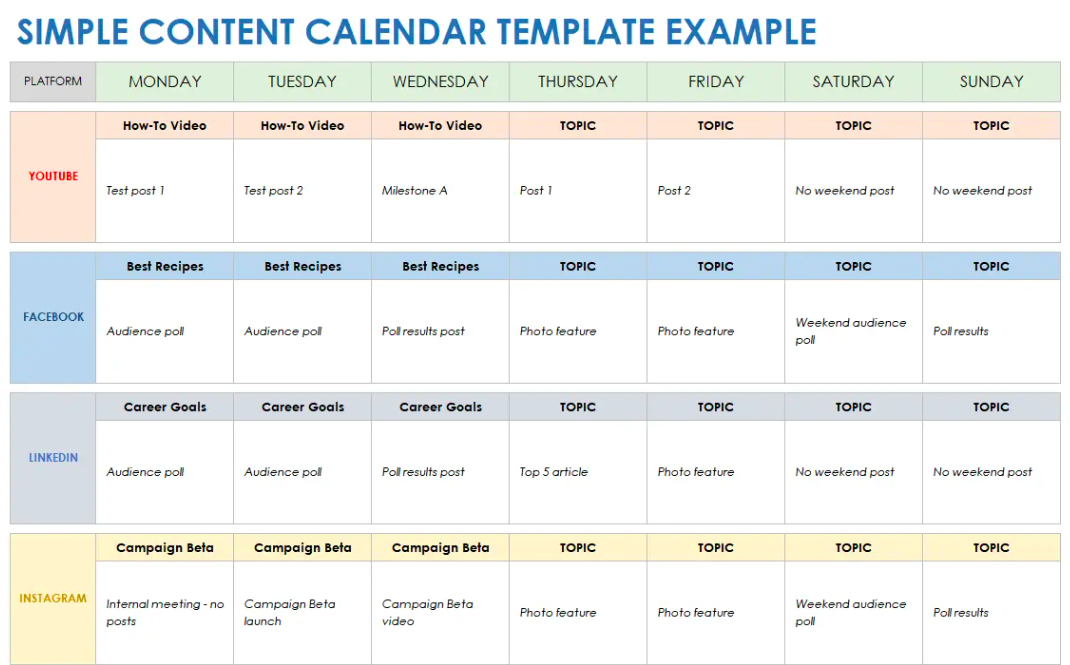
As you can see, even a simple calendar tracks the most important details: the date, time, platform, post topic (tied to a pillar), and the caption or visual.
Here’s an example of what a simple weekly calendar can look like once it's filled in:
An Efficient Process: Content Batching
One of the biggest benefits of a calendar is that it enables content batching. This is a highly efficient workflow where you group similar tasks together and do them in dedicated sessions. Instead of going through the entire process (idea -> plan -> create -> post) for a single update, you do each stage for multiple posts at once.
To understand this powerful concept, let's watch a couple of short clips.
1 month of content in 1 hour | Updated guide to content batching & planning + free content calendar!
In this video, '1 month of content in 1 hour', content creator Jade Beason gives fantastic advice on how to start batching. Her key message is to start small and be strategic.
Please watch these two clips: Start Small (00:52 - 02:27): Pay attention to the advice to begin by batching just one week of content for one social media channel. This is exactly what we're aiming for today. Schedule Your Sessions (02:27 - 04:58): Notice how she breaks the process into distinct tasks (ideation, planning, production, editing). This is the core principle of batching, which helps you get into a 'flow state' and work more effectively.
For today, we are focused on the planning stage. You'll dedicate this session to filling out your calendar for the week. Later, you could set aside a different block of time for the production stage (e.g., filming all your videos or designing all your graphics for the week).
Your Turn: Create Your One-Week Content Calendar
Now for the hands-on part. We'll go through this step-by-step.
Step 1: Choose Your Calendar Template
You don't need fancy software. A simple spreadsheet or even a printable document works perfectly.
13+ Free Social Media Calendar Templates to Help You Plan Your ...
Let's go back to the Buffer article, which offers some great free templates. You can choose a simple printable PDF or a version you can edit online.
From the article, find and download the template that works best for you: For a printable/PDF version: Scroll to section 3. Simple weekly social media calendar template and click the link to get the PDF. For an editable online version: Scroll to section 5. Canva social media calendar templates and click the link for the 'Get simple weekly calendar'. You will need a free Canva account for this. Once you have your preferred template ready, move on to the next step.
Step 2: Set a Realistic Posting Frequency
Following the "start small" advice, decide how many times you will post this week on your chosen platform. A great starting point is 3 to 5 times per week. This is manageable and allows you to focus on quality over quantity.
Step 3: Map Your Pillars Across the Week
Take the 2-3 content pillars you defined in the last lesson. Your goal is to create a balanced mix.
For example, if you chose the pillars for the "Home fitness for busy parents" niche, your plan might look like this:
- Pillar 1: Time-Saver Workouts
- Pillar 2: Fit Parent Lifestyle
- Pillar 3: Smart Home Gym Setup
A 3-post week could be:
- Monday: Pillar 1
- Wednesday: Pillar 2
- Friday: Pillar 3
A 5-post week might be:
- Monday: Pillar 1
- Tuesday: Pillar 2
- Wednesday: Pillar 3
- Thursday: Pillar 1
- Friday: Pillar 2
Action: Look at your calendar and assign one of your content pillars to each of the 3-5 days you plan to post.
Step 4: Brainstorm a Specific Post Idea for Each Slot
Now, turn the general pillar into a specific topic.
Using the same example:
- Monday (Pillar 1: Time-Saver Workouts):
- Post Idea: A Reel demonstrating a "5-minute morning stretch routine."
- Wednesday (Pillar 2: Fit Parent Lifestyle):
- Post Idea: A text/image post asking, "What's your biggest challenge with staying motivated?" to build community.
- Friday (Pillar 3: Smart Home Gym Setup):
- Post Idea: A carousel post on "3 benefits of using adjustable dumbbells in a small apartment." This post naturally leads toward your affiliate offer.
Action: For each day on your calendar, write down a specific post idea that fits the assigned pillar.
Step 5: Fill in the Details
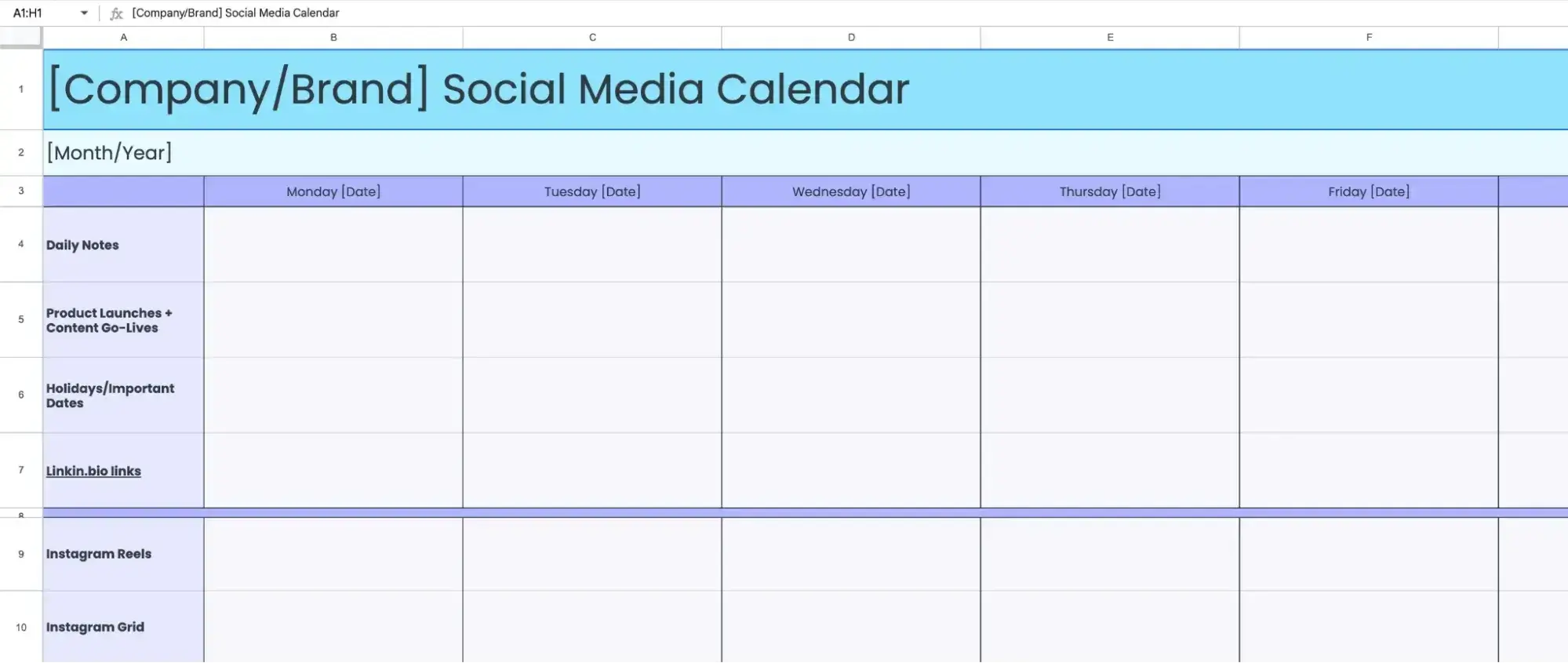
Now, flesh out your calendar by filling in the other key details for each post you've planned:
- Format: Is it a video (Reel), an image, a carousel, a text post?
- Caption Notes: You don't have to write the full caption now, but jot down the main points, the hook, and the call-to-action (CTA). For example, "CTA: Click the link in my bio to read the full dumbbell review."
- Link: If the post directs to a blog article or your affiliate product, note the link you'll use.
Conclusion
Excellent work! You have successfully created an actionable plan for your social media content. By planning your posts, you've taken a huge step toward being a consistent, strategic, and efficient marketer.
Key Takeaways:
- A content calendar transforms your content strategy into an executable plan, saving you time and reducing stress.
- Starting with a simple, one-week plan for a single platform is the most effective way to build this crucial habit.
- The process of content batching—grouping tasks like planning, creating, and scheduling—is a powerful workflow for affiliate marketers.
- A basic calendar should, at a minimum, track the date, content pillar, post topic, format, and key caption notes for each post.
Preview of the next lesson:
Now that you have a plan, the next step is creating the content. But what if you didn't have to create everything from scratch? In the next lesson, you'll learn a massive time-saving technique: how to repurpose content from a single blog post into a series of engaging social media updates. This will help you get the maximum value out of every piece of content you create.