Hello! Let's continue our journey into FastAPI's advanced I/O capabilities.
In our last lesson, you successfully built an endpoint to accept file uploads using UploadFile. You learned how to set up the necessary python-multipart library, read a file's content asynchronously, and even save it to the server's disk. This was a huge step toward building APIs for AI models that work with real-world data like images.
However, our current endpoint will accept any file a user sends. This is risky. An application expecting a JPEG image could crash if it receives a PDF, or worse, it could unknowingly store a malicious executable file.
Today, we'll address this by focusing on the learning outcome: to perform basic validation on an uploaded file, such as checking its content type. You will learn how to inspect the metadata of an uploaded file to ensure it's the type you expect, rejecting anything else. This is a fundamental security and stability practice for any production-grade API.
1. Simple Content-Type Validation
The UploadFile object that FastAPI provides contains useful metadata about the file sent by the client. One of the most important attributes is content_type, a string that indicates the file's MIME type (e.g., image/jpeg, application/pdf).
We can use this attribute to perform a simple check directly within our endpoint. The logic is straightforward:
- Define a set of allowed content types.
- Check if the uploaded file's
content_typeis in this set. - If not, raise an
HTTPExceptionto reject the request.
The following video demonstrates this exact pattern. The example uses application/json, but the principle is identical for image types.
FastAPI Tutorial - Uploading File and Downloading File From API Endpoints
The video 'FastAPI Tutorial - Uploading File and Downloading File' by JCharisTech shows a clear, practical example of adding a validation check.
Please watch from 08:51 to 11:15. Pay close attention to how the file.content_type attribute is checked and how HTTPException is used to return a descriptive error to the user if the validation fails.
Now, let's apply this to our image upload endpoint. Modify the upload_image endpoint you created in the last lesson to include this validation check. We'll allow JPEG and PNG images.
from fastapi import FastAPI, File, UploadFile, HTTPException

app = FastAPI()


# A set of allowed MIME types for images
ALLOWED_IMAGE_TYPES = {"image/jpeg", "image/png"}

@app.post("/upload-image/")
async def upload_image(file: UploadFile):
    """
    Accepts an image upload, validates its content type,
    and returns metadata.
    """


    # 1. Validate the content type
    if file.content_type not in ALLOWED_IMAGE_TYPES:
        raise HTTPException(
            status_code=415, # 415 Unsupported Media Type
            detail=f"Unsupported file type. Allowed types are: {', '.join(ALLOWED_IMAGE_TYPES)}"
        )


    # 2. Read the content (if valid)
    contents = await file.read()

    return {
        "filename": file.filename,
        "content_type": file.content_type,
        "size_bytes": len(contents)
    }
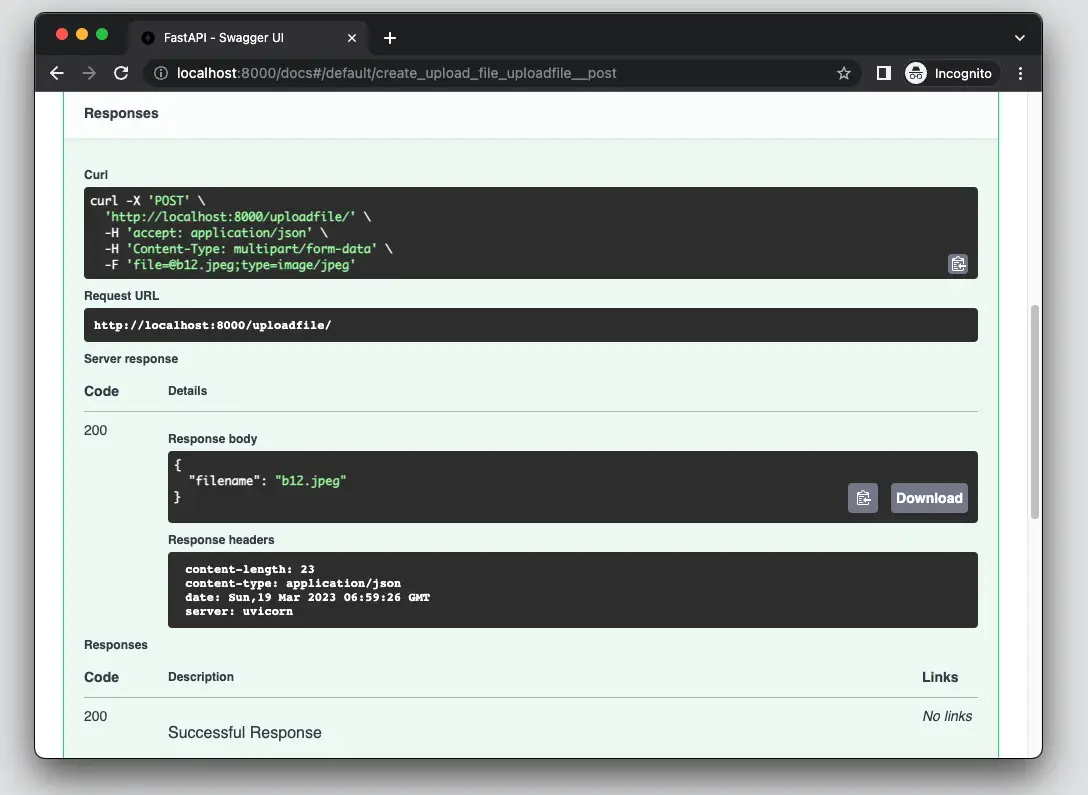
With this change, your endpoint is already much more robust. Try testing it in the Swagger UI (/docs). If you upload a JPG or PNG, it should work. If you try to upload a .txt or .zip file, you should get a 415 error with the informative detail message.
2. Creating a Reusable Validator
Placing validation logic directly inside an endpoint is fine for simple cases, but what if you have multiple endpoints that all need to validate files? A better practice is to extract the validation logic into a separate, reusable function.
This also allows us to easily combine multiple checks, such as verifying both the content type and the file size.
The article 'How to Handle File Uploads with FastAPI' from OneUptime provides an excellent blueprint for a reusable, asynchronous validation function.
Please read the section titled 'File Validation'. Study the validate_file async function. Notice how it checks both the content type and the file size, and how it can be called from within an endpoint.
Let's refactor our code using the pattern from the article. This approach makes our endpoint cleaner and our validation logic more modular. We will create a helper function that performs two checks:
- Content Type: Is the file an allowed MIME type?
- File Size: Is the file smaller than a defined maximum size?
Here is how you can implement and use this function:
from fastapi import FastAPI, UploadFile, HTTPException
from typing import List

app = FastAPI()


# --- Configuration ---
# Move configuration to the top for easy access
MAX_FILE_SIZE = 5 * 1024 * 1024  # 5 MB
ALLOWED_IMAGE_TYPES = ["image/jpeg", "image/png"]


# --- Reusable Validation Function ---
async def validate_image_file(
    file: UploadFile,
    allowed_types: List[str] = ALLOWED_IMAGE_TYPES,
    max_size: int = MAX_FILE_SIZE
) -> bytes:
    """
    Validates file content type and size.
    Returns file content as bytes if valid, otherwise raises HTTPException.
    """


    # Check content type
    if file.content_type not in allowed_types:
        raise HTTPException(
            status_code=415,
            detail=f"Unsupported file type: {file.content_type}. "
                   f"Allowed types are: {', '.join(allowed_types)}"
        )


    # Read content and check size
    contents = await file.read()
    if len(contents) > max_size:
        raise HTTPException(
            status_code=413, # 413 Payload Too Large
            detail=f"File too large. Maximum size is {max_size / (1024*1024):.2f} MB"
        )

    return contents


# --- Refactored Endpoint ---
@app.post("/upload-validated-image/")
async def upload_validated_image(file: UploadFile):
    """
    Upload endpoint that uses the reusable validation function.
    """


    # The validation function handles errors and returns the content if valid
    contents = await validate_image_file(file)

    return {
        "filename": file.filename,
        "content_type": file.content_type,
        "size_bytes": len(contents)
    }
This design is much cleaner. The endpoint upload_validated_image now has a single responsibility: orchestrating the call to the validator and returning a success response. All the complex validation logic is neatly contained within validate_image_file.
3. A Note on Security: The Limits of Content-Type
It is important to understand that checking file.content_type is a useful first line of defense, but it is not foolproof. This header is set by the client, meaning a malicious actor can easily disguise a harmful file. For example, they could rename virus.exe to my_image.jpg and manually set the Content-Type header to image/jpeg.
For applications requiring higher security, you should validate a file's "magic numbers"—the first few bytes of the file's content that uniquely identify its true format.
How to Handle File Uploads in FastAPI
To understand this concept better, you can review the 'Magic Number Validation' section from the OneUptime article or the FAQ answer from David Muraya's blog.
Quickly read question #2: 'Is checking the content-type header enough to be secure?'. This will explain the vulnerability and introduce the python-magic library as a more secure solution. You don't need to implement this now, but it is crucial to be aware of this limitation.
For the scope of our course and for many standard applications, validating the Content-Type header and file size is a sufficient and necessary step.
Conclusion
Excellent work! You have now secured your file upload endpoint by adding essential validation logic. This not only makes your API more stable but also protects it from a common class of invalid or malicious inputs.
Key Takeaways:
- The
UploadFileobject includes acontent_typeattribute that you can use for validation. - Always check uploaded files against a whitelist of allowed MIME types.
- Use
HTTPExceptionwith appropriate status codes (415for wrong type,413for size) to reject invalid files. - Encapsulating validation logic in a reusable
asyncfunction makes your code cleaner and more maintainable. - Relying solely on the
Content-Typeheader has security limitations, and more robust methods like magic number validation exist for high-security contexts.
In our next lesson, we will finally connect this to your primary goal. Now that we have a secure way to upload an image, we will modify an ML endpoint to accept that image, preprocess it, and run inference.