Hello! Welcome to a new module focused on transforming your Notion-building skills into a profitable business.
In the previous modules, you've done the heavy lifting of building complex, interconnected systems for yourself. You created a project manager, a content hub, and a knowledge management system, culminating in a powerful master dashboard. Now, we're going to shift our perspective. Instead of building for yourself, you'll learn to design for others.
This lesson is your first step into the world of professional template creation. We will analyze what separates a personal Notion page from a valuable, sellable template that people are eager to buy. By the end of this lesson, you will be able to dissect successful templates, identify their core value, and understand the principles that make them commercially successful.
1. The Core of Value: Features vs. Frameworks
The most common mistake new template creators make is cramming their products with features, thinking that "more is better." Successful creators know that value doesn't come from the number of features, but from the elegance of the solution.
The key is to move from selling features to providing a framework—a clear, opinionated system designed to solve a specific problem.
How I make $30,000/Month Selling Notion Templates
To understand this crucial distinction, watch this segment from the video 'How I make $30,000/Month Selling Notion Templates' by creator Koi. He masterfully explains why a problem-solving framework is more valuable than a bundle of disconnected features.
Watch from 00:35 to 03:35. Pay close attention to the car analogy and the concept of 'The Grow Method'. Notice how they stripped away unnecessary elements to focus on solving one core problem for their audience.
As you saw, a great template is built around a specific outcome. It doesn't just give the user a habit tracker, a journal, and a project list; it gives them a system for achieving their goals where those components work together seamlessly.
Your background in project management gives you an edge here: you're already used to defining scopes, outcomes, and workflows. Apply that same thinking to template design.
So, what problems are people trying to solve with Notion?
How to Sell Notion Templates: The Complete Guide for 2025
The article 'How to Sell Notion Templates' provides a great overview of the most profitable template categories. Think of these categories not as a list of products, but as a list of common problems people pay to have solved.
Read the section titled 'High-Demand Template Categories.' As you read, consider the target audience for each category (e.g., 'All-in-One Life Planners' for personal development enthusiasts, 'Business Operations Hubs' for entrepreneurs).
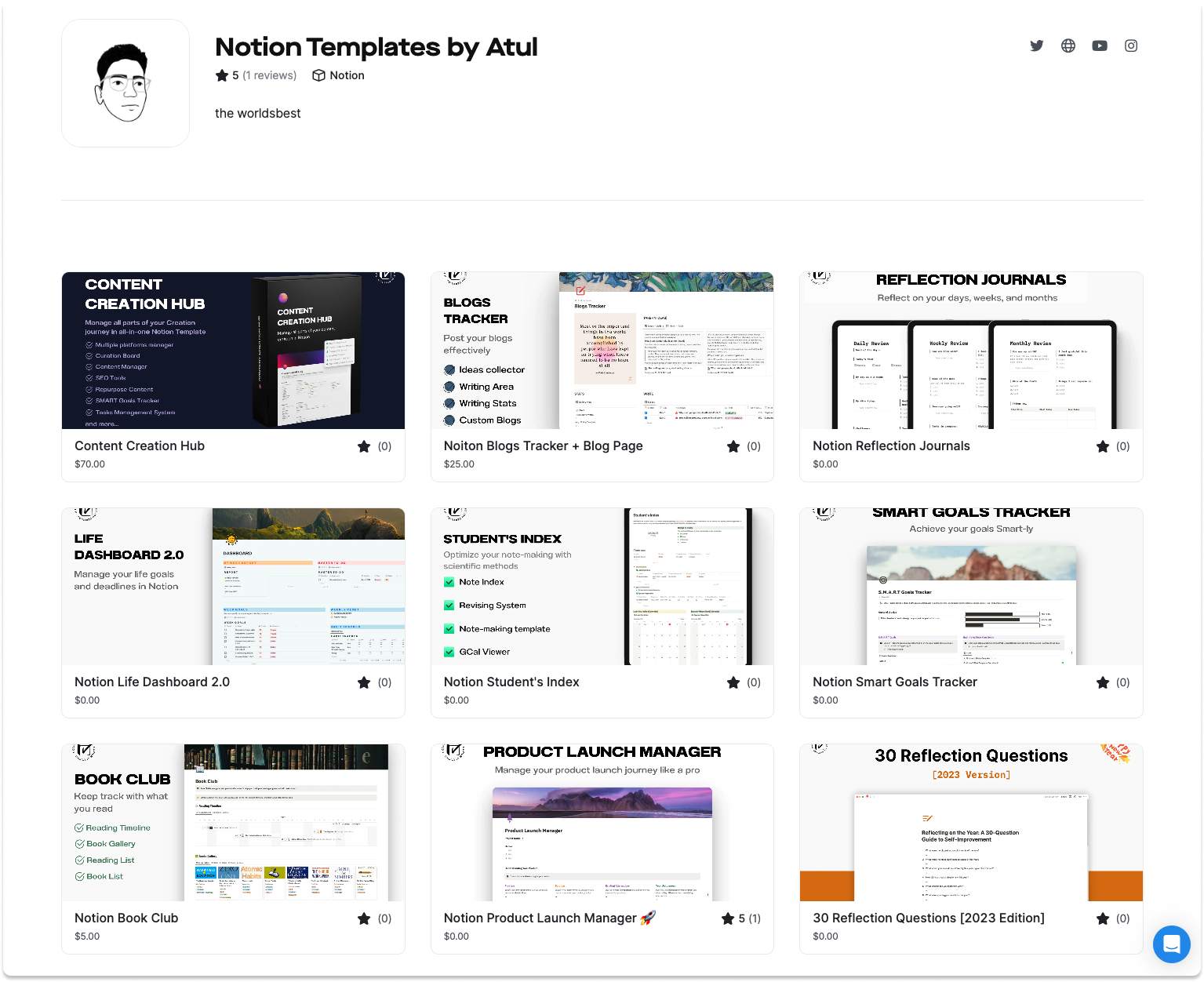
2. The Anatomy of a Great Template
Now that we've established that value comes from solving a problem, let's break down the characteristics of a high-quality template. Notion itself provides an excellent, concise framework for this.
The ultimate guide to Notion templates
Notion's own guide, 'The ultimate guide to Notion templates,' lays out four essential criteria for what makes a template 'good'. These are the foundational principles you should build upon.
Read the section 'What makes a good template?' Focus on the four main points: being useful, differentiated, scalable, and having the basics down.
Let's summarize and expand on these points:
- Useful: It solves a clear problem for a clear audience. (This reinforces our "Frameworks vs. Features" point).
- Differentiated: It leverages Notion's unique capabilities. A good template isn't just a prettier version of a spreadsheet or a Word document; it uses relations, rollups, linked databases, and different views to create a truly dynamic system.
- Scalable: The template works just as well on day 100 as it does on day 1. It doesn't become cluttered or slow down after the user adds their own data.
- Has the Basics: It's well-structured, free of errors, and easy to navigate.
The best way to see these principles in action is to analyze a template that embodies them.
3. Case Study: Analyzing Good vs. Bad Design
Theory is one thing, but seeing it in practice is another. The following video is a brilliant critique of common template flaws, followed by a demonstration of a well-designed, interconnected system.
In 'I Tried 100 Notion Templates' by Productive Setups, the creator first builds a 'Frankenstein' template of all the worst trends, then contrasts it with his own highly effective system. This comparison is incredibly instructive.
This video is best watched in two parts: What to Avoid (00:00 - 03:02): Watch this first segment to see a perfect example of a template that is all features and no framework. Note the critiques about redundant information and, most importantly, how nothing is connected. What to Aim For (03:36 - 08:39): Now watch this segment showcasing a 'good' template. Pay close attention to how it avoids the previous mistakes. Notice the built-in productivity methods and how every piece of data is interconnected to reduce context switching.
Based on the video, here’s a quick summary of what to avoid and what to strive for:
| Bad Template Traits (Disconnected Features) | Good Template Traits (Integrated Framework) |
|---|---|
| ❌ Redundant widgets (clocks, weather) | ✅ Focuses on the user's data and workflow |
| ❌ Information is siloed (separate task lists) | ✅ A single source of truth for related data |
| ❌ Projects, tasks, and notes are not linked | ✅ Everything is interconnected to provide context |
| ❌ High cognitive load; user has to check multiple places | ✅ Reduces context switching; relevant info is surfaced automatically |
| ❌ Looks pretty but is functionally static | ✅ Looks good AND is functionally dynamic |
Test your understanding!
A prospective client wants a template to manage their freelance business. They ask for a task list, a project tracker, a client list, and an invoice tracker. Based on what you've learned, what's a better approach than just giving them four separate databases on a page?
Show answer
A better approach is to create an integrated framework. You would use relations to link them together:
- Each Task would be related to a Project.
- Each Project would be related to a Client.
- Each Invoice would be related to a Project and a Client.
This way, when they open a client's page, they can see all related projects, tasks, and invoices in one place, which is far more valuable than four separate lists.
4. Making It "Sellable": Aesthetics & User Experience
A template can be functionally brilliant but still fail to sell if it's ugly, confusing, or intimidating. This is where your design experience will be a significant asset. The final layer of a successful template is its aesthetic polish and intuitive user experience (UX).

The visual presentation is part of the product. It communicates professionalism and care, and it makes the user want to use the template.
How to Sell Notion Templates: The Complete Guide for 2025
The 'Automateed' article has a great section on this. It moves beyond just function to discuss the importance of form.
Read the section 'Designing High-Quality, User-Friendly Templates.' Focus on the concepts of 'Visual Appeal and Intuitive Layouts,' such as using color-coding, icons, and creating a visual hierarchy.
Finally, let's hear again from a top seller on why this matters.
How I make $30,000/Month Selling Notion Templates
In this final clip from Koi, he touches upon the importance of making your templates look good and how the aesthetic extends to the sales page itself.
Watch from 10:00 to 11:36. Note the different styles he mentions (minimalistic, trendy, anime) and the tools suggested for enhancing visual appeal.
✍️ Exercise: Become a Template Analyst
Your task is to put on your analyst hat and deconstruct two templates from the real world. This will train your eye to spot quality and identify opportunities.
- Go to the official Notion Template Gallery.
- Find one free template that you believe is well-designed and successful.
- Find another free template that you believe is poorly designed or less valuable.
- For each template, create a simple analysis in a new Notion page. Answer the following questions:
- Problem/Solution: What specific problem is this template trying to solve? Who is the target user?
- Framework vs. Features: Is it built around an integrated framework or is it just a collection of features?
- Interconnectivity: Are the different parts of the template (databases, pages) connected in a meaningful way?
- Aesthetics & UX: How is the visual design? Is it clean and intuitive, or cluttered and confusing? What design choices (icons, colors, layout) did the creator make?
- Overall Grade: Give it a score from 1-10 on how "valuable and sellable" you think it is, and write one sentence justifying your score.
This exercise is the most critical part of this lesson. It will sharpen your ability to think like a successful template creator.
Conclusion
Today you've made the pivotal shift from user to creator. You've learned that the secret to a valuable template isn't just adding features, but designing an elegant, integrated framework that solves a real problem. A successful template is where powerful functionality meets intuitive design.
Key Takeaways:
- Frameworks over Features: Sell a solution, not a list of tools.
- The 4 Pillars of Quality: A good template is useful, differentiated, scalable, and well-structured.
- Interconnectivity is Key: The magic of Notion is in the connections. A template that doesn't use relations and linked databases is a missed opportunity.
- Design Sells: A clean aesthetic and intuitive user experience are not just polish; they are essential components of a sellable product.
Preview of the Next Lesson:
Analyzing existing templates is the first step. The next is to plan your own. In the next lesson, we will focus on how to plan the architecture and user flow of a template before you start building. You'll learn how to map out your databases, relations, and page structure to ensure you're building a coherent and valuable system from the ground up.