Hello! Welcome to the final lesson in our module on AI-Powered Link Building & Outreach.
In our last session, you learned how to build a powerful system to generate personalized emails at scale, transforming raw data into unique outreach messages. Now that you have this "personalization machine," the crucial next step is to measure and improve its output. Simply generating content isn't enough; we need to know what works.
Today, we'll focus on precisely that. Our goal is to establish a framework for A/B testing and refining your AI-generated email templates to optimize response rates. We'll cover the principles of effective testing, a step-by-step framework you can apply, and how to implement it all within modern outreach tools. This will complete our journey from manual outreach to a scalable, data-driven system.
1. Why AI Changes the A/B Testing Game
A/B testing isn't a new concept in digital marketing, but AI fundamentally enhances what's possible. Instead of just testing two static versions of an email, AI introduces a more dynamic, predictive, and scalable approach.
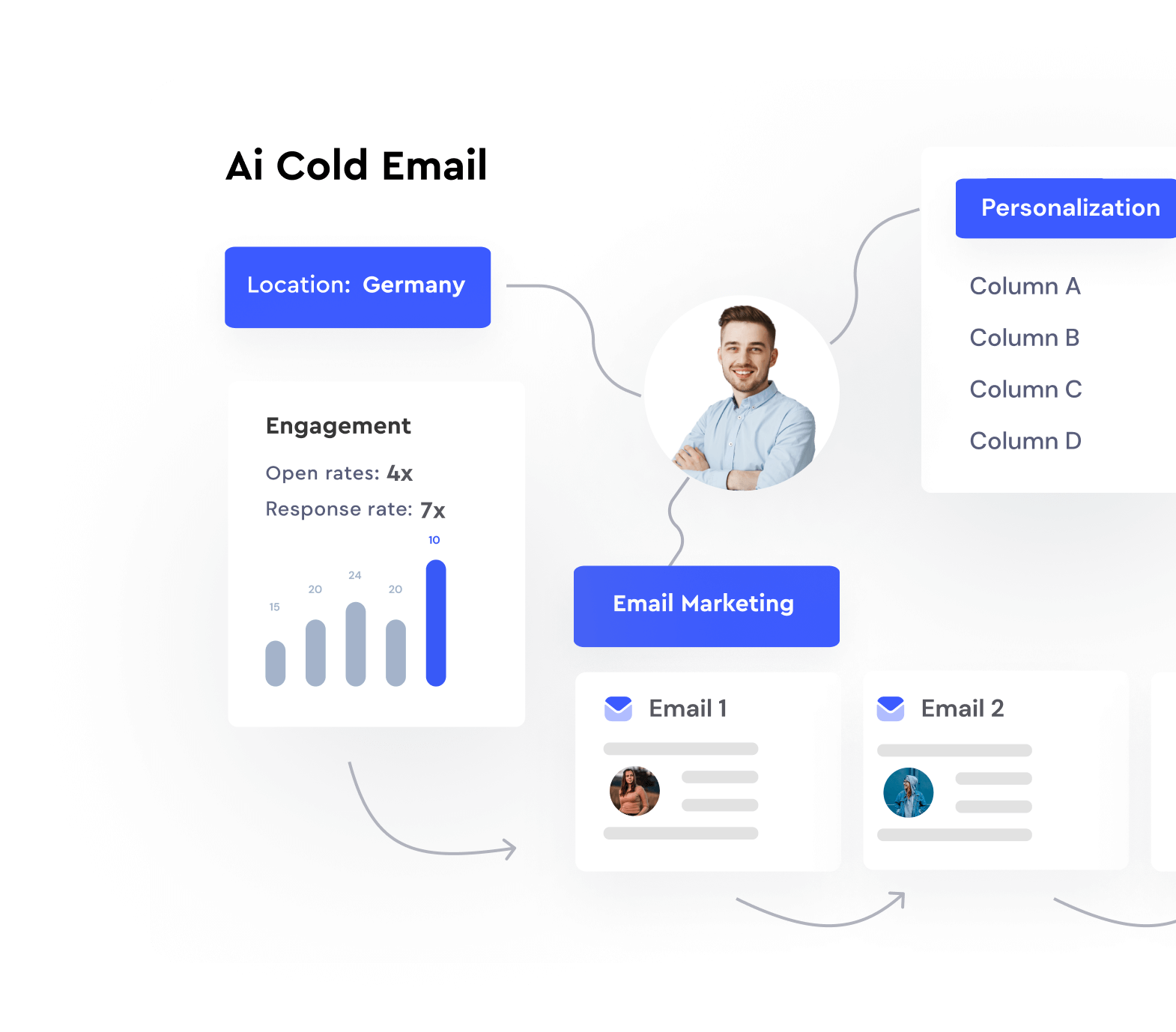
To understand how AI supercharges this process, let's explore the core concepts.
Refining Your Email A/B Testing with AI
The article 'Refining Your Email A/B Testing with AI' from Benchmark Email provides an excellent overview of how AI makes testing more powerful. It explains the 'why' behind this shift.
Read the section titled 'Enter AI: Your New Email A/B Testing Sidekick'. Focus on understanding these four key enhancements: Predictive Analysis: How AI can predict which subject lines might work best before you even send them. Real-Time Optimization: The concept of automatically sending more traffic to the winning version during the campaign. Multivariate Testing: How AI makes it feasible to test multiple variables (e.g., subject line, CTA, and send time) at once. Behavioral Personalization: Testing different approaches for different audience segments automatically.
With AI, you can test more variables, generate variations more quickly, and even have the system auto-optimize based on real-time results. This moves A/B testing from a slow, manual process to a continuous, automated feedback loop.
2. A Framework for Effective AI-Powered A/B Testing
To get reliable insights, you need a structured approach. Winging it by changing multiple elements at once will only lead to confusing data. Let's establish a clear, repeatable framework.
The following article from Salesforge provides a simple yet powerful three-step process.
AI Tools for A/B Testing Cold Emails
This article, 'AI Tools for A/B Testing Cold Emails', outlines a practical framework for running effective tests. We will use its core principles as our guide.
Read the section titled 'How to Use AI A/B Testing Tools Effectively'. Pay close attention to the three main steps outlined: Set Up Control Tests First Test One Thing at a Time Use Data to Improve Continuously
Let's break down this framework and build upon it:
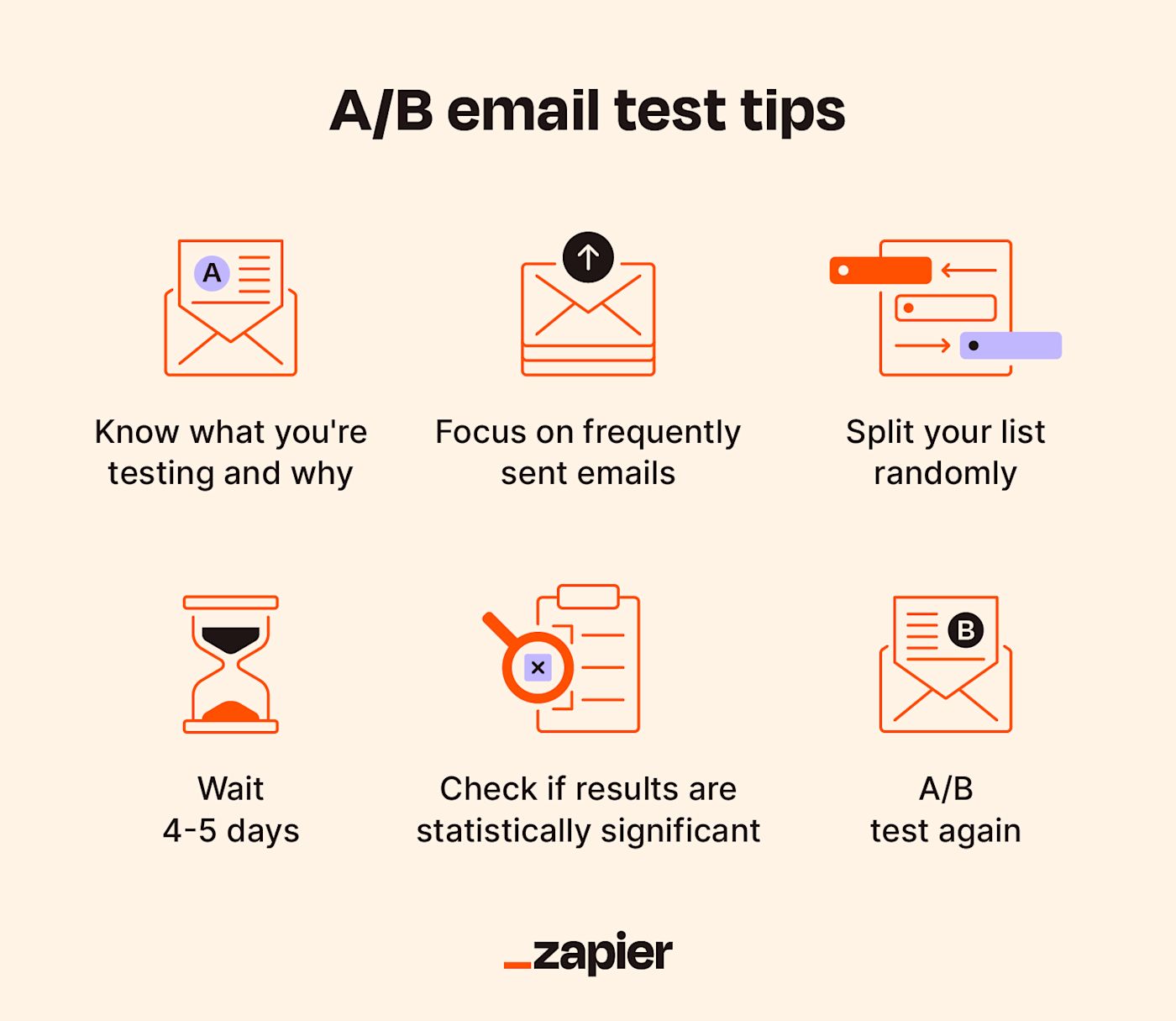
Step 1: Set a Clear Hypothesis and Establish a Control
Before you test, define what you're trying to prove. For example: "A personalized opening line that references a recent company funding announcement (Variant A) will get a higher positive reply rate than one that compliments their company mission (Variant B)."
- Your Control: This is your baseline. It could be your current best-performing template or a simple, non-AI-personalized version.
- Your Variable: The one element you are changing.
Step 2: Isolate Your Variable
This is the golden rule of A/B testing. Only change one thing at a time. If you test a new subject line and a new call-to-action simultaneously, you'll never know which one was responsible for the change in performance.
When testing AI-generated content, your variable could be:
- The Personalization Angle: E.g., Complimenting a blog post vs. referencing a LinkedIn comment.
- The Tone: E.g., Formal and professional vs. casual and friendly.
- The CTA: E.g., "Do you have 15 minutes next week?" vs. "Is this a priority for you right now?".
- The Subject Line: E.g.,
Quick question about {{company_name}}vs.{{first_name}}, loved your post on SEO.
Step 3: Measure the Right Metrics
Open rates are a start, but they can be misleading. For link-building outreach, the most important metrics are further down the funnel:
- Reply Rate: The percentage of recipients who replied.
- Positive Reply Rate: The percentage who replied with interest (the gold standard).
- Link Clicks: If your CTA involves clicking a link (e.g., to view a case study).
- Meeting Booked / Link Acquired: The ultimate conversion metric.
Step 4: Analyze for Significance and Iterate
Wait until you have a large enough sample size to make a decision. Don't declare a winner after just 50 emails. Tools often have built-in statistical significance calculators. Once a winner is declared, it becomes your new control for the next test. This creates a "data flywheel" where every campaign improves the next.
Test your understanding!
In the previous lesson, you designed a workflow to generate a personalized opening line complimenting a brand's story. Now, you want to test if this approach is better than a different AI-generated line that identifies a specific problem your SEO service could solve for them.
How would you set up this A/B test?
- What is your hypothesis?
- What is the single variable you are testing?
- What is the primary metric you would use to determine the winner?
Show answer
- Hypothesis: An AI-generated opening line that highlights a specific business pain point will generate a higher positive reply rate than an AI-generated line that compliments the brand's story.
- Variable: The personalization angle of the AI-generated opening line. (Variant A: Brand story compliment, Variant B: Pain point identification). Everything else—the subject line, the rest of the email body, the signature, and the send time—must remain identical.
- Primary Metric: Positive Reply Rate. This is the most direct indicator that your message resonated enough for the prospect to express interest in your offer.
3. Implementation: A/B Testing in a Modern Outreach Tool
Now let's see how this framework comes to life inside a tool built for this purpose. In the previous lesson, your n8n or Clay workflow ended with a spreadsheet full of personalized lines. Those lines are then fed into a sequencing tool. Many of these tools have A/B testing built right in.
We'll use the tool Instantly as an example to see how to set up variants, let the AI generate content, and analyze the results.
Instantly AI Full Tutorial | Best Cold Email Software
The 'Instantly AI Full Tutorial' demonstrates the entire campaign setup process. We'll focus on the parts relevant to A/B testing the AI-generated content we've been discussing.
Watch the following segments to see the A/B testing framework in action:
Part 1: Setting Up A/B Test Variants
First, let's see how simple it is to add multiple versions of your email to a single campaign.
Instantly AI Full Tutorial | Best Cold Email Software
This clip shows how to create email variations for A/B testing.
Watch from 08:54 to 09:53. Notice how you can add multiple email 'variants'. The system will automatically split the sends between them and track which ones get the most opens and replies. This is the core of A/B testing.
Part 2: Dynamic AI Personalization within the Tool
Some tools, like Instantly, can even run the AI generation step for you, similar to the workflows you built in the last lesson.
Instantly AI Full Tutorial | Best Cold Email Software
Here, you'll see how to use an AI prompt to generate a unique opening sentence for each lead, which can then be used as a variable in your A/B test.
Watch from 10:40 to 12:05. This shows the tool generating a 'general unique opening sentence' based on the prospect's website. You could create two different prompts and test them against each other.
Part 3: Auto-Optimization and Analyzing Results
The real power comes from letting the system automatically favor the winning variant and then analyzing the data to understand why it won.
Instantly AI Full Tutorial | Best Cold Email Software
Finally, let's look at how the system optimizes the campaign in real-time and how you can view the results.
Watch from 15:15 to 15:55 to see the 'auto-optimize' feature, which automatically prioritizes the best-performing variant. Then, watch from 16:47 to 17:47 to see the analytics dashboard, where you can see the exact reply rate for each step and variant. This is where you declare your winner and gather insights for the next test.
This practical demonstration shows how the framework—isolating variables, measuring performance, and iterating—is seamlessly integrated into modern outreach platforms.
Conclusion
You have now completed the entire AI-powered outreach workflow, from scaled generation to data-driven optimization. You're no longer just sending emails; you're running a scientific process to continually improve your outreach effectiveness.
Key Takeaways:
- A/B Testing is a Framework: A successful testing strategy relies on a structured process: hypothesize, isolate one variable, measure the right metrics (like positive reply rate), and iterate.
- AI as an Accelerator: AI supercharges this framework by allowing you to generate and test more creative variations at scale, from different personalization angles to different tones of voice.
- Tools Integrate the Process: Modern platforms like Instantly, Smartlead, or Salesforge embed A/B testing and even AI content generation directly into their workflows, making it easier to run and analyze tests.
- Create a Data Flywheel: The goal is not to run one perfect test, but to create a continuous loop where the insights from one campaign inform and improve the next, leading to ever-increasing performance.
This lesson concludes our module on AI-Powered Link Building. You've learned to identify opportunities, generate highly personalized content at scale, and now, to test and refine that content for maximum impact.
In the next module, Foundations of SEO Automation, we will broaden our perspective. We'll start by comparing the no-code tools we've seen (like n8n and Zapier) with building custom automation using Python scripts, giving you the knowledge to choose the right approach for any SEO task.