Hello! Welcome to the first lesson in our module on Advanced Analytics & Performance Reporting.
In our last lesson, we developed a powerful workflow to identify content refresh opportunities by exporting raw data from Google Search Console (GSC) and analyzing it with AI. Today, we'll upgrade that process by learning how to perform much more precise and complex analysis directly within GSC before you even export.
Your learning outcome for this lesson is to use advanced regular expressions in Google Search Console to analyze performance data for specific URL patterns. This skill is a cornerstone of enterprise SEO, allowing you to move beyond simple filters and ask sophisticated questions of your performance data, such as comparing the performance of different site sections or isolating specific page types.
1. Why Standard Filters Aren't Enough
You're already familiar with GSC's basic filters like "Contains" or "Exact URL." These are useful for quick lookups, but they have significant limitations when you need to analyze a large, complex website.
For example, how would you measure the performance of your entire /blog/ section against all your /products/ pages? Or isolate traffic to all your top-level category pages while excluding deeper product pages? Standard filters make this kind of analysis difficult and inefficient.
This is where regular expressions, or RegEx, come in. RegEx is a special syntax for describing a search pattern. By using RegEx in GSC, you can create highly specific, powerful filters to slice and dice your data with precision.
Beyond the Filter: How to Use Google Search Console's ...
To understand why this is such a critical skill, let's start with the article 'Beyond the Filter' from LinkedIn. It does an excellent job of explaining the strategic need for RegEx in SEO.
Please read the section titled 'Why Bother with RegEx in Google Search Console GSC?' This will set the stage by highlighting the kinds of complex questions that only RegEx can answer.
2. The Core RegEx Syntax You Need to Know
RegEx can look intimidating at first, but for 99% of SEO tasks in GSC, you only need to master a handful of special characters. Think of them as building blocks for your patterns.
Beyond the Filter: How to Use Google Search Console's ...
The same LinkedIn article provides a concise reference for the most important RegEx operators for SEOs.
Read the section 'Essential RegEx Syntax for SEOs'. Focus on understanding what each of these characters does: |, ^, $, (), and \.
Here is a summary of the key operators and a few others that are extremely useful for URL analysis:
| Operator | Name | What it does | Example |
|---|---|---|---|
| **` | `** | Pipe | OR |
^ |
Caret | Starts with | ^https matches URLs that start with "https". |
$ |
Dollar | Ends with | html$ matches URLs that end with "html". |
() |
Parentheses | Group | `/(shoes |
\ |
Backslash | Escape | yourdomain\.com matches the literal dot in "yourdomain.com". |
.* |
Dot-Star | Wildcard | Matches any character (.) zero or more times (*). Effectively means "anything". |
? |
Question Mark | Optional | jpe?g matches "jpg" and "jpeg". |
Before using a RegEx formula, it's always a good idea to test it. Free online tools like Regex101 or RegExr are perfect for this. You can paste your pattern and some sample URLs to ensure it's working as expected.
3. Applying RegEx to URL Patterns in GSC
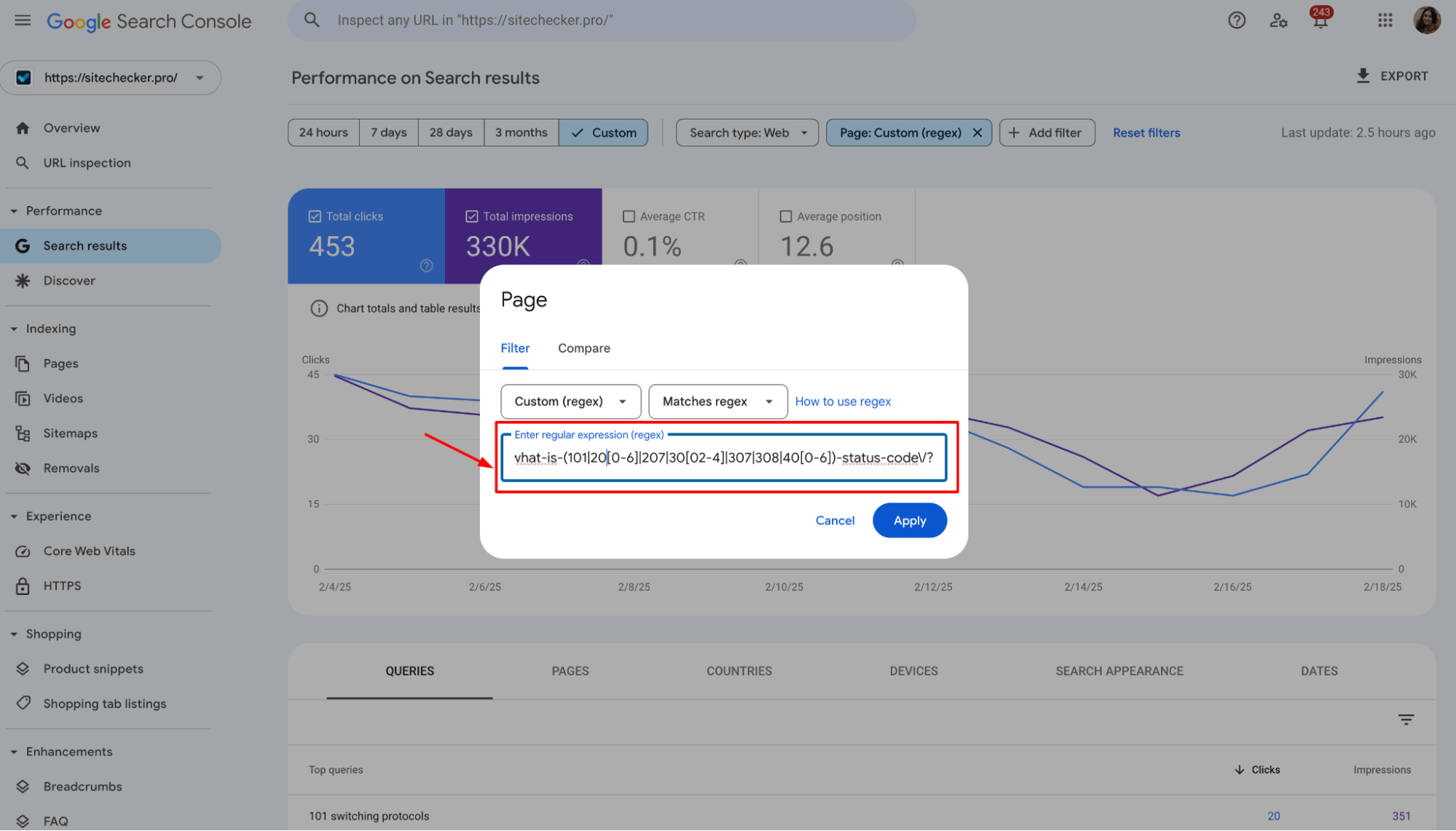
Now for the practical application. Your goal is to analyze performance based on URL structure. To do this, you'll use a Page filter in the GSC Performance report.
- Go to the Performance report.
- Click + NEW > Page....
- In the dropdown, change "Contains" to Custom (regex).
- You can then choose Matches regex (to include patterns) or Doesn't match regex (to exclude patterns) and enter your formula.

Let's walk through some common, high-value use cases for analyzing URL patterns.
Use Case 1: Analyze a Specific Subfolder
This is one of the most common enterprise SEO tasks: understanding the performance of a specific site section, like your blog.
- Goal: Isolate all performance data for URLs within the
/blog/subfolder. - RegEx Pattern:
^https?://(www\.)?yourdomain\.com/blog/.* - Explanation:
^https?://- Starts withhttp://orhttps://.(www\.)?- Thewww.is optional.yourdomain\.com/blog/- Matches your literal domain and subfolder. Remember to escape the dot!.*- Matches any characters that come after/blog/.
By applying this with Matches regex, you see only your blog's performance. You can then apply it again with Doesn't match regex to see the performance of everything except the blog.
Use Case 2: Compare Multiple Site Sections
What if you want to see the combined performance of several key sections, like /products/ and /services/?
- Goal: See the aggregated performance of all pages within the
/products/and/services/subfolders. - RegEx Pattern:
/products/|/services/ - Explanation: This is a simpler but highly effective pattern. The pipe
|acts as an OR, so this filter will match any URL that contains either/products/or/services/. This is great for quickly comparing different business areas.
Use Case 3: Isolate Pages by URL Depth
For large e-commerce or content sites, analyzing performance by URL depth (e.g., category vs. subcategory vs. product pages) provides crucial insights into your site architecture.
RegEx for SEO: ready-to-implement use cases
The article 'RegEx for SEO' from Women in Tech SEO provides some excellent, ready-to-use formulas for URL analysis.
Please read the subsection titled 'RegEx formulas for URLs'. Pay close attention to the formulas for 'Category Pages', 'URLs that include this or that', and 'URLs that exclude this or that'.
Let's build on the "Category Pages" example from the article.
- Goal: Isolate top-level category pages (e.g.,
yourdomain.com/shoes/) and exclude deeper pages (e.g.,yourdomain.com/shoes/mens/). - RegEx Pattern:
^/[^/]+/$ - Explanation:
^/- Starts with a slash.[^/]+- Matches one or more characters that are NOT a slash. This is the category name./- Ends with a trailing slash.$- Anchors the pattern to the end of the string (after the domain).
This pattern specifically finds URLs with exactly one directory level, which typically corresponds to top-level category pages.
Test your understanding!
You are working on gamecentral.com. You want to analyze the performance of the game review pages. The URLs for reviews follow this structure: gamecentral.com/reviews/pc/cyberpunk-2077 or gamecentral.com/reviews/console/zelda-totk.
What RegEx pattern would you use in the GSC Page filter to see the performance of all review pages, for both PC and console?
Show answer
The most effective pattern would be: gamecentral\.com/reviews/(pc|console)/
This pattern matches the domain, the /reviews/ subfolder, and then uses the | (OR) operator to match either /pc/ or /console/ before any other text.
4. Using AI as Your Personal RegEx Generator
While the patterns above cover many use cases, you'll eventually encounter a unique URL structure that requires a custom formula. Instead of getting stuck, you can leverage AI to do the heavy lifting.
You can prompt a large language model like ChatGPT to write the RegEx for you. The key is to be very specific and provide clear examples.
RegEx for SEO: ready-to-implement use cases
The 'RegEx for SEO' article also demonstrates this AI-assisted workflow perfectly.
Review the example under the 'Google Search Console URL Formula' heading. Notice how the user provides a clear prompt with an example URL structure, and ChatGPT returns a precise RegEx formula.
Here's a template you can use for your own prompts:
Prompt: "Act as a RegEx expert. I need a regular expression for the Google Search Console 'Page' filter to match URLs with a specific structure.
The pattern should match URLs like:
example.com/section/item-abc/example.com/section/item-123/It should NOT match URLs like:
example.com/section/example.com/other-section/item-xyz/Please provide the RegEx and a brief explanation of how it works."
This AI-assisted approach combines your strategic SEO knowledge with the technical power of AI, allowing you to create complex filters without being a RegEx guru.
Conclusion
You've now added a powerful tool to your analytics arsenal. By mastering regular expressions, you can transform Google Search Console from a simple reporting tool into a sophisticated analysis platform.
Key Takeaways:
- RegEx allows you to filter your GSC data with a level of precision that standard filters cannot match.
- For most SEO tasks, you only need to understand a few core operators like
|,^,$,(), and.*. - Applying RegEx to URL patterns is essential for analyzing and comparing the performance of different site sections, a common task in enterprise SEO.
- You can leverage AI tools like ChatGPT to generate custom RegEx formulas on demand, saving you time and effort.
In our next lesson, we'll move from GSC to Google Analytics 4. You will learn to create custom exploration reports in GA4 to analyze SEO-driven user journeys. The traffic segments you've just learned to isolate using RegEx in GSC will be the perfect starting point for digging deeper into user behavior and understanding what visitors do after they land on your site.