Hello! Welcome to the first lesson in our new module, Enterprise SEO: Crawl Budget & Site Architecture.
In our last module, we mastered how to optimize for and track SERP features, focusing on the user-facing aspects of search. We're now making a significant shift from the front-end SERPs to the back-end mechanics of how search engines interact with large-scale websites.
Today's lesson addresses the learning outcome: Set up a process for parsing server log files to analyze search engine bot behavior at scale. For enterprise websites with millions of pages, understanding where Google allocates its resources—its "crawl budget"—is not just an optimization tactic; it's a critical necessity. Server logs provide the raw, unfiltered data to do this. We will explore what logs are, why they are the 'ground truth' of bot behavior, and how to build a scalable process to make sense of them.
1. What Are Server Logs and Why Do They Matter?
Before diving into the "how," let's establish the "what" and "why." A server log is a file automatically created and maintained by a web server that contains a list of every single request made to it. When Googlebot, a user, or any other client requests a page, an image, or a CSS file, that request is recorded.
For an SEO professional, this data is gold. While tools like Google Search Console provide useful, sampled data, log files offer the complete, unvarnished truth about how search engine crawlers interact with your site.
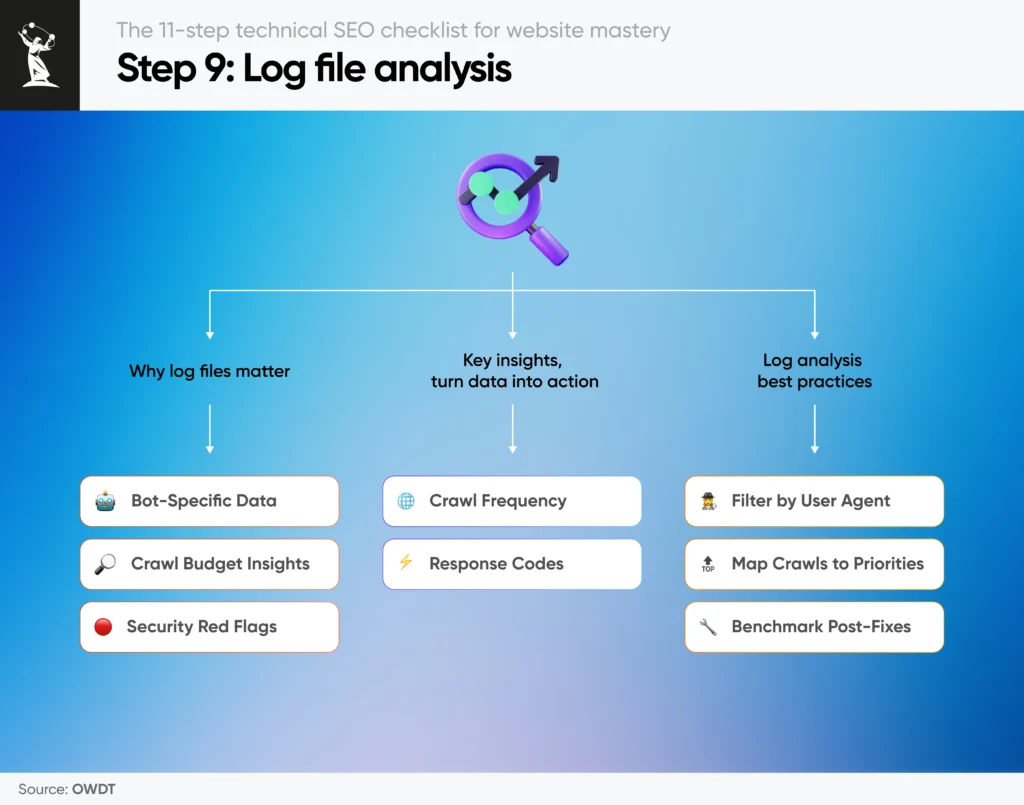
To get started, let's explore the fundamental concepts of log file analysis.
Log File Analysis for Technical SEO
This article, 'Log File Analysis for Technical SEO' from Visively, offers a clear and concise introduction to the power of log data. It explains why logs are the 'ground truth' and breaks down the structure of a log entry.
Please read the sections 'What log file analysis reveals' and 'Anatomy of a log entry'. Pay close attention to the table that breaks down the 'Combined Log Format' and explains why each field is important for SEO analysis.
As you just read, a typical log entry in Combined Log Format looks like this:66.249.66.1 - - [15/Dec/2025:09:23:41 +0000] "GET /products/widget-blue/ HTTP/1.1" 200 45232 "-" "Mozilla/5.0 (compatible; Googlebot/2.1; ...)"
The most critical pieces for our analysis are:
- IP Address (
66.249.66.1): Who made the request. - Timestamp (
[15/Dec/2025:...]): When the request was made. - Request (
"GET /products/widget-blue/..."): What was requested (the URL path). - Status Code (
200): The server's response (e.g., 200 OK, 404 Not Found, 301 Redirect). - User-Agent (
"Mozilla/5.0 ... Googlebot/2.1..."): How the client identified itself.
2. The Core Process of Log File Analysis
Analyzing raw log files, which can contain millions or even billions of lines, requires a structured process. The end goal is to transform this raw text into clear, actionable insights, often visualized in a dashboard.

The process can be broken down into five key steps:
- Collect: Obtain the raw log files from the server or CDN. These are often large and split into daily chunks.
- Filter: Isolate the requests made by search engine bots (e.g., Googlebot, Bingbot) based on their user-agent string.
- Verify: Confirm that the requests are from legitimate search engine crawlers and not from scrapers or spambots spoofing the user-agent.
- Parse: Extract the relevant fields (IP, timestamp, URL, status code, etc.) from each log entry and structure the data into a usable format, like a table.
- Analyze: Aggregate the structured data to identify patterns, such as crawl frequency by site section, distribution of status codes, and crawl errors.
The Critical Step: Verification
Filtering by user-agent alone is insufficient and dangerous. User-agent strings can be easily faked. Making strategic decisions based on unverified "Googlebot" traffic can lead you to optimize for scraper behavior, not Google's.
The correct method, as detailed in the Visively article, is to use a two-step DNS lookup:
- Reverse DNS Lookup: Check the hostname associated with the requesting IP address. A legitimate Googlebot IP will resolve to a domain like
crawl-xx-xx-xx-xx.googlebot.com. - Forward DNS Lookup: Perform a DNS lookup on that returned hostname. It must resolve back to the original IP address.
This verification is non-negotiable for accurate analysis.
Log File Analysis for Technical SEO
Let's revisit the Visively article to solidify the concept of crawler identification and verification. This is the most crucial step for ensuring your analysis is based on valid data.
Please read the section 'Identifying search engine crawlers', paying special attention to the subsection 'Verifying legitimate crawlers'. Note the command-line examples for performing the DNS lookups.
Test your understanding!
You've filtered your server logs for the user-agent "Googlebot" and found 2 million requests from 20,000 unique IP addresses. Your initial analysis shows a very high crawl rate on low-value filtered search result pages. Before you present this as a critical crawl budget issue to your team, what is the single most important validation step you must perform, and why?
Show answer
The single most important step is to perform reverse and forward DNS lookups on the 20,000 unique IP addresses.
Why: The user-agent "Googlebot" is trivially easy to spoof. A significant portion of that traffic could be from third-party scrapers or malicious bots. Without verifying that the IPs belong to Google, you risk drawing false conclusions. You might implement fixes (like blocking parameters) based on scraper behavior, which would be a complete waste of resources and could even harm your SEO if legitimate bots were using those parameters in some way.
3. Setting Up a Scalable Process with Python
While there are dedicated GUI tools for log analysis like Screaming Frog Log File Analyser, your goal is to handle SEO at scale and embrace automation. A scripted approach using Python offers the most power, flexibility, and scalability, allowing you to create a repeatable and customizable process for any website.
We will now walk through a comprehensive guide that provides a complete Python script for this purpose. Your goal here is not to become a Python developer overnight, but to understand how the script automates the five-step process we just discussed.
How to Use Python to Parse & Pivot Server Log Files for SEO
This article from Search Engine Journal, 'How to Use Python to Parse & Pivot Server Log Files for SEO', provides a step-by-step walkthrough and a full script to automate log file analysis. We will use it as our blueprint for setting up the process.
Read through the article, focusing on how each section of the script corresponds to our analysis process: Section 1 (Collect): 'Identify Files and Determining Formats' shows how to automatically find all log files in a folder. Section 2 (Filter): 'Extract Search Engine Requests' demonstrates filtering for 'Googlebot' requests. Section 4 (Verify): 'Validate Requests' is the most important part. See how the script uses a library to perform the DNS lookups at scale. Sections 3, 5, & 6 (Parse & Analyze/Export): 'Parse Requests', 'Pivot the Data', and 'Export' show how the script structures the data into a clean table (a DataFrame) and prepares it for analysis by creating summary pivots and exporting to Excel.
This script effectively automates our entire workflow:
- It uses the
globlibrary to collect all log files, even across subfolders. - It uses regular expressions (
re) to filter for lines containing 'Googlebot'. - It uses the powerful
pandaslibrary to parse the unstructured log lines into a clean, tabular format called a DataFrame. - Crucially, it uses the
dnspythonlibrary to verify crawlers by performing reverse DNS lookups on a unique list of IPs, making the process highly efficient. - Finally, it uses
pandasagain to aggregate the data and export it into an organized Excel file, ready for the analysis we will conduct in our next lesson.
The article provides a link to the full script on GitHub. I encourage you to download it and examine its structure. This is a practical tool you can adapt for real-world projects.
Conclusion
In this lesson, you have learned how to establish a robust and scalable process for one of the most fundamental tasks in enterprise technical SEO: log file analysis. This moves you beyond relying on sampled data and gives you access to the ground truth of how search engines see your website.
Key Takeaways:
- Server logs are the definitive source for understanding search engine crawler behavior.
- A proper analysis process involves five steps: Collect, Filter, Verify, Parse, and Analyze.
- Verification of bot identity via DNS lookups is mandatory. Acting on unverified data can lead to misguided and costly decisions.
- Using Python with libraries like Pandas and dnspython provides a powerful, scalable, and customizable method to automate this entire process, which is essential for handling enterprise-level data volumes.
You now have a framework for turning millions of raw log entries into structured, verified data. In our next lesson, we will focus on the final step: analysis. You will learn to use log file data to diagnose crawl budget inefficiencies and critical technical errors, turning this data into actionable SEO recommendations.