Hello! Welcome back to our course on PHP mastery.
In our last lesson, we learned how to design the "blueprint" for our data structures by defining a class with its own properties (data) and methods (behaviors). We also saw how private visibility can protect an object's internal state, a concept known as encapsulation.
Today, we're taking the logical next step: putting that blueprint to work. This lesson is all about creating and using the actual products. By the end, you'll be able to instantiate and use objects from classes. This is where the abstract concept of a class becomes a concrete, usable part of your application.
A Quick Recap: The Blueprint and the Product
Remember the analogy of a class as a blueprint?
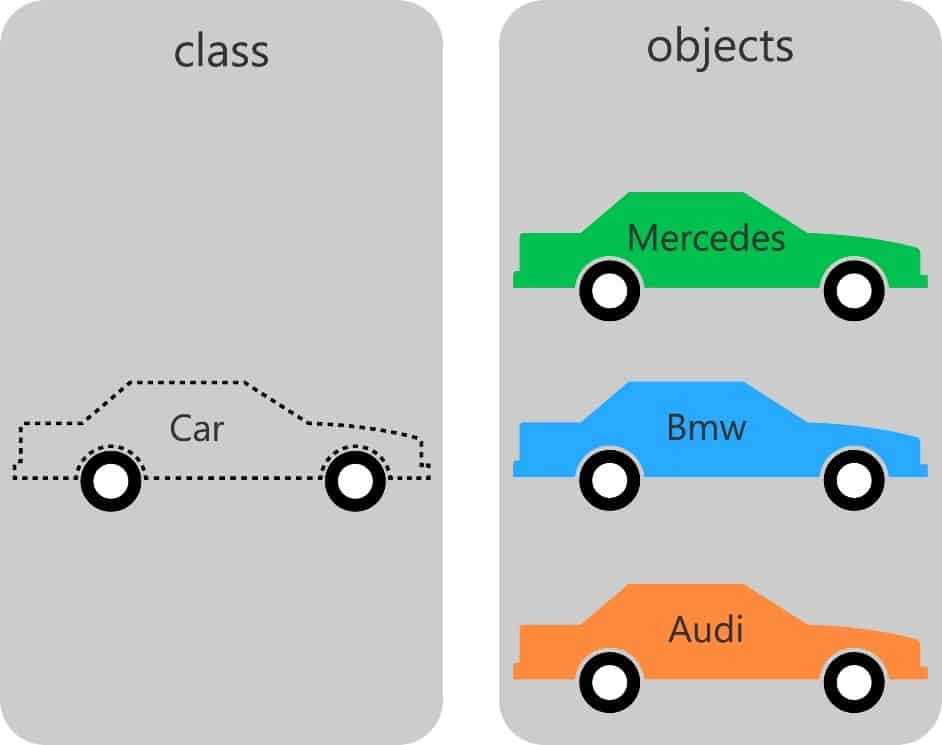
Today, we're moving from designing the Car blueprint on the left to building and driving the Mercedes and BMW objects on the right.
1. Creating an Object: Instantiation
In PHP, the process of creating an object from a class is called instantiation. This is done using the new keyword.
Let's use the User class we started building in the last lesson. Imagine you have this class saved in a file named User.php:
// In User.php
class User
{
    // A public property
    public $username;

    // A public method
    public function getWelcomeMessage()
    {
        return "Welcome, " . $this->username . "!";
    }
}
To create a User object in another file (like index.php), you first need to make the class definition available and then use the new keyword.
// In index.php
require_once 'User.php'; // Load the class blueprint

// Instantiate a new object from the User class
$user1 = new User();

// Let's see what we have
var_dump($user1);
If you run this code, var_dump() will show you that $user1 is an object of the type User, and its $username property is currently null.
Let's watch a video that demonstrates this fundamental process clearly.
PHP Classes & Objects - Typed Properties - Constructors & Destructors - Full PHP 8 Tutorial
This clip from the 'Program With Gio' channel shows the essential steps of instantiating an object, including the crucial require_once and how to inspect the newly created object.
Watch from 00:55 to 02:57. Pay close attention to how the new keyword is used, why require_once is necessary, and what the output of var_dump() tells you about the new object.
The official PHP documentation is the ultimate source for syntax. This reading confirms the usage of the new keyword.
The PHP Manual provides the definitive explanation for creating class instances.
Read the section titled 'new'. It shows the basic syntax and also introduces an interesting variation where the class name can be stored in a variable, allowing for more dynamic code.
2. Using an Object: Accessing Properties and Methods
Once you have an object, you need to interact with it. You can access its public properties and call its public methods using the object operator (->).
Let's continue with our $user1 object:
// In index.php
require_once 'User.php';

$user1 = new User();

// Access the public property 'username' and assign a value
$user1->username = 'Alex';

// Call the public method 'getWelcomeMessage'
$message = $user1->getWelcomeMessage();

echo $message; // Outputs: Welcome, Alex!

// Let's inspect the object again
var_dump($user1);
Now, var_dump() will show that the $username property for $user1 has the value 'Alex'.
The following video provides an excellent walkthrough of this process and also reinforces the public vs. private distinction we learned about previously.
Learn Object Oriented PHP for Beginners | With Examples to Help You Understand! | OOP PHP Tutorial
This segment from Dani Krossing's OOP tutorial clearly demonstrates how to use the arrow operator (->) to interact with an object. It also provides a practical reminder of why visibility matters.
Watch from 20:46 to 28:27. Focus on: Accessing Members (20:46): The syntax for accessing a public property and calling a public method ($car->brand, $car->getCarInfo()). Visibility Error (22:45): See the 'uncaught error' that occurs when you try to access a private property from outside the class. This is a practical demonstration of encapsulation. Practical Structure (26:28): Observe how the class is included in a separate file (index.php) before being instantiated, which mirrors a real-world application structure.
3. Creating Multiple, Independent Objects
The real power of classes is that they are reusable blueprints. You can create many objects from a single class, and each object is an independent entity with its own set of property values.
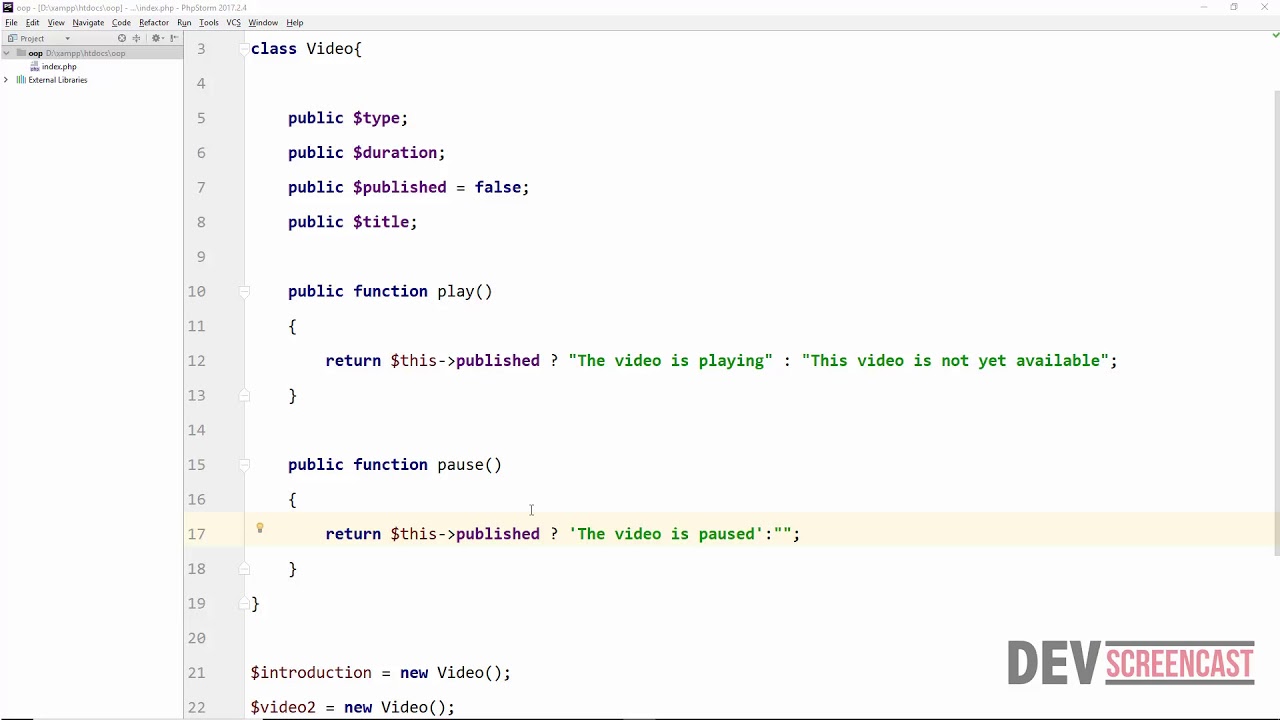
Let's extend our example:
// In index.php
require_once 'User.php';

// Create the first user object
$user1 = new User();
$user1->username = 'Alex';

// Create a second, completely separate user object
$user2 = new User();
$user2->username = 'Sam';

// Call the same method on both objects
echo $user1->getWelcomeMessage(); // Outputs: Welcome, Alex!
echo "<br>";
echo $user2->getWelcomeMessage(); // Outputs: Welcome, Sam!
As you can see, even though both objects were created from the same User class and we called the same method, the output is different because each object maintains its own internal state (its own value for $username).
This short reading provides another complete, practical example you can experiment with.
Class in PHP: Mastering Object-Oriented Programming
The Altorouter tutorial provides a concise example of instantiating a Person class and using its members.
Review the sections 'Instantiating Objects from PHP Classes', 'Interacting with Object Properties and Methods', and the code under 'Practical Example: Implementing a Person Class'. This provides a great summary of what we've just covered.
4. A Deeper Look: How Object Variables Work
This is a subtle but crucial concept for mastering PHP. When you assign an object variable to another variable, you are not creating a copy of the object. Instead, you are copying the identifier (or "handle") that points to the object in memory.
Consider this:
class SimpleClass {
    public $var = 'default value';
}

$instance1 = new SimpleClass();

// This does NOT copy the object. It copies the handle.
$instance2 = $instance1;

// Now, both variables point to the SAME object.
// Modifying the object through one variable...
$instance2->var = 'new value';

// ...affects the other.
echo $instance1->var; // Outputs: 'new value'
This is different from how basic types like strings or numbers work. Understanding this behavior is essential for avoiding unexpected bugs in larger applications.
The PHP Manual has some excellent user-contributed notes that use analogies to explain this concept perfectly.
These user notes from the PHP Manual offer fantastic analogies to help you build a solid mental model of how object assignment works.
Find and read the two user-contributed notes in the page content. Starts with: "I was confused at first about object assignment..." Starts with: "At first I was also confused by the assignment vs referencing..." Focus on the analogies of 'data slots with handles' and 'keys to a room'. They are extremely helpful for understanding why $instance1 and $instance2 in the example above are linked.
Conclusion
Great work! You've now bridged the gap between the theoretical blueprint (the class) and the practical tool (the object). You can now create and manipulate the core components of any object-oriented PHP application.
Key Takeaways:
- You create an object from a class using the
newkeyword (e.g.,$user = new User();). This is called instantiation. - You access an object's public properties and methods using the object operator
->(e.g.,$user->username,$user->getWelcomeMessage()). - Each object created from a class is an independent instance. Changes to one object's properties do not affect another's.
- Assigning an object variable to another variable (
$obj2 = $obj1;) does not copy the object itself, but rather the reference to it, meaning both variables point to the same object in memory.
Preview of the Next Lesson:
In our examples today, we created an empty object and then set its properties line-by-line. This is a bit clumsy. What if we could provide initial data right when the object is created?
In the next lesson, we'll learn about constructors and destructors. A constructor is a special method that runs automatically when you use new, allowing you to initialize an object's state in a single, clean step. You actually saw a preview of this in the Dani Krossing video when he used new Car('Volvo', 'green');. We will now explore that concept in detail.