Hello! Welcome to your next lesson.
In our last two sessions, you established your presence in the performance marketing world by creating an account on CPA Grip (a CPA network) and ClickBank (an affiliate network). You now have access to thousands of potential offers to promote.
But having access is just the first step. How do you choose which offer to promote? A great offer can make a campaign profitable, while a poor one is a waste of time and money.
Today, we will focus on the crucial skill of evaluating these offers. By the end of this lesson, you will know how to analyze any affiliate or CPA offer based on three key factors: payout, rules, and market demand. This will equip you to select offers that have a genuine potential for success.
The Three Pillars of Offer Evaluation
Think of choosing an offer like a three-point checklist. A promising offer usually scores well on all three of these pillars:
- Payout: How much do you earn for a single conversion? This isn't just about the highest dollar amount; it's about the balance between the payout and how difficult it is to get a conversion.
- Market Demand: Are people actively looking for this product or solution? Is it popular and proven to sell, or are you stepping into an untested market?
- Rules & Restrictions: What are the terms you must follow to get paid? This includes allowed countries (GEOs), permitted traffic sources (e.g., email, social media, search), and any other specific conditions.
A high-paying offer with no demand is useless. A popular offer with rules that are too restrictive for your traffic methods won't work either. You need to find a balance.
A Note on Payout vs. Conversion Difficulty
It's tempting to only look for offers with the highest payout. However, high-payout offers usually require a customer to take a significant action, like making a large purchase or depositing money into a trading account. These are very difficult to convert, especially for a beginner.
Conversely, low-payout offers might only require a user to enter their email address. These are much easier to convert and are perfect for learning and testing with a small budget.
A key metric networks sometimes provide is Earnings Per Click (EPC). This is calculated as Total Affiliate Earnings / Total Clicks Sent. An EPC of $0.50 means that, on average, every click sent to that offer generated 50 cents in revenue for affiliates. It helps you compare offers with different payouts because it factors in the conversion rate.
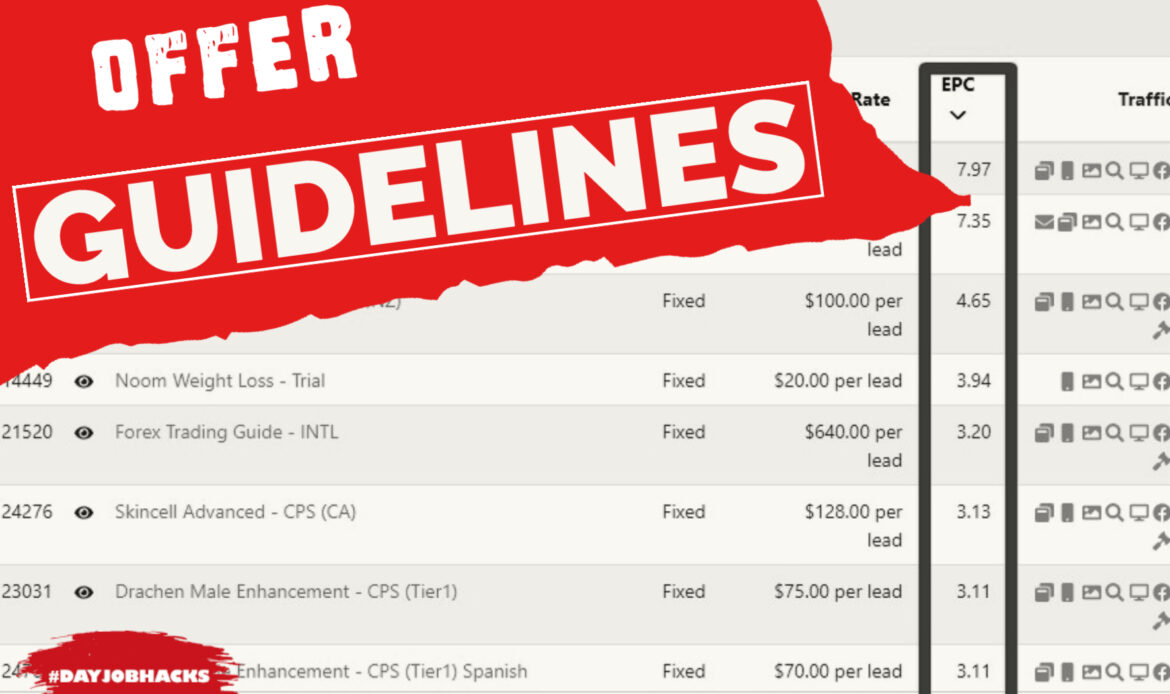
While EPC is a useful indicator, don't rely on it exclusively. As we'll see, it's just one piece of the puzzle.
Finding and Evaluating CPA Offers
Let's start with CPA offers. Because you're a beginner, it's wise to start with offers that are easier to convert. The following reading explains what types of offers are best to start with.
The Ultimate Guide to Finding Profitable CPA Offers in Affiliate ...
To find good CPA offers, it's crucial to know what to look for as a beginner. This article from Zeropark provides excellent guidance on choosing your first offers.
Read the sections 'What are the best CPA offers to choose as a beginner?' and 'Mistakes to avoid when choosing CPA offers'. Focus on the recommendations for Conversion Flow (SOI/DOI), GEO Targeting (Tier 2/3), and the common mistakes to avoid.
Based on that reading, here are the key takeaways for selecting your first CPA offer:
- Start with Simple Conversions: Look for SOI (Single Opt-In) or DOI (Double Opt-In) offers. These typically pay $0.50 to $3 and only require a user to submit a form (like an email address). They are the easiest to convert.
- Target Cheaper GEOs: Focus on Tier 2 or Tier 3 countries (e.g., Brazil, Poland, Mexico, Thailand). Traffic is much cheaper and less competitive than in Tier 1 countries (USA, UK, Canada, Australia), which is ideal for your starting budget.
- Read the Description: This is the most important rule. Always read the offer's rules to ensure the traffic you plan to send is allowed. Promoting an offer with disallowed traffic means you won't get paid, even if you get conversions.
Using OfferVault to Find Offers
Now, where do you find these offers? You can browse the marketplace in CPA Grip, but a more powerful method is to use an "offer aggregator." OfferVault is a search engine that collects offers from hundreds of networks, allowing you to compare them all in one place.
How To Use OfferVault? The Affiliate Marketer's Guide
OfferVault lets you search and compare thousands of CPA offers. This guide will show you how to use it to find offers that match your criteria.
First, read the introduction 'What is OfferVault?'. Then, skim the 'Basic Search' section to understand how to look for offers. Finally, review the 'Advanced Search' section to see how you can filter by country, traffic type, and payout. This is how you'll narrow down your search to find beginner-friendly offers.
Let's walk through a practical example of how you'd use OfferVault. Imagine you want to find a simple "email submit" offer in Brazil.
- You'd go to OfferVault.com.
- In the search bar, you could type "email submit" or "SOI".
- You would then use the filters or "Advanced Search" to select "Brazil" as the country.
- The results will show you a list of offers, the payout for each, and which network they are on.
When you click on an offer, you'll see a page with more details, similar to this:

Evaluating Affiliate Offers on ClickBank
Now let's switch gears to the ClickBank marketplace. The evaluation principles are the same, but the metrics are different. Most ClickBank offers are for digital products (like e-books or video courses) or health supplements, and they primarily use a Pay-Per-Sale (PPS) model.
When you browse the ClickBank marketplace, here are the key stats to look for:
- Avg $/Conversion: This is the average commission an affiliate earns for one sale, including any upsells. This is your effective payout.
- Gravity Score (Grav): This is ClickBank's unique metric for market demand. It represents the number of distinct affiliates who have earned a commission promoting this product in the last 12 weeks.
- A high Gravity (e.g., 50+) indicates a product is selling very well for many affiliates. This is excellent proof of market demand.
- A low Gravity (e.g., under 15) means very few affiliates are making sales. It could be a new product, or it might just not convert well.
- As a beginner, it's best to choose offers with a Gravity score of at least 20 to ensure you're promoting something that is proven to sell.
- Affiliate Page: This is a link on the offer listing that takes you to a resources page for affiliates. A good affiliate page with email templates, ad banners, and audience information is a strong sign that the product creator is serious about helping you succeed.
Practical Walkthrough on ClickBank
- Log in to your ClickBank account and go to the Marketplace.
- Choose a category you're interested in, like "Health & Fitness" or "E-business & E-marketing".
- From the "Sort results by" dropdown, select Gravity. This will put the most popular, proven sellers at the top.
- Now, analyze the top results using our three pillars:
- Payout: Look at the
Avg $/Conversion. Is it a reasonable amount? (e.g., $50-$150 is common for top offers). - Market Demand: Check the
Gravityscore. Is it above 20? The higher, the better (though very high Gravity also means more competition). - Rules: Click on the Affiliate Page link. This is where vendors list their rules. Many forbid bidding on their brand name in paid ads, for example. The page will also give you tools and insights into the target audience, helping you gauge if it's a market you can reach.
- Payout: Look at the
By sorting by Gravity, you are prioritizing market demand first, then evaluating the payout and rules of the top-performing offers.
Conclusion
You now have a solid framework for analyzing and selecting offers on both CPA and affiliate networks. Choosing the right offer is one of the most critical decisions you'll make, so take your time during this step.
Key Takeaways:
- Always evaluate an offer based on three pillars: Payout, Market Demand, and Rules.
- For CPA, start with low-payout, easy-to-convert offers like SOI/DOI in Tier 2/3 countries to build experience with a small budget.
- Use tools like OfferVault to efficiently search for and compare CPA offers from many different networks.
- On ClickBank, use the Gravity score as your primary indicator of market demand and choose offers that are already proven to sell.
- Always find and read an offer's rules and restrictions before you start promoting it.
Next Up:
We've touched on the importance of rules and restrictions today, but they are so critical that they deserve a lesson of their own. In our next session, we will do a deep dive into how to read and interpret offer restrictions and compliance requirements. This will ensure you build your campaigns correctly from the start and, most importantly, get paid for your efforts.