Welcome back. In our last lesson, we explored the UPDATE statement, focusing on how to modify existing data precisely using the WHERE clause. We also highlighted the significant danger of omitting this clause, which can lead to widespread data corruption.
This lesson completes our tour of the fundamental Data Manipulation Language (DML) commands by focusing on the DELETE statement. You will learn how to remove specific records from a table, a common task for data maintenance, such as purging old log entries or removing deactivated user accounts. From a security standpoint, understanding how to properly use DELETE is just as crucial as understanding how it can be misused through vulnerabilities like SQL injection to destroy data.
Our objective is to master writing DELETE statements that use a WHERE clause to safely and accurately remove specific rows.
The DELETE Statement: Syntax and Purpose
The DELETE statement is used to remove one or more existing records from a table. Its syntax is straightforward and shares a critical component with the UPDATE statement: the WHERE clause.
The basic structure is:
DELETE FROM table_name
WHERE condition;
DELETE FROM table_name: This specifies the table from which you want to remove records.WHERE condition: This is the crucial part that identifies exactly which records should be deleted.
Let's start with a brief video that introduces this concept.
SQL - DELETE Statement - W3Schools.com
The "SQL - DELETE Statement" video from w3schools.com provides a very quick and clear introduction to the command's syntax and purpose.
Please watch the first two segments. Pay close attention to the explanation of the syntax from the beginning, and then listen to the critical warning about the WHERE clause from this section.
As you just heard, the WHERE clause is non-negotiable for controlled data deletion. Without it, you are instructing the database to remove every single record in the table.
Deleting Specific Records
The power of the WHERE clause lies in its ability to target records with surgical precision. You can construct conditions to delete a single, unique record (for example, by its primary key) or to remove a group of records that share a common attribute.
The following video demonstrates these two scenarios.
UPDATE, DELETE, ALTER - SQL Tutorial Series #2
In his "UPDATE, DELETE, ALTER" tutorial, NeuralNine provides a practical demonstration of deleting records.
Watch the segment from this timestamp. Notice how he first deletes a single person using a unique ID, and then deletes multiple people based on a condition (age greater than 50). This perfectly illustrates targeted deletion.
To reinforce this with code examples, the following article walks through deleting single and multiple rows.
The Basics of Deleting Data from a SQL Server Table
This article by Red-Gate provides clear, practical examples of targeted DELETE operations.
First, briefly look at the script provided under the "Sample Data" heading to understand the table structure. Then, carefully read the sections "Deleting a Single Row" and "Deleting Multiple Rows". Note how the WHERE clause is adapted to each goal, using a unique ID for a single row and a broader condition for multiple rows.
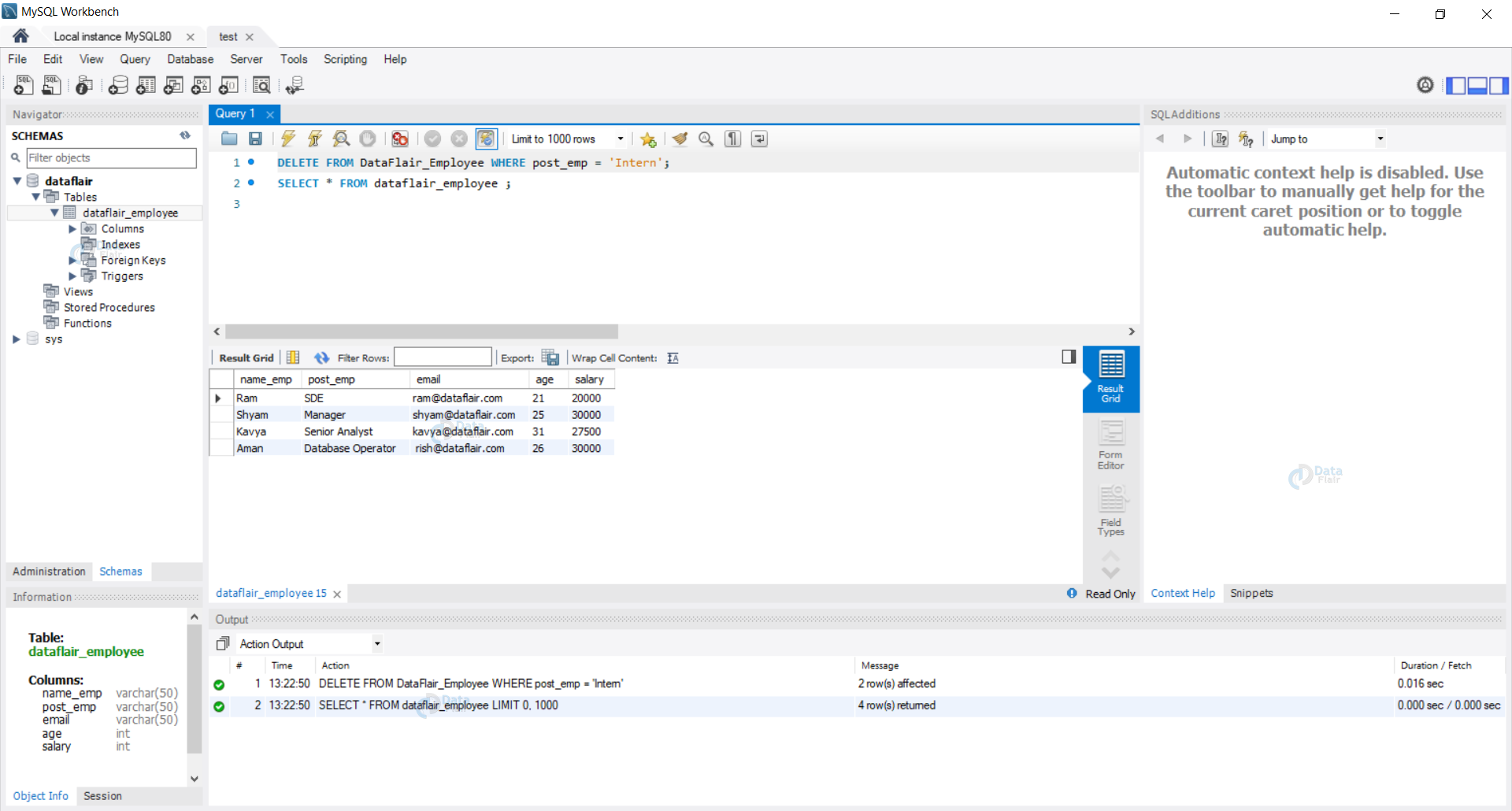
The image below shows what a successful, controlled DELETE operation looks like in a database management tool like MySQL Workbench.
Safe Deletion: A Critical Practice for Security Analysts
As a security analyst, you understand that preventing accidental damage is as important as preventing malicious attacks. A DELETE statement, especially without a proper WHERE clause, is one of the most destructive commands in SQL. An attacker who finds an SQL injection vulnerability could use it to wipe entire tables, causing a severe denial-of-service and data loss incident.
Therefore, adopting safe practices is paramount. The single most effective habit you can build is to always preview your deletion with a SELECT statement.
Before you run:DELETE FROM logs WHERE event_date < '2022-01-01';
First, run:SELECT * FROM logs WHERE event_date < '2022-01-01';
This allows you to see exactly which rows will be deleted. If the SELECT query returns unexpected or too many rows, you know your WHERE clause needs refinement before you execute the irreversible DELETE command.
This next reading selection elaborates on this and other essential safety measures.
SQL DELETE: How to Remove Data Safely
This article from DataCamp provides a superb overview of safe deletion practices and common errors, which is highly relevant to your work.
Focus on three key parts. First, read about the catastrophic consequences of an omitted WHERE clause in the section "Deleting all rows in a table". Next, study the indispensable technique discussed under "Previewing rows before deleting". Finally, reinforce the main point by reading the section on the most common mistake: "Forgetting the WHERE clause".
Conclusion
You have now learned the three core DML commands for interacting with data: INSERT, UPDATE, and DELETE. With the DELETE statement, you can precisely remove records from your database.
Key Takeaways:
- The
DELETEstatement removes one or more rows from a table. - The
WHEREclause is essential for specifying which rows to delete. - Omitting the
WHEREclause is extremely destructive and will delete all rows in the table, a behavior that can be exploited in SQL injection attacks. - A
WHEREclause can be crafted to target a single row (using a unique identifier) or multiple rows that match a specific condition. - A critical safety practice is to first run a
SELECTstatement with the sameWHEREclause to preview the rows that will be deleted before executing theDELETEcommand.
In the previous lesson and this one, we've repeatedly warned about the dangers of running UPDATE and DELETE without a WHERE clause. In our next lesson, we will move to a hands-on lab environment where you will get to safely execute these commands on a test table and witness their destructive impact firsthand. This practical exercise will solidify your understanding of why the WHERE clause is so vital.