Introduction
Welcome to the next lesson in our exploration of database reconnaissance. In the previous lesson, you learned how to map out a database's structure by enumerating tables, columns, and their constraints. You can now answer what data exists and the rules that govern it. Now, we shift our focus to the crucial question of who can access this data and what they can do with it.
This lesson covers Data Control Language (DCL), specifically the GRANT and REVOKE commands. As a security analyst, you understand that access control is a cornerstone of security. An attacker actively seeks over-privileged accounts to exploit, while a defender's job is to enforce strict access policies. The GRANT and REVOKE statements are the SQL tools you'll use to manage these database permissions, making them fundamental to both offensive and defensive security tasks.
The Principle of Least Privilege (PoLP)
Before we dive into the syntax, let's establish the guiding security principle behind permission management: the Principle of Least Privilege (PoLP). This concept dictates that any user, program, or process should have only the bare minimum privileges necessary to perform its function. For example, a user account for a reporting tool that only reads data should never have permission to DELETE it.
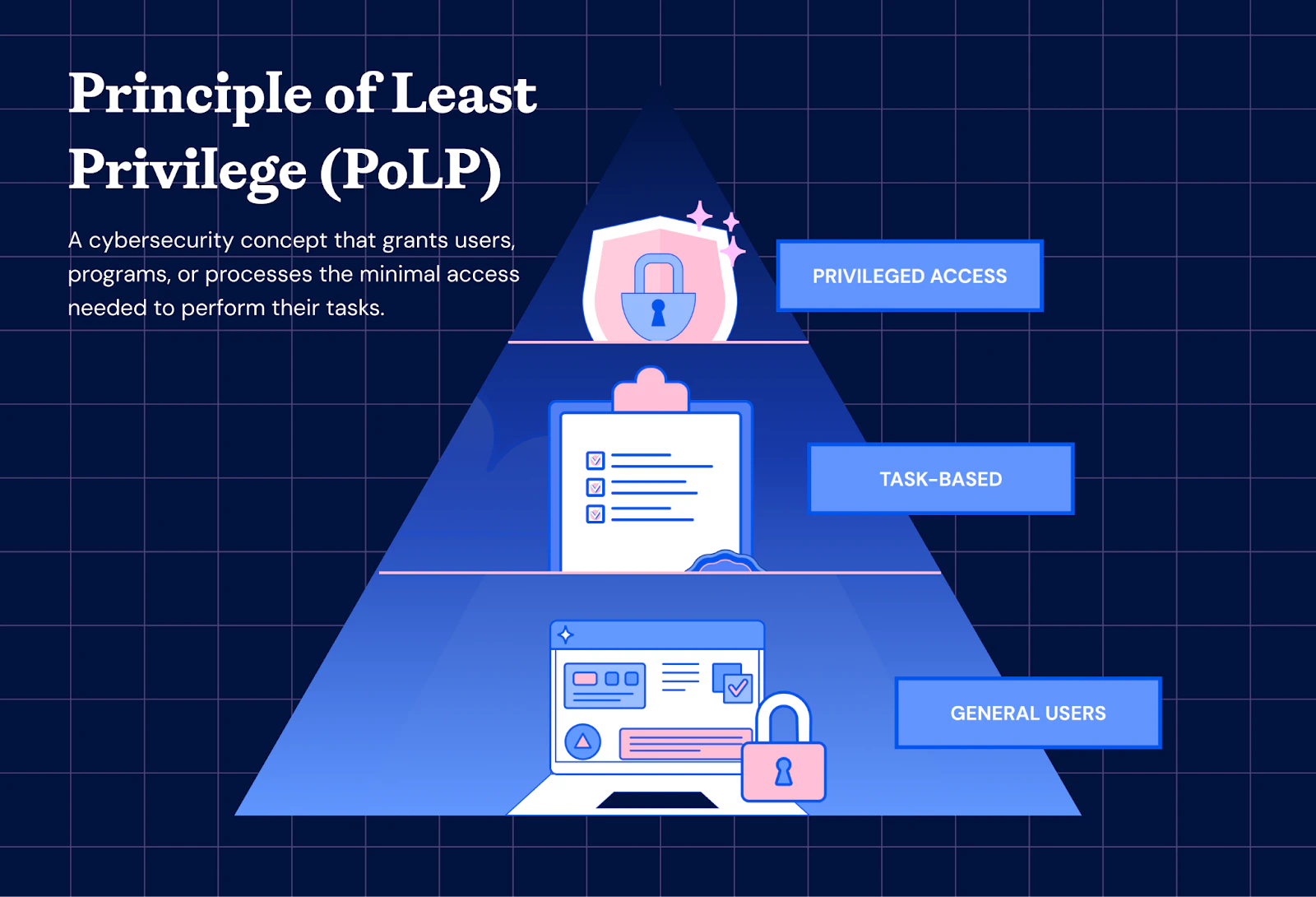
Adhering to PoLP drastically reduces the potential damage from a security breach. If an attacker compromises an application user, they are constrained by that user's limited permissions, preventing them from accessing or modifying other parts of the database. Understanding and implementing PoLP is a critical skill for any security professional.
Giving Permissions with GRANT
The GRANT command is used to give specific permissions to a user account. Its fundamental structure is straightforward, allowing you to specify what action a user can perform on a particular database object.
The basic syntax is:GRANT <privilege(s)> ON <object> TO <user>;
Let's break this down:
- Privileges: These are the specific actions you are allowing. Common privileges include:
SELECT: Allows reading data.INSERT: Allows adding new data.UPDATE: Allows modifying existing data.DELETE: Allows removing data.ALL PRIVILEGES: A shortcut for granting all permissions (use with caution!).
- Object: This is the database component the permissions apply to, such as a specific table (
mydb.users), an entire database (mydb.*), or even globally (*.*). - User: The user account receiving the permissions, typically specified as
'username'@'hostname'.
To see this in action, the following video provides a clear, concise demonstration of how to use the GRANT command in a real database environment.
SQL DCL: Granting and Revoking Privileges
This video, "SQL DCL: Granting and Revoking Privileges" by Dustin Ormond, offers a well-structured walkthrough of the core DCL commands.
Watch the segments that introduce the GRANT command and demonstrate its use. Pay close attention to the syntax and the list of available privileges. Please watch from the beginning until the demonstration.
As the video shows, you can grant multiple privileges at once by separating them with commas. This allows for precise control over user access. For a more detailed breakdown of how to target different levels of the database, the following reading will be helpful.
Grant and Revoke MySQL Privileges using `GRANT ... - Prisma
This guide from Prisma provides an excellent written explanation of privilege management in MySQL.
Please read the sections titled "How do you use the GRANT command?" and "Targeting databases, tables, columns, etc.". This will reinforce the syntax for granting privileges at the global, database, table, and even column levels.
From a security perspective, granularity is key. You should always grant privileges on the most specific object possible. If a user only needs to read the products table, grant SELECT on ecommerce.products, not on ecommerce.*.
Taking Permissions Away with REVOKE
Just as you can grant permissions, you must also be able to remove them. This is the role of the REVOKE command. You might use this when an employee changes roles, an application feature is deprecated, or during a security audit when you discover an account is over-privileged.
The syntax for REVOKE is the mirror image of GRANT:REVOKE <privilege(s)> ON <object> FROM <user>;
The components are the same, but the logic is reversed: you are taking specified privileges from a user.
Let's return to the video to see a demonstration of REVOKE.
SQL DCL: Granting and Revoking Privileges
We'll continue with the "SQL DCL: Granting and Revoking Privileges" video.
Watch the portion of the video that explains and demonstrates the REVOKE command, from the REVOKE section. Notice how the syntax directly corresponds to the GRANT statements used earlier.
The ability to revoke permissions is just as critical as granting them. Regular audits of user permissions, followed by the revocation of any that are unnecessary, is a core activity in database security management.
Auditing Permissions
To grant or revoke permissions effectively, you first need to know what permissions a user currently has. This is a fundamental task during any security audit. Most database systems provide a command to view a user's assigned privileges. In MySQL, the command is SHOW GRANTS.
SHOW GRANTS FOR 'username'@'hostname';
Executing this command displays the exact GRANT statements that were used to establish the user's current permissions. This allows you to see precisely what a user can and cannot do.
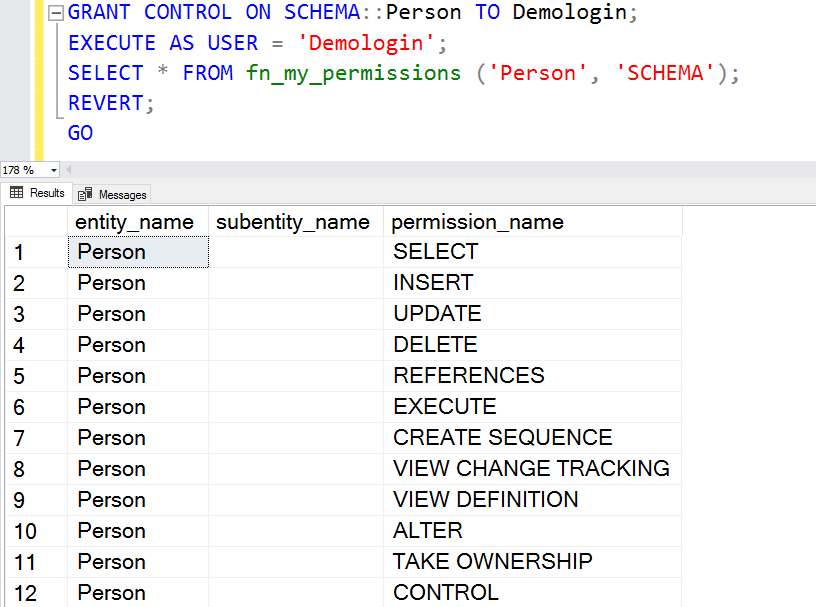
Knowing how to check existing permissions is the first step in identifying accounts that violate the Principle of Least Privilege.
Conclusion
In this lesson, you have learned how to use the fundamental DCL commands, GRANT and REVOKE, to manage database permissions. These tools are the building blocks for enforcing access control policies and are essential for both building secure systems and auditing existing ones.
Key Takeaways:
- The Principle of Least Privilege (PoLP) should guide all permission management decisions.
- The
GRANTcommand is used to give specific privileges (SELECT,INSERT, etc.) on database objects (tables, databases) to users. - The
REVOKEcommand is used to remove those privileges. - Auditing existing permissions using commands like
SHOW GRANTSis a critical security function to identify over-privileged accounts.
You now understand the theory and the syntax for managing permissions. In our next lesson, "Configure minimal database permissions for a sample application user," we will put this knowledge into practice. You will be tasked with creating a new user for a hypothetical application and using GRANT to assign it a minimal, secure set of permissions, directly applying the Principle of Least Privilege in a hands-on scenario.