Introduction
In our last lesson, we mastered quantization, a critical technique for optimizing LLM inference by reducing model size and latency. We now have a performant, lightweight model ready for deployment. The next logical step is to build the application layer that exposes this model to users or other services. This isn't just about creating a simple endpoint; it's about engineering a production-grade service that is reliable, predictable, and secure.
Today, your goal is to design a robust LLM-powered API endpoint with proper error handling, input validation, and request/response schemas. As an experienced engineer, you know that the code that surrounds the core logic is often what separates a prototype from a production system. For LLMs, this "surrounding code" must account for a unique set of potential failures, from model timeouts to content safety violations.
We will use FastAPI, the modern standard for high-performance Python APIs, and Pydantic for data validation. By the end of this lesson, you will be able to architect an API endpoint that is not just functional but also resilient and maintainable.
The Foundation: FastAPI and Pydantic Schemas
For building LLM APIs in Python, FastAPI is the go-to framework. Its main advantages are its high performance and native support for asynchronous operations, which are essential for handling long-running LLM inference calls without blocking the entire server.
Crucially, FastAPI is built on Pydantic, a data validation library. This integration allows us to define the "contract" of our API—the expected structure and data types of requests and responses—using simple Python classes. This addresses two parts of our learning outcome—input validation and schemas—right from the start.
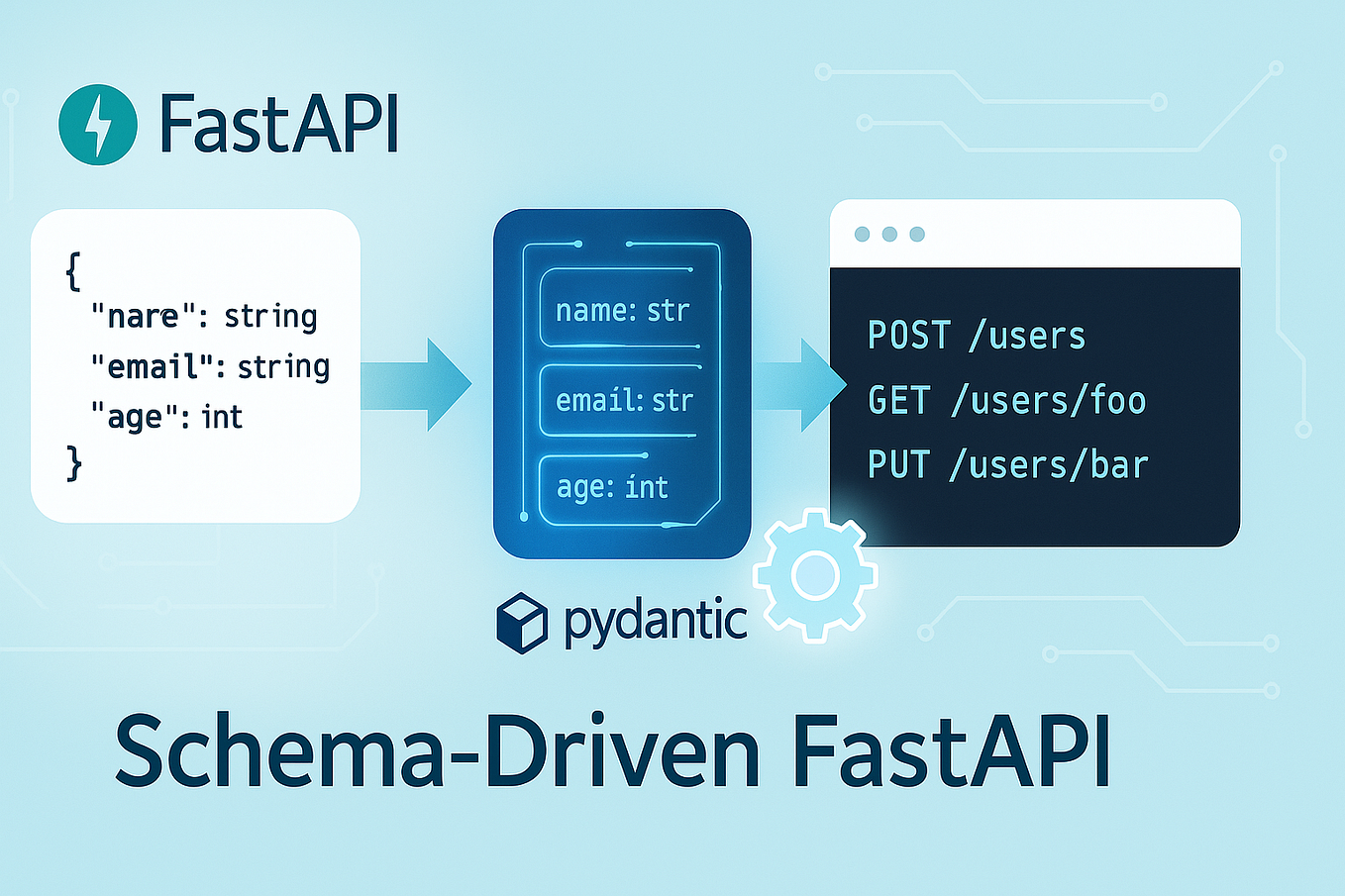
Let's see how to set this up in practice.
FastAPI for AI: Build an AI Endpoint in 30 Minutes
The following video, "FastAPI for AI," provides an excellent walkthrough of building an AI endpoint. We'll start with the foundational steps of setting up the FastAPI app and defining the data schemas with Pydantic.
Watch from 04:39 to 05:28. Pay close attention to how ChatRequest and ChatResponse classes are defined using Pydantic. These classes serve as our strict input and output schemas.
As you saw, defining schemas is straightforward. For example, a request to our LLM API might look like this:
from pydantic import BaseModel, Field
from typing import Optional

class GenerationRequest(BaseModel):
    prompt: str = Field(description="The user's prompt to the LLM.")
    max_new_tokens: int = Field(default=256, gt=0, le=1024, description="The maximum number of tokens to generate.")
    temperature: float = Field(default=0.7, ge=0.0, le=2.0, description="Controls randomness. Higher is more creative.")
    user_id: Optional[str] = Field(default=None, description="Optional user ID for tracking.")
Here, Pydantic and FastAPI automatically handle:
- Type Checking:
max_new_tokensmust be an integer. - Validation:
temperaturemust be between 0.0 and 2.0 (ge=greater than or equal,le=less than or equal). - Defaults: If
temperatureisn't provided, it defaults to 0.7. - Documentation: An interactive API documentation (usually at
/docs) is automatically generated from these schemas.
Integrating the LLM and Structuring the Application
With our schemas defined, the next step is to integrate the LLM. A key principle of robust software design is abstraction. Instead of calling the LLM API (like OpenAI, Anthropic, or a local vLLM server) directly inside your endpoint, you should wrap it in a dedicated service or client class.
FastAPI for AI: Build an AI Endpoint in 30 Minutes
Let's return to the "FastAPI for AI" video to see a great example of this principle. The creator abstracts the AI model interaction behind a common interface.
Watch from 06:13 to 11:14. Focus on these key architectural decisions: Defining an AIPlatform base class (an interface). Creating a concrete GeminiClient that implements this interface. How the system prompt is loaded from an external file, separating configuration from code. How the final endpoint wires everything together.
This layered approach, as also described in the "Core Architecture Patterns" section of the Deploying LLMs with FastAPI guide, is crucial. It decouples your API logic from the specific LLM implementation, making it easier to swap models, add new ones, or mock the LLM for testing.
Building for Robustness: Proper Error Handling
This is where we elevate our API from a simple wrapper to a "bulletproof" service. LLM calls can fail in many ways that traditional web services do not:
- The LLM provider's API could be down (regional outage).
- The request could time out after a long generation.
- The input prompt could be flagged by a content safety filter.
- The model could return a malformed or empty response.
- You could hit a rate limit or quota.
A 500 Internal Server Error is not an acceptable response. We need to catch these specific errors and return meaningful, structured error messages to the client. The best practice in FastAPI is to create a custom exception hierarchy and use exception handlers.

To understand how to implement this cleanly, we'll turn to an expert.
This Is How You Do PROPER Exception Handling With FastAPI
ArjanCodes provides a masterclass on exception handling in FastAPI. This video will show you how to move beyond generic try/except blocks to a centralized, maintainable error handling architecture.
Watch from 00:42 to 03:51. Focus on two concepts: Creating a custom exception hierarchy (e.g., a base LLMError with specific children like LLMTimeoutError, ContentSafetyError). Using the @app.exception_handler() decorator to catch a specific exception type and return a structured JSONResponse.
Let's solidify this with an example. First, you'd define your custom exceptions:
# exceptions.py
class LLMError(Exception):
    """Base exception for our LLM service."""
    pass

class LLMGenerationError(LLMError):
    """Raised when the LLM fails to generate a response."""
    pass

class LLMTimeoutError(LLMError):
    """Raised when a request to the LLM times out."""
    pass

class InputValidationError(ValueError):
    """Raised for invalid user input that passes Pydantic but fails business logic."""
    pass
Then, in your main application file, you register the handlers:
from fastapi import FastAPI, Request
from fastapi.responses import JSONResponse
from .exceptions import LLMTimeoutError, LLMGenerationError

app = FastAPI()

@app.exception_handler(LLMTimeoutError)
async def timeout_exception_handler(request: Request, exc: LLMTimeoutError):
    return JSONResponse(
        status_code=504, # Gateway Timeout
        content={"error": "LLMTimeoutError", "message": "The request to the language model timed out."},
    )

@app.exception_handler(LLMGenerationError)
async def generation_exception_handler(request: Request, exc: LLMGenerationError):
    return JSONResponse(
        status_code=502, # Bad Gateway
        content={"error": "LLMGenerationError", "message": "The language model failed to generate a valid response."},
    )

# Your API endpoint logic would then raise these exceptions
# e.g., raise LLMTimeoutError("Model took too long")
This pattern, which is a core Site Reliability Engineering (SRE) practice, is essential for building what the article Building Bulletproof LLM Applications calls a "reliability layer". You can read more in the article's sections on "Automatic Retry" and "Circuit Breaker Pattern" to see how this extends to even more advanced resilience.
Test your understanding!
A user's prompt to your API passes Pydantic validation but is then flagged by a content safety filter in the downstream LLM API (e.g., OpenAI's moderation endpoint).
- What HTTP status code would be most appropriate to return to the user? (Hint: Think about 4xx vs. 5xx codes).
- Design a custom exception class for this scenario.
- Write the FastAPI exception handler for your new exception.
Show answer
-
A
400 Bad Requeststatus code is most appropriate. The server understood the request, but the user's input was deemed unacceptable and cannot be processed. It's a client-side error, not a server-side failure. -
Custom Exception Class:
# In exceptions.py
class ContentSafetyViolationError(ValueError):
    """Raised when input is flagged by a content safety filter."""
    pass
It inherits from
ValueErroras it's a form of invalid input. -
Exception Handler:
from fastapi.responses import JSONResponse

@app.exception_handler(ContentSafetyViolationError)
async def content_safety_exception_handler(request: Request, exc: ContentSafetyViolationError):
    return JSONResponse(
        status_code=400,
        content={
            "error": "ContentSafetyViolation",
            "message": "The provided input was flagged for a content safety violation and cannot be processed."
        },
    )
Input Validation and Security
While Pydantic handles structural validation, robust endpoints require another layer of defense, especially against prompt injection. The Deploying LLMs with FastAPI guide provides a useful checklist.
Deploying LLMs with FastAPI: Production Guide
Let's consult the 'Deploying LLMs with FastAPI: Production Guide' for best practices on input validation beyond basic type checking.
Read the section titled 'Input Validation and Sanitization' and review the 'Input Validation Checklist'.
Key takeaways from this section include implementing strict length limits to control cost and context window usage, and filtering out suspicious character patterns or known instruction-override phrases (e.g., "Ignore previous instructions..."). This business logic validation should occur in your service layer before the prompt is ever sent to the LLM.
Conclusion
Today you've learned the architectural patterns for designing a production-ready LLM API endpoint. This goes far beyond a simple script and requires deliberate engineering for resilience and security.
Key Takeaways:
- Schema-Driven Design: Use FastAPI with Pydantic to define strict request and response schemas, providing automatic validation and documentation.
- Layered Architecture: Abstract LLM interactions behind a service layer or client class to decouple your API from specific model implementations.
- Robust Error Handling: LLMs introduce unique failure modes. Design a custom exception hierarchy and use FastAPI's exception handlers to catch specific errors and return structured, meaningful JSON responses with appropriate HTTP status codes.
- Security is Paramount: Implement business-logic validation on top of Pydantic to check for prompt length, sanitize inputs, and guard against common prompt injection techniques.
What's Next?
We have designed a single, robust endpoint. However, a production service needs to handle many users concurrently and manage costs effectively. In our next lesson, we will build upon this foundation by implementing caching (semantic and exact) and rate-limiting strategies to manage the cost and performance of an LLM API. The video we watched today gave a brief glimpse into rate-limiting; we will now explore it, and its cousin caching, in depth.