Welcome to the next step in our journey to master Hugo templating!
In our previous lesson, we demystified Hugo's template lookup order. You now have the architectural blueprint to understand how Hugo selects a template file like layouts/blog/single.html for a specific piece of content. But knowing the "where" is only half the battle. Now, we need to focus on the "what"—the actual code that goes inside that file.
This lesson is all about mastering a core skill for "vibe coding": translating your vision for a webpage into a set of precise instructions for an AI assistant. Our goal is to write a structured prompt to generate a basic single-page layout for a specific content type. This is where your ability to communicate clearly and strategically, honed through your experience in SEO and content management, becomes a powerful technical asset.
Why "Make a Webpage" Isn't Enough
Imagine telling a new team member, "Write a blog post about SEO." Without context, you'd likely get a generic article that misses the mark. The same is true for AI. A simple prompt like "Make me a single-page layout" will produce generic, often unusable code because it lacks critical information.
The AI needs to know:
- What kind of page is it? For what content type?
- What specific pieces of information (like title, author, date) should be on the page?
- How should those pieces of information be arranged?
- Are there any rules or constraints it must follow (e.g., use specific Hugo code)?
To get high-quality results, we need to move from simple requests to structured prompts.
The Anatomy of a High-Quality Prompt
A structured prompt is like a detailed creative brief. It gives the AI all the context and constraints it needs to do its job correctly the first time. There are several popular frameworks for structuring prompts, but many share the same core components.
A highly effective and easy-to-remember framework is the "Five Box Prompt", which breaks a request down into five key parts:
- Role: Tell the AI who it should be. This sets its persona, tone, and area of expertise.
- Task: State the primary action you want the AI to perform. Use a clear, action-oriented verb.
- Context: Provide the background information the AI needs. This is the "what" and "why."
- Constraints: Define the rules, boundaries, and "don't-dos" for the task.
- Output Format: Specify exactly what the final deliverable should look like.
To get a firm grasp of this powerful technique, the following video provides an excellent breakdown.
Unlock ChatGPT God‑Mode in 20 Minutes (2026 Easy Prompt Guide)
This video from AI Master explains the core components of structured prompting. It introduces 'first principles thinking' for deconstructing a request and then details the practical 'Five Box' framework.
Watch from 05:49 to 10:29. Pay close attention to the explanation of the five components: Role, Task, Context, Constraints, and Output Format. As you watch, think about how each of these 'boxes' would apply to the task of creating a Hugo template.
This structured approach transforms prompting from guesswork into a repeatable, strategic process.
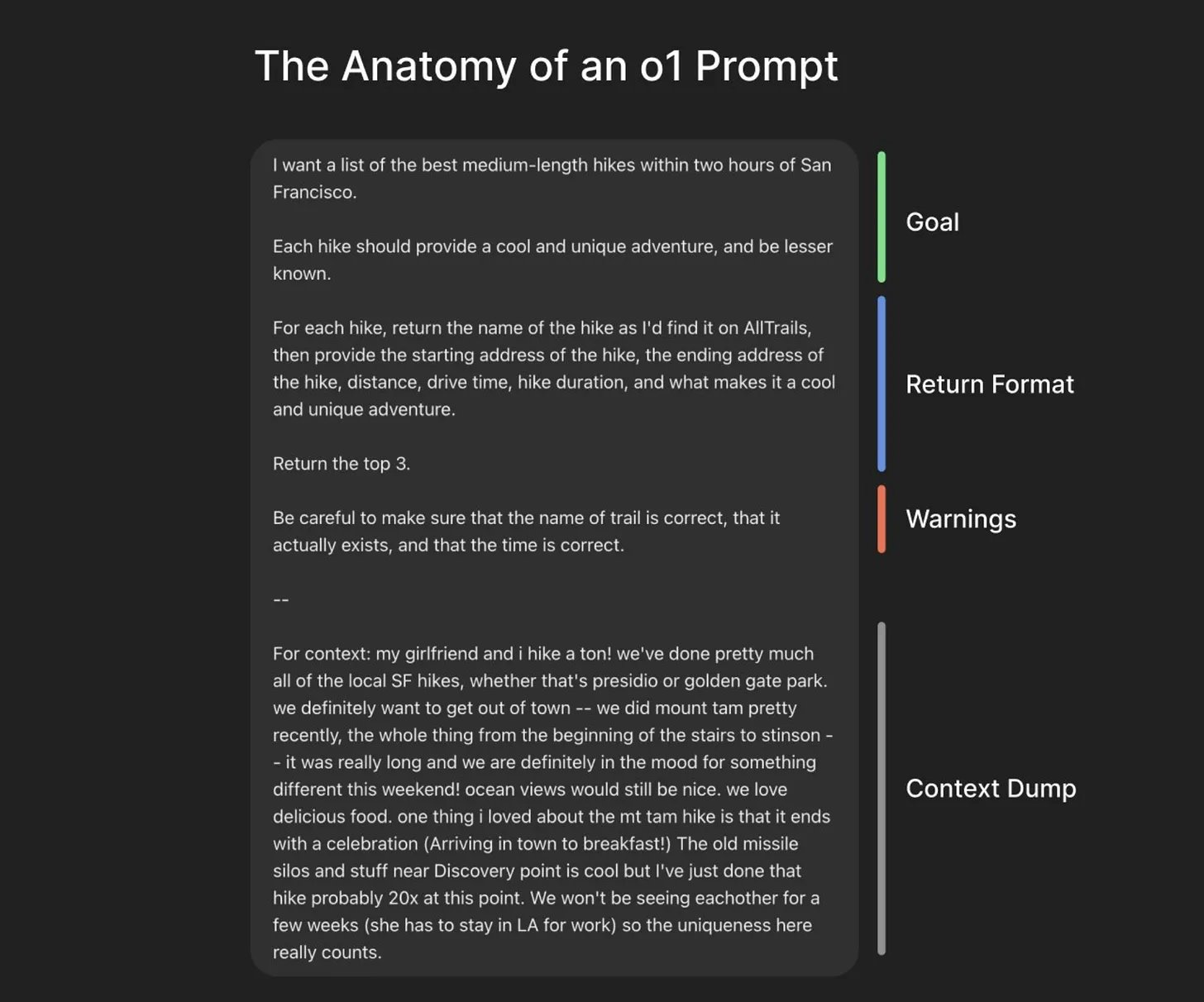
Crafting a Prompt for a Hugo Single-Page Layout
Let's apply this framework to our goal. Imagine we're building a website for a digital agency and we have a content type called services. All our services pages are stored in content/services/, such as content/services/seo-audits.md.
Based on the previous lesson, you know that to create a unique design for these pages, you need a template at layouts/services/single.html. Here’s how to build a prompt to generate the code for that file.
Step 1: Define Your Requirements (The Brief)
Before you can write the prompt, you need to be clear about what you want. This is similar to defining KPIs or a content outline.
- Content Type:
services - Target File:
layouts/services/single.html - Available Data:
- The page title (e.g., "SEO Audits").
- The main content from the Markdown file.
- Custom fields (front matter) from your Google Sheet:
summary: A short, one-sentence description.icon_path: The path to an icon image (e.g.,/images/icons/seo.svg).
- Desired Layout: A simple, structured page:
- The page title at the top as a main heading.
- The icon image directly below the title.
- The summary paragraph below the icon.
- The full page content at the bottom.
- Technical Requirements: Use standard Hugo variables (
.Title,.Content,.Params) and semantic HTML tags. No CSS or JavaScript is needed at this stage.
Step 2: Construct the Prompt (The 5 Boxes)
Now, translate your requirements into a structured prompt.
Role:
You are an expert Hugo developer specializing in creating clean, semantic, and efficient templates.
Task:
Your task is to generate the complete HTML and Go template code for a
single.htmllayout file for a Hugo website.
Context:
This layout is for the 'services' content type. The markdown files in
content/services/will have front matter fields populated from a Google Sheet. The relevant fields aresummary(a string for a short description) andicon_path(a string containing the URL to an icon). The main body of the markdown file should be rendered as the primary content.
Constraints:
The layout must use semantic HTML5. It should display the page title using Hugo's
.Titlevariable inside an<h1>tag. Below the title, display the icon image from front matter (.Params.icon_path) inside an<img>tag. Below the icon, display the summary from front matter (.Params.summary) inside a<p>tag. Finally, render the main markdown content using Hugo's.Contentvariable. Do not add any CSS styles, classes, or JavaScript.
Output Format:
Provide only the raw, complete code for the
layouts/services/single.htmlfile. Do not wrap the code in markdown fences like```htmlor add any explanations.
Putting it all together, your final prompt would be a single block of text containing all these instructions. This level of detail removes ambiguity and guides the AI to produce precisely what you need.
The Iterative Nature of "Vibe Coding"
Often, your first prompt is just the starting point. You'll generate code, test it, and then refine it with follow-up prompts. This iterative cycle of Prompt -> Generate -> Refine is the essence of "vibe coding."
Let's look at a real-world example of this process.
developing a custom hugo theme with claude
This blog post by Darcy Norman documents his experience building a custom Hugo theme with an AI assistant. It's a perfect case study of the iterative prompting process in action.
First, read the initial prompt Darcy gave to Claude at the very beginning of the article. Note how it's a high-level request to start the project. Then, scroll down to the section titled 'A few improvements to add' and examine the more specific prompt he uses to update the layouts/_default/single.html template. This shows the shift from a broad idea to a focused, structured request for refinement.
As you saw, the process often involves a conversation where you continually guide the AI toward your final vision.
Test your understanding!
Your agency wants to add a "Team" section to the website. You've configured your Google Sheet to create markdown files in content/team/. Each file will have the following front matter:
full_name: The team member's full name (e.g., "Jane Doe").role: Their job title (e.g., "Lead SEO Strategist").photo_url: A link to their headshot.
The main body of the markdown file will contain their professional bio.
Your task is to write a structured prompt using the 5-box framework to generate the code for the layouts/team/single.html template. The layout should display the person's full name as an <h1>, their photo below it, their role below the photo in an <h2>, and finally their bio.
Show answer
Here is an example of a well-structured prompt for this task:
Role:
You are an expert Hugo developer with extensive experience building semantic and accessible website templates.
Task:
Generate the complete and valid Hugo template code for a single.html file.
Context:
This template is for the 'team' content type of my website. The content files are located in content/team/ and will have front matter with the following fields: full_name (string), role (string), and photo_url (string, a full URL to an image). The main markdown content contains the person's biography.
Constraints:
- The page's main heading (
<h1>) must display thefull_namefrom the front matter, not the default page title. - Below the heading, display the person's headshot using the
photo_urlfrom the front matter in an<img>tag. - Below the photo, display the
rolefrom the front matter in an<h2>tag. - Finally, render the main markdown content (the bio) using the
.Contentvariable. - Use Hugo's
.Paramsvariable to access the front matter fields. - Use semantic HTML. Do not include any CSS or JavaScript.
Output Format:
Provide only the raw, complete code for the layouts/team/single.html file. Do not include any additional text, explanations, or markdown code fences.
Conclusion
You've now learned how to bridge the gap between your website vision and AI-generated code. By moving from simple requests to structured, detailed prompts, you gain control and precision, making the AI a reliable partner in your development workflow.
Key Takeaways:
- Vague prompts lead to generic and unreliable AI outputs.
- A structured prompt should clearly define the AI's Role, the specific Task, the necessary Context, any Constraints, and the desired Output Format.
- Before writing a prompt, create a clear "brief" for yourself outlining the page's requirements, data, and desired layout.
- "Vibe coding" is an iterative process: you will often refine AI-generated code with follow-up prompts.
Preview of the next lesson:
In the prompts we crafted today, we used variables like .Title, .Content, and .Params. These are the fundamental building blocks for making templates dynamic. In our next lesson, "Use common Hugo template variables to display content from front matter," we will dive deep into what these variables are, how they work, and how you can use them to display any piece of data from your content files on your webpages. This will empower you to understand, debug, and even manually tweak the code your AI assistant generates.