Welcome to the next step in our bug-hunting journey! In our last lesson, we mastered llvm-reduce, turning a large, complex test case into a minimal piece of IR that reliably triggers a specific bug. With this minimal reproducer in hand, we can now ask the crucial question: when did this bug appear in the LLVM codebase?
Answering this question is not just an academic exercise. Pinpointing the exact commit that introduced a bug, known as a regression, is a vital part of the triage process. It provides immense context for understanding the bug's root cause, helps identify the original author who might be the best person to review a fix, and is often a prerequisite for a high-quality bug report.
This lesson focuses on precisely this task, addressing the learning outcome: Use git bisect to identify the commit that introduced a regression. We'll explore how this powerful Git command uses a binary search algorithm to efficiently hunt through thousands of commits and how to automate it for a project as large as LLVM.
The Logic of Bisection: A Binary Search Through Time
At its heart, git bisect is an application of the binary search algorithm to your project's commit history. As a computer science student, you're already familiar with the efficiency of binary search for finding an element in a sorted array. The principle here is the same: instead of an array, you have a chronological sequence of commits, and you're searching for the first one where a "good" state turned into a "bad" state.
The process requires three key pieces of information:
- A "bad" commit where the bug is known to exist (e.g., the latest commit on the
mainbranch). - A "good" commit where the bug is known not to exist (e.g., a release from six months ago).
- A test to determine if any given commit between these two points is "good" or "bad."
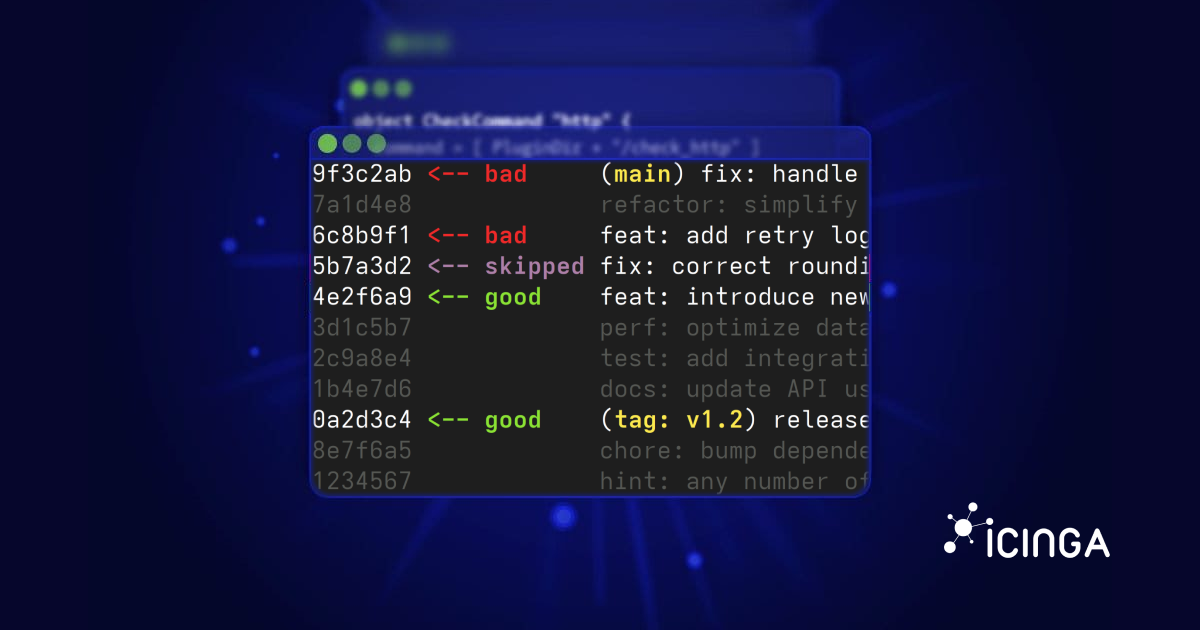
git bisect then automatically checks out a commit halfway between your "good" and "bad" bounds. You run your test. If the commit is "bad," git bisect knows the regression must have occurred in the first half of the range, so it marks the current commit as the new "bad" bound. If the commit is "good," the regression must be in the second half, so it becomes the new "good" bound. This process repeats, halving the search space each time, until it isolates the single commit where the behavior changed.
finding regressions with git bisect (intermediate) anthony explains #026
The video "finding regressions with git bisect" from the anthonywritescode channel provides an excellent introduction and a simple visual diagram of this process.
Watch the first few minutes to get a solid conceptual overview. The introduction explains what git bisect is for. The diagram segment provides a clear visual demonstration of the binary search process on a commit history.
Automating the Hunt with git bisect run
Manually checking out each commit, rebuilding LLVM, and running your test is incredibly time-consuming. For a project of LLVM's scale, where a single build can take 30 minutes or more, this is simply impractical.
This is where git bisect run comes in. Just like you created an "interestingness test" for llvm-reduce, you can write a script that automates the testing for git bisect. The command git bisect run ./your_script.sh will execute your script at each step of the bisection. The script's exit code tells Git how to proceed:
- Exit code 0: The commit is good (the bug is not present).
- Exit code 1-127 (excluding 125): The commit is bad (the bug is present).
- Exit code 125: Skip this commit. This is crucial for handling commits that fail to build for reasons unrelated to your bug.
Bisecting LLVM code — LLVM 23.0.0git documentation
The official LLVM documentation provides a concise guide to this process, including a template script.
Read the sections on Basic operation and git bisect run. The example script shown in the documentation is the canonical starting point for bisecting LLVM.
Let's synthesize this into a practical script for an LLVM regression. Assume you have your minimized test case minimized.ll from the previous lesson, which causes opt to crash with a specific error message.
Your bisection script, let's call it bisect.sh, would look something like this:
#!/bin/bash


# Exit immediately if a command exits with a non-zero status.
set -e


# Define paths for convenience
LLVM_BUILD_DIR="../llvm-build" # Assumes a sibling build directory
TEST_FILE="minimized.ll"


# 1. Build the necessary tools.
# Use 'ninja' to build only what's needed.
# The '|| exit 125' is the key part: if the build fails, the script
# exits with 125, telling git bisect to skip this commit.
echo "--- Building opt... ---"
ninja -C "$LLVM_BUILD_DIR" opt || exit 125


# 2. Run the test case.
# We are looking for a crash. The '!' inverts the exit code.
# If opt crashes (non-zero exit), '!' makes it 0 (success for the 'if').
# We also grep for the specific error message to be sure we're tracking the right bug.
echo "--- Running test case... ---"
if ! "$LLVM_BUILD_DIR/bin/opt" -passes=instcombine -disable-output "$TEST_FILE" 2>&1 | grep -q "Specific error message"; then


  # If the command succeeds OR the error message isn't found, the bug is not present.
  # This commit is "good". Exit 0.
  echo "--- Result: GOOD ---"
  exit 0
else


  # If the command crashes AND the error message is found, the bug is present.
  # This commit is "bad". Exit 1.
  echo "--- Result: BAD ---"
  exit 1
fi
Important: Before running the full bisection, always make this script executable (chmod +x bisect.sh) and test it manually on your known good and bad commits to ensure it returns the correct exit codes.
The Bisection Workflow in Practice
With your test script ready, you can start the automated bisection.
-
Start the bisect session:
git bisect start -
Mark the bad and good commits:
You need to find a known "good" commit hash. A reliable strategy is to use release tags. For example, if the bug appeared sometime in the LLVM 17 development cycle, you knowllvmorg-16.0.6was likely good.# Mark the current broken commit as 'bad' git bisect bad main # Find and mark a known good commit from a past release git bisect good llvmorg-16.0.6Git will respond with an estimate of how many steps it will take.
-
Run the automated bisection:
git bisect run ./bisect.shNow, you can step away. Git will churn through the project history, checking out commits, running your build-and-test script, and narrowing down the range. This can take several hours, but it's fully automated.
using git bisect to find a bug in nodejs (intermediate) anthony explains #569
The video "using git bisect to find a bug in nodejs" gives a real-world demonstration of this entire process on a large C++ project (Node.js), which has similar challenges to LLVM, like long build times.
Watch the following segments to see how these steps come together in practice: Cloning and Building: The presenter discusses building the project from source and the basic concept of bisection. The Bisect Script: He walks through his script, highlighting the crucial exit 125 for handling build failures. Running Bisect: See the actual git bisect start, bad, good, and run commands being executed. Validating the Result: After bisect identifies a commit, he shows how to manually verify that it is indeed the one that introduced the change.
- Analyze the result and clean up:
Once finished,git bisectwill print the commit hash, author, date, and commit message of the first bad commit. This is your culprit.
After you've recorded this information, you must end the bisection session to return your repository to a normal state:
git bisect reset
LLVM-Specific Consideration: --first-parent
The LLVM project history isn't a single straight line. Over the years, other large projects like MLIR have been merged into the main llvm-project repository. This creates merge commits with multiple parents, which can confuse git bisect and lead it into historical branches where most of LLVM doesn't even exist, causing every build to fail.
Bisecting LLVM code — LLVM 23.0.0git documentation
The LLVM documentation explains this problem and its solution.
Read the section on Bisecting across multiple roots. This is a critical piece of local knowledge for working with the LLVM repository.
To handle this, you can often add the --first-parent flag to your git bisect start command. This tells Git to only follow the main line of development history and ignore the history of merged-in projects.
git bisect start --first-parent
This isn't always necessary, but if you find your bisection is constantly failing to build in strange ways, it's the first thing to try.
Conclusion
You now have a powerful, automated strategy to find the exact origin of a regression in the LLVM codebase. This ability to travel back in time and pinpoint a single commit out of tens of thousands is one of the most valuable skills in a contributor's toolkit. It transforms a vague bug report into a precise, actionable one.
Key Takeaways:
git bisectuses a binary search on your commit history to find a regression.- The process is automated with
git bisect run ./script.sh, where the script's exit code signals the outcome:0for good,1for bad, and125for skip. - Your bisection script for LLVM should attempt to build the needed tools (e.g.,
ninja opt) and exit with125if the build fails. - To find a known "good" commit, use old release tags (e.g.,
llvmorg-16.0.6). - Always run
git bisect resetafter you're done. - For LLVM's complex history, consider using
git bisect start --first-parentto avoid issues with merge commits.
In our next and final lesson of this module, we will complete the bug-fixing lifecycle. With a minimal test case, the offending commit identified, and a fix in hand, we will walk through the process of preparing and submitting your first pull request to the LLVM project, navigating the code review process.