Introduction
Welcome to the first lesson in your journey to mastering Design Patterns in Java! Your goal is to apply these patterns in real-world software, and to do that effectively, we first need to solidify the foundational principles of Object-Oriented Programming (OOP) upon which they are built. This initial module is designed to bridge any gaps in these core concepts, ensuring you have the tools you need before we tackle the patterns themselves.
Today, we'll start with one of the most fundamental pillars of OOP: encapsulation. The learning outcome for this lesson is to be able to use visibility modifiers like private and public to enforce encapsulation in a Java class. We'll explore why hiding a class's internal data is crucial for creating robust and maintainable software, and then dive into the practical mechanics of how Java enables you to achieve this control.
What is Encapsulation?
At its core, encapsulation is the practice of bundling the data (instance variables) and the methods that operate on that data within a single unit, which in Java is a class. But it's more than just bundling; it's also about restricting direct access to an object's internal state from the outside world.
Think of the dashboard of a car. It provides a simple, public interface—a steering wheel, accelerator, and brake pedal—for you to interact with the car. You don't need to know the intricate details of the engine's combustion cycle or the hydraulics of the brake system. The car's complex machinery is encapsulated, hidden away, and you interact with it through a set of well-defined controls. This prevents you from accidentally misusing the internal components and allows the manufacturer to change the engine design without forcing you to learn how to drive all over again.
In software, encapsulation works the same way. It allows you to protect an object's data from accidental or unauthorized modification, and it allows you to change the internal implementation of a class without breaking the code that uses it.
This concept is visualized well in the following infographic:
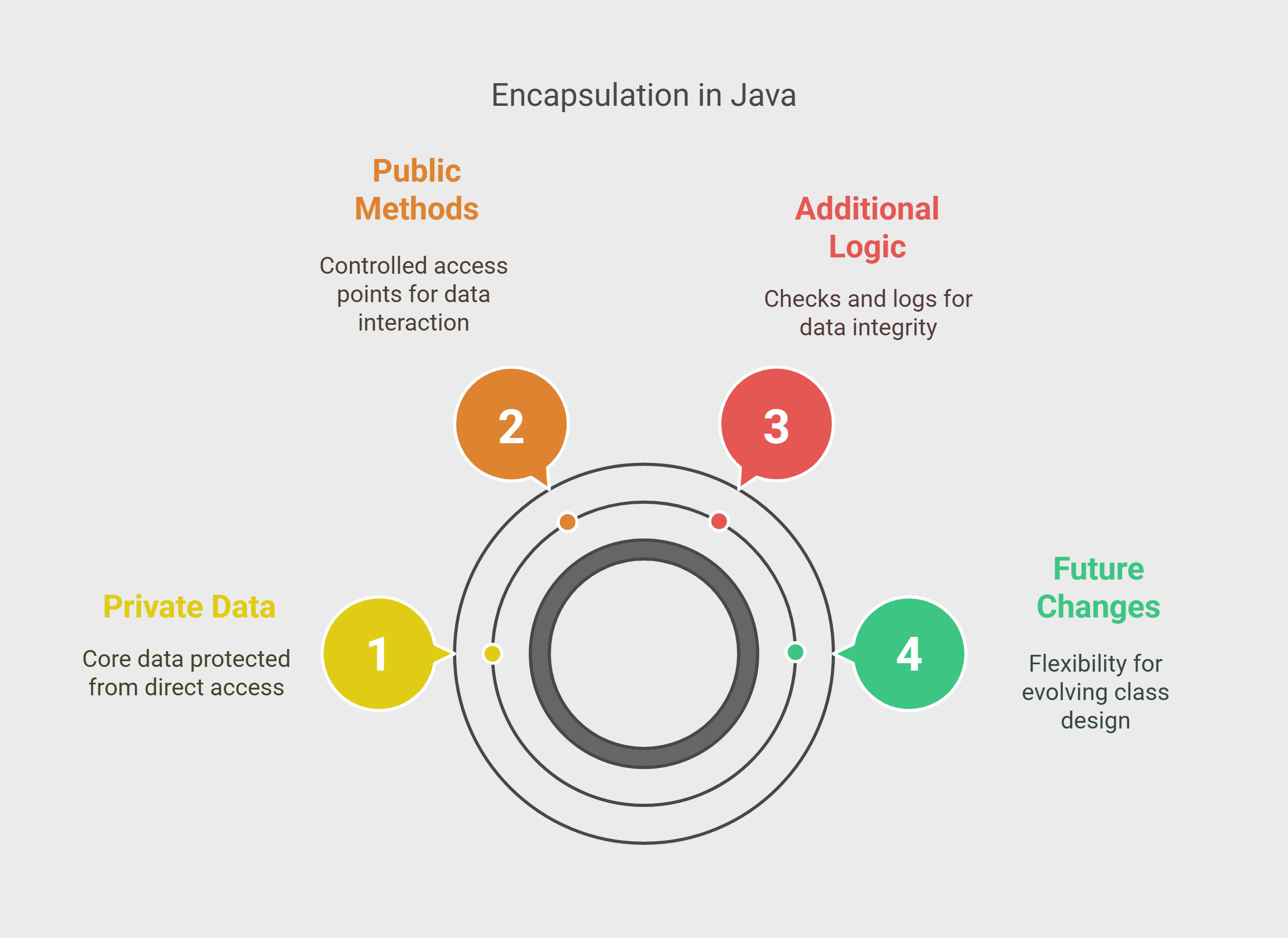
Let's break down these points:
- Private Data: The class's fields (its state) are kept hidden from other parts of the program.
- Public Methods: The class provides a public-facing "API" (Application Programming Interface) consisting of methods that other objects can call. This is the only way to interact with the object's state.
- Additional Logic: Because access is channeled through methods, you can add important logic like validation, logging, or calculations before changing the object's state.
- Future Changes: You can refactor or completely change how the private data is stored and managed, and as long as the public methods' signatures remain the same, no other part of the application will break. This is key to building maintainable systems.
To get a more intuitive feel for this principle, the following video offers a great analogy.
Watch the beginning of the video from Telusko, where the instructor uses the concept of human privacy as an analogy for encapsulation.
Pay attention to the section from the introduction, where he explains that not all personal information (data) should be directly accessible to everyone. This builds the "why" behind restricting access to data in our code.
How to Implement Encapsulation in Java: Visibility Modifiers
Now that we understand why we want to encapsulate, let's look at how Java helps us do it. The primary mechanism is a set of keywords called visibility modifiers (or access modifiers). These keywords determine what parts of your code can see and use a class, field, or method.
Java has four visibility modifiers:
public: Accessible from anywhere in the application.protected: Accessible within the same package and by subclasses in other packages.default(no keyword): Accessible only within the same package.private: Accessible only within the class in which it is declared.
The following diagram provides an excellent mental model for these levels of visibility. Think of it as a set of nested containers, where private is the most protected and public is the most exposed.

For the purpose of encapsulation, we are primarily concerned with private and public. The standard practice is:
- Fields are declared
privateto hide them. - Methods intended for public use are declared
public. These are often called "getters" and "setters".
Let's see this in action. The following article provides clear examples and explanations.
Best Practices for Implementing Encapsulation in Java Programming
This article from Javarevisited explains how access modifiers are used to implement encapsulation. It provides clear code examples that demonstrate the core pattern.
First, read the introductory sections that define encapsulation and introduce the modifiers. Next, focus on the sections explaining the private modifier and the public modifier. Pay close attention to the Person and BankAccount examples. Finally, read the section on how they work together and review the list of best practices. This will solidify your understanding of the standard approach.
To see a live demonstration of writing an encapsulated class from scratch, this next video is very direct and practical. It walks you through making fields private, the errors that result, and how to fix them with getters and setters.
This video from Bro Code provides a concise, hands-on demonstration of creating an encapsulated Car class.
Watch these key segments: Accessing Private Members: See the compiler error that occurs when you try to access a private field from outside the class. Getters: Learn how to write public "getter" methods to safely retrieve the values of private fields. Setters: Understand how "setter" methods provide a controlled way to modify the state of an object. Recap: A quick summary of the entire concept.
The Power of Controlled Access
Let's synthesize this with a practical example. Imagine we're building a BankAccount class. If we don't use encapsulation, our code might look like this:
// Unencapsulated class - AVOID THIS
public class BankAccount {
    public String accountNumber;
    public double balance;
}

// Another part of the application
public class Main {
    public static void main(String[] args) {
        BankAccount myAccount = new BankAccount();
        myAccount.accountNumber = "12345";
        myAccount.balance = -500.00; // Problem! The balance should not be negative.
        System.out.println("Balance: " + myAccount.balance);
    }
}
Here, any other code can directly access and modify the balance, even setting it to an invalid value like -500. We have no control.
Now, let's refactor this class to use encapsulation correctly:
// Encapsulated class - GOOD PRACTICE
public class BankAccount {
    private final String accountNumber; // final, so it can't be changed after creation
    private double balance;

    public BankAccount(String accountNumber, double initialBalance) {
        this.accountNumber = accountNumber;
        if (initialBalance >= 0) {
            this.balance = initialBalance;
        } else {
            this.balance = 0;
        }
    }

    // Public "getter" for the balance
    public double getBalance() {
        return this.balance;
    }

    // Public "getter" for the account number
    public String getAccountNumber() {
        return this.accountNumber;
    }

    // Public method to deposit money
    public void deposit(double amount) {
        if (amount > 0) {
            this.balance += amount;
        }
    }

    // Public method to withdraw money
    public boolean withdraw(double amount) {
        if (amount > 0 && amount <= this.balance) {
            this.balance -= amount;
            return true; // Withdrawal was successful
        }
        return false; // Withdrawal failed
    }
}
Notice the huge improvements:
- Data is Protected: The
balanceandaccountNumberfields areprivate. Nothing outside this class can touch them directly. - Validation Logic: The constructor and the
deposit/withdrawmethods contain logic to prevent invalid operations (e.g., depositing a negative amount or overdrawing the account). - Controlled Interface: We expose only what's necessary. We have a
getBalance()method (a getter) but nosetBalance()method. You can't just set the balance to an arbitrary value; you must go through adepositorwithdrawtransaction. This enforces the business rules of a bank account.
This encapsulated version is far more robust, secure, and easier to maintain.
Conclusion
In this lesson, we've laid the first crucial stone in our foundation for learning design patterns. You've learned that encapsulation is not just about hiding data, but about creating robust, self-contained objects that manage their own state and expose a clear, controlled interface to the world.
Here are the key takeaways:
- Encapsulation is the bundling of data (fields) and methods into a class, while hiding the data from direct external access.
- The primary benefits are control, security, and maintainability. By controlling access, you can enforce rules (validation) and change internal logic without breaking other code.
- In Java, encapsulation is implemented using visibility modifiers. The standard practice is to make all fields
privateand providepublicmethods (getters, setters, etc.) for any necessary interaction.
In our next lesson, we will explore the static modifier. While today we focused on data belonging to individual objects (instance members), static will allow us to define fields and methods that belong to the class itself, independent of any single object.