Introduction
Welcome to your first lesson on n8n! This course is designed to take you from the fundamentals to a level of mastery, focusing specifically on your goal of automating complex CI/CD pipelines. In this introductory lesson, we will establish a solid foundation by exploring the purpose of n8n and its primary use cases in workflow automation. We'll look at what problems it solves and why its specific design—being self-hostable, extensible, and developer-focused—makes it a uniquely powerful tool for technical professionals. Understanding this "why" is the crucial first step before we dive into building our first workflows.
What is Workflow Automation?
At its core, workflow automation is about creating a system where different applications and services can communicate and act on your behalf, without manual intervention. You're already familiar with this concept from your experience with CI/CD, where a Git push can automatically trigger a sequence of build, test, and deployment jobs. Workflow automation applies this same principle to a broader set of business and operational tasks.
Instead of just code deployment, imagine automating tasks like:
- Syncing customer data between a CRM and a spreadsheet.
- Generating a daily report by pulling data from three different APIs.
- Creating a new user account across multiple services when a new employee is onboarded.
These sequences of actions are called "workflows." To see a clear explanation of this concept, the following video provides a great overview.
Zapier vs Make vs n8n: Which Automation Platform Wins?
This video from the StartupWise channel compares several automation tools, but the introduction does an excellent job of explaining the fundamental idea of workflow automation.
Please watch the segment from the beginning which defines what a workflow automation platform does and provides a simple, concrete example.
Unpacking n8n: A Developer's Automation Engine
Now, where does n8n fit in? While many tools can automate simple tasks, n8n is built with a technical user in mind. It balances the ease of a visual, node-based interface with the power and flexibility required for complex, custom solutions.
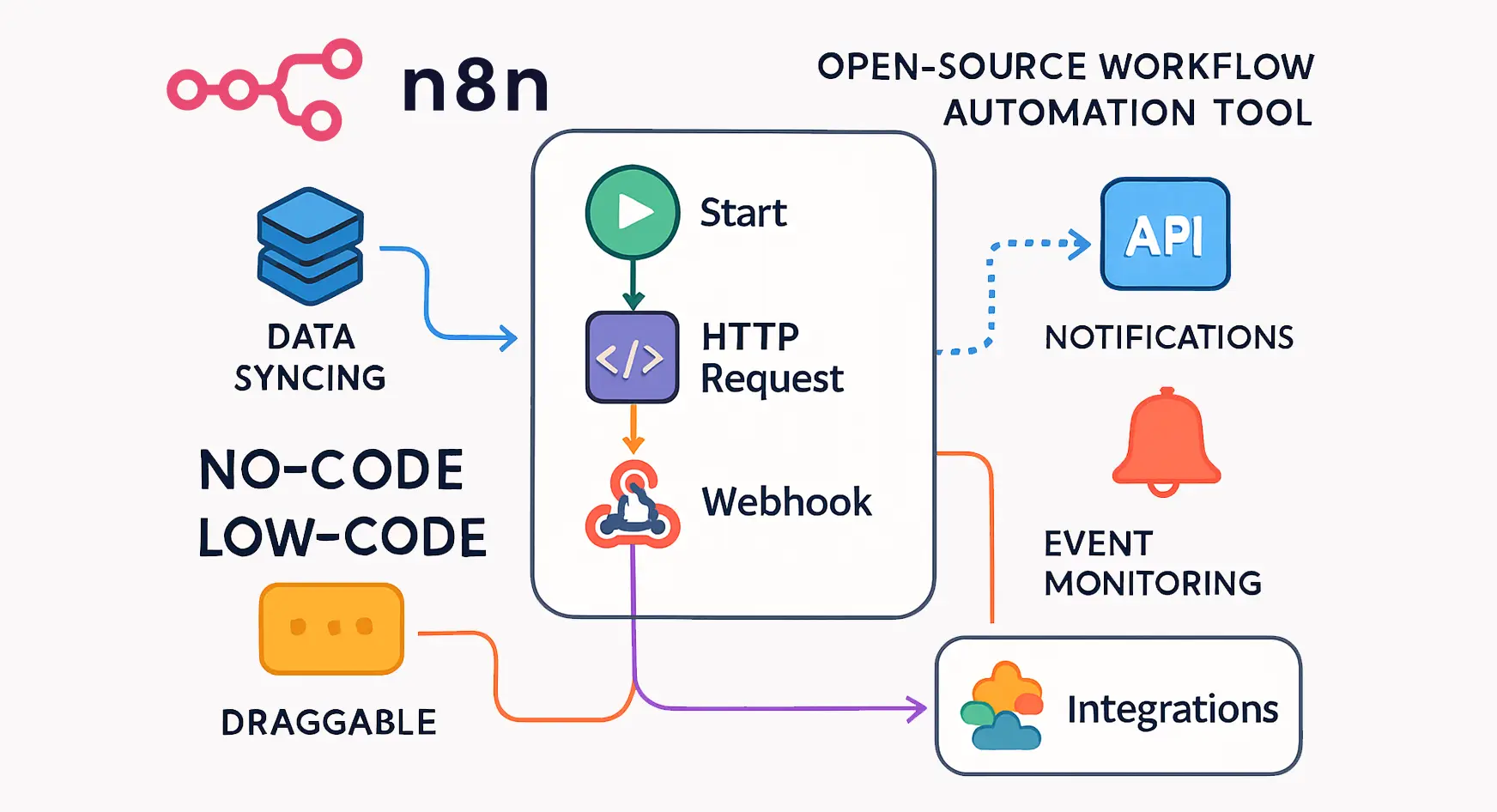
Several key characteristics make n8n stand out, which will be particularly relevant for our goals:
- Source-Available & Self-Hostable: n8n's code is available, and most importantly, you can run it on your own infrastructure. Given your proficiency with Docker, you can appreciate the control this provides. You can deploy it in a container, manage your data privately, and scale it according to your needs, rather than being locked into a third-party cloud service.
- Extensible with Code: While you can build a lot without writing a single line of code, n8n's true power is unlocked when you need custom logic. It includes a "Code" node that allows you to write scripts to transform data or perform complex operations. Throughout this course, we will leverage this feature exclusively with Python.
- Node-Based Architecture: Workflows are built by connecting "nodes." Each node is a distinct action, like reading a file, making an API call, or executing a conditional check. This modular approach makes complex processes easier to design, visualize, and debug.
To get a more detailed perspective, the following article from Riseup Labs provides a thorough introduction.
What Is n8n? Intro to a Workflow Automation Tool for ...
This article provides an excellent overview of what n8n is, its origins, and its core philosophy.
Please read the first two main sections. Start with the introduction, which defines n8n and its hybrid design. Then, continue with the section on its origins and positioning as a "pro-code" tool.
The video below offers another perspective, framing n8n as the "developer's playground." This reinforces why it's a great choice for someone aiming for deep technical control over their automations.
Zapier vs Make vs n8n: Which Automation Platform Wins?
This is the same video from before, but we'll now focus on the parts that specifically describe n8n's unique position in the market.
Watch the segments that describe n8n as the developer's playground, highlight its main advantage of control and data ownership, and summarize it as automation you can own.
Primary Use Cases: From Notifications to CI/CD Orchestration
So, what can you actually build with n8n? The possibilities are vast, but they often fall into several key categories. While our ultimate destination is CI/CD, understanding these common patterns is essential for mastering the tool.

The blog post below, written for a technical leadership audience, provides five concrete, high-value automation examples. These are not just theoretical ideas; they are practical workflows that solve common problems in engineering teams. Notice how they often revolve around tools you're already familiar with, like GitHub and Slack.
n8n Automation Examples for Tech Leaders: 5 Workflows to Set Up First — Mark Borden
This article by Mark Borden details five specific workflows that are immediately useful for any tech team. It's a perfect illustration of n8n's practical applications.
Read through the five examples presented in the article. Focus on the "What this workflow does" section for each one to quickly grasp its purpose: Slack Alerts for GitHub PRs Automated Weekly Reports Uptime Monitoring New Hire Onboarding Deploy Notifications As you read, consider how these smaller, focused automations could serve as components in a larger, end-to-end CI/CD pipeline. For example, the "Deploy Notifications" workflow is a natural final step in an automated deployment process orchestrated by n8n.
These examples demonstrate that n8n acts as the "digital glue" connecting the tools your team uses every day. It doesn't replace your CI/CD server or your monitoring tools; it orchestrates them, ensuring that information and actions flow seamlessly between them.
Conclusion
In this lesson, we've defined workflow automation and positioned n8n as a powerful, self-hostable, and extensible engine designed for technical users. You've seen that its core purpose is to connect disparate applications and automate processes, giving you complete control over your data and logic. The use cases we reviewed, particularly those related to GitHub and deployment notifications, offer a direct glimpse into how we will eventually build sophisticated CI/CD pipelines.
Key Takeaways:
- Workflow automation connects applications to perform sequences of tasks automatically.
- n8n is a "pro-code" automation tool that combines a visual, node-based editor with the ability to self-host and extend with custom code (which we'll do using Python).
- Its primary strengths are flexibility, control over data, and extensibility, making it ideal for developers and technical teams.
- Common use cases include data syncing, notifications, reporting, and orchestrating processes—including the CI/CD pipelines that are the focus of this course.
In our next lesson, we will move from concept to practice. You'll get your first look at the n8n editor, where we will identify its main components: the canvas, the node panel, and the execution log. This will be our first hands-on step toward building your own workflows.