Hello! Let's continue building our rate limiter.
In the last lesson, we built our first concrete algorithm, the FixedWindowCounter, which implements our RateLimiter strategy interface. This piece of logic answers the question: "Is this request allowed based on our rules?". However, to use it, we need to answer a more fundamental question first: "Who is making this request?"
Today, we'll build the component that answers that question. We will create our first implementation of the RateLimitKeyResolver interface we designed earlier. This resolver will identify clients by their IP address, a foundational strategy for any rate limiter.
Your learning outcome for this lesson:
By the end of this lesson, you will be able to implement a key resolver to extract the client's IP address from the HTTP request.
1. The Challenge of Finding the "Real" IP Address
In a simple development setup where you connect directly to your Spring Boot application, identifying the client seems easy. The HttpServletRequest object provides a method called getRemoteAddr().
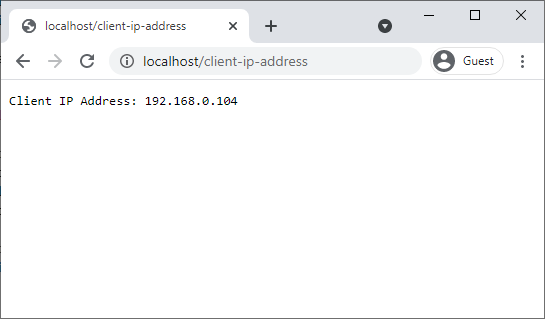
However, in any production environment, your application will almost certainly not be exposed directly to the internet. It will sit behind layers of infrastructure like reverse proxies (e.g., NGINX), load balancers (e.g., AWS ALB), or API gateways.
When a request passes through one of these intermediaries, the direct network connection to your application is made by the proxy, not the original client. As a result, request.getRemoteAddr() will return the IP address of the proxy, which is useless for rate-limiting individual clients. If you were to rate limit based on this IP, you would be limiting all traffic coming from that proxy, effectively blocking all your users.
Let's read a brief explanation of this problem.
Client IP Address Tracking in Spring Boot APIs
This article from Medium, 'Client IP Address Tracking in Spring Boot APIs', clearly explains why getRemoteAddr() is insufficient in production.
Please read the first section, 'Reading IP Addresses From HTTP Requests,' down to (but not including) 'Common Proxy Headers'. Focus on understanding why proxies 'break' the getRemoteAddr() method.
2. The Solution: Proxy Forwarding Headers
To solve this problem, proxies and load balancers add special HTTP headers to the requests they forward. These headers contain information about the original request, including the client's IP address.
The most common and de-facto standard header for this purpose is X-Forwarded-For (XFF).
If a request passes through multiple proxies, each proxy appends the IP address of the previous hop to the X-Forwarded-For header. This creates a comma-separated list of IPs. The first IP in the list is always the original client's IP address.
X-Forwarded-For: <client-ip>, <proxy1-ip>, <proxy2-ip>, ...
Our logic must be to:
- Look for the
X-Forwarded-Forheader. - If present, take the first IP address from the list.
- If not present, fall back to using
request.getRemoteAddr(). This ensures our code still works in direct-connection environments.
Let's continue with the same article to see how this is done in practice. We'll also watch a short video that visualizes this process with an AWS Application Load Balancer (ALB).
Client IP Address Tracking in Spring Boot APIs
This section of the article details the X-Forwarded-For header and provides a clear Java code example for extracting the IP.
Read the section titled 'Common Proxy Headers'. Pay close attention to the format of the X-Forwarded-For header and the example code snippet that parses it.
Understanding X-Forwarded-For header in ALB
This video from Sachin Shukla provides a great visual demonstration of how a load balancer uses the X-Forwarded-For header to pass the client IP to a backend server.
Watch from 00:11 to 00:57 and from 04:29 to 06:06. Notice how the load balancer intercepts the request and appends the original client's IP to the XFF header before forwarding it.
3. Implementing the IpAddressKeyResolver
Now we have all the pieces needed to write our IpAddressKeyResolver. This class will implement the RateLimitKeyResolver interface you designed previously, providing a concrete strategy for identifying clients by IP.
The implementation will follow the logic we've just discussed. The resource below provides a perfect, concise example of this logic within a Spring HandlerInterceptor.
How to Implement Sliding Window Rate Limiting in Spring
The extractClientKey method in this blog post from OneUptime provides an excellent template for our resolver. It demonstrates checking for an API key first, then falling back to the IP address.
Review the code for the extractClientKey method. We will adapt this logic for our resolver, focusing only on the IP address part for now.
Here is the full implementation for our IpAddressKeyResolver.java file. This class cleanly encapsulates the logic for finding the client's IP.
import jakarta.servlet.http.HttpServletRequest;

/**
 * A RateLimitKeyResolver that uses the client's IP address as the key.
 * It correctly handles requests that have been passed through proxies
 * by checking the 'X-Forwarded-For' header.
 */
public class IpAddressKeyResolver implements RateLimitKeyResolver {

    private static final String X_FORWARDED_FOR_HEADER = "X-Forwarded-For";

    @Override
    public String resolve(HttpServletRequest request) {
        // Check for the X-Forwarded-For header first.
        String forwardedFor = request.getHeader(X_FORWARDED_FOR_HEADER);

        if (forwardedFor != null && !forwardedFor.isBlank()) {
            // The header can contain a comma-separated list of IPs.
            // The first one in the list is the original client.
            return forwardedFor.split(",")[0].trim();
        }

        // If the header is not present, fall back to the remote address.
        // This is suitable for direct connections or environments where the
        // proxy header is not set.
        return request.getRemoteAddr();
    }
}
4. An Essential Security Note: Spoofed Headers
There is a critical security vulnerability in naively trusting the X-Forwarded-For header. Since it's just a standard HTTP header, any client can manually add it to a request. A malicious user could set the header to someone else's IP to make it seem like they are the ones sending malicious traffic. Or, they could change the IP on every request to bypass rate-limiting completely.
The solution is not in the code, but in your infrastructure configuration. In a secure setup:
- Your application server should only accept traffic from your trusted proxies (e.g., your load balancer or API gateway). All other direct traffic should be blocked by a firewall.
- The proxy should be configured to strip any
X-Forwarded-Forheader from the incoming client request and then set a new one with the client's connection IP.
This ensures the X-Forwarded-For header that reaches your application is always trustworthy. Since this is a portfolio project aimed at solving real-world infrastructure problems, understanding this interplay between application logic and secure deployment is vital.
Client IP Address Tracking in Spring Boot APIs
Let's return to the Medium article one last time to read about this crucial security consideration.
Read the section titled 'Avoiding Spoofed Headers'. This explains the risk and the proper mitigation strategy at the infrastructure level.
Key Takeaways
request.getRemoteAddr()is unreliable in production environments that use proxies or load balancers, as it returns the proxy's IP.- The
X-Forwarded-Forheader is the standard mechanism for proxies to forward the original client's IP address. - The correct logic is to parse the first IP from the
X-Forwarded-Forheader and fall back togetRemoteAddr()if the header is absent. - Blindly trusting the
X-Forwarded-Forheader is a security risk. A robust system relies on network configuration to ensure this header is only set by trusted internal components.
Next Steps
Excellent! We have now built two key components:
- A
RateLimiterimplementation (FixedWindowCounter) that knows how to limit requests. - A
RateLimitKeyResolverimplementation (IpAddressKeyResolver) that knows who is making the request.
In the next lesson, we will finally bring these two pieces together. You will learn how to integrate the rate limiter into the Spring Boot request lifecycle using a HandlerInterceptor, allowing us to protect our API endpoints for the first time. We will also ensure that a 429 Too Many Requests status is returned when the limit is exceeded.