Hello! Welcome to your sixth lesson in Python programming.
In our last lesson, you mastered loops (for and while), which allow you to repeat blocks of code. You've now learned how to control your program's flow through both decisions (conditionals) and repetition (loops). These are powerful tools for automation.
Today, we're going to learn how to organize our code into reusable blocks called functions. Functions are one of the most important concepts in programming. They allow you to name a piece of code, give it some inputs, and get a result back. This helps you write cleaner, more organized, and more efficient code by avoiding repetition—a core principle in algorithm design.
By the end of this lesson, you will be able to define and call your own functions with parameters and return values.
1. What Are Functions?
Think of a function as a mini-program within your program. You've already used some built-in functions like print() and int(). You give them some data (an argument, like a string or a number) and they perform an action or give you back a value.
The real power comes when you start writing your own functions to perform custom tasks.
To get started, let's watch a short video that introduces the basic syntax for creating a function in Python.
Python Functions | Python Tutorial for Absolute Beginners #1
This clip from Programming with Mosh clearly explains how to define a simple function using the def keyword and how to call it.
Watch from 00:34 to 02:34.
As you saw, the basic structure of a function is:
- The
defkeyword (short for "define"). - A descriptive function name (e.g.,
greet_user). - Parentheses
(). - A colon
:. - An indented block of code that makes up the function's body.
Here is a simple example:
# Define the function
def show_welcome_message():
    print("Hello!")
    print("Welcome to the world of functions.")


# Call the function to execute its code
print("Program starting...")
show_welcome_message()
print("Program finished.")
When you run this code, show_welcome_message() will execute its two print statements only when it is called.
2. Making Functions Flexible with Parameters
The function above is useful, but it does the exact same thing every time. To make functions more powerful, we can pass information into them. This is done using parameters.
- Parameter: A variable name inside the function's parentheses in its definition. It acts as a placeholder for the data the function expects to receive.
- Argument: The actual value you provide for a parameter when you call the function.
Given your math background, this is analogous to a mathematical function like . Here, is the parameter. When you evaluate , the number 3 is the argument.
Let's see how to add parameters to our greet function.
Python Functions | Python Tutorial for Absolute Beginners #1
This next segment from the same video explains the difference between parameters and arguments, and shows how to use them to make functions more dynamic.
Watch from 02:34 to 04:43.
So, we can improve our greet function like this:
def greet(first_name, last_name):
    print(f"Hello, {first_name} {last_name}!") # Using an f-string for easy formatting


# Call the function with different arguments
greet("Ada", "Lovelace")
greet("Alan", "Turing")
Now, the same function can produce different outputs based on the arguments we provide. The order of the arguments matters; they are assigned to the parameters positionally.
3. Getting Values Back: print vs. return
So far, our functions have only performed an action (printing to the screen). This is useful, but often we want a function to compute a value that we can use later in our program. This is where the return statement comes in, and understanding its difference from print is crucial.
print()is a function that displays a value on the screen for a human to see. The program cannot use this displayed text.returnis a keyword that sends a value from the function back to the code that called it. This value can be stored in a variable and used in further calculations.
This image shows the complete flow: defining a function, calling it, storing the returned result, and finally printing that result.
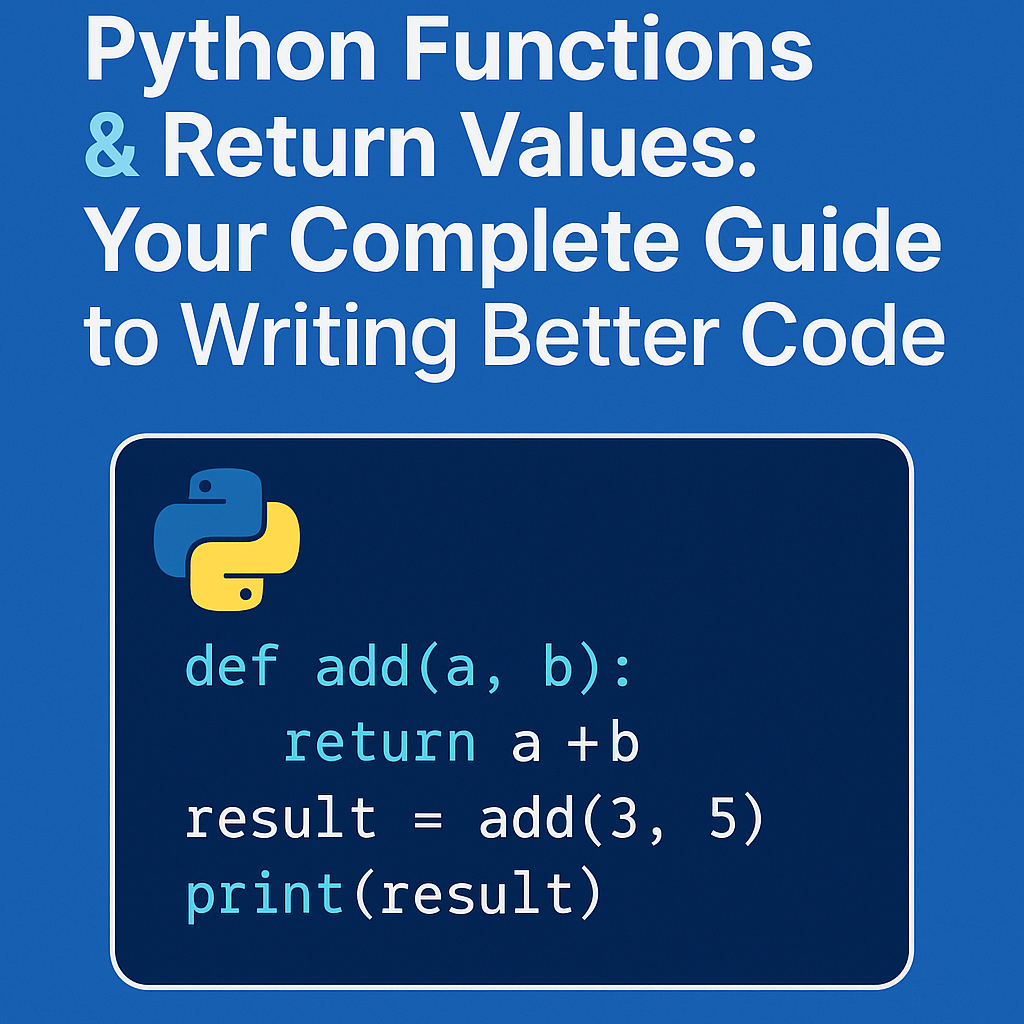
Let's watch a video that focuses specifically on this important distinction.
print vs return in Python | What is the Difference?| Python Tutorials for Beginners #lec76
This video from Jenny's Lectures CS IT is entirely dedicated to explaining the difference between print and return. Pay close attention to the example where the returned value of one function is used as the input for another.
Watch from 00:38 to 05:55, and then the practical demonstration from 07:48 to 10:15.
A key takeaway is that a function's execution stops as soon as a return statement is hit. Also, if a function doesn't have an explicit return statement, it automatically returns a special value called None.
Hands-On Practice 1: Create a Calculator Function
- Open a new Python file.
- Define a function named
addthat takes two parameters,num1andnum2. - Inside the function, calculate their sum.
- Use the
returnkeyword to send the sum back. - Outside the function, call
addwith two numbers (e.g.,5and10). - Store the returned value in a variable called
sum_result. - Finally, print the
sum_resultvariable to the screen.
Click here for the solution
# 1-4: Define the function that returns a value
def add(num1, num2):
    calculation = num1 + num2
    return calculation


# 5: Call the function with arguments
# 6: Store the returned value
sum_result = add(5, 10)


# 7: Print the stored value
print("The result of the addition is:", sum_result)


# You can also use the returned value directly
print("The result of adding 3 and 7 is:", add(3, 7))
For a more detailed written explanation of the return statement, the following article is an excellent resource.
The Python return Statement: Usage and Best Practices
This Real Python article, 'The Python return Statement', provides a thorough guide. I recommend reading the introduction and the sections on explicit returns and the difference between returning and printing.
Read the sections titled 'Understanding the Python return Statement', 'Explicit return Statements', and 'Returning vs Printing'. This will solidify the concepts from the video.
4. Improving Function Calls
Python offers a few ways to make function calls clearer and more flexible. Two common features are keyword arguments and default parameter values.
Keyword Arguments
Instead of relying on the position of arguments, you can specify them by the parameter name. This makes your code much more readable, especially for functions with many parameters.
def calculate_bill(price, tax_rate, tip_rate):
    tax_amount = price * tax_rate
    tip_amount = price * tip_rate
    return price + tax_amount + tip_amount


# Using positional arguments (order matters, meaning is unclear)
total = calculate_bill(100, 0.07, 0.20)
print(total)


# Using keyword arguments (order doesn't matter, meaning is clear)
total = calculate_bill(price=100, tip_rate=0.20, tax_rate=0.07)
print(total)
Using keyword arguments is excellent practice, especially in technical interviews where code clarity is important.
Default Parameter Values
You can make a parameter optional by providing a default value in the function definition. If the caller doesn't provide an argument for that parameter, the default value is used.
Python Functions | Python Tutorial for Absolute Beginners #1
Let's return to the Mosh video to see how to define parameters with default values, making them optional.
Watch from 10:38 to 12:22.
Here's an example that modifies our greet function:
def greet(name, greeting="Hello"):
    print(f"{greeting}, {name}!")

greet("Alice") # Uses the default greeting
greet("Bob", "Hi") # Overrides the default
Important: Parameters with default values must always come after parameters without default values in the function definition.
Final Challenge
Let's combine what you've learned about loops and functions.
Your task:
Write a function called is_prime that takes one integer as a parameter.
- Inside the function, determine if the number is a prime number. (A prime number is a number greater than 1 that has no positive divisors other than 1 and itself).
- The function should return
Trueif the number is prime, andFalseotherwise. - Hint: You can use a
forloop from2up to the number (but not including it) to check for divisors. If you find any divisor, you can immediatelyreturn False.
After defining the function, write a loop that iterates from 1 to 20. In each iteration, call your is_prime function and print whether the number is prime or not.
Example output:
1 is not prime
2 is prime
3 is prime
4 is not prime
...
Click here for the solution
def is_prime(number):
    """
    Returns True if a number is prime, otherwise False.
    """


    # Prime numbers must be greater than 1
    if number <= 1:
        return False


    # Check for divisors from 2 up to the number
    # We only need to check up to the square root of the number for efficiency,
    # but checking up to the number itself is fine for this exercise.
    for i in range(2, number):
        if number % i == 0:


            # If we find a divisor, it's not prime.
            return False


    # If the loop completes without finding a divisor, the number is prime.
    return True


# Now, let's use the function
for num in range(1, 21):
    if is_prime(num):
        print(f"{num} is prime")
    else:
        print(f"{num} is not prime")
Conclusion
Excellent work! You've just unlocked a fundamental building block of programming. By creating your own functions, you can write code that is modular, reusable, and much easier to read and debug. This skill is absolutely essential for tackling the complex algorithmic problems you'll face later.
Here are your key takeaways:
- Functions are defined with the
defkeyword and encapsulate a block of reusable code. - Parameters are placeholders in a function's definition, while arguments are the actual values passed during a function call.
- The
returnstatement sends a value back from the function to the caller, allowing you to use the result of a computation. This is different fromprint(), which just displays output. - Keyword arguments improve code readability, and default values make parameters optional.
In our next lesson, we will explore how to import and use functions from standard library modules. You'll see how you can leverage powerful, pre-written functions for tasks involving math, randomness, and more, saving you from having to write everything from scratch.