Introduction
Welcome to a new module focused on Searching and Sorting Algorithms! In the previous modules, you built a strong foundation in Python programming, learned to analyze algorithm efficiency with Big O notation, and even tackled the mind-bending concept of recursion. Now, we'll start applying all those skills to solve some of the most fundamental problems in computer science.
This lesson introduces our first searching algorithm: linear search. Your goal is to implement linear search and analyze its O(n) time complexity. We will explore how this simple, intuitive algorithm works, write the Python code for it, and then use your knowledge of Big O notation to understand its performance characteristics.
1. What is Linear Search?
Imagine you're looking for a specific book on a single, messy shelf. The most direct approach is to start at one end and check each book, one by one, until you find the one you're looking for. This is the exact idea behind linear search.
In programming terms, linear search is an algorithm that finds a target value within a list (or array) by sequentially checking each element from the beginning until a match is found or the entire list has been checked.
Let's look at a visual representation of this process.

To solidify this concept, let's walk through a step-by-step example.
This page from W3Schools provides a clear, non-technical walkthrough of the linear search algorithm.
Read the sections titled 'Linear Search' and 'Manual Run Through'. Focus on the four steps listed under 'How it works' and follow the example of searching for the value 11.
2. Implementing Linear Search in Python
Now that you understand the logic, let's translate it into Python code. Our function will need two pieces of information:
- The list to search through (
arr). - The value we are looking for (
targetVal).
The function should return the index of the target if it's found. If the target is not in the list, it's a common convention to return -1 to signal that the search was unsuccessful.
The W3Schools page you just read has a great Python implementation.
Let's look at the Python implementation of linear search. This resource provides a concise and correct example.
Scroll down to the 'Linear Search Implementation' section. Read the five implementation requirements and study the Python code example provided.
Here is the code from the resource for your reference. Let's break it down:
def linearSearch(arr, targetVal):


    # Iterate through the list using the index 'i'
    for i in range(len(arr)):


        # Check if the element at the current index matches the target
        if arr[i] == targetVal:


            # If it matches, stop searching and return the index
            return i


    # This line is only reached if the loop finishes without finding the target
    return -1


# --- Let's test it! ---
my_list = [12, 8, 9, 11, 5, 17]


# Case 1: Target is in the middle
target1 = 9
result1 = linearSearch(my_list, target1)
print(f"Searching for {target1}: Found at index {result1}")


# Case 2: Target is not in the list
target2 = 100
result2 = linearSearch(my_list, target2)
if result2 != -1:
    print(f"Searching for {target2}: Found at index {result2}")
else:
    print(f"Searching for {target2}: Not found in the list.")
Your Turn: Practice with the Code
- Copy the
linearSearchfunction and the test cases into a Python file. - Run the code to confirm the output.
- Add a few more test cases:
- Search for the value at the very beginning of the list (
12). - Search for the value at the very end of the list (
17).
- Search for the value at the very beginning of the list (
- Predict the output before you run the code for your new test cases. This will help confirm your understanding of the algorithm's flow.
3. Analyzing the Time Complexity
In Module 4, you learned that we analyze algorithm efficiency by counting the number of basic operations relative to the input size, n. For linear search, the most important operation is the comparison: arr[i] == targetVal.
How many comparisons will we make? It depends on where the target is.
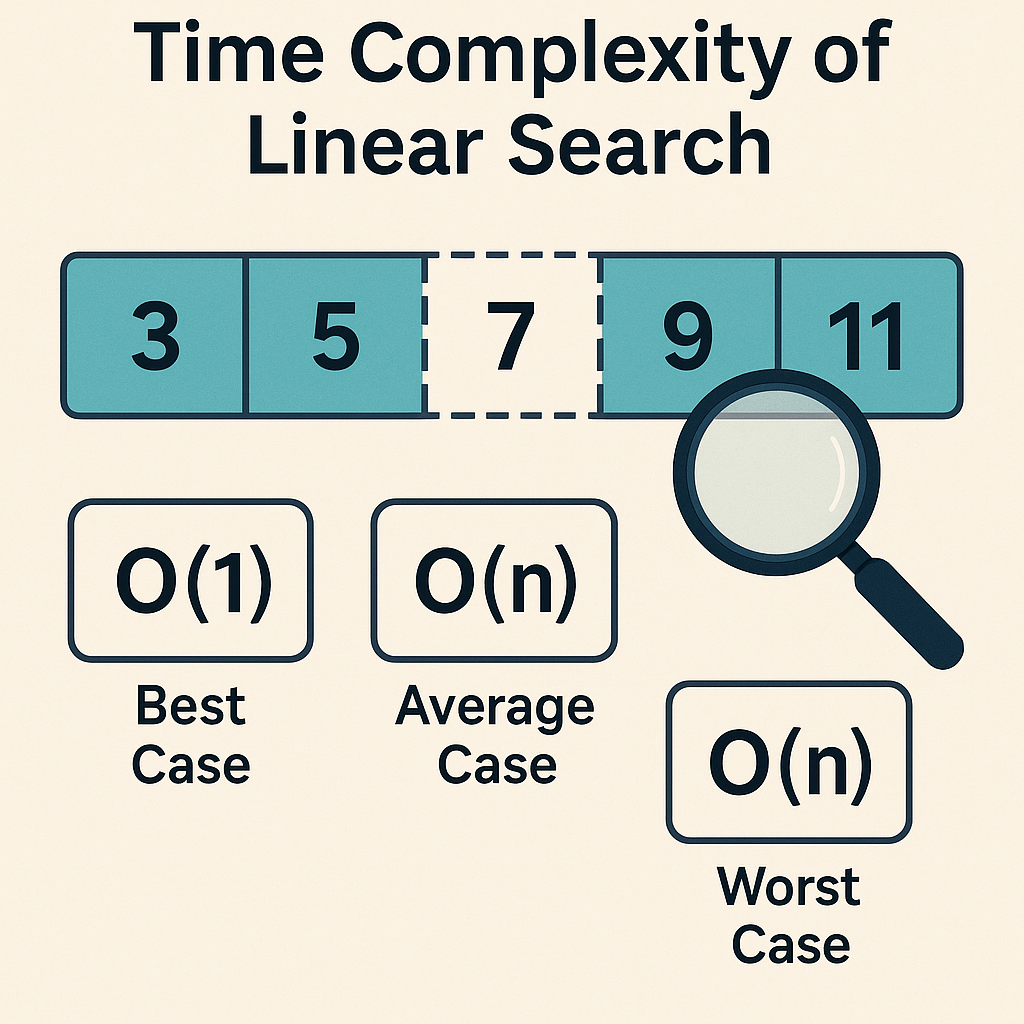
Let's read a short article that explains these cases in detail.
Time Complexity of Linear Search - The Basics
This article provides a clear breakdown of the best, average, and worst-case scenarios for linear search time complexity.
Read the sections 'Time Complexity of Linear Search' and 'Why Linear Search Has Linear Time Complexity'. Pay close attention to the explanation for each case: O(1) for the best case, and O(n) for the average and worst cases.
Here's a summary of the key points from the reading:
-
Best Case:
O(1)
This happens if the element we're looking for is the very first item in the list. The algorithm performs just one comparison and returns immediately, regardless of how long the list is. This is constant time. -
Worst Case:
O(n)
This occurs if the element is at the very end of the list, or if it's not in the list at all. In this scenario, the algorithm must performncomparisons (wherenis the number of elements in the list). -
Average Case:
O(n)
On average, we can expect the element to be somewhere in the middle of the list. This means we'll perform roughlyn/2comparisons. However, in Big O notation, we ignore constant factors (like1/2), so the average case is still consideredO(n).
Because the performance depends directly on the number of elements, n, we say linear search has a linear time complexity.
Visualizing the Step Count
To make this more concrete, let's watch a short video clip. The presenter is using Java, but the concept he demonstrates is universal. He adds a steps counter inside his loop to physically count how many times the loop runs.
Linear & Binary Search Code | Big O Notation
In this clip, the presenter modifies a linear search function to count its steps, providing a practical demonstration of how complexity scales with input.
Watch from 12:03 to 14:36. Ignore the Java-specific syntax. Focus on how the 'steps taken by linear' changes based on which element is being searched for and how many elements are in the array. Notice how the number of steps grows as the target moves further down the list.
This demonstration clearly shows that for a list of n items, finding the last item takes approximately n steps, which is the core idea behind O(n) complexity.
Conclusion
Great work today! You've successfully implemented your first searching algorithm and analyzed its performance—a critical skill for any programmer.
Key Takeaways:
- Linear search is a straightforward algorithm that inspects each element of a list one by one until a target is found.
- It is implemented in Python using a
forloop to iterate through the list and anifstatement to check for a match. - The time complexity of linear search is:
- Best Case:
O(1)(target is the first element). - Worst/Average Case:
O(n)(runtime grows linearly with the list size).
- Best Case:
- Linear search is simple and effective for small or unsorted lists.
Preview of the Next Lesson:
Linear search is intuitive, but its O(n) performance can be very slow for large datasets (e.g., millions of items). What if our list was sorted? Could we use that information to search faster? In the next lesson, we will explore binary search, a much more efficient algorithm that uses a "divide and conquer" strategy to achieve an impressive O(log n) time complexity on sorted data.