Hello! Welcome to your next lesson in the "Project Showcase" module.
In our last session, we focused on the art of the hook—how to grab your viewer's attention and establish an emotional contract in the first 10 seconds. Now that you know how to pull your audience in, we need to make sure your video looks its best, no matter where it's being watched. This brings us to a crucial technical step in the distribution process: aspect ratio.
Today's lesson is all about how to adapt your projects for platform-specific aspect ratios. You've likely noticed that a standard YouTube video looks different from a TikTok or an Instagram Reel. This is because each platform is optimized for a different frame shape, or aspect ratio. Getting this right is essential for making your work look professional and ensuring your creative vision isn't compromised by awkward cropping or black bars.
We'll cover what aspect ratios are, which ones are used by key platforms like YouTube, and the practical editing techniques you'll use to reformat your content for each one.
1. What is Aspect Ratio? The Shape of Your Story
At its core, an aspect ratio is simply the proportional relationship between the width and height of a video frame. It's written as width:height. It defines the shape of your canvas.
It's a common point of confusion, so let's clarify:
- Aspect Ratio is the shape (e.g., 16:9).
- Resolution is the number of pixels that make up the image within that shape (e.g., 1920x1080 pixels).
A 16:9 aspect ratio can have many resolutions, like 1280x720 (HD) or 1920x1080 (Full HD). The shape is the same, but the level of detail is different.
To get a solid foundation on these core concepts, let's start with a reading.
Video Aspect Ratios Explained (2026 Cheat Sheet)
The article 'Video Aspect Ratios Explained' from Digital Samba provides a clear and concise introduction to the topic. It will help you understand what an aspect ratio is and introduce you to the most common ones you'll encounter.
Please read the sections 'What is the video aspect ratio?' and 'Common aspect ratios'. Pay attention to the distinction between ratio and resolution, and get familiar with the basic characteristics of the 16:9, 9:16, 1:1, 4:3, and 21:9 ratios.
2. The Main Players: A Tour of Modern Aspect Ratios
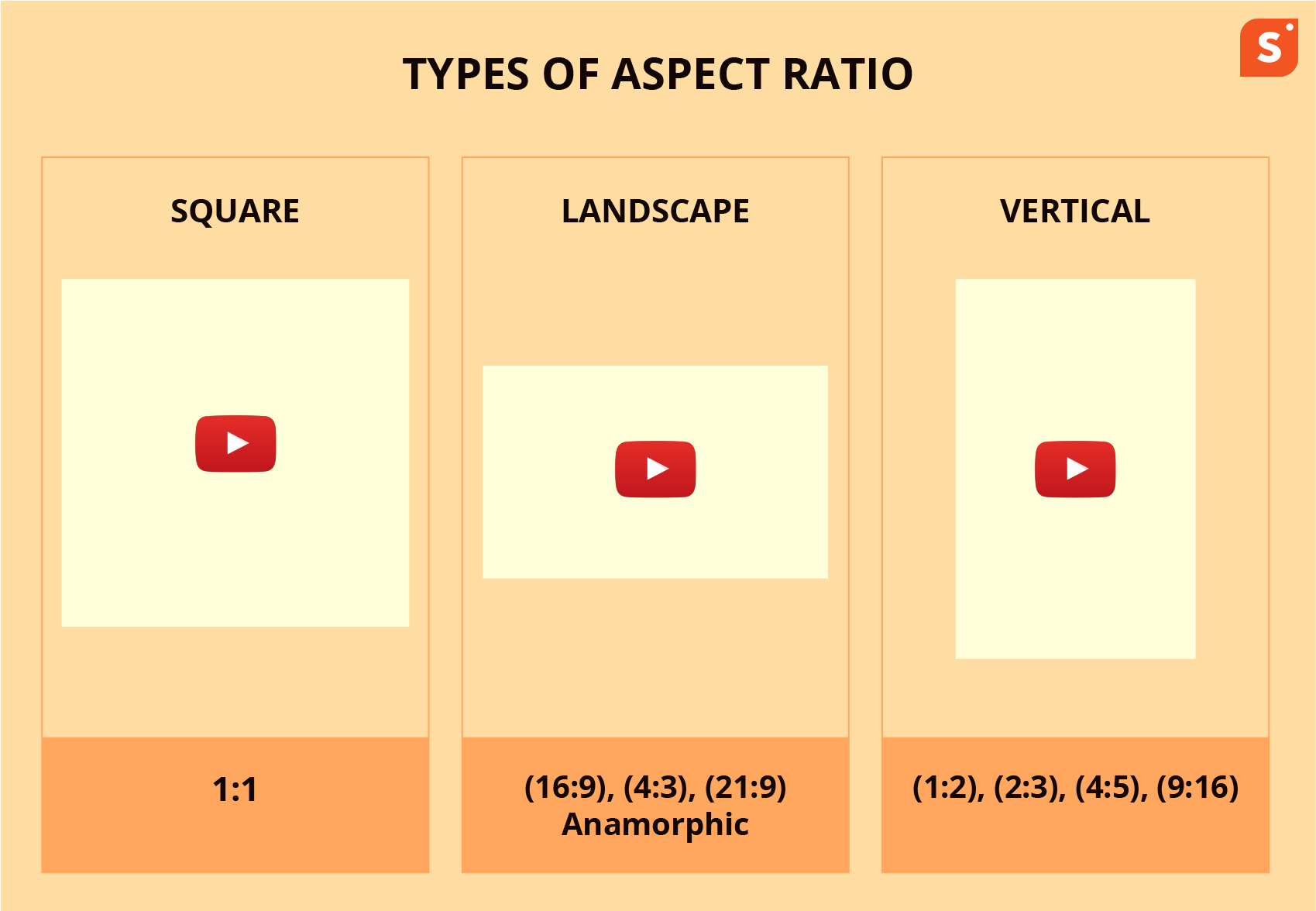
As you just read, while many aspect ratios exist, your work as a creator of short films and YouTube content will primarily revolve around three key formats.
-
16:9 (Landscape/Widescreen): This is the king of traditional video. It’s the standard for YouTube, Vimeo, television, and film. It's what you get when you hold your phone horizontally. Its wide format is great for cinematic compositions and showing expansive environments.
-
9:16 (Vertical): This is the 16:9 ratio flipped on its side. It is the dominant format for mobile-first platforms like YouTube Shorts, Instagram Reels, and TikTok. It's designed to fill the entire screen of a smartphone held vertically, creating an immersive, full-screen experience.
-
1:1 (Square): A perfect square, this ratio became popular with the Instagram feed. It's a good middle-ground format that works well on both desktop and mobile feeds on platforms like Instagram and Facebook, offering a larger vertical footprint than 16:9 without requiring a full vertical commitment.
The image below gives you a great visual for how these different ratios (and a few others) actually fit onto a mobile screen.

3. Matching the Ratio to the Platform
So, which ratio should you use? The answer is: it depends on the platform. Using the platform's preferred aspect ratio ensures your video is displayed optimally, leading to better viewer engagement. A 16:9 video uploaded as an Instagram Reel will appear with large black bars, looking unprofessional and small.
The two articles we're using today have excellent "cheat sheets" that detail the specific requirements for each major platform. This is information you will refer to constantly as an editor.
Video Aspect Ratios Explained & The Ultimate Guide to Aspect Ratios
Now, let's dive into the specifics. Both of these resources contain invaluable tables that list the recommended aspect ratios and resolutions for all major social media platforms. I recommend bookmarking them for future reference.
First, from the 'Video Aspect Ratios Explained' article, study the table under the heading 'Cheat sheet: platform sizes (2026)'. Note the recommendations for YouTube and YouTube Shorts.
The Ultimate Guide to Aspect Ratios for Editors and ...
Next, let's look at a similar guide written specifically for editors. This resource offers another excellent overview.
From 'The Ultimate Guide to Aspect Ratios', review the 'Aspect Ratios Cheat Sheet' table and the 'Platform Delivery Requirements Overview' table found under the 'Distribution Demands' section. Notice how they both emphasize 16:9 for standard YouTube and 9:16 for mobile content like Shorts and Reels.
Your Key Takeaways for YouTube should be:
- Standard YouTube Videos: Use 16:9. This is the native aspect ratio for the YouTube player on desktops and TVs.
- YouTube Shorts: Use 9:16. This is mandatory for a video to be categorized as a Short and get the discoverability benefits that come with it.
4. The Editor's Workflow: How to Adapt Your Project
It's rare that you'll only create one version of your video. More often, you'll want to promote your 16:9 short film with a 9:16 clip for Instagram Reels or YouTube Shorts. This is where your editing skills come in.
The process of converting from one aspect ratio to another is called reframing. Let's explore the workflow and your options.
The Ultimate Guide to Aspect Ratios for Editors and ...
Let's return to 'The Ultimate Guide to Aspect Ratios' to learn about the practical workflow editors use.
Read the section 'The Editor's Craft: Technical Workflow and Best Practices'. Focus on the descriptions of 'Handling Mixed Aspect Ratios' (Letterboxing, Pillarboxing, Cropping) and 'Understanding and Using Safe Areas'.
Reframing Techniques
When you place a 16:9 clip into a 9:16 sequence in your editor (like Shotcut or CapCut), you have a few choices:
-
Pillarboxing (The Easy Way Out): The editor will automatically place your 16:9 video in the center of the 9:16 frame, with black bars on the top and bottom. This preserves your original composition perfectly, but it looks small and unprofessional on mobile platforms. It doesn't take advantage of the vertical screen space. Generally, avoid this.
-
Cropping / Scaling (The Standard Method): This involves scaling up (zooming in on) your 16:9 footage until it fills the vertical 9:16 frame. This is the most common method.
- Pro: It creates an immersive, full-screen experience native to the platform.
- Con: It destroys parts of your original image. The sides of your 16:9 shot will be cut off. This requires you to go through your edit, shot-by-shot, and manually adjust the framing (pan left or right) to ensure the most important subject is still in the new, narrower frame.
Best Practice: Shoot for the Edit & Use Safe Zones
-
Shoot for the Edit: The best way to handle multiple aspect ratios is to plan for them during filming. When you compose your shots, imagine how they will look in both 16:9 and 9:16. Try to keep the most important action in the center of the frame, leaving "safe" room on the sides that can be cropped away later without losing anything vital.
-
Use Safe Zones: As the article mentioned, "safe zones" are essential. When you create a 9:16 video, remember that the platform's user interface (UI)—like buttons, captions, and usernames—will cover the top and bottom of the screen. Keep all critical visual information and any text overlays within the central "safe area" to prevent them from being obscured.
Test your understanding!
You've just finished editing a 2-minute short film in a standard 16:9 aspect ratio. The opening shot is a wide landscape shot showing your main character walking from left to right across the screen.
You now need to create a 15-second, 9:16 promotional clip for YouTube Shorts using this opening shot.
- If you simply drop the 16:9 shot into a 9:16 timeline and crop to fill the frame, what will the audience see?
- How would you need to animate the shot within your editing software to make it work for the 9:16 format?
Show answer
-
If you just crop the 16:9 wide shot to fill the 9:16 frame, the audience would only see the very center of the landscape. They might not see the character at all when they are on the left or right side of the screen.
-
To make it work, you would need to use keyframing to animate the position of the cropped frame. You would set a keyframe for the video's horizontal position when the character is on the left, and another keyframe for when they reach the right. This would create a "pan" effect, where the 9:16 frame follows the character as they walk, keeping them centered in the shot. This process of dynamically reframing is a core skill for creating multi-platform content.
Conclusion
Mastering aspect ratios is a fundamental skill that bridges creative vision and technical reality. It ensures your story is presented effectively to every viewer, whether they're watching on a cinema screen or a smartphone. By understanding the requirements of each platform and learning the techniques to adapt your content, you can significantly expand your audience and make your projects look polished and professional everywhere they appear.
Key Takeaways:
- Aspect ratio defines the shape of your video frame (e.g., 16:9), while resolution defines the detail (e.g., 1920x1080).
- The three most important ratios for you are 16:9 (standard YouTube, film), 9:16 (Shorts, Reels, TikTok), and 1:1 (social media feeds).
- Always choose the aspect ratio based on your target platform to ensure the best viewing experience.
- When adapting footage, you'll typically crop and reframe your shots to fit the new aspect ratio, paying close attention to safe zones to avoid UI elements.
In our next lesson, we will tackle the final technical step before you can upload your masterpiece: exporting a final video file with appropriate codecs and compression settings. This will ensure your video maintains its quality while being a manageable file size for the web.