Welcome to our next lesson! In our previous session, you learned about the fundamental data types in Python, including integers (int) and floating-point numbers (float). These types are the building blocks for handling numerical information in your code.
Now that you know how to store numbers in variables, it's time to learn how to perform calculations with them. This lesson focuses on arithmetic operations, which are the foundation of performing mathematical tasks in programming. You'll learn how to use Python as a powerful calculator to add, subtract, multiply, and divide numbers, which is a core skill for solving a vast range of problems.
Operators and Operands: The Language of Calculation
Before we dive in, let's clarify two key terms: operator and operand. An operator is a symbol (like + or -) that performs an operation. An operand is the value or variable that the operator acts upon. In the expression 5 + 3, the + is the operator, and 5 and 3 are the operands.
The following video from Neso Academy provides a clear definition of these terms.
Arithmetic Operators in Python
This segment from "Arithmetic Operators in Python" introduces the fundamental concepts of operators and operands.
Watch the first part of the video from the introduction to understand this core distinction.
Python supports several arithmetic operators to perform common mathematical calculations. This table from W3Schools gives a quick overview of the ones we'll cover.
This resource provides a concise reference table of Python's arithmetic operators.
Focus on the table under the heading "Arithmetic Operators". Don't worry about trying the examples just yet; we'll explore each operator in detail.
The Basic Four: Addition, Subtraction, Multiplication, and Division
Let's start with the four operations you use every day: addition (+), subtraction (-), multiplication (*), and division (/).
In Python, these work just as you would expect. You can use them with literal numbers or with variables that hold numeric values.
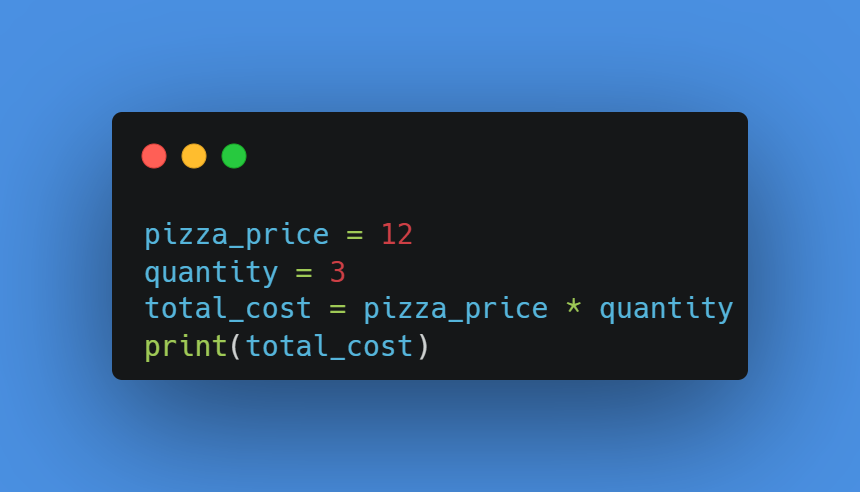
The following video segments provide a clear, step-by-step demonstration of these fundamental operators.
Arithmetic Operators in Python
The "Arithmetic Operators in Python" video explains the four basic operators with clear examples in the Python shell.
Watch these sections to see how each operator works: Addition (+): Addition example. Subtraction (-): Subtraction example. Multiplication (*): Multiplication example. Division (/): Division example. Pay close attention during the division segment. Notice that even when the division results in a whole number (like 20 / 10), Python produces a float (2.0). This is a key feature of the standard division operator.
To summarize this important point about division:
10 / 2results in5.0(a float)10 / 4results in2.5(a float)
The / operator always returns a float, ensuring you don't lose the fractional part of the result. But what if you only want the whole number part?
Specialized Division: Floor Division and Modulus
Python provides two more specialized operators for division-related tasks: floor division (//) and modulus (%).
Floor Division (//)
Floor division performs a division and then rounds the result down to the nearest whole number, discarding any fractional part. The result is always an int if the operands are integers.
10 // 4results in2(it discards the.5)7 // 2results in320 // 3results in6
Modulus (%)
The modulus operator doesn't give you the result of the division, but instead gives you the remainder. This is extremely useful for tasks like checking if a number is even or odd.
10 % 3results in1(because 10 divided by 3 is 3 with a remainder of 1).7 % 2results in1(which tells us 7 is an odd number).10 % 2results in0(which tells us 10 is an even number).
Exponentiation (**)
Finally, if you need to calculate powers, you can use the exponentiation operator (**).
2 ** 3results in8(2 to the power of 3).5 ** 2results in25(5 squared).
Let's return to the Neso Academy video to see these three operators in action.
Arithmetic Operators in Python
This final part of the video covers the more specialized operators for division and powers.
Watch these segments for a practical demonstration: Floor Division (//): Floor division example. Modulus (%): Modulus example. Exponentiation (**): Power example.
Order of Operations
Python follows the standard mathematical order of operations, often remembered by the acronym PEMDAS:
- Parentheses
() - Exponents
** - Multiplication
*, Division/, Floor Division//, Modulus%(from left to right) - Addition
+, Subtraction-(from left to right)
You can use parentheses to force a part of your expression to be calculated first. For example:5 + 2 * 3 results in 11, but (5 + 2) * 3 results in 21.
Practice Exercise: The Farmer's Problem
It's time to apply what you've learned. Let's tackle a classic calculation problem.

Open a new Python script file and solve the following problem:
A farmer has:
15chickens (2 legs each)8cows (4 legs each)12pigs (4 legs each)
- Create variables for the number of chickens, cows, and pigs.
- Write a single expression that calculates the total number of legs for all the animals on the farm.
- Store the result in a variable called
total_legs. - Use
print()to display the final result.
Feel free to experiment with different numbers of animals to see how the result changes.
Conclusion
In this lesson, you've mastered the essential tools for performing calculations in Python. You can now write code that solves mathematical problems using variables and arithmetic operators.
Here are the key takeaways:
- Arithmetic operators allow you to perform math on numeric data types (
int,float). - The basic operators are addition (
+), subtraction (-), and multiplication (*). - Standard division (
/) always returns afloat. - Floor division (
//) returns the integer part of a division, rounding down. - The modulus (
%) operator returns the remainder of a division. - The exponentiation (
**) operator is used for calculating powers. - Python respects the order of operations (PEMDAS), and you can use parentheses
()to control it.
So far, we've focused on numbers. In our next lesson, we'll shift our attention to the str data type and explore the operations you can perform on text, such as combining strings together.