Recommended resources
The freely available resources this lesson will direct you to.
Welcome back. In our last lesson, we set up an automated deployment pipeline, turning a git push command into a live update for your application. Your project is now on the internet, accessible via a Vercel-provided URL. This is a huge milestone, but for a finished product, you'll want a more professional and memorable address.
This lesson focuses on the final step of publishing your web app: giving it a custom domain. We'll explore what a domain name is, demystify the system that makes it work (DNS), and walk through the process of pointing a domain like my-cool-project.com to the app you've deployed on Vercel.
What is a Custom Domain?
Think of the internet as a giant, digital city. The server where Vercel hosts your app is like a plot of land with a very specific, technical coordinate—its IP address (e.g., 76.76.21.21). The your-project-name.vercel.app URL is a functional, but generic, address assigned by the "city planner" (Vercel).
A custom domain is your own unique, branded street address. It's the difference between telling someone you live at "Plot #734-B in the Vercel district" versus "123 Main Street." It's memorable, professional, and entirely yours.
This short video gives a great introduction to the concept, using the very same analogy.
What is a Domain Name? - A Beginners Guide to How Domain Names Work!
This video from Create a Pro Website breaks down the core idea of a domain name in under two minutes, explaining why we use them instead of raw IP addresses.
Watch from the beginning to the end. Pay attention to the comparison between a memorable domain name and a difficult-to-remember string of numbers (the IP address).
How Do Domains Work? The Internet's Address Book
So, if your server's real address is a number (the IP address), how does typing my-cool-project.com into a browser get you to the right place?
This is handled by a global system called the Domain Name System (DNS). Think of DNS as the internet's massive, distributed address book. Its one job is to look up a human-friendly domain name and find the corresponding computer-friendly IP address. This process is called "DNS resolution."
The official Vercel documentation provides a clear, high-level overview of this process.
This article explains the role of DNS in connecting a user's browser request to the server where your site is hosted. It uses a helpful analogy of sending a letter via a post office.
Read the introduction, from the start, which defines a domain and DNS. Then, review the diagram and the section below it that describes the developer's perspective on how DNS connects a user to your Vercel project.
The Anatomy of a DNS Record
To make this address book system work, you, as the domain owner, need to provide it with instructions. These instructions are called DNS records. Each record is a small, specific entry in your domain's "address book" file (called a DNS zone) that tells the internet how to handle different types of requests.
For example, one record points web traffic to your Vercel server, while another might direct emails to a Google Workspace account.
The following article explains the core components of a DNS record. Understanding these pieces is key to knowing what you're actually changing when you connect your domain.
Understand Why & How DNS Works - Red Fox New Media
This article from Red Fox New Media does a fantastic job of demystifying DNS records by breaking them down into their essential parts.
Please read the following sections: Start with "What Is a DNS Record?" and "Why DNS Records Exist" to solidify the "phone book" analogy. Next, carefully study "The Main Elements," focusing on the definitions of Record Type, Name, and Value. Pay close attention to the A Record and CNAME Record types, as you'll encounter these most often. Finally, review the step-by-step process to see how these records are used when someone visits your site.
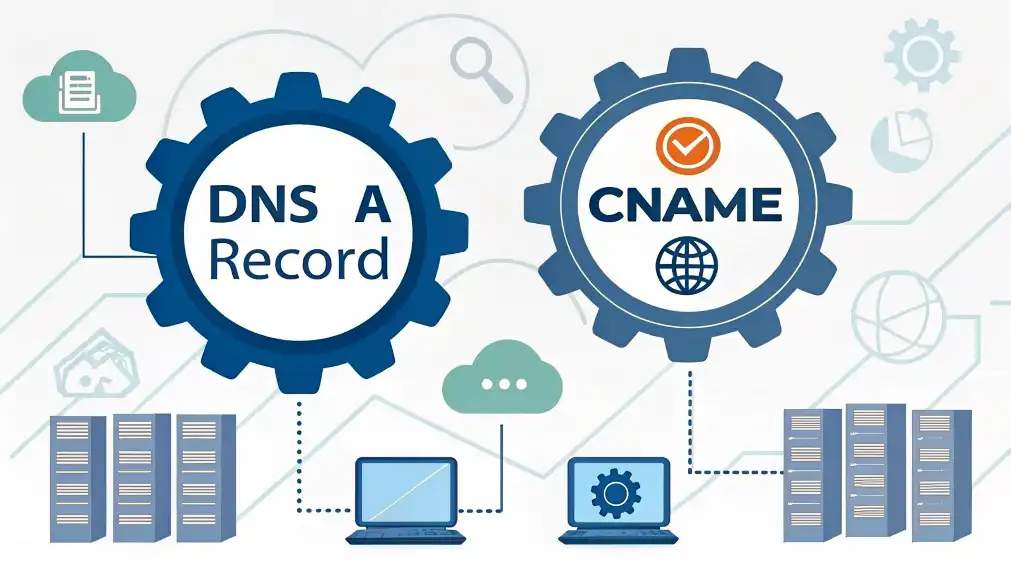
As you just read, A Records and CNAME Records are fundamental for pointing a domain to a website.
- An A Record (Address Record) maps a domain directly to a specific IP address. This is the most direct type of link.
- Example:
my-domain.com→76.76.21.21(Vercel's IP address)
- Example:
- A CNAME Record (Canonical Name Record) maps a domain to another domain name. It acts as an alias or a pointer.
- Example:
www.my-domain.com→cname.vercel-dns.com
- Example:
Pointing Your Domain to Vercel
Now for the practical part. The process of connecting your domain involves going to your domain registrar (the service where you bought the domain, like Namecheap, GoDaddy, or Google Domains) and adding the DNS records that Vercel provides you.
When you add a domain in the Vercel dashboard, it will give you the exact values you need to configure.

The video below provides a complete, step-by-step walkthrough of this entire process. It shows how to take the information from Vercel and apply it within a domain registrar's dashboard (in this case, Namecheap).
How to Add a Custom Domain on Vercel
This video by Bryam Loaiza is a perfect hands-on demonstration. It covers adding the domain in Vercel, finding the DNS settings in the registrar, and confirming the connection.
Watch the video from the beginning to the end (the full demonstration). The key steps to watch for are: Adding the domain name in the Vercel settings. Copying the Nameservers provided by Vercel. (Using Vercel's nameservers is the easiest method, as it lets Vercel manage all the DNS records for you automatically). Pasting those nameservers into the custom DNS settings at the domain registrar. Waiting for the changes to apply and seeing the "Valid Configuration" status in Vercel. Notice the mention that DNS changes can take up to 48 hours to propagate across the internet, though it's often much faster.
Conclusion
You've now learned how to give your web application a professional, public-facing address. While the underlying mechanics of DNS are complex, the practical steps are quite straightforward once you understand the goal: you're simply updating an address book to point your domain name to the server where your app lives.
Key Takeaways:
- A custom domain is a branded, user-friendly address for your website (e.g.,
my-app.com). - The Domain Name System (DNS) acts as the internet's address book, translating domain names into server IP addresses.
- DNS records (like
AandCNAME) are the specific instructions in that address book. - To connect a domain, you update its DNS settings (often the Nameservers) at your domain registrar to point to your hosting provider (Vercel).
In the next module, we'll shift our focus from publishing your app to making it more powerful and interactive. We'll start by exploring APIs, which act as bridges allowing your frontend application to communicate with backend services to fetch data, process information, and unlock a world of new capabilities.