Recommended resources
The freely available resources this lesson will direct you to.
In our first lesson, we established the fundamental principle of decomposition, breaking down a trading bot into its three core components: Data, Strategy, and Execution. Now, we'll build upon that foundation by defining precisely how these components connect and communicate.
This lesson focuses on creating a project blueprint. You will learn to define the interfaces and the flow of data between your bot's components. This blueprint is the master plan that ensures the different pieces of code your AI assistant generates will fit together seamlessly. Mastering this step is critical for transforming a high-level idea into a functional, coherent system, and it's a key skill in guiding an AI to build complex applications effectively.
From Components to a System: Defining the Interfaces
Think of the components from our last lesson—Data, Strategy, Execution—as specialized teams in a workshop. For them to work together without chaos, they need clear instructions on what to expect from each other and what to deliver. These instructions are the interfaces.
In software, an interface is a contract that specifies the inputs and outputs of a component.
- Input: What data does the component need to do its job?
- Output: What data does it produce when it's finished?
Let's revisit our Moving Average Crossover strategy. A simple interface definition would look like this:
-
Data Connector
- Input: A request specifying the asset (e.g., 'EUR/USD'), the timeframe (e.g., '1-hour'), and the number of data points.
- Output: A pandas DataFrame containing historical price data with columns like
timestamp,open,high,low,close.
-
Strategy Engine
- Input: The DataFrame of historical price data from the Data Connector.
- Output: A simple, unambiguous signal, such as the string "BUY", "SELL", or "HOLD".
-
Execution Engine
- Input: A signal ("BUY" or "SELL"), an asset symbol, and a trade quantity.
- Output: A confirmation of the order placement from the broker, or an error message.
By defining these contracts upfront, you create a clear separation of concerns. The Strategy Engine doesn't need to know how the data was fetched, only that it will receive a DataFrame in the correct format. Likewise, the Execution Engine doesn't care about moving averages; it only needs a clear signal to act upon. This modularity is the key to managing complexity and writing targeted, effective prompts for your AI assistant.
Visualizing the Blueprint: System Architecture Diagrams
A powerful way to solidify your understanding of the system's structure is to visualize it. A block diagram or flowchart can make the relationships between components and the flow of data immediately obvious.
In the diagram above, the "Data Retrieval Loop" corresponds to our Data Connector. The "Transformation And Modeling" block is our Strategy Engine, which processes historical data to generate signals. Finally, the "Trade Logic" is our Execution Engine. The arrows show the data flow: the data connector populates a database, the strategy engine reads this data and writes signals to another table, and the execution engine reads the signals to make trades. The database tables themselves serve as the interfaces between the components.
This act of diagramming is a crucial part of the planning process. In fact, you can even use AI assistants to help you create these architectural diagrams.
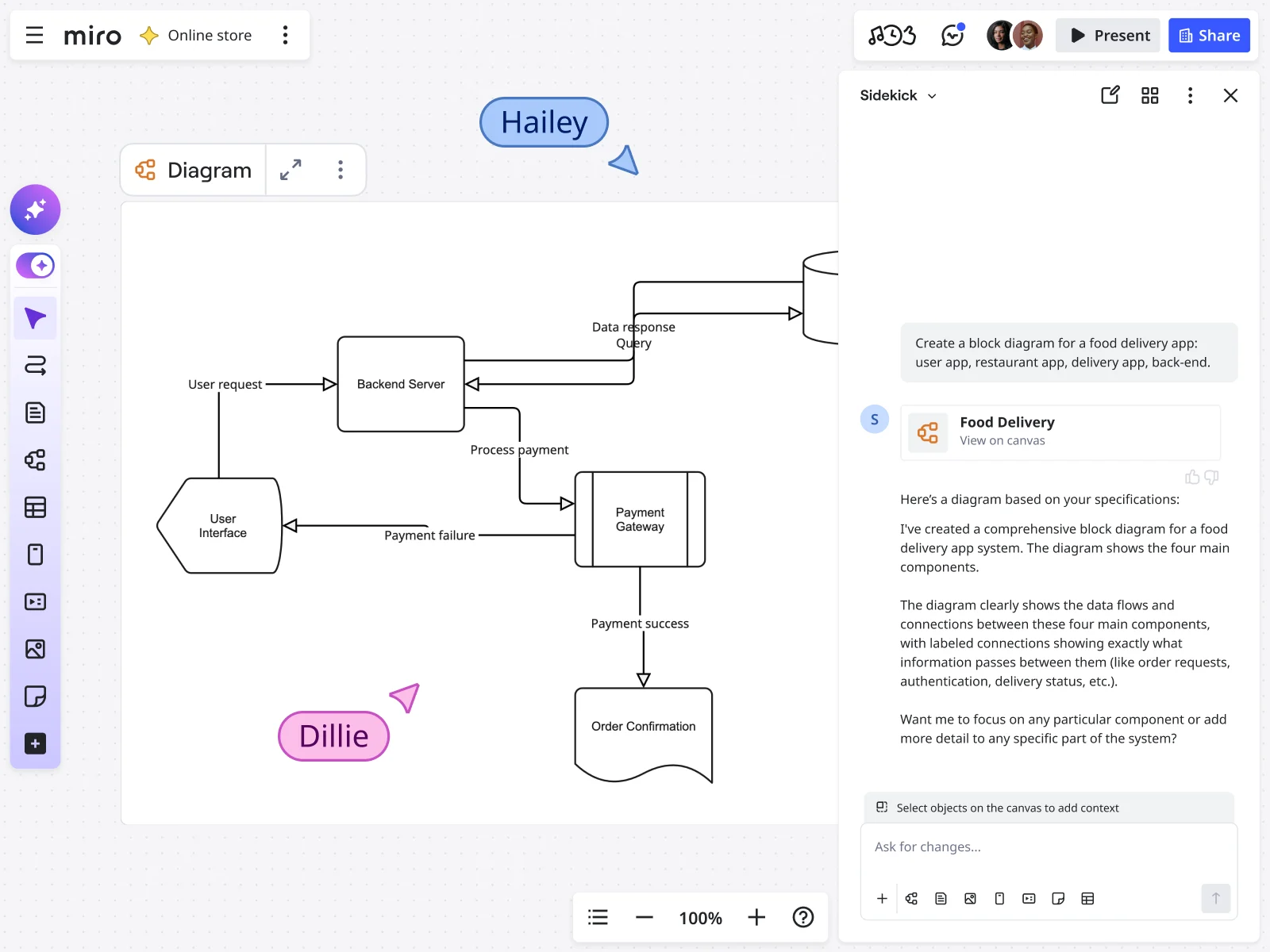
While the simple three-part model is a great start, professional-grade systems often introduce more specialized layers to handle complexity. To give you a sense of a more advanced architecture, the following video provides an excellent walkthrough.
Designing a Polymarket Trading Bot – System Architecture
In this video, "Designing a Polymarket Trading Bot," Emil Nielsen provides a detailed breakdown of a sophisticated bot architecture. It expands on our simple model and introduces key concepts for building robust, scalable systems.
As you watch, pay close attention to how data is transformed and passed between layers. Start with the data pipelines. Notice how raw data from different sources is ingested and unified into a standard processed event. This is a powerful interface concept. Next, see how the event bus and signals work. The event bus acts as a central coordinator, directing data to the components that need it, which then compute indicators (signals). Then, watch the explanation of the strategy and actions layer. This is where signals are combined to form a strategy that produces a concrete action payload (e.g., "buy X amount"). Finally, understand the role of the execution and position layers. The execution layer places the trade, while a separate position layer keeps track of the bot's current state (e.g., open trades), often by listening to a separate data feed from the user's account. This layered approach, with standardized data objects like processed event and action payload, creates a highly modular and maintainable system.
Creating the AI's Blueprint: The Project Spec and Pseudocode
Now that we have a clear architectural plan, how do we communicate it to an AI assistant? You need to translate your diagram and interface definitions into a structured document—a blueprint that the AI can follow. This can take the form of a "Project Specification Document" or, more practically for our purposes, detailed pseudocode.
A project spec outlines what to build and how to build it. The video below introduces a formal system for this planning phase, which is directly applicable to our goal.
How I Start EVERY Claude Code Project
This video, "How I Start EVERY Claude Code Project," presents a "Plan, Setup, Build" methodology. The "Plan" phase is exactly what we are discussing: creating a detailed project specification.
Watch the section on the Project Spec Doc. Pay attention to the two main parts: Product Requirements: What the bot should do from a user's perspective. Technical Requirements: The technology stack, system architecture, how components interact, API designs, and database schemas. This is the technical blueprint for the AI.
A great way to create this technical blueprint is by prompting an AI to generate pseudocode. Pseudocode uses natural language to describe the logic and flow of a program without getting bogged down in the strict syntax of a programming language. It serves as the perfect bridge between your high-level architecture and the final code.
The following resource shows exactly how to do this.
How to Build a Free Trading Bot with ChatGPT and Alpaca
This article demonstrates using ChatGPT to build a trading bot. We will focus on the step where the developer uses a detailed prompt to generate pseudocode, effectively creating a blueprint for the AI.
Read Step 5: Write Pseudocode for Algorithmic Trading Using RSI and MACD. Analyze the example prompt carefully. Notice how it specifies the indicators, entry conditions, exit conditions, and other requirements like position sizing. Then, examine the resulting pseudocode. This output is a textual representation of our blueprint. It outlines the logical flow and the interactions between different parts of the strategy (checking trend, calculating position size, submitting an order, setting stops). This pseudocode becomes the master instruction set for subsequent prompts that will generate the actual Python code.
By first prompting for a plan or pseudocode, you force the AI to think about the structure before diving into implementation. This allows you to review its proposed architecture, correct any misunderstandings, and ensure the final code will align with your vision.
Conclusion
In this lesson, we have bridged the gap between a high-level concept and a concrete implementation plan. You learned how to define the interfaces and data flow that connect your bot's components, creating a robust project blueprint. This is the most critical step in successfully guiding an AI to build complex software.
Key Takeaways:
- Interfaces are contracts: They define the expected inputs and outputs for each component, ensuring they can work together.
- Visualize your architecture: Use diagrams and flowcharts to clarify the relationships and data flow between components.
- Create a blueprint for your AI: A detailed Project Specification Document or pseudocode serves as a master plan for your AI assistant.
- Plan before you prompt: Defining the architecture first prevents the AI from making incorrect assumptions and ensures the generated code is structured and modular.
In our next lesson, we will put this blueprint into action. You will learn how to formulate your first detailed prompt to generate a specific, functional piece of code based on our design, taking the first step in turning your plan into a reality.