Recommended resources
The freely available resources this lesson will direct you to.
Hello! Welcome to your sixth lesson in the "Production-Quality Python for Interviews" module.
In our last lesson, we explored itertools, focusing on how its lazy evaluation model, similar to Rust's iterators, allows for building highly efficient and expressive data processing pipelines.
Today, we'll dive into another key part of Python's standard library for writing clean, high-performance code: the functools module. This lesson addresses the learning outcome: Apply functools utilities, including lru_cache for memoization and partial for function specialization.
We'll cover two powerful tools:
@lru_cache: A decorator that provides a simple way to implement memoization, a powerful performance optimization technique.partial: A utility for creating specialized versions of functions, leading to cleaner and more readable code.
These tools are essential for writing code that is not only correct but also performant and maintainable—qualities highly valued in software engineering roles at places like Anthropic.
1. functools.lru_cache: Caching for Performance
Memoization is a specific form of caching used to speed up functions by storing the results of expensive calls and returning the cached result when the same inputs occur again. It's most effective on functions that are "pure-like"—meaning they return the same output for the same input and have no side effects.
This is particularly useful for computationally intensive tasks, I/O-bound operations that fetch the same data repeatedly, or, classically, recursive algorithms with overlapping subproblems.
Let's explore this with a concrete example.
Caching in Python Using the LRU Cache Strategy
The article 'Caching in Python Using the LRU Cache Strategy' from Real Python provides an excellent hands-on introduction to @lru_cache. It uses a recursive 'stairs' problem to demonstrate the dramatic performance gains from memoization.
Please read the sections 'Using @lru_cache to Implement an LRU Cache in Python' and 'Unpacking the Functionality of @lru_cache'. Pay close attention to: The initial recursive implementation of steps_to() and its performance issues. The massive speedup achieved by adding just one line: the @lru_cache decorator. The explanation of maxsize and how to use cache_info() to inspect the cache's effectiveness.
The LRU Eviction Policy
As you just read, @lru_cache has a maxsize parameter. When the cache is full and a new function call is made, the Least Recently Used (LRU) item is evicted to make room. This policy assumes that items used recently are more likely to be used again.
This mechanism is fundamental to many caching systems. Given your work on high-throughput services, you can appreciate the need for a bounded memory footprint.
The following diagram illustrates the LRU logic with a cache of size 3.
.png)
We will dive much deeper into this and implement a production-grade, thread-safe LRU cache from scratch in a future module. The functools implementation gives us this behavior for free in a single-threaded context.
Testing a Cached Function
A practical challenge with memoization is testing. Because @lru_cache maintains state (the cache itself), a test for one input can affect the outcome of a subsequent test. This breaks the principle of test isolation.
For example, if the first test populates the cache, the second test might produce a "cache hit" when you actually intended to test the "cache miss" logic.
How do you handle this? This is a very common interview topic when discussing production code. Let's watch a video that covers two professional strategies.
testing functools.lru_cache with pytest! (beginner - intermediate) anthony explains #094
The channel 'anthonywritescode' provides excellent, practical advice for professional Python developers. This video addresses exactly how to test functions decorated with @lru_cache.
Watch from 04:03 to 09:03. The video presents two distinct solutions to the problem of a shared cache state breaking tests: Using cache_clear(): Creating a pytest fixture to explicitly clear the cache before and after each test. Using __wrapped__: Bypassing the cache decorator entirely during tests to call the original, underlying function.
Trade-offs between Testing Strategies:
cache_clear():- Pro: Tests the function with its caching behavior, which can be useful if you want to assert something about the cache itself.
- Con: Can be cumbersome if you have many cached functions. It introduces boilerplate to manage the state clearing.
__wrapped__:- Pro: Simpler and cleaner. Directly tests the core logic of the function, adhering to unit testing principles where one unit is tested in isolation. This is often the preferred approach.
- Con: It doesn't test the caching wrapper itself. This is usually acceptable, as you can trust the standard library's implementation.
Your experience with Game Day testing at AWS, where you intentionally inject failures to test recovery paths, is analogous to the mindset here: you need to control the state of your system (in this case, the cache) to reliably test specific behaviors.
2. functools.partial: Creating Specialized Functions
Often, you'll have a general-purpose function and find yourself repeatedly calling it with some of the same arguments. functools.partial lets you "freeze" some of those arguments, creating a new, specialized function object.
This is a powerful tool for improving code clarity and is commonly used in functional programming patterns and for setting up callbacks.
Let's see how partial elegantly solves a common problem when refactoring from object-oriented to a more functional style.
You Can Do Really Cool Things With Functions In Python
The video 'You Can Do Really Cool Things With Functions In Python' from ArjanCodes follows the exact incremental complexity approach you prefer. It starts with a class-based strategy pattern, refactors it to use functions, encounters a problem with parameterization, and finally introduces partial as the clean solution.
Please watch from 09:22 to 19:11. This segment walks through the following progression: The Problem (09:22): The refactored functional approach makes it hard to pass configuration (like window_size) to the strategy functions. A Verbose Solution (09:58): Using closures to 'bake' parameters into a function. This works but adds significant boilerplate code. The Elegant Solution (13:45): Introducing functools.partial to achieve the same result in a much cleaner, more declarative way.
As the video demonstrated, partial allows you to create specialized callables without the verbosity of a full def or the potential obscurity of a complex lambda.
Here is a simple visual summary:
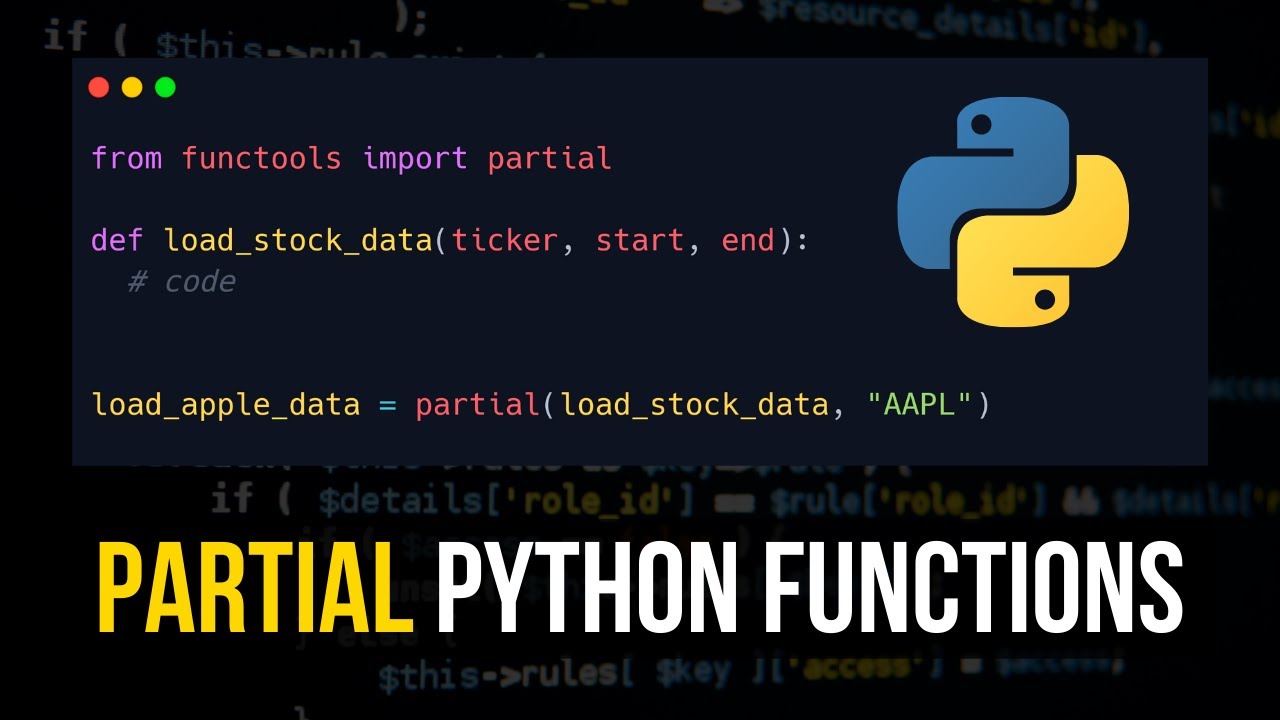
In a system like Rudi, you might have a generic function process_request(request, priority_level, timeout_ms). Using partial, you could create clean, specialized handlers:
from functools import partial


# Generic function
def process_request(request, priority_level, timeout_ms):


    # ... complex logic
    pass


# Specialized versions created with partial
process_high_priority = partial(process_request, priority_level='high', timeout_ms=500)
process_low_priority = partial(process_request, priority_level='low', timeout_ms=5000)


# Now you can use them cleanly
high_priority_queue = [...]
for request in high_priority_queue:
    process_high_priority(request)
This is more readable and less error-prone than repeating priority_level='high', timeout_ms=500 in multiple places. It is also often cleaner than using lambda request: process_request(request, priority_level='high', timeout_ms=500), especially when the original function has a more complex signature.
Conclusion
In this lesson, we added two powerful utilities from the functools module to your toolkit, both of which help you write more professional, performant, and maintainable Python code.
Key Takeaways:
@lru_cacheis a decorator for memoization. It transparently caches function results, offering significant performance boosts for functions with repeated computations on the same inputs, at the cost of memory.- The LRU (Least Recently Used) policy is the default eviction strategy, ensuring the cache size remains bounded by discarding the oldest unused items first.
- Testing cached functions requires care. You can either use
cache_clear()to reset state between tests or access the__wrapped__attribute to bypass the cache and test the raw function logic. functools.partialcreates new, specialized function objects from general-purpose ones by pre-filling some of their arguments. This enhances code readability and reduces repetition.
Next Lesson
This concludes the core tools from collections, itertools, and functools that form the bedrock of production-quality Python. You now have a solid foundation for writing efficient and expressive code.
In our next lesson, we will address another critical aspect of production code: resilience. The learning outcome will be to implement robust error handling using custom exceptions and clear input validation. We'll explore how to design exception hierarchies and write functions that fail predictably and gracefully.