Recommended resources
The freely available resources this lesson will direct you to.
Hello! Last time, we modeled an articles screen with distinct loading, empty, success, and failure states. Its Success variant holds a List<Article>, which raises a practical question: when the articles change, what exactly changes—the state object, the list, the articles inside it, or all three?
This lesson develops the answer using data classes, equality, and copy operations. By the end, you should be able to update a state value without accidentally changing an older one, and explain precisely where Kotlin’s read-only collection types do—and do not—provide an immutability guarantee. Allow about 40 minutes, including the short videos and time to trace the code.
Equal values are not necessarily the same object
A data class is a useful fit for an article: its properties describe the value we care about, rather than an object with a distinct identity. Kotlin generates equals(), hashCode(), toString(), and copy() from properties in the primary constructor.
Watch Smartherd’s Kotlin DATA CLASS demonstration for the contrast between a regular class and a data class, then for its use of copy().
Kotlin DATA CLASS. Object Oriented Programming in Kotlin for Android #8.10
Smartherd’s “Kotlin DATA CLASS” shows the behavior in a small runnable example. Watch for the distinction between comparing values and creating a new object.
Watch the equality example, from the two users with identical details through the result after adding data. Then watch the copy example, where named arguments replace selected properties. We will examine an important limitation of that copy next.
Kotlin has two equality operators worth keeping separate:
a == basks whether the values are structurally equal, according toequals().a === basks whether both references identify the same object.
The Kotlin documentation states the precise rules, including why == works differently for a data class than for an ordinary class with no custom equals().
Equality | Kotlin Documentation
Read Kotlin’s “Equality” documentation to give precise names to the two comparisons used throughout this lesson.
Under “Structural equality,” read the explanation from the opening definition through the paragraph about data classes. Then, under “Referential equality,” read the definition and the example immediately below it. Focus on what each operator asks, not on using identity as a shortcut for value comparison.
Using the Article from our previous lesson:
data class Article(
    val title: String,
    val subtitle: String?
)

val first = Article("Kotlin state", null)
val second = Article("Kotlin state", null)

println(first == second)  // true: same constructor-property values
println(first === second) // false: two separately created objects

val alias = first
println(first === alias)  // true: both names refer to one object
For Article, the generated equals() compares title and subtitle. But data classes only generate these operations from primary-constructor properties. A mutable property placed in the class body is omitted from generated equality and from copy():
data class ArticleRow(val title: String) {
    var isBookmarked: Boolean = false
}

val row = ArticleRow("Kotlin state")
row.isBookmarked = true

val copiedRow = row.copy()

println(row == copiedRow)            // true
println(row === copiedRow)           // false
println(copiedRow.isBookmarked)      // false
The copy has a new outer object, but its body property starts at its default value. If isBookmarked is meaningful screen state, put it in the primary constructor instead. Prefer val properties for state values: a var in the constructor participates in equality, but changing it after creation means the value—and its generated hash code—can change unexpectedly.
copy() replaces selected fields; it does not copy an object graph
The official data-class documentation covers the constructor-property rule and makes the limitation of copy() explicit.
Read Kotlin’s “Data classes” documentation for the generated operations and, especially, its explanation of shallow copies.
Begin at the start of “Data classes” and read the generated-members explanation; also scan the remaining constructor requirements immediately below it. Then find “Properties declared in the class body” and continue through “Copying”: read the examples. Follow both the body-property example and the mutable-list example: they expose different surprises.
Recall the sealed type from last lesson:
sealed interface ArticlesState {
    data object Loading : ArticlesState
    data object Empty : ArticlesState
    data class Success(val articles: List<Article>) : ArticlesState
    data class Failure(val message: String) : ArticlesState
}
Because Success is a data class, we can make a new success state while retaining properties we do not replace:
val original = ArticlesState.Success(
    listOf(Article("Kotlin state", null))
)
val duplicate = original.copy()

println(original == duplicate)                   // true
println(original === duplicate)                  // false
println(original.articles === duplicate.articles) // true
copy() constructed a new Success, but both states still refer to the same list. That is a shallow copy: referenced components are carried over, not recursively duplicated.
Now replace the list explicitly:
val updated = original.copy(
    articles = original.articles + Article("Coroutines", "Async work")
)

println(original.articles.size)                    // 1
println(updated.articles.size)                     // 2
println(original.articles === updated.articles)     // false
println(
    original.articles.first() === updated.articles.first()
)                                                   // true
The + expression produces a list containing the previous article and the new one; it does not append to original.articles. The two states have different list objects, yet their first entries still reference the same Article object. That is safe for the article defined here because its properties are val references to strings, and no part of this example mutates its contents.
If an article itself needs a revised title, copy that value too, then place it in a new list:
val revisedArticle = original.articles.first()
    .copy(title = "Understanding Kotlin state")

val revisedState = original.copy(
    articles = listOf(revisedArticle)
)

println(original.articles.first().title)     // Kotlin state
println(revisedState.articles.first().title) // Understanding Kotlin state
We did not ask copy() to perform a mysterious “deep copy.” We rebuilt exactly the values that needed to change. This is a useful way to describe an Android state update in an interview: identify the changed value, create its replacement, and keep earlier state values intact.
A read-only List is not necessarily an immutable list
Our Success property has type List<Article>. Kotlin does not offer mutation methods through that interface, but that does not prove nobody else can change the underlying list.
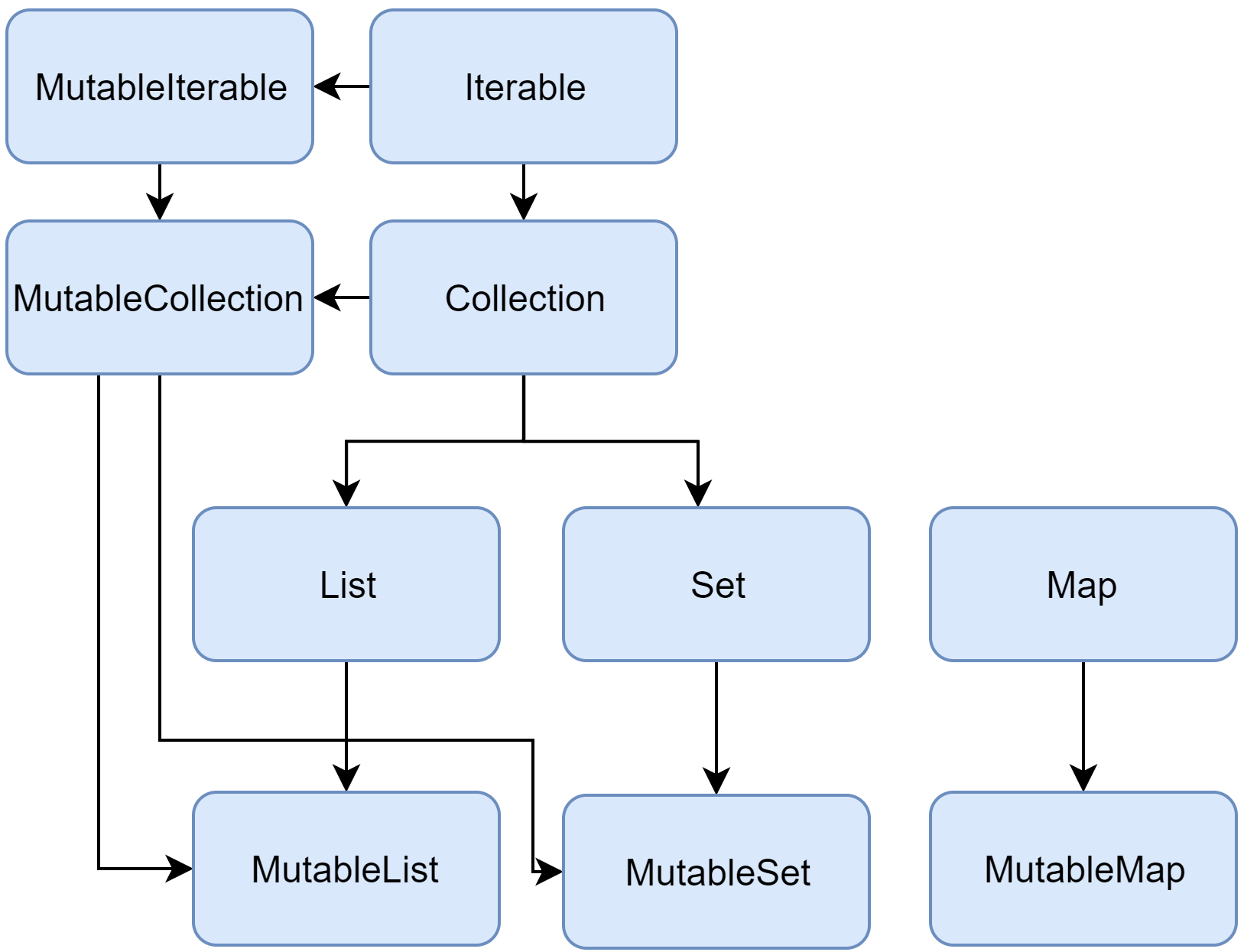
The following code compiles because a MutableList<Article> can be supplied where a List<Article> is expected:
val backing = mutableListOf(Article("Kotlin state", null))
val before = ArticlesState.Success(backing)
val shallowCopy = before.copy()

backing.add(Article("Coroutines", null))

println(before.articles.size)       // 2
println(shallowCopy.articles.size)  // 2
Neither state has an add() method on its articles property, but both observe the change made through backing. Also, a val prevents reassignment of that reference; it does not freeze the object it references.
Watch Dave Leeds’s Immutable and Persistent Lists for this distinction and one way to obtain a stronger collection guarantee. The later library examples are an option, not a requirement for every screen.
Immutable and Persistent Lists - TypeAlias Show Clip
Dave Leeds’s “Immutable and Persistent Lists” distinguishes Kotlin’s standard read-only list interface from immutable and persistent collection types. Watch how that difference affects the meaning of an update.
Start with the interface distinction. Skip ahead to immutable lists, where the video introduces the separate kotlinx.collections.immutable library. Finally, watch persistent updates: notice that add() returns a new collection rather than modifying the old one. The library’s ImmutableList is not the same type or guarantee as the standard-library List.
There are two practical levels to distinguish:
- Read-only access at a boundary.
List<Article>stops callers from invoking mutation methods through that reference. If a mutable list came from elsewhere, it may still change. When accepting an untrusted mutable list,ArrayList(source)makes a separate list container, though it still shares references to the elements. - An immutable collection structure. A persistent list from
kotlinx.collections.immutablecannot be changed in place. Its operations return a new collection, leaving the earlier collection intact.
With that library added as a dependency, the second approach looks like this:
import kotlinx.collections.immutable.persistentListOf

val earlier = persistentListOf(Article("Kotlin state", null))
val later = earlier.add(Article("Coroutines", null))

println(earlier.size) // 1
println(later.size)   // 2
“Immutable collection” describes the collection structure, not necessarily every object stored inside it. A persistent list of objects with mutable fields would still contain mutable objects. This is why val-based data values and an immutable collection make a useful pair for predictable state. We will compare collection choices and their performance trade-offs in the next lesson; today, the essential issue is whether an earlier state can change behind your back.
Putting the distinctions together
For a small articles screen, this update is easy to reason about:
val current = ArticlesState.Success(
    listOf(Article("Kotlin state", null))
)

val next = current.copy(
    articles = current.articles + Article("Coroutines", "Async work")
)
current and next are distinct Success objects. Their lists contain different sequences, so current == next is false. The original article is shared, but its value is not being mutated. No earlier list was modified to produce the next screen value.
Before using the same pattern with data arriving from another component, check three things: Who owns the original collection? Can they still mutate it? Can its elements change? A read-only type and a shallow copy() alone cannot answer those questions. If another component retains a mutable alias, take an appropriate snapshot or use an immutable collection at the boundary.
Key takeaways
A data class compares primary-constructor properties with ==; === checks whether two references name the same object. copy() creates a new outer data-class instance but shares referenced properties unless you replace them. Kotlin’s standard List provides read-only access, not a guarantee that its contents will never change; immutable collections provide a stronger structural guarantee, while still requiring thought about their elements.
Next, we will choose among Kotlin collection types based on the operations a feature actually needs—including lookup, insertion, ordering, and memory trade-offs.