Recommended resources
The freely available resources this lesson will direct you to.
Hello! In the last lesson, you separated a defensible finding—an illustrative company’s 18% operating margin versus a 13% peer median—from an unproven explanation for that gap. A chart can preserve that distinction or quietly erase it. A dramatic scale, vague title, or missing unit can make a careful calculation look like a stronger claim than the evidence supports.
Today you’ll choose charts by the business question they answer, then check the scales, units, comparisons, labels, and sources that make them trustworthy. This is the chart-design foundation for your two-page company research brief. Allow about 40 minutes, or split the viewing and chart workflow across two shorter sessions.
Start with the comparison, not the chart menu
Before opening Excel’s Insert Chart menu, finish this sentence: “A reader needs to compare ___ to decide ___.” Chart type follows from the relationship in that sentence.
For example, “How has revenue changed across five financial years?” asks about a trend. “Is this company’s operating margin unusual among peers?” asks about magnitudes and a benchmark. “Does faster revenue growth tend to accompany higher margins among peers?” asks about an association. Those are different questions even if all three use figures from the same spreadsheet.
Analyst Academy’s Data Visualization Crash Course | Consulting Best Practices shows how changing the chart type changes the message conveyed by an unchanged dataset.
Data Visualization Crash Course | Consulting Best Practices
Watch Analyst Academy's Data Visualization Crash Course to see chart selection as a communication decision, including when a table is better than a chart.
Watch chart choices for bars, columns, lines, part-to-whole charts, and scatterplots. Pay particular attention to how clustered and stacked charts invite different comparisons. Then watch tables versus charts for cases requiring exact or mixed metrics, and clear takeaways for titles, highlighting, and removing clutter.
Use this compact decision guide for your research brief:
| Reader’s question | Useful first choice | What to guard against |
|---|---|---|
| How did one metric move over time? | Line for a trend; columns for a few distinct periods | Implying values between widely spaced or irregular observations are known |
| Which company is larger or has a higher margin? | Sorted horizontal bars, especially with long peer names | A nonzero bar baseline that exaggerates small differences |
| How far above or below a target is each company? | Diverging bars around a clearly marked reference | Leaving the reference or sign unexplained |
| How is a total divided? | Stacked bar or column; sometimes a simple part-to-whole chart | Comparing several small segments by area or angle |
| Do two metrics move together across companies? | Scatterplot, one company per point | Calling an association a cause |
| Do exact figures or several different measures matter most? | Small, well-labeled table | Forcing incompatible measures onto multiple chart axes |
The Financial Times Visual Vocabulary is a useful second check. It organizes chart options by the relationship you need to show, rather than by software feature.
Read the Financial Times' Visual Vocabulary as a chart-selection map, not a catalogue you need to memorize.
On the single-page infographic, begin with the guidance immediately below “Visual vocabulary,” from the selection rule. Then scan the category headings “Change over Time,” “Magnitude,” “Deviation,” “Part-to-whole,” and “Correlation,” along with the short notes beside their chart examples. In “Magnitude,” notice the bar baseline note. Focus on finding a suitable starting point for each business question, not on using unusual chart types.
A chart is not automatically preferable to a table. Your peer workbook should retain the exact figures, definitions, and sources; a chart earns its place in the brief only if it makes an important comparison faster to grasp.
Make the visual comparison mathematically fair
Chart choice solves only half the problem. The encoding determines what a reader perceives as different.
Return to the fictional benchmark from the previous lesson: 18% operating margin for the company and 13% for the median of six selected peers. A horizontal bar chart can make the comparison immediate. Start its value axis at zero, label it “Operating margin (% of revenue), FY2024,” and identify the peer median as a reference rather than as another company. The difference is 5 percentage points. A title such as “Company margin is 5 percentage points above the selected peer median” reports the finding without inventing a cause.
Now imagine setting that bar chart’s axis to run only from 12% to 20%. The bars’ visible lengths would greatly amplify a five-point gap. Bars encode magnitude by length, so their baseline should ordinarily be zero. A line chart uses position and slope to show movement over time; a nonzero vertical minimum can sometimes help reveal modest variation, but it must be visible and justified, not used to manufacture a dramatic trend. For positive and negative values, a diverging chart needs a clear zero line.
Other choices can distort a sound calculation just as readily:
- Keep definitions comparable. Do not plot one company’s consolidated operating margin against peers’ standalone margins without explaining the mismatch. State whether periods are financial or calendar years.
- Do not hide the denominator. “Margin (%)” is less informative than “Operating margin (% of revenue).” A five-percentage-point margin difference is not a 5% relative increase.
- Choose absolute values or indexed growth deliberately. An index with each series set to 100 in the same base year compares growth, not company size. Label the base year and keep absolute revenue in the underlying table.
- Separate actuals from forecasts. If a time series includes both, mark the boundary and label forecast periods. A projected rise must not appear to be another reported observation.
- Avoid incompatible dual axes. Plotting revenue and margin on independently adjusted axes can make unrelated movements seem to track each other. If both matter, consider two aligned charts or a small table.
- Preserve observation dates. A line through annual points suggests continuity; show markers or use columns when only a few discrete observations exist or the spacing is irregular.
This is especially relevant when you make a peer chart. An 18% margin may look exceptional among six selected peers, but the chart should not suggest that those six represent an entire sector unless your selection method supports that claim.
Let labels carry the meaning—and the evidence
A recruiter might encounter a chart before reading its supporting paragraph. It should therefore be intelligible on its own: what is measured, for whom, when, in which units, and from what evidence?
Datawrapper’s What to Consider When Using Text in Data Visualizations provides practical guidance on placing labels close to the values they explain, repeating units where needed, and annotating important points without overloading the view.
What to consider when using text in data visualizations | Datawrapper Blog
Read this Datawrapper Blog guide to refine the titles, units, and annotations on charts intended for a brief or presentation.
In “Show information where readers need it,” read from “Label directly” through “Emphasize and explain with annotations.” Start with direct labeling; under “Repeat the units your data is measured in,” note the advice to put units near values. Then, in “Phrase for readability,” read “Use straightforward phrasings,” “Be conversational first and precise later,” and “Choose a suitable number format.” Focus on how a short headline can coexist with a precise metric description and source note.
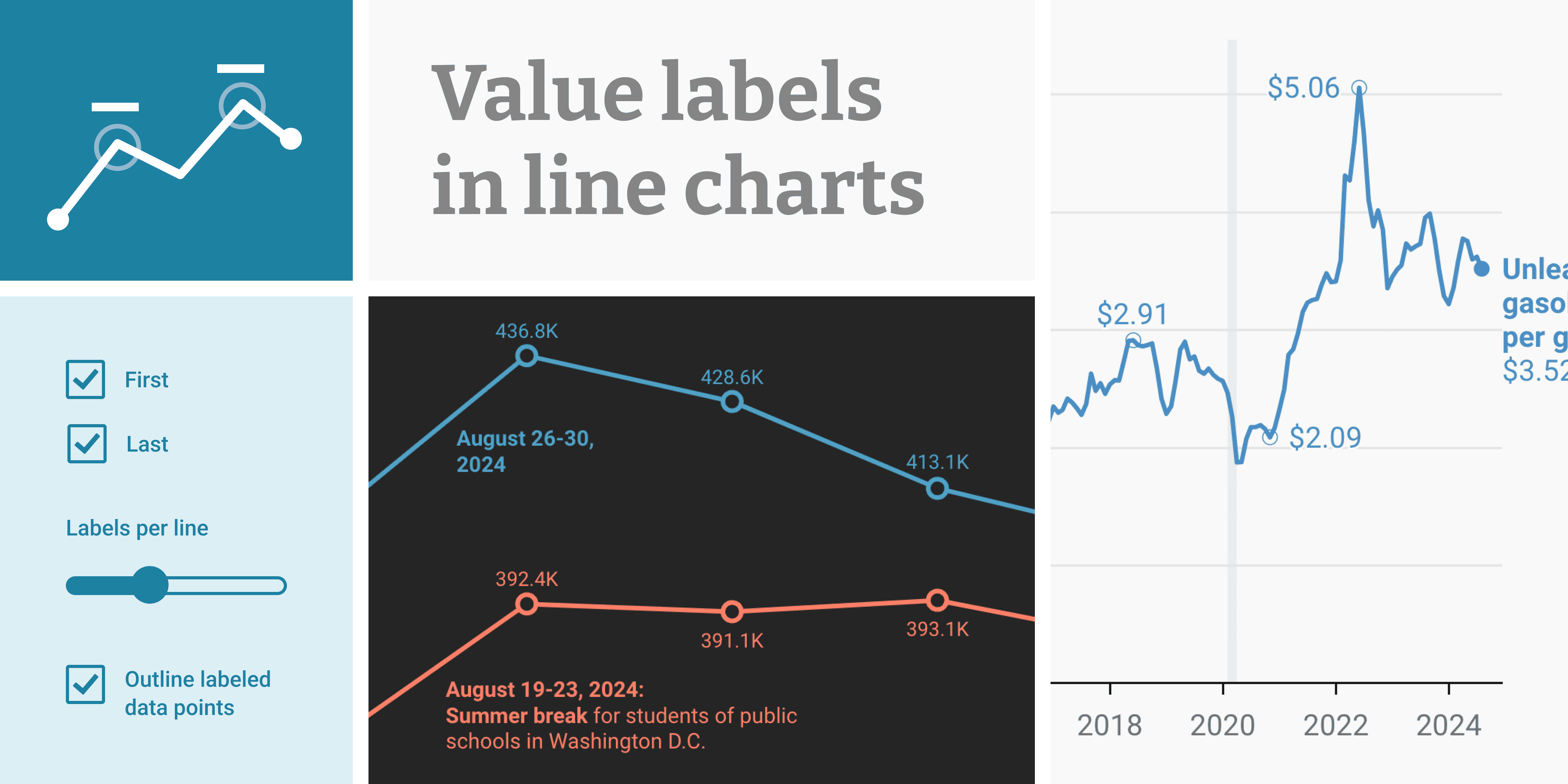
The image below illustrates selective value labeling on line charts. It is an example of presentation technique, not evidence about a company for your portfolio. Notice that labels draw attention to particular points rather than requiring the reader to decipher every value from the axis.
For a portfolio chart, give each text element a distinct job:
- Takeaway title: State the supported finding, such as “Operating margin exceeds the selected peer median by 5 percentage points.” Do not write “Pricing power drives superior margins” unless you have evidence for that cause.
- Metric and period: Specify “Operating margin (% of revenue), FY2024” or “Revenue (currency millions), FY2021–FY2024.” Expand abbreviations a recruiter may not know.
- Direct labels and annotation: Name the company or line near its mark where space allows. Highlight a notable point, but distinguish “management attributed the change to…” from a cause you independently established.
- Source and method note: Name the underlying disclosure, its period and page or section; distinguish calculations from reported figures. In a published chart, provide a usable link to the source and the corresponding row or sheet in your workbook. For a peer median, also say how many peers were included.
A source note should let someone retrace the chart, not merely say “Source: company reports.” Where several disclosures feed one chart, use a concise footer and link to the exact entries in your existing source register. Keep that footer readable even when the chart is exported as an image.
Build one chart that can survive a quick interview question
Use the following workflow in Excel first for your current company study. Python can later reproduce or automate the graphic, but it should not replace a transparent, source-linked workbook.
1. Write the decision question above the data. For the margin example: “Is the company’s reported operating margin above a consistently defined peer benchmark in the latest comparable year?” This wording exposes what the chart must establish—and what it cannot establish.
2. Prepare a small chart-input range. Include company name, period, metric value, unit, metric definition, and a link or reference to the source-register entry. Calculate the peer median in a separate, visible cell. Do not silently include the focal company among the peers when the label says “peer median.”
3. Choose and construct the chart. For a single-year peer comparison, insert a horizontal bar chart, sort companies by margin, and set the value axis to start at zero. Mark the 13% median with a clearly labeled reference if your data support that value; otherwise use the median actually calculated from your sourced peer set. A subtle highlight can distinguish the focal company without turning every peer into a different color.
4. Add the claim and audit the encoding. Write a title that matches the calculated gap. Check the percentage-point arithmetic, zero baseline, period, metric definition, readable labels, and whether any annotation implies an unverified cause. Round displayed values consistently without changing the figures used in calculations.
5. Make the exported chart traceable. Add a compact source-and-method footer, then export it for the brief. Open the export at the size a recruiter will see: can you read the units and source? Can you find each plotted value in the workbook and its original disclosure?
A good output is a chart a reader can understand in seconds and investigate in minutes. If you cannot yet establish comparable peer definitions or credible source links, a clearly qualified table is a better portfolio artifact than a polished but misleading chart.
Key takeaways
Choose a visual by the relationship the business question asks you to show. Then protect that relationship: use fair baselines, comparable definitions and periods, explicit units, restrained labels, and source notes that connect the picture to your calculations and disclosures. A chart’s headline is a research claim, so it needs the same evidence discipline you applied to prose in the last lesson.
Next, you’ll bring the research, calculations, and charts together in a two-page company brief with a qualified conclusion. The aim is not three attractive graphics in isolation, but three visuals that each help a reader judge the company more accurately.