Recommended resources
The freely available resources this lesson will direct you to.
Hello again. You can now create a Python file, save it in VS Code, and run it from the terminal. That edit–save–run loop is the foundation for everything ahead.
This lesson adds the next essential idea: programs need to store information. By the end, you will be able to create clearly named Python variables that hold text, whole numbers, decimal numbers, and true-or-false values. These are the basic building blocks of the configuration and state that later automations and agents will use.
Variables: names for values
A variable is a name that lets your program refer to a value.
Consider this line:
max_retries = 3
It has three parts:
| Part | Meaning |
|---|---|
max_retries |
The variable name. |
= |
The assignment operator: it assigns the value on the right to the name on the left. |
3 |
The value being stored, specifically an integer. |
Read it as: “Assign 3 to max_retries.”
The assignment operator is not a statement that two things are mathematically equal. Python first evaluates the right side, then associates that result with the name on the left.
Once assigned, you can use the variable:
max_retries = 3
print(max_retries)
Output:
3
Notice that max_retries has no quotation marks when you want Python to use its value. If you wrote this instead:
print("max_retries")
Python would print the literal text:
max_retries
A value written directly in code, such as 3 or "draft", is called a literal. A variable gives that value a meaningful name.
Python Variables and Literals (With Examples)
Read the opening of Programiz’s “Python Variables and Literals” to reinforce assignment, printing a variable, and changing a variable’s value.
In the “Python Variables” section, start at the opening example. Continue through the subsection “Changing the Value of a Variable”, stopping before the multiple-assignment examples. Focus on the distinction between a variable name, its current value, and the assignment operator.
Variables can be reassigned. This is why they are called “variable”: the value associated with the name can change while the program runs.
run_mode = "dry-run"
run_mode = "live"

print(run_mode)
Output:
live
After the second assignment, run_mode refers to "live", not "dry-run".
Python does not require you to declare a variable’s type before assigning it. It determines the type from the value you give it. Still, use a variable consistently: a name such as max_retries should hold a number, not later become a piece of text.
Four basic data types
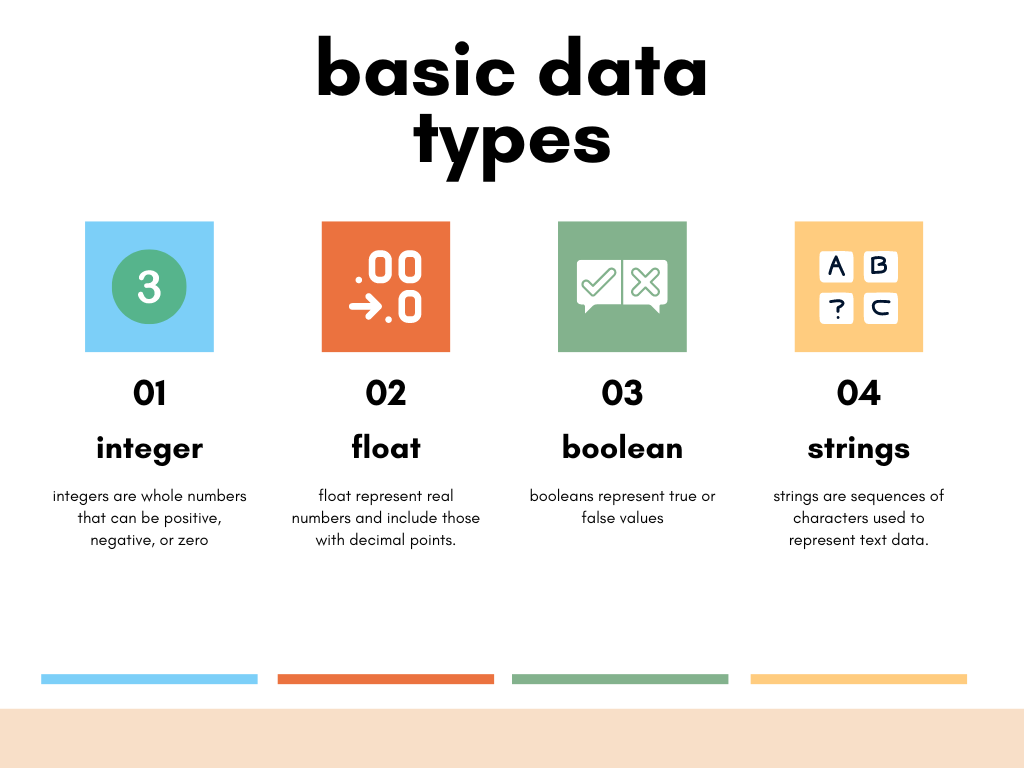
For now, focus on four common built-in data types:
strfor textintfor whole numbersfloatfor decimal numbersboolfor true-or-false states
Python variables for beginners ❎
Watch “Python variables for beginners” by Bro Code for a visual introduction to variables and the four types you will use most often.
First watch the variable model to see assignment and printing. Then watch the four types. Pause briefly after each type and compare its example with the table below. Pay particular attention to the fact that True and False are not placed in quotation marks.
Text: str
A string, written as str, is a sequence of characters representing text. Put strings in quotation marks.
agent_name = "Local File Organizer"
model_file = "small-model.gguf"
status = "draft"
Python permits either double or single quotes:
message_one = "Automation ready"
message_two = 'Automation ready'
Both are strings. Choose one style and use it consistently within a project; double quotes are a common default.
Even when a string contains digits, it remains text:
ticket_code = "A-104"
postal_code = "02139"
A ticket code is an identifier, not a quantity you would add or subtract. The quotation marks tell Python to treat its characters as text.
Whole numbers: int
An integer, written as int, is a whole number with no decimal point.
max_retries = 3
tool_call_limit = 10
completed_tasks = 0
Integers are appropriate for things you count: attempts, records, steps, users, and items.
remaining_attempts = 3
remaining_attempts = remaining_attempts - 1

print(remaining_attempts)
Output:
2
On the second assignment line, Python uses the old value of remaining_attempts, subtracts one, and then stores the new result under the same name.
Decimal numbers: float
A float, short for floating-point number, represents a number with a decimal point.
confidence_threshold = 0.8
response_time_seconds = 1.25
temperature_setting = 0.0
The difference is visible in the literal:
whole_limit = 3      # int
decimal_limit = 3.0  # float
A float is useful for measurements, percentages, model settings, and other quantities that can include a fractional part. In real programs, floats are approximations, so they are not the right choice for situations requiring exact money calculations. For this lesson, the important point is simply that 0.8 is a float, while 8 is an int.
True or false: bool
A Boolean, written as bool, can have only one of two values:
approval_required = True
is_dry_run = False
Booleans represent a yes-or-no state: enabled or disabled, connected or disconnected, approved or unapproved.
Python requires the capitalization shown here:
is_running = True
These are different:
is_running = True       # A Boolean value
is_running_text = "True"  # A string containing four characters
The first value can later control whether a program performs an action. For example, an automation should often use a Boolean such as approval_required before doing something consequential. You will use Booleans for program decisions in a later lesson.
Name variables so their purpose is clear
A script becomes difficult to maintain when its variables have vague names such as x, data1, or thing.
Prefer names that say what the value means:
retry_count = 3
source_document = "notes.txt"
requires_approval = True
Python’s usual naming style is snake case: lowercase words separated by underscores.
agent_name = "Research Assistant"
max_tool_calls = 5
Follow these rules:
- Begin a variable name with a letter or underscore.
- Use letters, digits, and underscores after that.
- Do not use spaces or punctuation such as hyphens.
- Use lowercase snake case for ordinary variables.
- Avoid Python keywords such as
if,class, andTrue. - Remember that Python is case-sensitive:
agent_nameandAgent_Nameare different names.
These are invalid or poor choices:
# 2attempts = 3        # Cannot begin with a digit
# tool-limit = 5       # Hyphen means subtraction to Python
# agent name = "Ada"   # Spaces are not allowed
# x = 5                # Valid, but unclear in most scripts
A useful convention is to begin Boolean names with is_, has_, can_, or requires_. That makes the kind of value obvious:
is_connected = True
has_permission = False
requires_approval = True
Build a small agent configuration script
Return to the folder from the previous lesson:
cd ~/agent_builder/first_script
In VS Code, create a new file named:
agent_profile.py
Enter and save this code:
agent_name = "Local File Organizer"
max_retries = 3
confidence_threshold = 0.8
approval_required = True

print(agent_name)
print(max_retries)
print(confidence_threshold)
print(approval_required)

print(type(agent_name))
print(type(max_retries))
print(type(confidence_threshold))
print(type(approval_required))
Run it in VS Code’s integrated terminal:
python3 agent_profile.py
You should see output similar to:
Local File Organizer
3
0.8
True
<class 'str'>
<class 'int'>
<class 'float'>
<class 'bool'>
The built-in type() function lets you inspect the kind of value currently held by a variable. The angle-bracket output is Python’s way of displaying the type; the useful part is the name inside it, such as str or bool.
Now make two deliberate changes:
max_retries = 5
approval_required = False
Save the file and run it again. Confirm that the printed values and the reported types are what you expect. Changing a Boolean’s value from True to False changes its state, but not its type.
A compact way to check your understanding is to look at each assignment in your script and identify:
- The variable name.
- The literal value on the right side.
- Its type:
str,int,float, orbool. - Whether the name accurately describes what the value means.
Type determines what an operation means
Python uses a value’s type to decide what an operation should do. The plus sign is a simple example:
print(3 + 4)
print("3" + "4")
Output:
7
34
With integers, + performs addition. With strings, it joins text together. This is why types matter: text that looks like a number is not automatically a number.
For the moment, represent each piece of information using the type that matches its meaning:
| Information | Suitable type | Example |
|---|---|---|
| Name of an automation | str |
"Weekly Report Helper" |
| Number of allowed retries | int |
3 |
| Confidence threshold | float |
0.85 |
| Whether a person must approve an action | bool |
True |
A code such as "007" |
str |
"007" |
The last example is especially important. Although "007" contains digits, it is probably an identifier, so it should remain text. The correct type follows the meaning of data, not just how it looks.
Key takeaways
You can now represent basic program information with Python variables:
- Use
=to assign a value to a variable. - Use descriptive, lowercase
snake_casenames. - Use
strfor quoted text. - Use
intfor whole numbers. - Use
floatfor decimal numbers. - Use
boolfor the unquoted valuesTrueandFalse. - Use
type()when you need to confirm a value’s current type. - Remember that
"3"is text, while3is a number.
Keep agent_profile.py; it is your first small configuration-like script. Next, you will make a program receive information from a person with input() and produce clearer command-line output.