Recommended resources
The freely available resources this lesson will direct you to.
Hello! Welcome to the final lesson of our course.
Throughout our journey, you've learned to build animations from the ground up, starting with pure CSS and then moving to the powerful Lottie workflow. You've directed Claude to write CSS @keyframes to bring static SVGs to life, and you've used JavaScript to take programmatic control of complex Lottie animations exported from Figma.
Now, we'll connect these two threads. This lesson focuses on strategy, not just technique. We'll compare browser-rendered CSS animations with declarative Lottie files to help you understand their practical differences. By the end, you'll have a clear framework for deciding which tool is right for a specific animation task, enabling you to make informed decisions in your future projects.
1. Two Philosophies of Animation
At their core, CSS and Lottie represent two different ways of thinking about animation on the web.
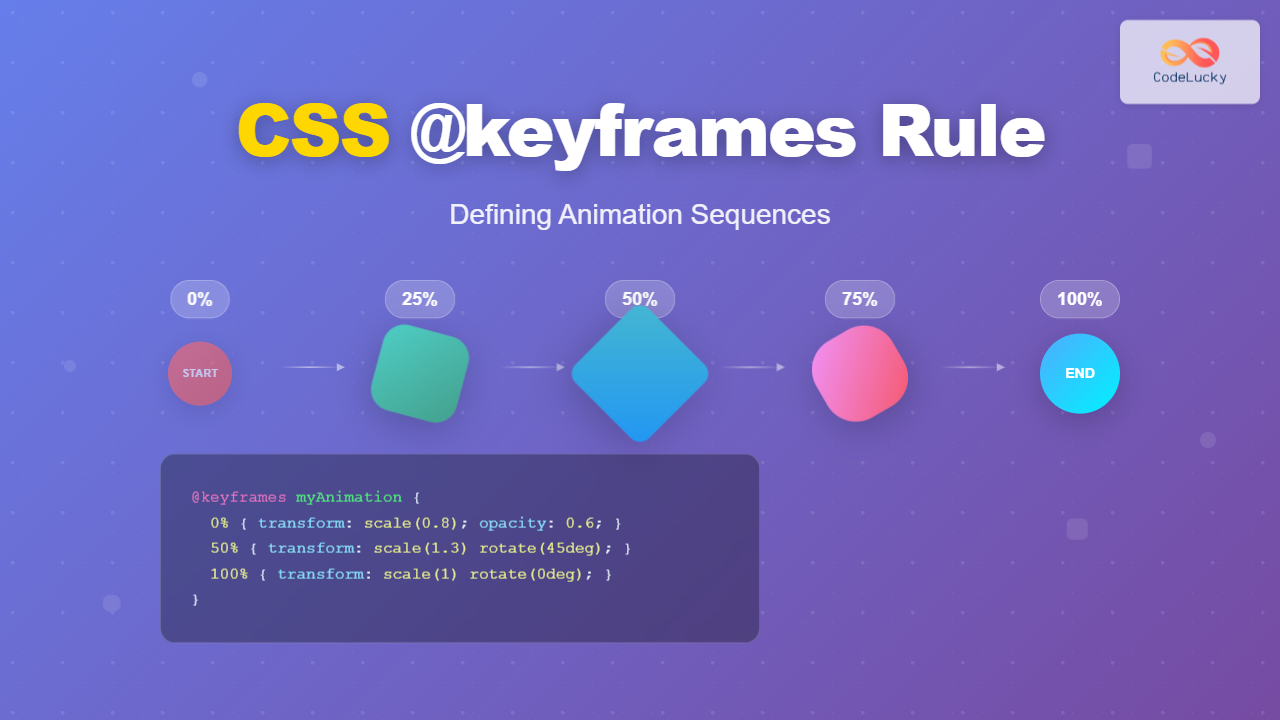
Browser-Rendered CSS Animations are imperative. You write CSS rules that give the browser a set of direct commands on how to change an element's properties over a specific duration. You define the start, end, and intermediate states using @keyframes.
This is like giving a set of instructions: "Start transparent, then at the halfway point be fully opaque and twice as large, and end by rotating 90 degrees."
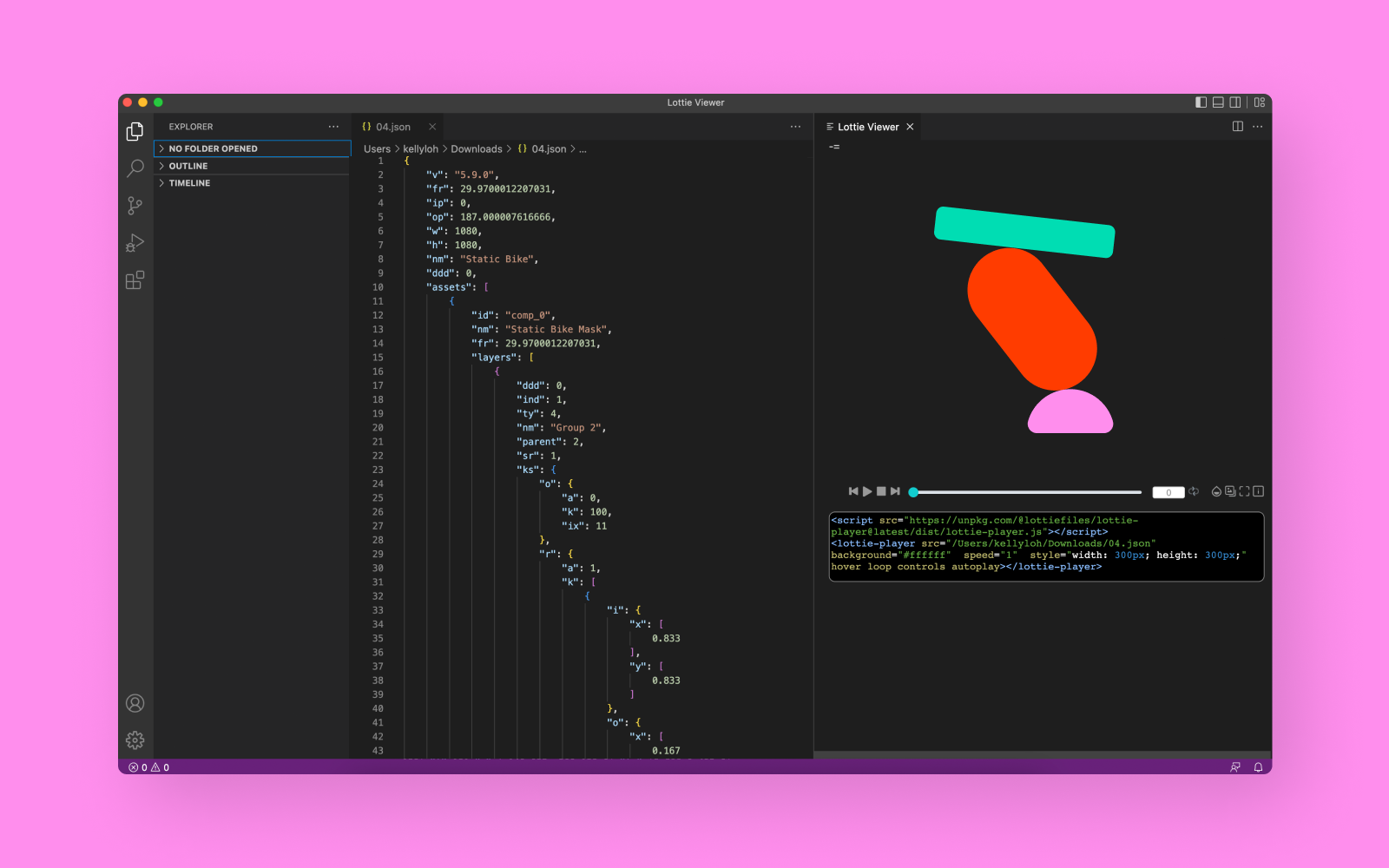
Lottie Animations are declarative. The animation is defined in a JSON file, which is a structured text format. This file doesn't tell the browser how to animate; it describes the final animation in its entirety—every shape, path, color, and keyframe. A separate JavaScript library (lottie-web) then acts as a player, reading this description and rendering it on the screen.
This is like handing someone a complete, pre-recorded video file and a player, saying, "Play this."
2. When to Use Which: UI vs. Illustration
The most important difference lies in their ideal use cases. One excels at making user interfaces feel alive, while the other is perfect for rich, illustrative storytelling.
Let's watch a video that breaks this down with real-world examples.
When to use Lottie or Native animations
The video 'When to use Lottie or Native animations' from the Motion UX channel provides an excellent visual guide to the strengths of each approach. We'll focus on the parts that contrast Lottie with 'native' web animations, which are primarily CSS and JavaScript.
Please watch the following three clips in order: Native UI Animations (03:46 - 05:24): Notice how animations for UI components like dropdowns and calendar views are described as 'native'. This is the domain of CSS. They are tied to the structure and state of the UI itself. Lottie for Illustration (00:17 - 02:41): See how Lottie is used for complex, graphical animations that enhance the page but aren't functional UI components themselves. Think of them as embedded motion graphics. Combining Both (05:24 - 06:03): This short clip explains the most powerful approach: using both techniques together for a delightful experience.
As the video shows, the decision often comes down to this:
- Use CSS for UI Animation: When you need to animate the state or properties of existing interface elements. Think of hover effects on buttons, sliding menus, fading in a modal window, or transitioning between views. These are typically simpler, two-state transitions that are deeply integrated with the user's interaction.
- Use Lottie for Illustrative Animation: When you need to display a complex, pre-designed animation that functions more like a self-contained illustration. This is perfect for detailed loading spinners, animated icons, character animations, or data visualizations that would be incredibly difficult or impossible to create with CSS alone.
3. A Deeper Comparison
Let's break down the practical differences across a few key areas.
Advanced UI Animation Strategies: When to Use CSS, Lottie, Rive ...
The article 'Advanced UI Animation Strategies' offers a fantastic summary of the pros and cons for different animation techniques. It clearly articulates the trade-offs between CSS and Lottie.
Please read the sections 'CSS Transitions & Animations' and 'Lottie (Vector JSON Animations)'. As you read, focus on the core strengths and weaknesses the author points out for each, particularly regarding performance, workflow, and interactivity.
Building on that reading, here is a summary table comparing the two approaches:
| Aspect | CSS Animations | Lottie Animations |
|---|---|---|
| Creation Workflow | Defined directly in CSS using @keyframes. You (or Claude) write code to describe the motion. Best for developers. |
Created in a visual tool (like After Effects or a Figma plugin), then exported to a JSON file. Best for designers. |
| Complexity | Best for simple transitions of properties like transform and opacity. Complex sequences get very difficult to write and maintain. |
Can handle extremely complex vector animations with many layers, masks, and intricate timing. Far superior for character or story-driven motion. |
| Performance | Extremely high performance. The browser is heavily optimized to run these animations, often using the GPU (compositor thread) so they don't interfere with other page operations. | Very performant, but runs via a JavaScript player. Extremely complex Lottie files can tax the CPU, especially on lower-end devices. Performance is tied to the JS main thread. |
| File Size & Quality | The animation code is just a few lines of text. It animates existing HTML/SVG elements. | The JSON file is vector-based, meaning it's tiny (often just kilobytes) and can be scaled to any size without losing quality. This is a huge advantage. |
| Interactivity | Limited. Can be triggered by simple interactions like :hover or by adding/removing a class with JS. Difficult to pause, scrub, or play in reverse. |
Highly interactive. As you learned in the previous lesson, you can use JavaScript to play specific segments, link the animation to scroll position, reverse it, and more. |
4. A Decision-Making Framework
So, when you're planning an animation, which path should you choose? Here’s a simple checklist to guide your thinking.
Choose CSS Animations if:
- You are animating a simple UI state change (e.g., a button's hover effect, a menu sliding in).
- The animation involves basic property changes like position, scale, rotation, or opacity.
- Top-tier performance for a simple interaction is the absolute priority.
- You don't need to programmatically pause, reverse, or scrub the animation timeline.
Choose Lottie if:
- The animation is a complex illustration with multiple layers, paths, or character-like movements.
- The animation was designed in After Effects or a similar tool and needs to be replicated perfectly on the web.
- You need to control the animation with code (e.g., play a segment on click, sync playback to scroll).
- The animation needs to be perfectly crisp at any size (resolution independence is key).
Ultimately, the best digital products often use a hybrid approach. They rely on fast and efficient CSS animations for the core user interface and sprinkle in beautiful Lottie animations to add personality, provide feedback, and tell stories.
Conclusion: You Are Now the Animation Director
Congratulations on completing the course! You've gone from the fundamentals of motion to orchestrating complex animations with two of the most powerful technologies available for the web.
Key Takeaways from this Lesson:
- CSS animations are imperative instructions for the browser, ideal for simple, performant UI state changes.
- Lottie animations are declarative JSON files that describe complex, illustrative motion and are played back using a JavaScript library.
- The choice between them depends on complexity, workflow, and interactivity needs.
- The most sophisticated products combine both techniques, using CSS for UI and Lottie for storytelling and personality.
You now possess a comprehensive toolkit. You not only understand how to create animations but, more importantly, you have the strategic framework to decide which kind of animation to create and how to direct an AI to build it for you. You've successfully bridged the gap between design and development.
The next step is to practice. Take a design you're working on and ask yourself: "Where could a small CSS transition make this feel more responsive? Where could a delightful Lottie animation improve the user experience?" Go build something amazing