Recommended resources
The freely available resources this lesson will direct you to.
Hello! Welcome back to our course on architecting security products.
In the last lesson, we designed the analytical core of our vulnerability scanner: a matching engine that correlates discovered network services with a vulnerability database. That engine relies on data gathered from the outside—service banners, protocol versions, etc. While useful, this approach can be incomplete and sometimes inaccurate.
To build a truly effective scanner, we need to go deeper. This lesson moves from an external perspective to an internal one, addressing the learning outcome: Design authenticated scanning capabilities, including secure credential storage and privilege management for deep host inspection.
We will architect the systems that allow our scanner to securely log in to target hosts. This enables "deep host inspection," where the scanner can gather ground-truth data, such as a complete list of installed software, precise patch levels, and local configurations. This dramatically improves the accuracy and coverage of our vulnerability detection. Our design will focus on two critical, interdependent components: safely managing the credentials the scanner uses, and ensuring the scanner operates with the absolute minimum privilege required.
1. The Architecture of Authenticated Scanning
Authenticated (or "credentialed") scanning is the difference between looking at a house from the street and being invited inside to inspect the plumbing and wiring. By logging into a target, a scanner can execute commands to collect rich, unambiguous data that is impossible to see from the network.
- Unauthenticated Scan: "I see a web server on port 443 that says it's 'nginx'."
- Authenticated Scan: "I've logged into the machine. I can confirm it's running
nginxversion 1.18.0, and the OS package manager reports that security patchCVE-2021-23017has not been applied. I also found that thelog4jlibrary version 2.14.1 is present on the filesystem."
The architectural challenge is to enable this securely and at scale. This involves two primary concerns: the authentication protocol used to connect, and the type of credential supplied.
Common Authentication Protocols
A scanner needs to be multi-lingual, speaking the native administrative protocols of its targets.
- SSH (Secure Shell): The standard for Linux, macOS, and other UNIX-like systems.
- WinRM (Windows Remote Management): The modern standard for managing Windows hosts, using SOAP over HTTP/S.
- Cloud Provider APIs: For scanning cloud resources (like EC2 instances, S3 buckets), the scanner can authenticate using cloud-native IAM credentials (e.g., API keys, instance roles). This is often called "agentless" scanning, but it's fundamentally a form of authenticated scanning against the cloud control plane.
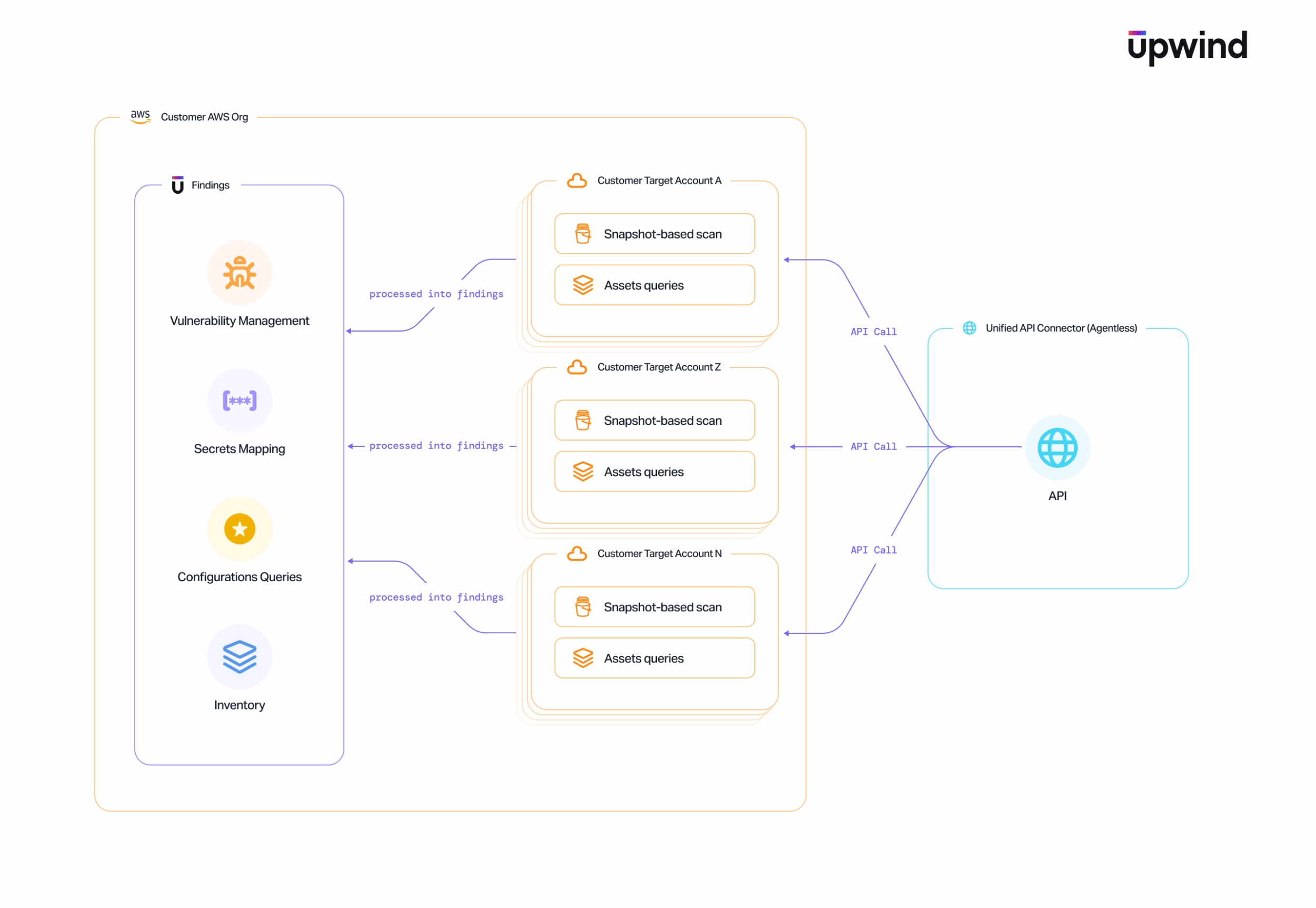
We will focus our design on SSH, as its principles are widely applicable. To understand how a scanner would use SSH, it's crucial to grasp the public key authentication flow.
The video 'How SSH Really Works' from ByteByteGo provides a concise and clear animation of the SSH handshake, including key exchange and public key authentication. This will give you a solid first-principles understanding of the secure channel our scanner will use.
Please watch from 00:45 to 03:33. Pay close attention to the distinction between the ephemeral session key (used for encrypting the channel) and the long-term public/private key pair (used for authenticating the client).
As the video explains, public key authentication allows the scanner (client) to prove its identity without ever sending a secret over the network. The target server only needs the scanner's public key. This is far more secure and scalable for an automated system than managing passwords.
The NIST publication "Security of Interactive and Automated Access Management Using Secure Shell (SSH)" strongly reinforces this. Let's look at their analysis.
[PDF] Security of Interactive and Automated Access Management Using ...
This document from NIST provides authoritative guidance on securing SSH. We will read the sections comparing different authentication methods to understand why public key authentication is the industry best practice for automated systems like our scanner.
Please read the following sections: Section 3.4.1 'Password Authentication': Note the reasons why it's 'generally not recommended for automated processes'. Section 3.4.4 'Public Key Authentication': Focus on how it works and its advantages, particularly the mention of 'command restrictions' and 'source restrictions'. Table 3-1 in Section 3.4.5 'User Authentication Summary': Compare the 'Public Key' column with the others. Note its strengths in enforcing command restrictions and minimizing implicit access.
The key takeaway is clear: for an automated process like a vulnerability scanner, public key authentication is the recommended method. It avoids storing and transmitting passwords and, as we'll see later, provides powerful mechanisms for privilege management.
2. Architecting Secure Credential Storage
If our scanner is to perform authenticated scans, it must have access to the necessary credentials (SSH private keys, API keys, etc.). Storing and managing these secrets is one of the most critical aspects of the scanner's design. A compromise of the scanner could lead to a compromise of every target it has credentials for.
Let's first understand the core challenges of secrets management.
Secrets Management: Secure Credentials & Avoid Data Leaks
This IBM Technology video, 'Secrets Management: Secure Credentials & Avoid Data Leaks', gives an excellent overview of the problems we need to solve: secret sprawl, cleartext storage, and the need for access control and rotation.
Please watch from 00:28 to 09:02. This covers the main problems, the principles of a good solution (centralization, encryption, access control, audit), and a high-level architectural view of a secrets management system.
Drawing from the principles in the video, we will not store credentials directly on the scanner workers or embed them in configuration files. Instead, we will design a centralized, dedicated credential management service.
Here is a common and robust architectural pattern for this service, inspired by real-world implementations.
This diagram shows an architecture for secure credential storage. The Scan Orchestrator communicates with a dedicated Secrets API to manage credentials, which are stored in an encrypted vault. Scan Workers request credentials from the Secrets API on a per-job basis, ensuring that workers do not store credentials long-term and that all access is centrally controlled and audited.
Let's break down the components of this architecture:
-
Secrets Vault: This is the core storage component. It is a specialized, hardened database designed for encrypting and storing secrets. A leading open-source example is HashiCorp Vault. The vault is responsible for:
- Encryption at Rest: All credentials are encrypted on disk. The vault itself is typically "sealed" on startup and requires a quorum of operators to provide keys to "unseal" it, making the raw data inaccessible even to someone with full access to the underlying server.
- Fine-grained Access Policies: The vault has its own internal policy language to define which entity can access which secret path.
-
Secrets API: This is a stateless service that acts as the only gateway to the Secrets Vault. No other component (including scanner workers) communicates directly with the vault. This API is responsible for:
- Authentication & Authorization: It authenticates requests from scanner components (e.g., using mutual TLS or a service token) and authorizes them based on their role. For example, a
ScanOrchestratormight havewritepermission to add new credentials, but aScanWorkeronly hasreadpermission for a specific credential needed for its current job. - Abstraction: It hides the complexity of the underlying vault. The workers simply make a REST API call like
GET /api/v1/credentials/{cred_id}. - Auditing: It generates a detailed audit log for every single credential access request—who/what requested it, for which target, whether it was successful, and when.
- Authentication & Authorization: It authenticates requests from scanner components (e.g., using mutual TLS or a service token) and authorizes them based on their role. For example, a
-
Scan Worker Workflow:
- When a worker is assigned a scan job (e.g., scan host
10.1.2.3with credential IDcred-abc), its first step is to request the credential from the Secrets API. - The Secrets API validates the worker's identity and its authorization for that specific job, retrieves the secret from the vault, and returns it to the worker.
- The worker holds the credential only in memory and only for the duration of the scan job. Once the job is complete, the credential is purged from memory. It is never written to disk on the worker.
- When a worker is assigned a scan job (e.g., scan host
This architecture directly addresses the problems of secret sprawl and cleartext storage by creating a single, secure, and auditable control point for all credentials.
3. Designing for Least Privilege
Gaining access to a system is only half the battle. A well-designed authenticated scanner must operate under the Principle of Least Privilege. This means the credentials it uses should grant it only the minimal permissions necessary to perform its data collection tasks, and nothing more. This mitigates the risk if a scanner component or the credential itself is compromised.
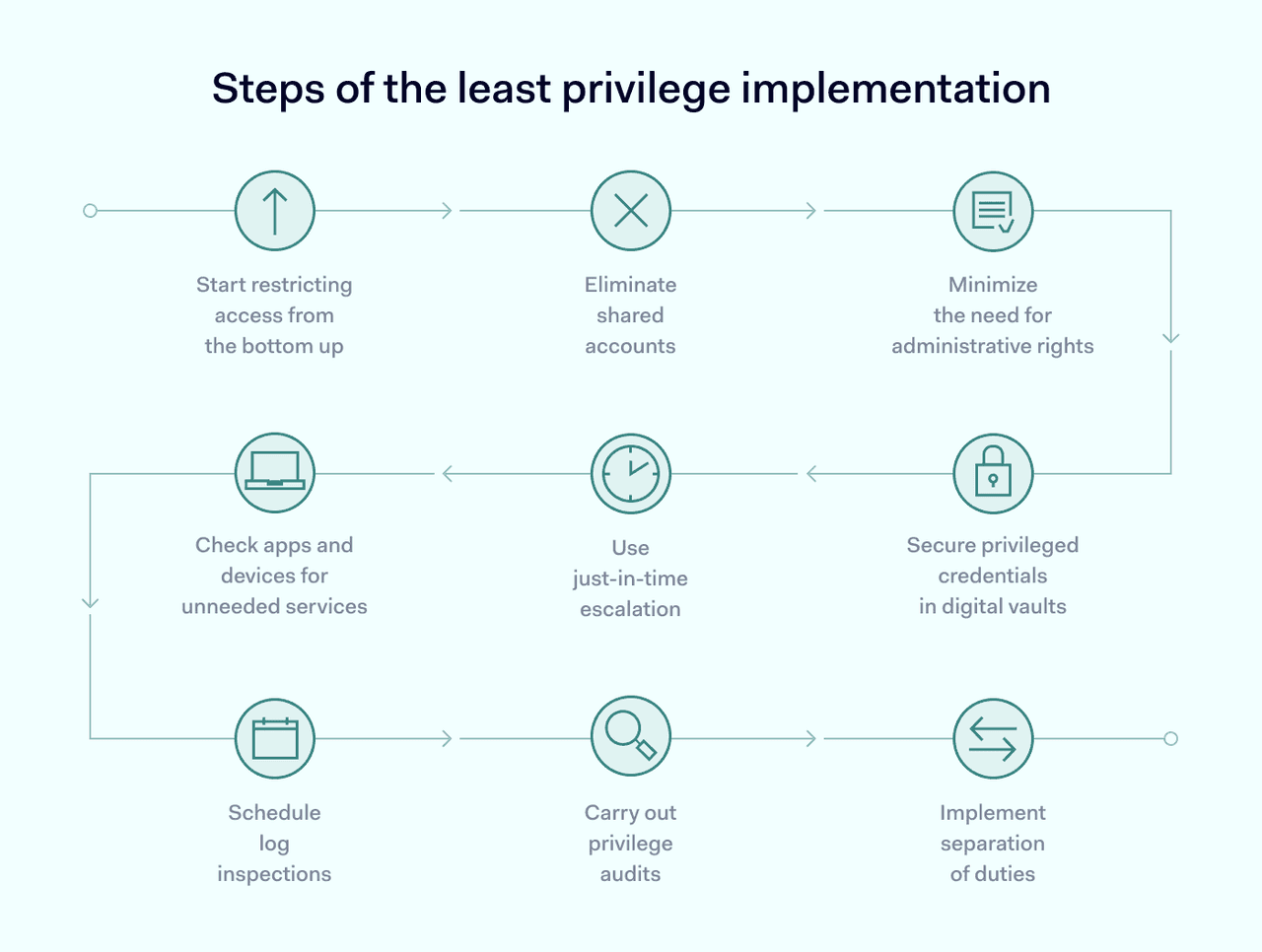
Let's architect specific technical controls to enforce least privilege for our SSH-based scanning, using the detailed guidance from the NIST document.
[PDF] Security of Interactive and Automated Access Management Using ...
Now we'll revisit the NIST SSH document, but this time focusing on the specific controls for enforcing least privilege. These recommendations are direct inputs for a secure scanner design.
Please read the following sections carefully: Re-read the end of Section 3.4.4 'Public Key Authentication': Pay special attention to the paragraph starting 'Many SSH implementations support configuring restrictions...'. This is the foundation of our privilege management. Section 5.1.2 'SSH Identity and Authorized Keys': Focus on the bullet points for 'Authorized Key Command Restrictions' and 'Authorized Key Source Restrictions'. Skim Appendix A 'NIST SP 800-53 Controls Mapping': Look at the entries for AC-6, LEAST PRIVILEGE. This shows how these technical controls map to formal security frameworks.
Based on this, we can implement a multi-layered approach to privilege management on the target hosts:
Control 1: Dedicated, Non-Privileged Scan Accounts
On every target host, a dedicated user account should be created for the scanner (e.g., vulnscan_user). This account should not have root or sudo privileges. Its purpose is solely to run the scanner's data collection scripts.
Control 2: SSH Authorized Key Restrictions
This is the most powerful control. The scanner's public key, placed in the ~/.ssh/authorized_keys file of the vulnscan_user, can be heavily restricted. A typical entry would look like this:
from="192.0.2.10/32",command="/usr/local/bin/scanner_script.sh",no-port-forwarding,no-x11-forwarding,no-agent-forwarding,no-pty ssh-rsa AAAA... scanner-key
Let's dissect this:
from="192.0.2.10/32": Source Restriction. This key is only valid if the SSH connection originates from the scanner's IP address (192.0.2.10). An attacker who steals the private key cannot use it from their own machine.command="/usr/local/bin/scanner_script.sh": Command Restriction. This is the critical part. When the scanner authenticates with this key, it doesn't get an interactive shell. The SSH server immediately executes the specified script and then closes the connection. The scanner cannot run arbitrary commands, browse the filesystem, or attempt privilege escalation. The script itself would contain the read-only commands needed for inspection (e.g.,rpm -qa,dpkg -l,cat /etc/os-release).no-port-forwarding,no-x11-forwarding,no-agent-forwarding,no-pty: These options disable various risky SSH features, further locking down the session.
This server-side configuration ensures that even if the scanner's logic were compromised, the potential for harm on the target host is drastically limited.
Conclusion
In this lesson, we have designed the complete architecture for adding authenticated scanning capabilities to our vulnerability scanner. We've moved beyond simple network observation to architect a system that can perform deep, accurate host inspections.
Key Takeaways:
- Authenticated scanning provides high-fidelity data by executing commands directly on targets, but requires a robust and secure architecture.
- Public key authentication (e.g., via SSH) is the preferred method for automated systems, as it is more secure and manageable than passwords.
- Secure credential storage is paramount. A centralized architecture using a Secrets Vault fronted by a Secrets API provides a secure, auditable, and scalable solution, preventing secret sprawl and ensuring credentials are not stored on scanner workers.
- Privilege management is not optional. The Principle of Least Privilege must be enforced through technical controls. Using dedicated, non-privileged accounts combined with powerful SSH
authorized_keysrestrictions (command and source control) minimizes the risk of the scanner itself becoming a security liability.
Preview of the Next Lesson:
So far, our scanner has focused on vulnerabilities in deployed software and infrastructure. However, many vulnerabilities originate in the application code itself, before it's even deployed. In the next module, we will shift our focus to Application Security Testing (AST). Our first lesson will be to "Design the system architecture of a SAST pipeline," where we'll architect a system that analyzes source code to find security flaws early in the software development lifecycle.