Welcome back. Your Morning Work Menu now gives you a small choice for low-, ordinary-, or high-energy mornings. Today we will make that choice easier to begin. You will design a start routine with two parts: one reliable cue that tells you when to open the menu, and one barrier that makes a distracting internet detour less likely.
The routine is for your planned course mornings, not every morning without exception. It should still make sense when you wake later than expected, need to rest, or have only enough capacity for a five-minute menu item.
Make the first minute easier than the detour
“Study in the morning” describes an intention, but leaves several decisions for a tired morning: When do I start? What do I open? Do I check something online first? A start routine answers those questions in advance.
Watch these short portions of Dr. Tracey Marks’s “Why Some People Build Better Habits (and How You Can Too).” The useful ideas here are specificity and arranging your surroundings—not a promise that a routine will become effortless.
Why Some People Build Better Habits (and How You Can Too)
Dr. Tracey Marks explains why a specific starting situation is more useful than a vague goal, and how the environment can make the intended action easier to take.
Watch specific cues for the contrast between an intention and a precise “when and how” plan. Continue through environment design, focusing on how having materials ready reduces the need for self-control. Then watch if-then planning for a concise way to connect a situation to an action. You do not need to adopt the video's other habit-building suggestions.
We will use an if-then plan, but keep the “then” very small. It will mean open the menu and choose, not complete a full lesson regardless of how you feel.
Choose a cue that survives an imperfect morning
A cue is an event you can recognize: “I have finished my first morning drink” or “I have sat down at my laptop for course time.” A clock time can work for some people, but “at 8:00 a.m.” may be unreliable when sleep and illness vary. An event tied to something you already do can move with your morning.
For this course, a useful cue has three qualities:
- Likely to happen on most mornings when you intend to study.
- Easy to notice, without an alarm you might miss or dismiss.
- Private and under your control, rather than dependent on another person’s schedule.
For example:
If I finish my first drink and sit down at my laptop on a planned course morning, then I open my Morning Work Menu.
“Finish my first drink” is only an example; use an event that genuinely occurs in your mornings. Do not choose a cue that requires you to feel motivated, energetic, or calm. Those conditions may never arrive precisely when you need them.
The cue leads to a first action, not a workload. Your first action can be opening a private paper note or local document before opening the browser. Once the menu is visible, you decide whether today calls for a low-, ordinary-, or high-energy item—or rest. Opening the menu does not obligate you to study when you are unwell.
Write your cue
Add this sentence to the top of your Morning Work Menu:
On a planned course morning, if [an existing, noticeable morning event happens], then I [open the menu in a specific place].
Make the second blank concrete: “open the document named Morning Work Menu from my desktop” is easier to follow than “get organized.” If a visible desktop file would compromise your privacy, keep it in a private folder you can find easily, or use a paper note stored discreetly.
Put friction in front of one internet detour
The internet is also where some of your course resources live. The aim is not to block the whole browser. It is to make one predictable detour—perhaps a video homepage, an income-advice feed, or repeated checking of new methods—slightly harder to enter before you choose your menu item.
A barrier changes the environment rather than asking you to win an argument with yourself each morning. Here is an example of a stronger, site-specific barrier:
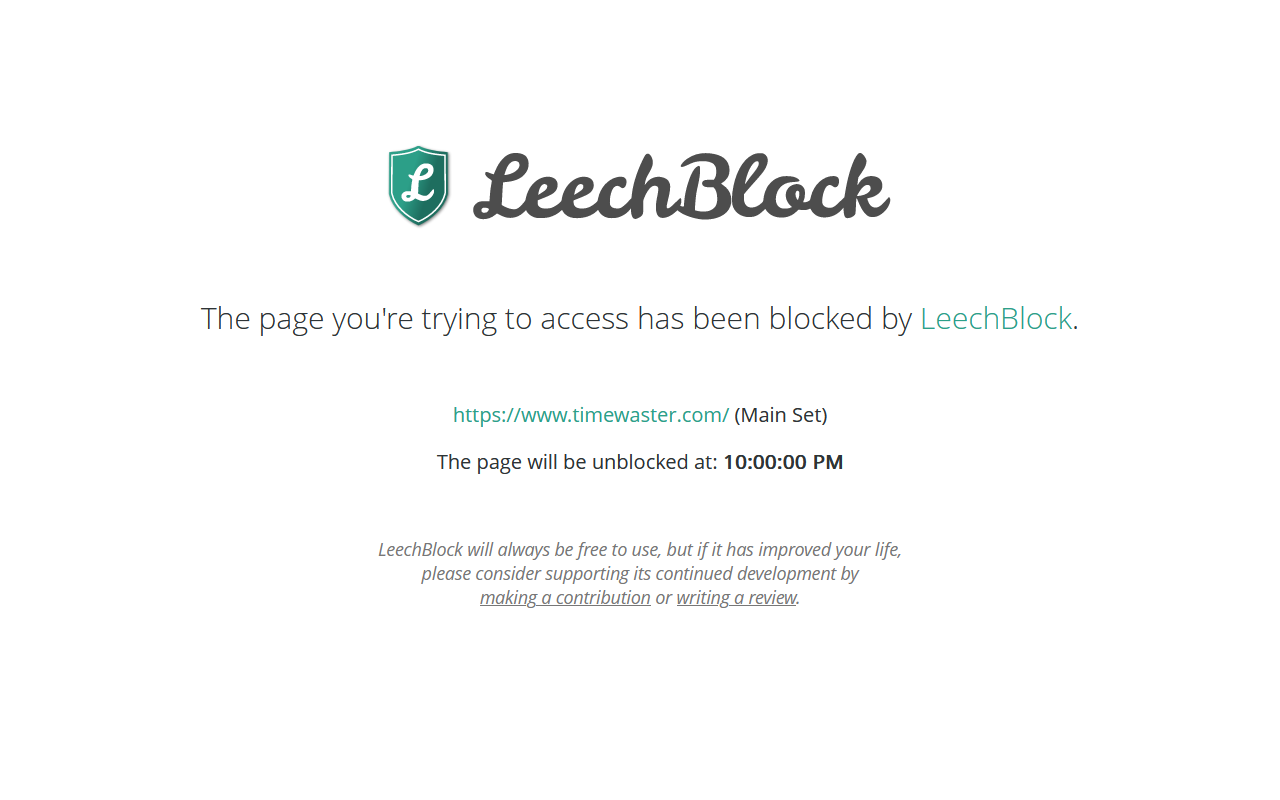
The screenshot illustrates a possibility, not an instruction to install an extension or block anything until 10:00 p.m. This course has a no-paid-tools rule. A blocker is optional, and an overly strict block could interfere with a lesson resource or an important personal need.
Start with one free, reversible barrier that fits your browser habits:
- If a distracting site is one click away on your browser’s start page, remove that shortcut. Keep your course menu easy to reach.
- If you routinely leave a distracting feed open, close that tab when you finish using the computer, so it is not waiting when you begin next time.
- If those small changes are insufficient and you already have a suitable free site blocker, you may block one named feed or site during your chosen course period, provided you can still reach assigned resources and important services.
These are alternatives, not a checklist. Pick one. Do not spend your next study morning comparing extensions or configuring an elaborate system; that could become another internet detour.
A barrier is useful even if it is not impossible to bypass. Its job is to create a moment in which you can notice, “I came here to choose a course task.” If you do follow the detour anyway, that is information about the setup—not evidence of a character flaw.
Assemble the complete start routine
Your routine should take roughly a minute before the chosen work item begins. Put the pieces in this order:
- Notice your cue.
- Open your Morning Work Menu directly.
- Choose one level and one item, or decide that you need rest.
- Use your one internet barrier while doing that item. If the item needs an online resource, open the assigned page directly rather than browsing a feed for something else to study.
Here is a model you can edit:
Cue: On a planned course morning, when I sit down with my first drink at the laptop, I open my private Morning Work Menu document.
Barrier: I remove the income-video shortcut from my browser’s start page. When the lesson needs the internet, I open its assigned resource directly.
Low-capacity version: I choose a five-minute menu item or rest. Opening the menu is not a promise to do more.
Notice what this plan does not require: a fixed wake-up time, a motivational mood, a new purchase, or a long session. It also leaves your private novel outside the course routine.
Take a few minutes to write your own version. Then check it against the real morning you are likely to have, not an ideal one. If the cue might not happen on a difficult day, choose a more dependable event. If the barrier prevents legitimate course access, make it narrower or choose a different one. You can test the setup on a planned morning and revise it without treating the first version as a commitment forever.
Key takeaways
A workable morning start is specific, small, and adjustable. Your cue identifies an existing event; your first action opens the work menu; your single barrier adds friction to a known internet distraction without blocking the resources you need. The menu still determines what, if anything, you have capacity to do.
Save the cue and barrier with your Morning Work Menu. Next, we will address what happens after an interruption or missed day, so returning to the course does not turn into a catch-up obligation.