Recommended resources
The freely available resources this lesson will direct you to.
Hello! In the previous lesson, you applied two Alembic revisions to a scratch database. The migration command read DATABASE_URL directly from the process environment. Your FastAPI application now needs a more deliberate approach: it should load configuration from the intended environment, reject invalid values, and avoid exposing credentials.
In about 40–45 minutes, you will build a small settings module for the note-review application, use it at FastAPI startup, and check both successful and failed configurations. This lesson concerns configuration validation, not connecting to PostgreSQL; the connection pool comes next.
Configuration is input to the application
The same application code might run against a local development database or an isolated test database. The database address changes, but the code should not. An environment variable provides that value outside the source file; Pydantic Settings turns its string value into a validated Python field.
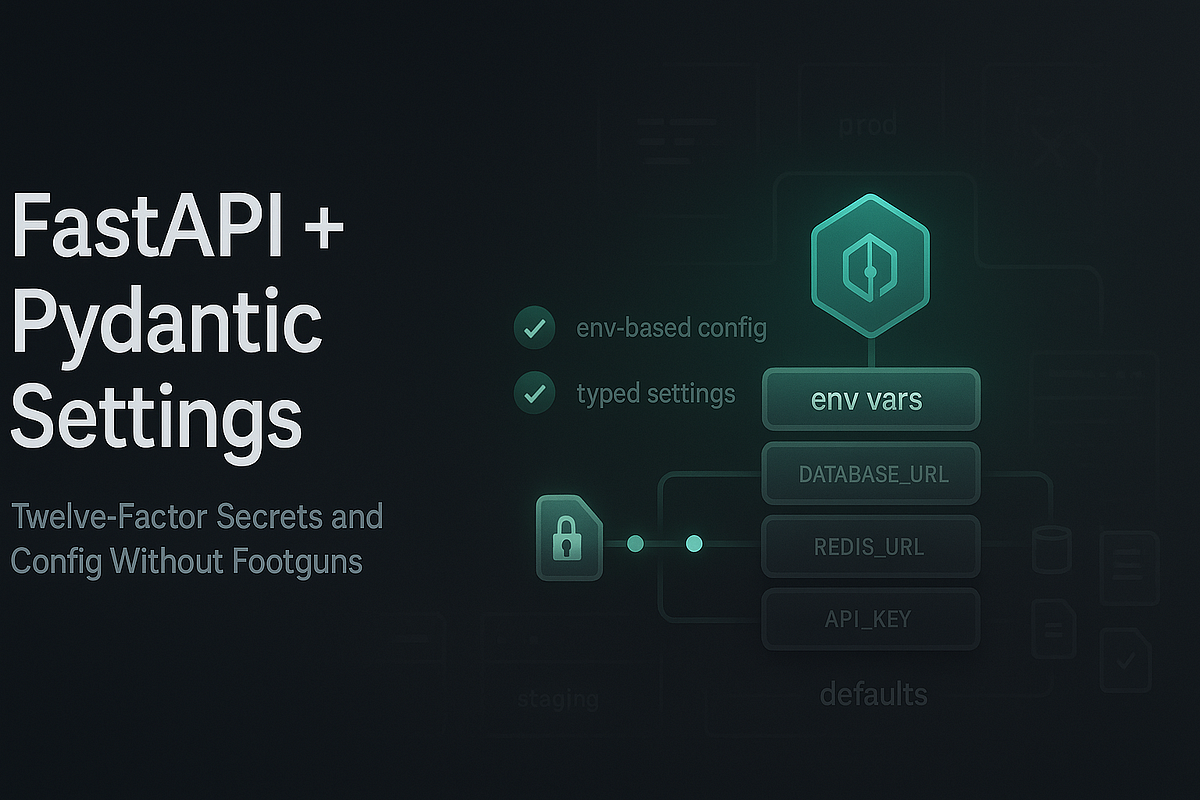
The diagram captures the boundary. Its database URL and API key are examples of configuration inputs—not an indication that environment variables are a secure vault, or that this application needs Redis.
Watch the selected portions of BugBytes’ pydantic-settings - Modern, Type-Safe Configuration for Python Apps. The presenter starts with a FastAPI settings class, then demonstrates typed fields, masked secrets, and a local .env file. Do not copy the demonstration’s practice of printing settings in a request handler; we will keep credentials out of responses and logs.
pydantic-settings - Modern, Type-Safe Configuration for Python Apps
BugBytes demonstrates how a settings class obtains values from the environment and validates them in a FastAPI project.
Watch the settings class for the role of BaseSettings. Skip ahead to typed secrets, focusing on validation and what SecretStr masks. Finish with dotenv loading to see how a local file supplies values and how an invalid value fails validation.
For the reference implementation, read FastAPI’s Settings and Environment Variables. In “Pydantic Settings,” concentrate on required fields, defaults, and type conversion. In “Reading a .env file,” stop after “Read settings from .env”; we will load settings once at startup, so the subsequent caching example is optional here.
Settings and Environment Variables - FastAPI
FastAPI’s guide shows how BaseSettings validates environment values and how SettingsConfigDict enables a local dotenv file.
In “Pydantic Settings,” read from typed settings through the explanation of conversion. Then, under “Reading a .env file,” read dotenv setup, ending just before “Creating the Settings only once with lru_cache.” Focus on the distinction between a required field and one with a default.
Define the settings contract
Install the two settings packages in the project environment if needed. FastAPI and SQLAlchemy were used in the preceding work; install them too if this is a new environment.
python -m pip install fastapi uvicorn pydantic-settings python-dotenv sqlalchemy
Create config.py beside main.py:
from typing import Literal

from pydantic import Field, SecretStr, field_validator
from pydantic_settings import BaseSettings, SettingsConfigDict
from sqlalchemy.engine import make_url
from sqlalchemy.exc import ArgumentError


class Settings(BaseSettings):
    model_config = SettingsConfigDict(
        env_file=".env",
        env_file_encoding="utf-8",
        extra="forbid",
    )

    app_env: Literal["local", "test", "production"] = "local"
    database_url: SecretStr
    due_limit: int = Field(default=20, ge=1, le=200)
    telegram_bot_token: SecretStr | None = None

    @field_validator("database_url")
    @classmethod
    def require_psycopg_url(cls, value: SecretStr) -> SecretStr:
        try:
            url = make_url(value.get_secret_value())
        except ArgumentError:
            raise ValueError("DATABASE_URL must be a valid PostgreSQL URL") from None

        if (
            url.drivername != "postgresql+psycopg"
            or not url.host
            or not url.database
        ):
            raise ValueError(
                "DATABASE_URL must use postgresql+psycopg "
                "and include a host and database"
            )
        return value

    @field_validator("telegram_bot_token")
    @classmethod
    def reject_blank_token(cls, value: SecretStr | None) -> SecretStr | None:
        if value is not None and not value.get_secret_value().strip():
            raise ValueError("TELEGRAM_BOT_TOKEN must not be blank")
        return value
There are four different decisions in this class:
database_urlis required. There is no fallback that could silently send reviews to the wrong database. Its validator requires thepostgresql+psycopgURL form used by the preceding Alembic walkthrough, plus a host and database name.app_envanddue_limitare typed configuration. For example, an environment value of7becomes an integer fordue_limit;0is rejected.app_envis a label, not an instruction to select a file or database automatically.- The Telegram token is optional for now. A local API can start before the bot is configured, but a supplied blank token is a mistake. When Telegram delivery is implemented later, its enabled configuration will need to require a real token.
SecretStrreduces accidental disclosure, including in the settings object’s representation. It is not encryption.get_secret_value()retrieves the original value for a component that genuinely needs it, so never print that result, return the entire settings object from an endpoint, or log a connection URL.
SQLAlchemy’s make_url() checks and parses the URL without opening a connection. This validator therefore establishes a configuration contract; it cannot prove that PostgreSQL is running, the credentials work, or the selected database is safe to modify.
Choose sources deliberately and keep local secrets local
For local development, create a committable template called .env.example:
APP_ENV=local
DATABASE_URL=postgresql+psycopg://user:replace-me@127.0.0.1:5432/reviews_dev
DUE_LIMIT=20
# TELEGRAM_BOT_TOKEN is optional until Telegram delivery is configured.
Copy it to .env, then edit only your private .env with the credentials and database name appropriate to your local setup. The template contains placeholders, not usable credentials. The settings loader looks for .env relative to the process’s current working directory, so run the commands below from the project directory.
Protect local variants in .gitignore:
.env
.env.*
!.env.example
Check that Git ignores the private file with git check-ignore -v .env. Ignoring a file does not remove it if Git already tracks it; if a real secret was committed, remove it from tracking and rotate the exposed credential. A dotenv file remains plaintext on disk, so restrict access to it as well. The same caution applies to process environment variables: neither mechanism makes a secret safe to print or share.
Which source wins if two provide DATABASE_URL? Read Pydantic’s Settings Management documentation before testing an override. Under “Dotenv (.env) support,” focus on the paragraphs after the two loading examples, including _env_file. Under “Field value priority,” read the ranked list through defaults.
Settings Management | Pydantic Docs
Pydantic’s documentation makes source selection explicit, especially when a shell variable conflicts with .env or a test supplies a different file.
In “Dotenv (.env) support,” find the two examples that configure env_file and _env_file. Read source overrides, paying particular attention to environment variables taking priority over dotenv values and to _env_file replacing the configured file. Then, in “Field value priority,” read the ranked sources beginning priority order and continue through the final default-values item.
For this class, a value passed to Settings(...) takes priority over a process environment variable, which takes priority over .env, which takes priority over a field default. A test can use Settings(_env_file=None, ...) to disable dotenv loading; that does not disable process environment variables. If you deliberately create a private .env.test, Settings(_env_file=".env.test") selects it, but setting APP_ENV=test alone does not.
There is one important continuity point from the migration lesson: its current alembic/env.py reads os.environ["DATABASE_URL"] directly. It does not load this .env file. When running Alembic, explicitly supply and verify the intended database URL in that process’s environment; do not assume the application settings and migration command have selected the same database.
Validate at FastAPI startup
A settings class only checks values when you instantiate it. Instantiate it during FastAPI’s lifespan startup so a missing or malformed database URL stops the application before it accepts requests. Create main.py:
from contextlib import asynccontextmanager

from fastapi import FastAPI, Request

from config import Settings


@asynccontextmanager
async def lifespan(app: FastAPI):
    app.state.settings = Settings()
    yield


app = FastAPI(lifespan=lifespan)


@app.get("/health")
def health(request: Request):
    settings: Settings = request.app.state.settings
    return {
        "status": "ok",
        "environment": settings.app_env,
        "due_limit": settings.due_limit,
    }
Start it from the project directory:
python -m uvicorn main:app
A valid .env allows startup. The /health response contains only non-secret fields. Startup does not run migrations or connect to PostgreSQL; those are separate responsibilities. In the next lesson, the connection pool will follow the same application lifespan, but it will need a connection string suitable for psycopg—the SQLAlchemy dialect URL validated here should not be passed to psycopg.connect() unchanged.
You can observe an environment-specific override without putting a secret on the command line. In a Bash-compatible shell, stop the server and run:
APP_ENV=test DUE_LIMIT=7 python -m uvicorn main:app
The response now reports test and 7, even if .env says local and 20. Use your shell’s equivalent syntax elsewhere. This change only overrides those two fields: unless you also supply a separate test DATABASE_URL, the application still has the database URL from .env. A test label must never be mistaken for database isolation.
Finally, check failure cases without touching a database. Run the following from a Python interpreter or save it as a temporary local verification script:
from unittest.mock import patch

from pydantic import ValidationError

from config import Settings

fake_url = (
    "postgresql+psycopg://demo:fake@127.0.0.1:5432/reviews_test"
)

with patch.dict("os.environ", {}, clear=True):
    settings = Settings(
        _env_file=None,
        app_env="test",
        database_url=fake_url,
        due_limit="7",
        telegram_bot_token="example-token",
    )
    assert settings.due_limit == 7
    assert "fake" not in repr(settings)
    assert "example-token" not in repr(settings)

    invalid_cases = (
        {},
        {"database_url": "sqlite:///reviews.db"},
        {"database_url": fake_url, "due_limit": 0},
        {"database_url": fake_url, "telegram_bot_token": ""},
    )

    for values in invalid_cases:
        try:
            Settings(_env_file=None, **values)
        except ValidationError:
            pass
        else:
            raise AssertionError(f"Configuration was accepted: {list(values)}")

print("Valid settings loaded; invalid settings rejected.")
Clearing the environment within this check and disabling dotenv loading make the missing-URL case reproducible. The sample credentials are deliberately fake, and the check never attempts a connection. Notice also what the representation assertions establish—and what they do not: masking helps prevent an accidental repr(settings) leak, but any code that unwraps and logs a secret can still expose it.
Conclusion
You now have one typed contract for local FastAPI configuration: required database settings, bounded ordinary settings, and an optional protected token. You know which source takes priority, how to keep private dotenv files out of Git, and how to reject bad configuration at startup rather than on the first request. Validation confirms the shape of a value; it does not confirm database connectivity or grant special security to a plaintext secret.
Next, you will configure a psycopg connection pool that opens and closes with the FastAPI application lifespan, using these validated settings as its starting point.