Recommended resources
The freely available resources this lesson will direct you to.
Hello! You have chosen—or are close to choosing—a company whose disclosures can support a first research case. The next step is to give that work a home. A recruiter arriving from your resume should be able to find the conclusion quickly; an interviewer asking “Where did this figure come from?” should be able to trace it back through the model and data to a source.
Today you will build one GitHub repository with a portfolio index, a self-contained folder for the first company, and separate places for reusable templates and tools. Allow about 40–45 minutes, or two sessions of roughly 30 minutes. You are creating the architecture, not claiming that the report or valuation model is finished.
Design for two ways of reading
Think of the repository as having two entrances. The root README.md is the recruiter’s entrance: it explains what the portfolio contains and links to each study. A company README.md is the analyst’s entrance: it states that case’s question and points to its evidence and outputs.
GitHub’s documentation explains why the root README matters and how links to files within a repository work.
About the repository README file
Read GitHub Docs’ “About the repository README file” to plan a useful landing page and links that keep working within the repository.
In “About READMEs,” read the README guidance, starting with what a README communicates and ending at the point about what visitors see first. Then, in “Relative links and image paths in markdown files,” read the linking guidance, from the explanation of relative paths through the recommendation to use them. Notice that a link is interpreted relative to the file containing it.
A folder diagram can help distinguish the levels. In the example below, one project folder contains categories for management, an experiment, and dissemination. Do not copy its categories literally: your project needs categories organized around companies and their evidence, rather than around a single experiment.
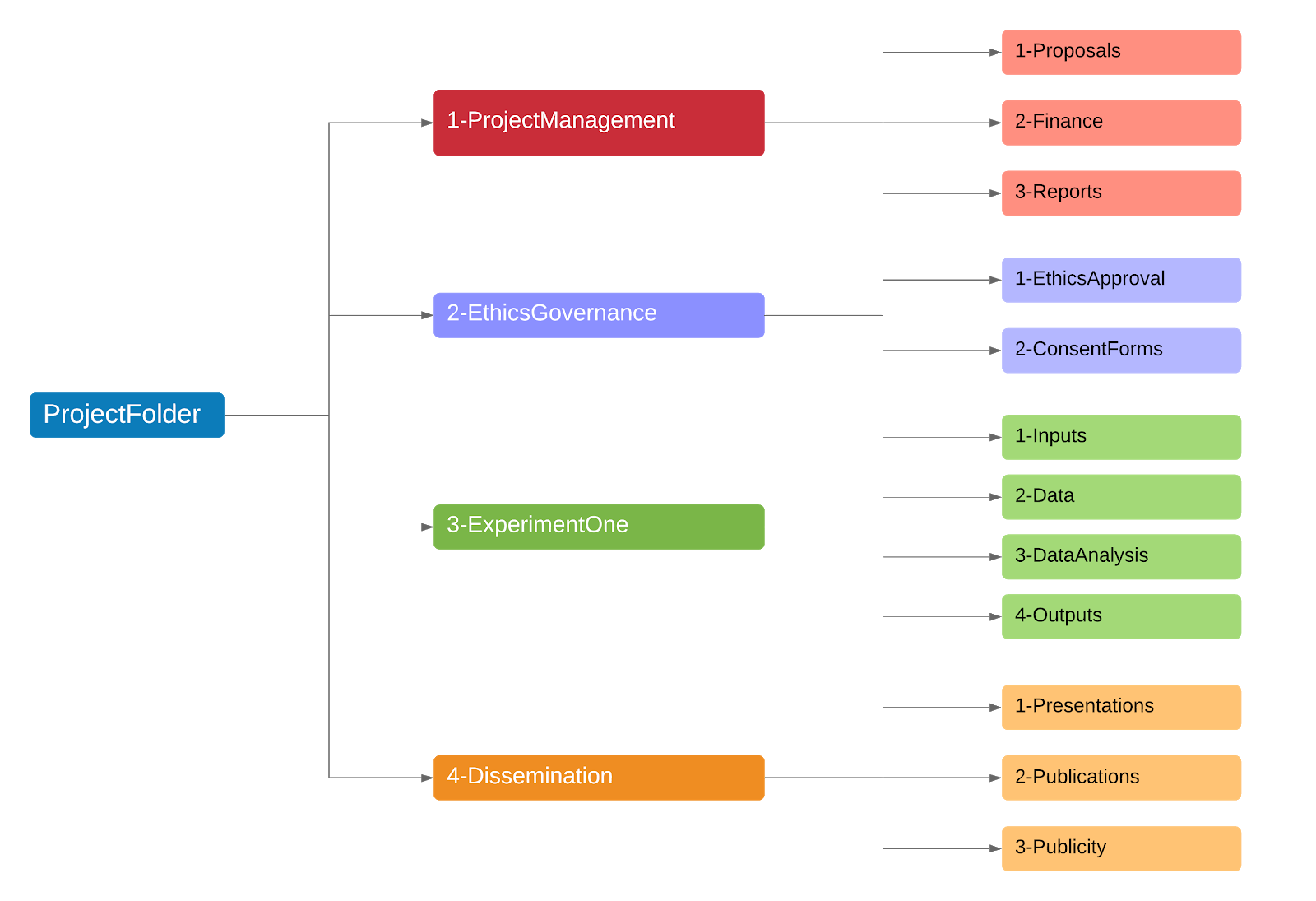
Your monorepo—one repository containing all the portfolio’s cases—can start with this layout. Replace <company-slug> with a short, stable, lowercase folder name for the company selected in the previous lesson.
README.md
PROJECT_BRIEF.md
COMPANY_SELECTION.md
.gitignore
companies/
  <company-slug>/
    README.md
    sources/
      README.md
    data/
      raw/
        README.md
      processed/
        README.md
    models/
      README.md
    reports/
      README.md
    presentations/
      README.md
templates/
  company-case/
    README.md
    report-outline.md
tools/
  README.md
Keep PROJECT_BRIEF.md and COMPANY_SELECTION.md from the earlier work if you have already created them. The folder names describe a destination, not a promise that every destination has a finished deliverable today. Git does not track empty folders, so a short README.md in each new folder both preserves the structure and explains what belongs there.
Keep the company case self-contained
The company folder is the unit you should be able to open and defend in an interview. Its sources/ folder holds source information; data/ holds figures you extracted or calculated; models/ holds spreadsheets and their assumptions; reports/ holds written conclusions; and presentations/ holds slides. A reviewer should not need to hunt through another company’s folder to understand this one.
The distinction between data/raw/ and data/processed/ is particularly important. Suppose an annual report discloses revenue for three years. Your faithful, source-identified transcription belongs in raw/. A cleaned comparison table with standardized years, units, and calculated growth belongs in processed/. If you later correct a transcription error, document the correction against the original disclosure rather than silently changing a number until a chart looks right.
Opinions - Cookiecutter Data Science
Read Cookiecutter Data Science’s explanation of raw-data integrity for the principle behind these two folders. You do not need to adopt its full software-project structure.
In “Data analysis is a directed acyclic graph,” start with the paragraph beginning “The most important features of a quality data analysis” and read the raw-data guidance through the cautions about changing and overwriting raw data. Focus on the practical test: can you trace a published number back to what was originally extracted and then repeat the calculation?
For this public portfolio, self-contained does not mean uploading every document you find. sources/ can record links to issuer or exchange disclosures; you can retain PDFs locally when appropriate. Commit small, clearly attributed data extracts when they are suitable for publication. Do not upload restricted database exports, credentials, private correspondence, or files whose redistribution rights you have not checked. A .gitignore helps prevent accidental commits of local-only files, but review what you commit as well.
Notice what stays outside the company folder:
templates/contains blank structures you can copy when starting another case. A template is not evidence about any particular company.tools/contains reusable code, such as a future valuation calculator. A company’s actual assumptions and results still belong with that company’s model.- The root
README.mdis an index, not a place to store every chart or repeat an entire report.
This separation lets you add an M&A case or another company later without rebuilding the portfolio. If a transaction involves two companies, document the case clearly under the company whose analysis anchors it and identify the other entity and its sources there; avoid placing unlabelled duplicate files in both folders.
Create the files and give visitors a reliable route
You can make the layout in your local editor, then commit and push it using your existing Git workflow. Create each folder and the small README.md files shown above; use your editor’s file explorer if that is quicker than terminal commands. Before publishing, check the pending changes for unintended files.
Start with a root README.md that a non-technical recruiter can scan:
# Company and Transaction Research Portfolio

Independent, source-linked studies of company performance, strategy,
and transactions. Financial models support the analysis where relevant;
they are not substitutes for documented assumptions or business judgment.

## Studies

| Study | Question | Status | Open |
|---|---|---|---|
| [Company name] | [Provisional growth or performance question] | In development | [Case overview](companies/<company-slug>/README.md) |

## How to navigate

Open a study's case overview for its question, findings, limitations,
and links to available outputs. Source information, data, and models
sit in that study's folder.

## Scope

These are independent educational analyses based on identified public
information, not investment recommendations.
Replace the placeholder path with your actual slug. Keep the status “In development” until the brief and supporting analysis meet the completion criteria in your project brief. Add direct links to a report, presentation, or model when the file exists; a working link to an honest case overview is better than several links promising unfinished work.
Next, make companies/<company-slug>/README.md the case’s navigation page:
# [Company name] — company research case

**Status:** In development
**Research question:** [Provisional question from PROJECT_BRIEF.md]
**Period studied:** [Financial years you intend to examine]

## Current conclusion
Not yet published. This section will state the finding and its main
qualification when the analysis is complete.

## Evidence and outputs
- Sources: [Source notes](sources/README.md)
- Data: [Raw data notes](data/raw/README.md) and
  [Processed data notes](data/processed/README.md)
- Models: [Model notes](models/README.md)
- Reports: [Report notes](reports/README.md)
- Presentations: [Presentation notes](presentations/README.md)

## Method and limitations
[Add material definitions, comparability concerns, and limitations
as the case develops.]
The case README’s links omit companies/<company-slug>/ because they are relative to the case README. Open both READMEs on GitHub after pushing and click each link. A path that looks plausible in your editor but produces a GitHub “404” fails the recruiter-navigation test.
The remaining READMEs can be brief and specific. For example, models/README.md can say, “Store this company’s spreadsheets here; document model purpose, source inputs, assumption cells, and checks alongside each model.” In reports/README.md, state that final written briefs belong there and that no report is published yet. In tools/README.md, say that reusable Python tools will be documented there when implemented. Avoid creating an empty file named “DCF model” merely to make the repository appear more complete.
Finally, create templates/company-case/report-outline.md as a blank working structure: research question, evidence, analysis, counter-evidence, conclusion, limitations, and sources. Its companion templates/company-case/README.md should explain that you copy the outline into a new company folder and customize it; you do not present the template itself as a finished report. This gives you consistency across cases without making every company’s analysis sound identical.
Check the architecture from an interviewer’s perspective
Before calling this setup complete, verify three routes in the published repository:
- Discovery: From the root README, you can reach the selected company’s case README in one click. Its status matches what has actually been completed.
- Traceability: From the case README, you can reach the appropriate sources, data, and model locations. Their notes distinguish disclosed inputs from your own transformations and assumptions.
- Reuse: You can identify the blank case template and the shared tools area without confusing either with this company’s findings.
A common mistake is to organize by file type only: one global models/ directory, one global reports/ directory, and filenames such as final_v3_revised.xlsx. That may work for one case but becomes ambiguous as the portfolio grows. Another is to overbuild: a polished folder tree with no clear entry page gives a reviewer more clicks, not more confidence. Prioritize a readable route and truthful status over decorative complexity.
If you are splitting this across days, finish the root and company READMEs first. The supporting folders and template can follow in the next session. You do not need a completed DCF to publish an honest repository structure, but you do need the completed case before describing it as a resume-ready analysis.
Takeaway
You now have an architecture with two clear reading paths: a short portfolio index for discovering cases and a self-contained company folder for inspecting evidence, analysis, and outputs. Shared templates make future cases easier to start; shared tools can support them without mixing their assumptions. Keep raw extracts distinguishable from processed figures, and link only to work that actually exists.
Next, you will turn the annual-report links found during company selection into a source register that records which documents support which claims. That will give this folder structure an auditable evidence trail.