Hello! Welcome to the first lesson in our new module, Visual Storytelling with AI.
In the previous modules, we mastered the art of generating text, from outlining chapters to writing powerful introductions and conclusions. Now, we're going to bring your stories to life with images. For your goal of creating children's books, comics, and engaging non-fiction, compelling visuals are just as important as the words on the page.
This lesson focuses on the foundational skill for all AI art: writing effective text-to-image prompts for free AI art generators. You'll learn how to translate the vision in your head into a set of instructions the AI can understand and execute, allowing you to create illustrations for your books without needing any traditional art skills.
1. From Simple Words to Vivid Worlds: The Art of the Prompt
At its core, a text-to-image AI takes your words and creates a picture. However, as you may have discovered, just typing "a dog" gives you a generic image. The skill lies in crafting a prompt that is specific, detailed, and artistic.
Think of it like the difference between a box cake mix and a recipe from scratch.
- A simple prompt (
a dog by a lake) is the box mix: you'll get a result that fits the description, but it will be generic. - A detailed prompt is the homemade recipe: you control every ingredient—the type of dog, the time of day, the mood, the style—to create something unique and high-quality.
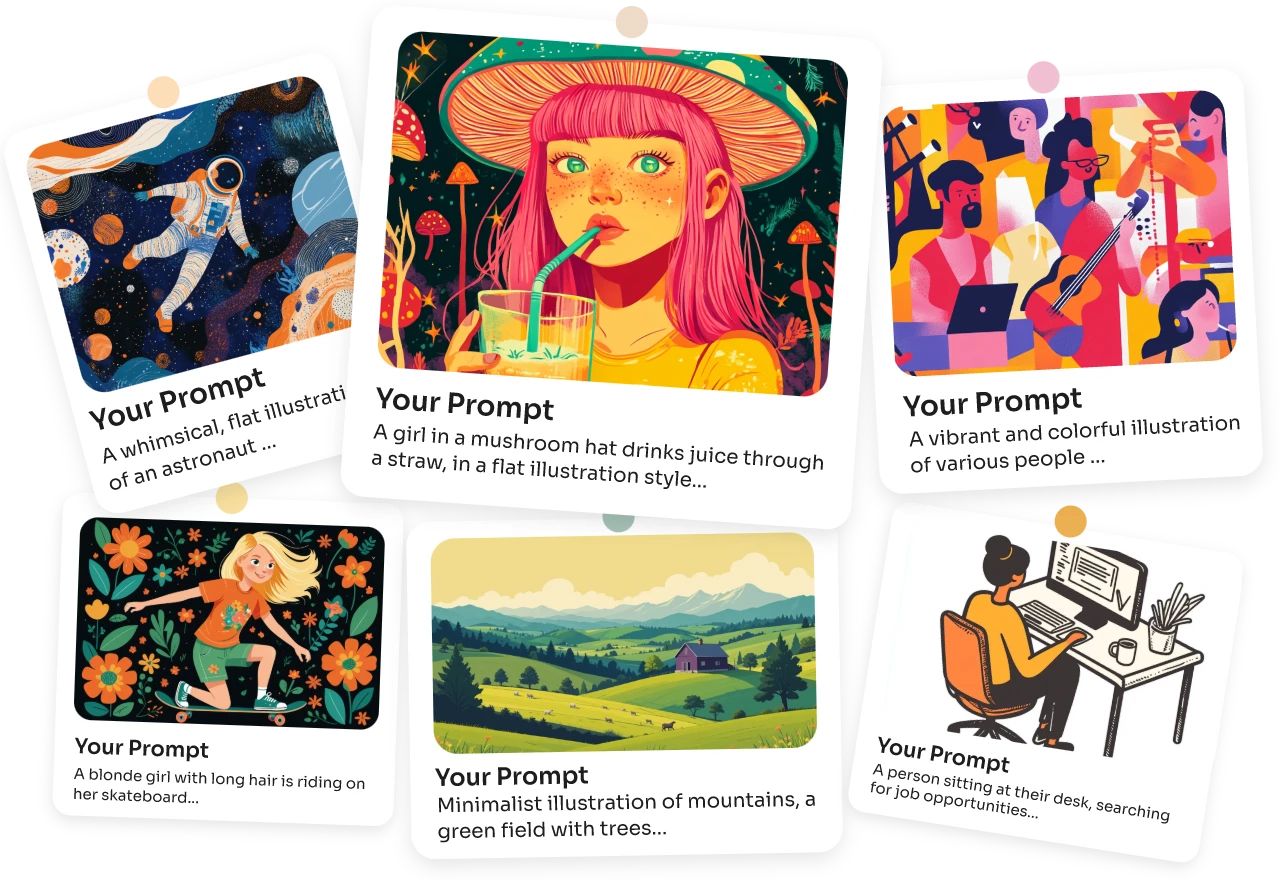
The Basic Structure of a Good Prompt
A great prompt is built on a clear and logical structure. A simple but effective formula to start with is: Subject + Description + Style.
Let's break that down based on the excellent guide "How to write AI image prompts like a pro".
How to write AI image prompts like a pro [2026]
This article provides a fantastic breakdown of the core components of an AI image prompt. We'll use its initial framework as our starting point.
Please read the first section, '#1 Start from the basic prompt structure'. Also, review the quick FAQ sections titled 'What makes a good AI art prompt?' and 'How specific should AI image prompts be?'. Focus on understanding the three core elements: Subject, Description, and Aesthetic/Style.
As the article explains:
- Subject: The main focus of your image. Be specific. Instead of "a boy," try "a 3-year-old boy with dark curly hair."
- Description: This adds context. What is the subject doing? Where are they? What's in the background? Use descriptive, natural language. For example, "...walking along a river on a hot summer's day."
- Style (Aesthetic): This defines the artistic look. Do you want a "watercolor painting," a "comic book panel," "photorealistic," or a "flat illustration style"? This part is crucial for defining your book's visual identity.
2. Choosing Your Free Tools: An Introduction to Leonardo.AI
While many tools exist, you've expressed a preference for free options. One of the most powerful and popular free platforms is Leonardo.AI. It offers a generous number of free image generations per day and provides excellent control over the output.
Another great free option is Bing Image Creator, which is powered by DALL-E 3.
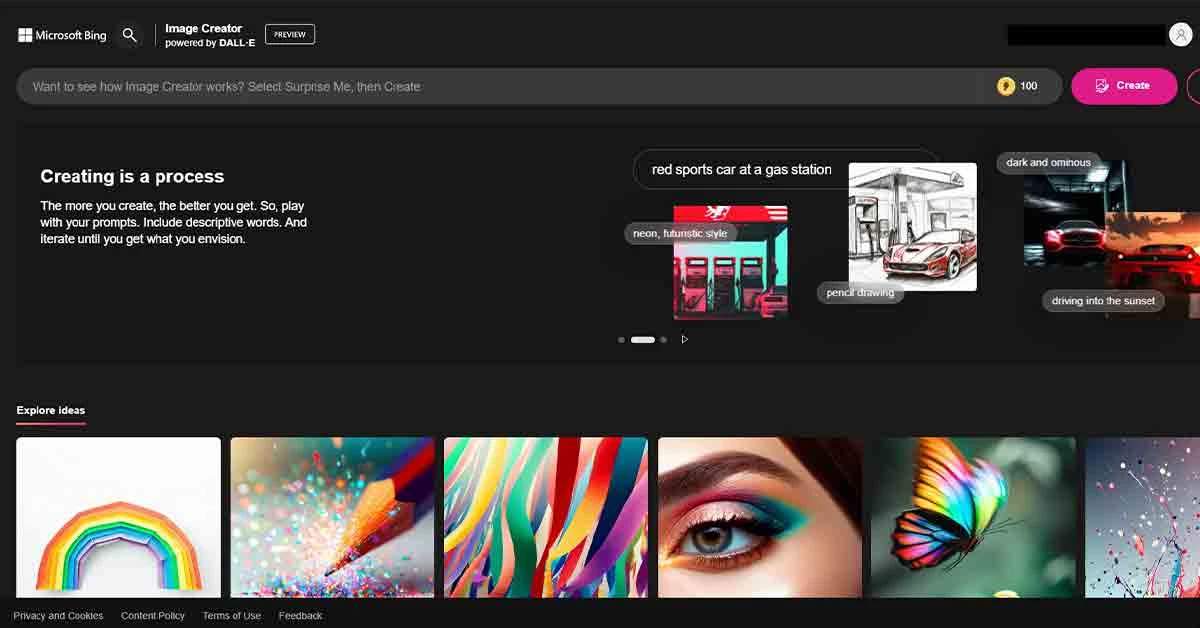
Let's get you acquainted with the Leonardo.AI interface.
Leonardo AI - Tutorial for Beginners in 12 MINS! [ FULL GUIDE 2025 ]
This short tutorial for beginners provides a great overview of the Leonardo.AI platform. It will show you how to get started and where to find the most important settings.
Watch from the beginning until 03:39. Pay close attention to: The basic interface and where you enter your prompt. The concept of daily 'tokens' in the free plan. The core options like AI Preset, Style, and Image Dimensions. The video's advice on structuring a prompt: defining the subject, describing it, and setting the style and background.
3. Advanced Prompting: Adding Artistic Direction
Once you've mastered the basic Subject + Description + Style structure, you can add layers of detail to gain even more control, turning your "homemade cake" into a professional-grade creation.
To learn these advanced techniques, we'll watch a video that, while using a paid tool (Midjourney) for its examples, teaches universal principles of prompt engineering that apply to any platform, including Leonardo.AI.
How to Write Great Prompts for AI Image Generators
This video from 'Learn With Shopify' does an exceptional job of explaining the thought process behind crafting a high-quality prompt. Ignore the tool-specific commands and focus on the artistic ingredients the narrator adds to the prompt.
Watch from 02:11 to 09:55. As you watch, make a mental note of how the following elements are used to transform a simple prompt into a detailed one: Intention: What feeling should the image evoke? Lighting: How does 'golden hour' or 'campfire glow' change the mood? Camera Lens & Angle: What does a 'wide-angle' or 'eye-level' shot do for the composition? Artistic Style: How do terms like 'hyperrealistic' or references to art styles guide the AI?
These advanced elements are the key to creating illustrations that tell a story.
- Lighting (
soft morning light,eerie backlight,warm glow) sets the mood. - Composition (
close-up shot,wide-angle view,from a low angle) directs the reader's eye. - Mood (
serene,joyful,mysterious,action-packed) ensures the illustration matches the tone of your text.
4. A Practical Prompting Workflow for Book Illustrations
Let's bring these concepts together into a practical workflow you can use for your books, especially for genres like children's stories or comics where character consistency is key.
A major challenge with AI illustration is getting characters to look the same from page to page. One of the most effective techniques is to include a detailed description of your characters and setting in every prompt.
How I Wrote and Illustrated a Children's Book Using AI
This blog post, from an author who used AI to illustrate a children's book, contains a gold nugget: the exact prompt structure they used to maintain consistency in Leonardo.AI.
Read just the section under the heading 'Here's the (extensive) prompt I used to generate all images:'. Note how the author separates the prompt into three parts: The specific action of the scene. A detailed, reusable description of the characters. A description of the overall setting.
This leads us to a powerful template you can adapt:
Master Prompt Template for Book Illustrations
[PART 1: THE SCENE] A description of what is happening on this specific page. e.g., "The two boys are walking along a river with water blasters."
[PART 2: CHARACTER DESCRIPTIONS] Detailed, consistent descriptions of each character in the scene. e.g., "Vince: a 3-year-old white boy with dark hair... Lewis: a 2-year-old white boy with blond hair..."
[PART 3: SETTING & STYLE] A description of the environment and the overall artistic style. e.g., "Setting: a beautiful summer's day. Style: whimsical children's book illustration, watercolor, soft edges."
This method forces the AI to "remember" what your characters look like in every new image you generate.
Test your understanding!
Let's imagine you're creating an illustration for your tech mentoring book, "The Senior Engineer's Leap." You want to create a symbolic image for the introduction that represents the "invisible wall" senior engineers often feel they hit in their careers.
Using the advanced principles we've discussed (Subject, Description, Style, Lighting, Mood), write a detailed prompt for this illustration.
Show answer
Here's an example of a detailed prompt for that concept:
"Subject: A frustrated-looking senior software engineer, a woman with glasses and her hair in a bun, dressed in casual tech office attire.
Description: She stands in a modern, dark server room, looking up at a towering, transparent glass wall that blocks her path. On the other side of the wall, visible but out of reach, is a bright, sunlit boardroom where executives are collaborating around a table. Code and data streams are faintly projected onto the glass wall.
Style & Mood: Cinematic, photorealistic, with a sense of frustration and ambition. The lighting should be dramatic, with the server room side being dark and lit by the blue glow of server lights, while the boardroom side is bright and warm.
Composition: Eye-level shot, with the engineer in the foreground and the glass wall filling the mid-ground, creating a strong sense of a barrier."
Conclusion
You now have the fundamental building blocks for creating compelling illustrations for your books. Prompting is a skill that blends technical instruction with artistic vision. The more you practice, the more intuitive it will become.
Key Takeaways:
- An effective prompt moves from a simple "box cake" idea to a detailed "homemade recipe."
- The core structure of a good prompt includes the Subject, Description, and Style.
- You can elevate your prompts by adding details about Lighting, Composition, and Mood.
- For book projects, using a master template that includes reusable character descriptions is crucial for maintaining consistency.
- Free tools like Leonardo.AI and Bing Image Creator are more than capable of producing professional-quality illustrations.
Preview of the Next Lesson:
Writing a great prompt for one image is the first step. But how do you ensure your main character looks exactly the same on page 1, page 5, and page 12? In our next lesson, we will tackle this challenge head-on. We'll explore how to generate a consistent character design across multiple images using seed numbers and descriptive persistence, a critical skill for any aspiring author-illustrator.