Hello! In our last few lessons, we've focused on creating the content and visual elements of your books, from drafting chapters to assembling comic pages. Now, we're moving into the crucial production phase where we turn your manuscript into a professional, polished digital product.
Today, we will focus on creating an essential feature for any ebook: an accessible and clickable table of contents (ToC). A well-crafted ToC is not just a list of chapters; it's the primary navigation system for your reader, allowing them to jump to any section with a single tap. A missing or non-functional ToC is a hallmark of an amateur publication, so mastering this step is key to a professional reader experience.
We'll explore two powerful, free methods to achieve this: an automated approach using the Reedsy Book Editor and a manual-control approach using Calibre.
Part 1: Why Ebook Tables of Contents are Different
First, it's important to understand why a ToC in an ebook is fundamentally different from one in a print book. Print books have static page numbers. Ebooks, however, have reflowable text, meaning the content adjusts to fit different screen sizes and user font preferences. The concept of a fixed "page number" doesn't really exist.
Therefore, an ebook's ToC relies on internal hyperlinks, much like links on a webpage that jump to different sections.
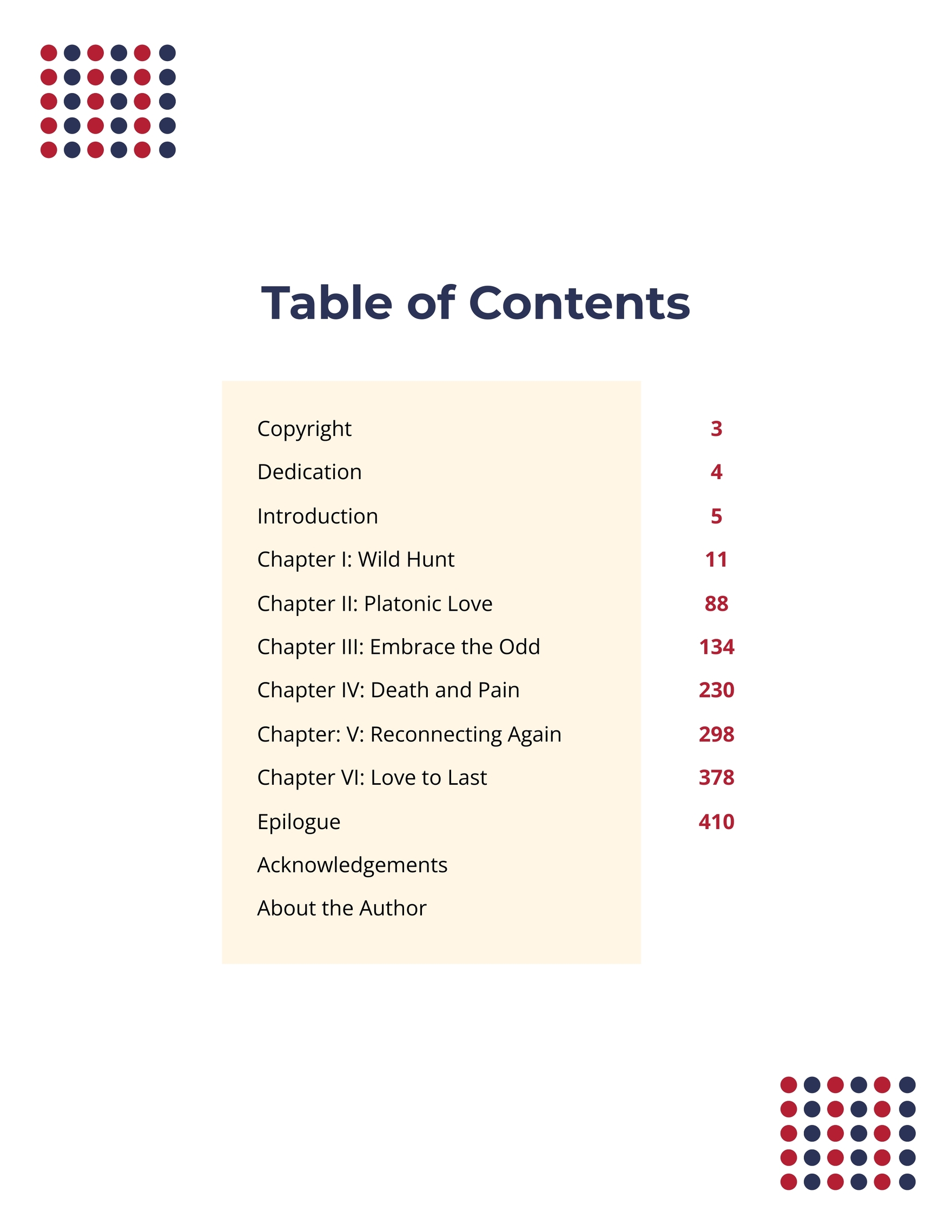
Given your IT background, you can think of the book's EPUB file as a self-contained website. Each chapter is like a separate HTML page or an anchor point on a single page, and the ToC is the main navigation menu that links to all of them. Our goal is to build this navigation menu.
Part 2: The Automated Method with the Reedsy Book Editor
The most efficient way to create a perfect, clickable ToC is to use a tool that builds it for you as part of the book creation process. The Reedsy Book Editor, which is free, is designed for exactly this.
The core principle is simple: if you structure your manuscript with clear chapters, Reedsy automatically generates a corresponding clickable ToC when you export your ebook.

Let's see how this works in practice.
Reedsy Studio: An Insider's Guide [Software Demo]
First, watch this brief demonstration from the 'Reedsy Studio: An Insider's Guide' video by Reedsy. It shows just how effortlessly the ToC is created.
Watch the segment from 08:37 to 08:57. Notice how the Table of Contents is handled in the dashboard alongside the copyright page, confirming it's a standard, automatically managed part of the book.
As you saw, you don't really "create" the ToC yourself; the editor generates it based on your chapter list. Your main job is to ensure your book is properly organized.
What if you've already written your manuscript in another program? Reedsy can import it and create the structure for you, as long as you've used headings correctly.
Reedsy Studio: An Insider's Guide [Software Demo]
This next clip from the same video explains how to prepare a document for import.
Watch from 08:06 to 08:37. The key takeaway is that by styling your chapter titles as 'Heading 1' in your Word document, Reedsy's importer will automatically split your manuscript into chapters, which then form the basis of the ToC.
Finally, you have control over what appears in your ToC. By default, it will list your main chapters, but for non-fiction books, you might want to include subheadings as well.
How to Format a Book Professionally in 7 Simple Steps
The article 'How to Format a Book Professionally' from Reedsy's blog explains how you can customize the level of detail in your ToC.
Read the sub-section titled 'Table of Contents' within 'Step 4. Set your table of contents and copyright page'. It shows the option to include sub-headings in your ToC, which is crucial for detailed non-fiction books.
Test your understanding!
You are writing a business guide on "AI for Digital Marketing". You've structured it with main chapters like "Chapter 1: Understanding AI" and sub-sections within it like "1.1 Machine Learning Basics" and "1.2 Natural Language Processing". How would you ensure your ebook's ToC allows readers to jump directly to "1.2 Natural Language Processing" using the Reedsy Editor?
Show answer
First, you would need to format the sub-section title ("1.2 Natural Language Processing") using a heading style (e.g., Heading 2) within the Reedsy editor. Then, as shown in the article, you would go to the Table of Contents settings and choose the option to include sub-headings, which would add these lower-level headings to the final, clickable ToC.
Part 3: The Manual Control Method with Calibre
What if you already have an EPUB file with a broken or missing ToC? Or what if you need more granular control than Reedsy offers? For this, we turn to Calibre, a powerful, free, open-source ebook management software. Think of it as the Swiss Army knife for ebooks.
This method involves a few more steps, but it gives you complete control. We'll follow the process outlined in an excellent guide from the blog Dear Author.
Creating a Table of Contents in Calibre
The article 'Creating a Table of Contents in Calibre' walks through the entire process. We will break it down into two main stages: splitting the book into files and then generating the ToC from those files.
Please read through the article to understand the general workflow. We will focus on the following steps: Splitting files (Section 1): Pay close attention to the visual 'split file' tool. The core idea is to create a split at the beginning of each chapter. This tells Calibre where each section begins. Generating the ToC (Section 2): Once the book is split into chapter-based files, you'll use the 'Generate TOC from files' function. This is what creates the clickable entries. Refining the ToC (Section 2): Note the tips at the end for renaming entries and cleaning up duplicates.
Workflow in Calibre (Simplified):
- Open the Ebook: Add your EPUB file to Calibre and select "Edit book".
- Split the Manuscript: If your book is one long file, use the split tool to place a marker at the start of each new chapter. This breaks the single file into multiple smaller files, one for each chapter.
- Generate ToC: Go to
Tools > Edit Table of Contents. Click "Generate TOC from files". Calibre will create a list of entries, with each entry linking to the start of one of the files you just created. - Review and Save: Check the generated list for errors, rename entries if needed (e.g., "file_001.html" to "Chapter 1"), and save your changes.
This method is incredibly powerful for repairing ebooks or for authors who prefer to work in simple text editors and assemble the final product at the end.
Part 4: Choosing Your Workflow
You now have two effective, free methods for creating a clickable ToC.
| Method | Best For... | Pros | Cons |
|---|---|---|---|
| Reedsy Book Editor | Writing and formatting your book from scratch or importing a well-structured document. | Fast, fully automated, integrated with writing and exporting. | Less direct control over the underlying file structure. |
| Calibre | Fixing existing EPUBs or assembling a book from unstructured source files. | Powerful, granular control, excellent for post-production tweaks. | More manual steps, more technical interface. |
For your goal of rapid book creation across different genres, the most efficient path is to write and structure your book directly in the Reedsy Book Editor. This ensures the ToC is handled automatically and correctly from the start. However, knowing how to use Calibre is an invaluable skill for troubleshooting and gives you the confidence to fix any formatting issues you might encounter later.
Conclusion
You are now equipped to create a professional, navigable ebook. A clickable table of contents is a small detail that has a huge impact on reader satisfaction and the perceived quality of your work.
Key Takeaways:
- An ebook ToC must be clickable, using internal hyperlinks, because ebooks have reflowable text, not fixed page numbers.
- The Reedsy Book Editor provides an automated workflow, generating the ToC from your chapter structure when you export the ebook.
- Calibre offers a manual but powerful method to create or repair a ToC in an existing EPUB file by splitting the content into chapters and generating links.
- The best workflow for rapid creation is to structure your manuscript correctly from the start in a tool like Reedsy.
Preview of the Next Lesson:
With the internal navigation of your book now sorted, our next step is to prepare the information that platforms like Amazon KDP use to display and categorize your book for sale. We will learn how to embed metadata, including the author, title, and cover image, into the final book files.