Hello! Welcome to the first lesson of your course on sourcing materials for documentary editing. We're starting at the very beginning: building a "material map." Before we dive into the specifics of tracking down that perfect historical clip or the right piece of music, it's essential to have a clear understanding of the different types of ingredients you'll be working with.
Today's goal is to identify the main categories of source material that form the building blocks of almost every documentary. Think of yourself as a chef learning about your pantry. You need to know the difference between your spices, your proteins, and your vegetables before you can start creating a complex dish. For a documentary editor, these ingredients are things like interviews, archival footage, stock B-roll, photos, music, sound effects, and graphics.
By the end of this lesson, you'll have a systematic framework for categorizing and thinking about every asset in a documentary project. This foundation will be crucial for everything that follows, from building research briefs to organizing your Premiere Pro projects.
Let's begin by exploring the core components of documentary storytelling.
The Building Blocks of a Documentary
A documentary is rarely built from a single type of material. Instead, it's a mosaic, a carefully constructed narrative woven from different visual and auditory elements. As an editor, your primary job is to assemble this mosaic. While your experience in video editing gives you a great head start on the technical side, documentary work often involves a much wider variety of sources than other genres.
We can broadly group these materials into a few key categories. A great way to get an overview of these is by watching this video from Austin Meyer, which breaks them down into six distinct styles of documentary footage.
MASTER The 6 Styles of Documentary Footage
Watch the video "MASTER The 6 Styles of Documentary Footage". It provides a comprehensive and well-structured overview of the key material types you'll encounter. Pay close attention to the narrative purpose each type serves.
As you watch the entire video from the introduction, take note of the six categories he introduces. The video then details each one: Interviews: The source of direct testimony. B-roll: The supplemental footage that adds visual context. Scenes: Observational footage that makes the audience feel present. Archival footage: The historical materials that provide context and scope. Reenactments: Staged depictions of past events. Visualizations: Graphics and animations that explain complex ideas.
This video gives us a solid framework. Now, let's break these categories down further, using industry terminology and exploring the nuances that are critical for a professional editor.
A-Roll, B-Roll, and the Narrative Core
You've likely been using the terms "A-roll" and "B-roll" for years. In documentary editing, these concepts are fundamental, but their application can be more nuanced than in other types of video production.
Traditionally, A-roll is the primary footage that drives the story forward. In most documentaries, this consists of interviews—the "talking heads" that provide exposition, opinion, and emotional testimony. This is where your characters tell their stories directly.
B-roll, in its classic definition, is supplemental footage used to enrich the A-roll. It's the visual layer you cut away to while an interview subject is speaking. Its functions are threefold:
- To Illustrate: If a subject is talking about their childhood home, you show a shot of the house.
- To Hide Edits: It covers jump cuts in the A-roll, allowing you to condense hours of interview into tight, coherent soundbites.
- To Set the Scene: Establishing shots of a city, close-ups of relevant objects, or footage that creates a specific mood.
However, a common pitfall is to think of all non-interview footage as B-roll. This can lead to flat, uninspired editing where you're simply "pasting over" an audio track. A more sophisticated approach distinguishes between generic B-roll and narrative-driving "scenes." A scene is a sequence of observational footage that tells a story on its own, often with its own sound. Think of it as a mini-story within your film—the family having dinner that the video mentioned, rather than just silent shots of food on a table.
This video offers a fantastic deep dive into this distinction, challenging the common YouTube-centric view of B-roll and re-framing it in a way that serves the story better.
A-Roll vs B-Roll in Documentary Editing
This video, "A-Roll vs B-Roll in Documentary Editing," provides a crucial professional perspective on these terms.
Watch the following sections to understand a more powerful way to think about your footage: Introduction: The presenter discusses the common beginner's mistake of just "slapping B-roll on top." The Distinction: Here he defines A-roll as any footage advancing the story, and B-roll as supplemental. He criticizes the modern, simplified definition. Why It Matters: This is the key takeaway. He explains the "show, don't tell" principle and how thinking of scenes as A-roll makes your film more efficient and impactful.
Expanding the Palette: Sourced Materials
Beyond the footage your production team shoots (interviews, scenes, B-roll), a huge part of your job as a documentary editor will be working with materials you didn't create. These sourced assets are what give many documentaries their unique texture, authority, and historical depth.
Let's look at the main categories. The University of Hull Library has a concise guide that lists these elements clearly.
Pre-production (planning) - Video assignments - Library at University of Hull
This guide provides a fantastic checklist of the different material types available to a documentary filmmaker. We'll be using it to structure our understanding of the complete palette.
Please read the section "What techniques can you use?". Focus on the definitions provided for each of the following material types: Interviews, confirming their role as A-roll. B-rolls, noting their function to "enrich and enhance." Existing footage, which introduces the idea of stock and archival material. Still images, which are a cornerstone of historical and biographical docs. Animations, which connect to the "visualizations" category from the video. Natural sounds, a crucial element of your sound design. Music, the emotional driver. Text, the informational backbone.
Let's solidify these sourced categories:
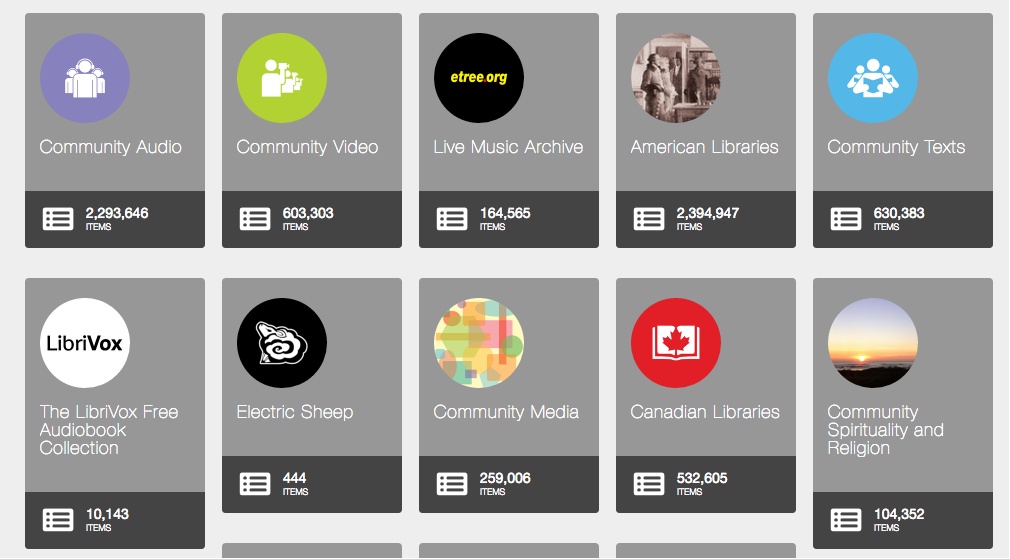
- Archival Footage & Photos: This is any pre-existing material used to provide historical context. It can be newsreels, home movies, government films, old photographs, newspaper clippings, or letters. Sourcing this material is a core skill we'll dedicate several future lessons to. Major repositories like the Internet Archive are treasure troves for this content.
-
Stock Footage & Photos: Unlike archival material, which is historically specific, stock footage is typically generic content created to be licensed for various projects. Need a shot of someone typing on a laptop, a drone shot of the London skyline, or a time-lapse of clouds? That's stock footage. It's useful for establishing shots or illustrating general concepts when you don't have the budget or time to shoot it yourself.
-
Music & Sound Effects (SFX): This is the sonic landscape of your film.
- Music sets the tone and drives emotion. It can be a custom score composed for the film or, more commonly for many projects, licensed from a music library.
- Sound Effects include everything from designed sounds (whooshes, hits) to ambient "nat sounds" or "atmos" (the background noise of a location) that make a scene feel real.
-
Graphics & Text: This category covers all non-photographic visual elements, which are often created in After Effects.
- Text: Titles, lower thirds identifying speakers, and subtitles.
- Graphics: Animated maps, infographics explaining data, or motion graphics used for transitions.
Conclusion
In this lesson, we've mapped out the seven primary categories of materials you will work with as a documentary editor:
- Interviews (A-Roll): The narrative and emotional core, providing direct testimony.
- B-Roll: Supplemental footage used to illustrate, hide edits, and set the scene.
- Scenes: Observational footage that tells a story and makes the audience feel present.
- Archival Materials: Historical footage, photos, and documents that provide context and evidence.
- Stock Materials: Generic, licensable footage and photos used to fill gaps.
- Audio: Music for emotion and tone, and sound effects for realism and texture.
- Graphics: Text and animations that provide information and visual flair.
Understanding these distinctions is the first step toward making deliberate, powerful editing choices. It moves you from simply "covering the edits" to actively constructing a narrative using a rich and varied palette.
In our next lesson, we will put this knowledge into practice. We'll take a scene description and break it down, identifying exactly which of these material types you would need to find or create to bring that story beat to life on screen.