Introduction
In our last lesson, you documented the POST and PUT endpoints, which are used to write and update data. You learned the critical skill of defining a requestBody and referencing your reusable schema. This completed the documentation for all endpoints that involve sending a data payload.
This lesson focuses on the final piece of our CRUD API documentation: the DELETE endpoint. You will learn how to write the JSDoc comment for deleting a resource. This is typically simpler than POST or PUT because a DELETE request usually doesn't include a request body. We will focus on documenting the path parameter for the item's ID and the specific response codes your API should return: 204 for success, 404 if the item isn't found, and 500 for server errors.
By the end of this brief lesson, your core API documentation will be complete, covering all four CRUD operations.
Documenting the DELETE Endpoint
A DELETE request is used to remove a specific resource. To do this, the client must specify which resource to delete, which is almost always done via a path parameter like /api/products/{id}.
A key difference from POST and PUT is the success response. When a resource is deleted successfully, the server doesn't need to send the deleted data back. Instead, it signals success with an empty response and a 204 No Content status code. This is the industry standard and will be expected in your exam.
Let's watch a video that demonstrates how to document this.
NodeJS Swagger API Documentation Tutorial Using Swagger JSDoc
The video 'NodeJS Swagger API Documentation Tutorial' by Maksim Ivanov provides a clear walkthrough for documenting a DELETE endpoint. It shows how to define the path parameter and responses.
Watch from 00:25:23 to 00:27:03. Focus on these key parts: The path definition: /books/{id}. The method: delete. The parameters section, which defines the id from the path. Important: The video's JSDoc example uses a 200 status code for a successful deletion. For your exam, you must use 204 No Content, as it's the correct standard. Also, we will explicitly add a 500 response for server errors.
Your Turn: Implement the DELETE Documentation
Now it's time to add the documentation for your DELETE /api/products/{id} endpoint. The structure is very similar to your GET by ID endpoint, as it primarily involves a path parameter.
Place the following JSDoc comment directly above your DELETE route handler (e.g., router.delete('/:id', ...) in your productRoutes.js file).
/**
 * @swagger
 * /api/products/{id}:
 *   delete:
 *     summary: Delete a product by its ID
 *     tags: [Products]
 *     parameters:
 *       - in: path
 *         name: id
 *         required: true
 *         description: The ID of the product to delete.
 *         schema:
 *           type: string
 *     responses:
 *       204:
 *         description: The product was deleted successfully.
 *       404:
 *         description: The product was not found.
 *       500:
 *         description: Some server error
 */
Notice this block has a parameters section for the ID but no requestBody. The responses section clearly lists 204 for success, 404 for not-found, and 500 for generic server issues.
Verify Your Work
- Restart your Node.js server to apply the changes and regenerate the API specification.
- Refresh your Swagger UI page in the browser (
http://localhost:PORT/api-docs).
You should now see the DELETE /api/products/{id} endpoint in your documentation. Expand it to confirm that it has the correct parameter and lists the 204, 404, and 500 responses.
The image below shows what a properly documented DELETE endpoint looks like in Swagger UI, including the 204 No Content response for a successful operation.
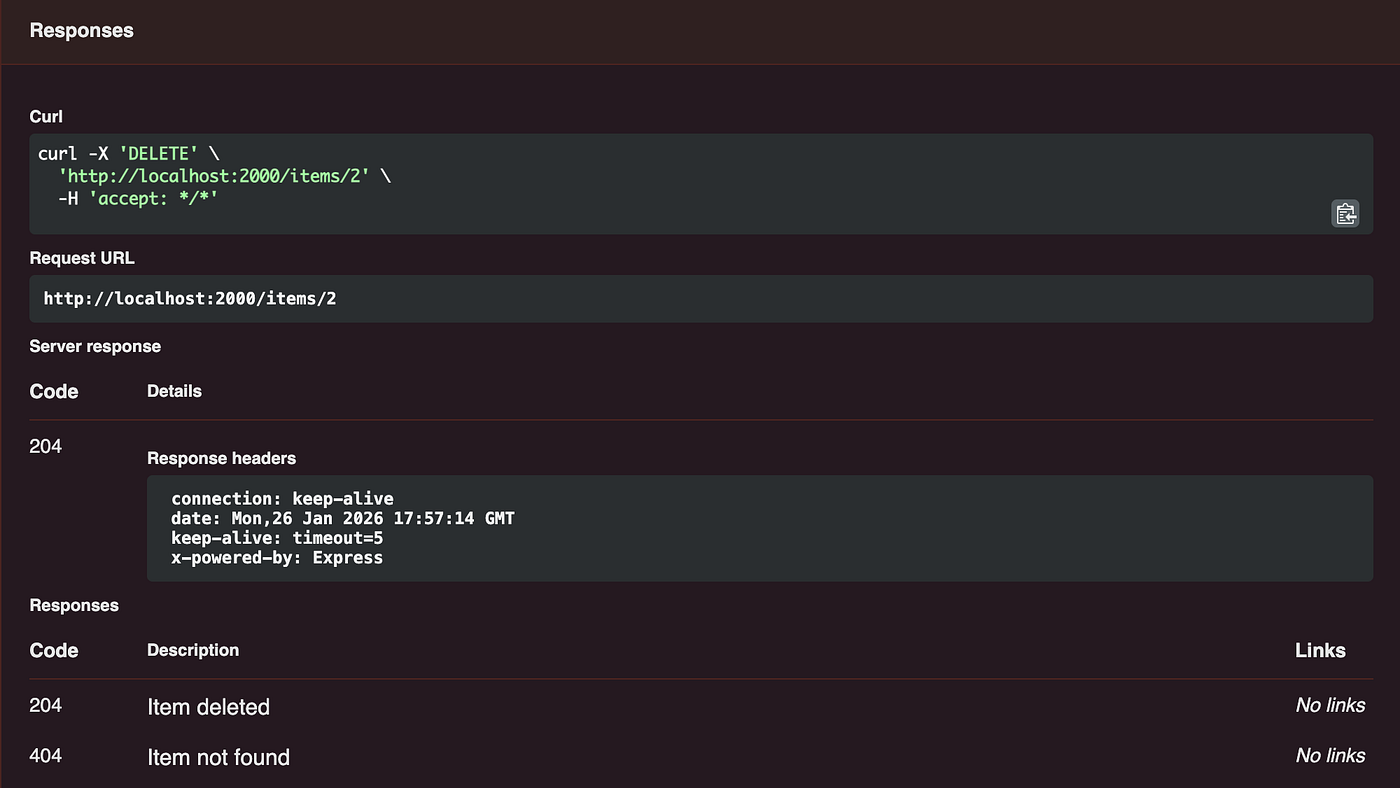
If you encounter any formatting errors, the "How to Create Swagger Documentation for Node.js APIs" and "Building a Swagger-Enabled Node.js API with Express" articles both contain clean, copy-pasteable examples of DELETE endpoint documentation that you can use for reference.
Conclusion
Congratulations! You have now fully documented a complete CRUD API. You have learned to document endpoints for getting all items, getting a single item, creating, updating, and now, deleting items.
Key Takeaways:
DELETEendpoint documentation requires aparameterssection to define the resource ID from the path.- It does not require a
requestBody. - The standard and expected success response code for a
DELETEoperation is204 No Content. - Always document potential error responses, such as
404 Not Foundand500 Internal Server Error, to create a complete and robust API specification.
Next Up:
With the documentation complete, the final step in this module is to perform a sanity check and ensure your generated documentation accurately reflects your API's actual behavior. In the next lesson, we will review the entire Swagger specification and confirm its correctness before moving on to automated testing with Jest.