Welcome to the start of your journey into Python! In this first lesson, we will lay the essential groundwork for everything that follows in this course. We'll explore the fundamental concepts of variables, data types, and operators. Mastering these building blocks is the first step toward writing programs for both physics simulations and ethical hacking. Think of this as learning the alphabet and grammar before you can write a story or a technical manual.
Your background in physics and mathematics means you're already familiar with using symbols to represent quantities in equations. We'll see how programming uses a similar idea with variables, but extends it to store not just numbers, but text, logical values, and more. By the end of this lesson, you will be able to create variables, understand the core data types they hold, and use operators to manipulate them.
Variables: Naming Your Data
In programming, a variable is a name that refers to a value. It's like a labeled box where you can store information. You create a variable by assigning a value to it using the equals sign (=), which is known as the assignment operator.
For example, in physics, you might write to represent the acceleration due to gravity. In Python, the syntax is very similar:
g = 9.81
mass = 70
force = mass * g
Here, g, mass, and force are variable names. Python uses these names to look up the stored values.
There are a few rules and conventions for naming variables in Python. For a clear guide on how to properly name and assign variables, please read the following section from the "Data Types and Operators" resource.
Data Types and Operators | Data Science with Python
This section will introduce you to how variables are created and the standard conventions for naming them in Python.
Please read the part on "Variables and Assignment Operators," focusing on the main explanation of variables and the three rules for naming them. Pay attention to the "snake_case" convention, as it's the standard style in Python.
The Fundamental Data Types
Every value in Python has a data type that determines what kind of data it is and what operations you can perform on it. For now, we'll focus on four of the most basic and common types.
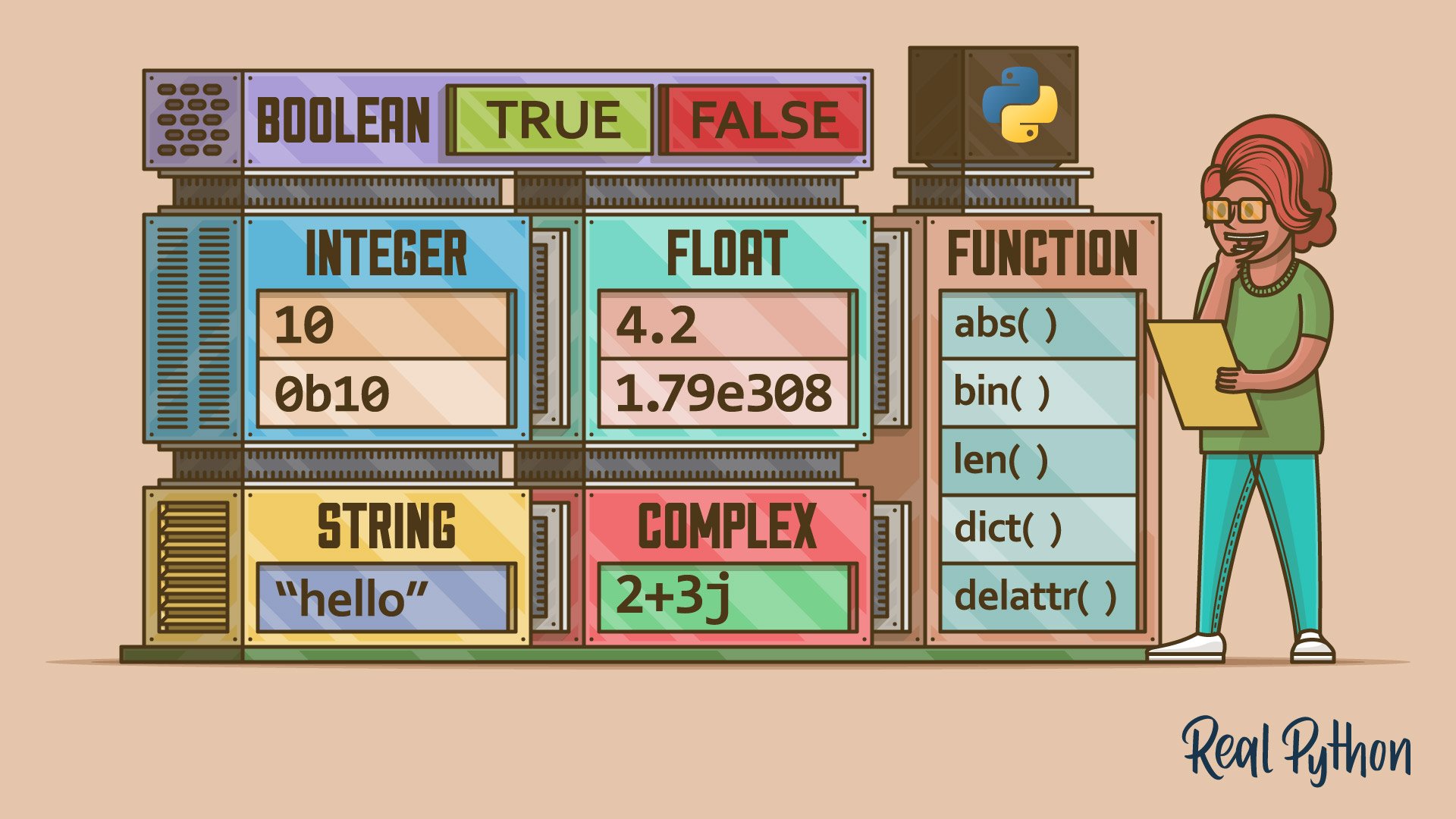
- Integers (
int): These are whole numbers, both positive and negative, without any decimal part (e.g.,10,0,-25). - Floats (
float): These are numbers that have a decimal point. They are used to represent real numbers (e.g.,9.81,3.14159,-0.5). Your physics calculations will frequently involve floats. It's worth noting that computers store floats as approximations, which can sometimes lead to tiny precision errors in complex calculations—a topic known as floating-point arithmetic. - Strings (
str): These represent textual data. A string is a sequence of characters enclosed in either single (') or double (") quotes (e.g.,"Hello, world!",'Python'). - Booleans (
bool): This type has only two possible values:TrueorFalse. Booleans are the foundation of logic and decision-making in programming. For example, a comparison like5 > 3evaluates toTrue.
To get a more formal understanding of these types, let's turn back to our reading.
Data Types and Operators | Data Science with Python
These sections provide detailed explanations and code examples for each of the core data types.
Please read the following four sections: Integers and Floats: Read this section to see how numeric types are defined and how you can check a variable's type using the type() function. Start at the beginning. Booleans, Comparison Operators, and Logical Operators: This section introduces the bool type. Read the main description and tables to understand how boolean values are generated through comparisons. Strings: Read the section on strings to learn how to create them and perform simple operations like joining them together. Type and Type Conversion: This section summarizes the types we've discussed. Read from the start of the section to reinforce your understanding.
Operators: The Tools for Manipulation
Operators are special symbols that perform computations. You've already seen the assignment operator (=), but there are many others. We can group them into a few key categories.
Arithmetic Operators
These perform standard mathematical calculations. Given your background, these will be immediately familiar. They are essential for any physics simulation. For example, to express , you would write E = m * c**2 in Python.
The video below provides a quick, clear visualization of Python's main arithmetic operators.
Python Math Operators - Visually Explained
This video, "Python Math Operators - Visually Explained," offers a concise and animated overview of how arithmetic operators work in Python.
Watch the entire video from the beginning to the end. It covers addition (+), subtraction (-), multiplication (*), division (/), exponentiation (**), floor division (//), and modulus (%).
Comparison and Logical Operators
Comparison operators (==, !=, >, <, >=, <=) compare two values and evaluate to a boolean (True or False). For instance, mass > 0 would evaluate to True.
Logical operators (and, or, not) are used to combine boolean expressions. These are critical for creating logic that controls program flow, which we will cover in a later lesson. For example, you could check if a value is within a certain range: temperature > 0 and temperature < 100.
String Operators
Some operators behave differently with strings. The + operator concatenates (joins) strings, and the * operator repeats a string.
first_name = "William"
last_name = "Pitt"
full_name = first_name + " " + last_name  # Results in "William Pitt"

separator = "-" * 10  # Results in "----------"
For a more in-depth look at all these operators and how they work with different data types, the following reading is an excellent resource.
Basic operations on data in Python
This text explains Python's operators in detail, with clear examples and discussions on how they apply to different data types.
Please read the following sections: Arithmetic Operations: Read this entire section for a detailed breakdown of operators like +, /, //, **, and %. Equality Comparison and Ordered Comparisons: Read these two sections to understand how <, ==, and other comparison operators work with both numbers and strings. String Concatenation: Read this short section on using + with strings. Expression Evaluation: Finally, quickly read this section on operator precedence. The key takeaway is to use parentheses () to make your complex formulas clear and avoid ambiguity.
A Quick Word on Type Conversion
Sometimes you'll have data in one type but need it in another. For example, you might have the number 5 stored as a string, "5", and want to perform math with it. Python will give you an error if you try to add a string to a number ("5" + 10).
To solve this, you can explicitly convert the type using built-in functions like int(), float(), and str().
string_number = "121"
sales = int(string_number) # sales is now the integer 121
total = sales + 50         # This is now a valid operation


# Convert a number to a string for display
item_count = 5
message = "You have " + str(item_count) + " items in your cart."
This concept is crucial and will come up again in our next lesson when we start taking user input.
Python For Ethical Hacking & Cybersecurity Basic Intro
The following clip from "Python For Ethical Hacking & Cybersecurity" clearly demonstrates why type conversion is necessary and how it works.
Watch the segment from this timestamp. It shows the error that occurs when you try to add a string and an integer, and then shows how to fix it by converting the string to an integer using int().
Conclusion
In this lesson, you've taken the first and most critical step in learning Python. You now understand the core components that make up nearly every program:
- Variables are used to store and label data.
- Data comes in different types, such as
intfor whole numbers,floatfor decimal numbers,strfor text, andboolforTrue/Falsevalues. - Operators like
+,*,**, and>are the tools you use to perform calculations, comparisons, and other actions on your data. - You can and often must convert data between types using functions like
int()andstr().
These concepts are the bedrock upon which all your future Python skills will be built.
In our next lesson, we will make our programs more dynamic. You'll learn how to get input from a user at the keyboard and how to display nicely formatted messages and results back to them.