Hello! Welcome back to the course.
In our last lesson, you successfully built out dynamic pages for your case studies, mastering getCollection and Astro's powerful getStaticPaths function. You're now at a point where you're creating multiple components (Card.astro, TestimonialsSection.astro) and pages, and your project is growing. This is the perfect moment to step back and think about structure.
Your goal is to build a scalable and maintainable website. A key part of achieving that is how you organize your files. Today's lesson is dedicated to exactly that: we will structure the project with a scalable component directory. We'll move beyond a simple, flat components folder and adopt a professional structure that will keep your project clean and manageable as it scales.
1. The "Junk Drawer" Problem
As you build more features, it's common to put all new components into a single src/components/ folder. Initially, this works fine. But as a project grows from 5 components to 50, this folder becomes a "junk drawer." It gets difficult to find components, understand their relationships, and safely make changes without unintended side effects.
Your experience as a UI Engineer and with React applications has likely shown you how quickly a project's complexity can increase. A disorganized folder structure makes maintenance a chore and slows down development.
To see a great illustration of this problem in a real-world context, let's watch the first part of a video by Web Dev Simplified. It clearly explains how traditional folder structures can become tangled as applications evolve.
This Folder Structure Makes Me 100% More Productive
In this video, 'This Folder Structure Makes Me 100% More Productive', the presenter demonstrates the common pitfalls of a flat or type-based folder structure, showing how dependencies become complex and hard to manage.
Watch from 00:55 to 08:11. Focus on how adding simple features like a delete button or permissions check rapidly increases the number of connections between different parts of the application, even if the folder structure looks simple on the surface.
2. A Scalable Solution: Organization by Role
To avoid this complexity, we can organize our components based on their role and scope. A widely-used and effective strategy is to categorize components into two main groups:
- UI (or Common/Shared) Components: These are small, generic, reusable building blocks. Think of
Button,Input,Logo, or aCard. They are purely presentational and don't know anything about the specific data they're displaying. They are the "atoms" of your design system. - Feature Components: These are larger, more specific components that represent a distinct feature or section of your website, like a
TestimonialsSectionor aCaseStudyGrid. They often combine several UI components to build a piece of functionality and may contain business logic, such as fetching data from a collection.
This separation makes your project much easier to navigate and reason about. When you need a generic building block, you look in ui. When you want to work on a specific part of the site, you look in features.
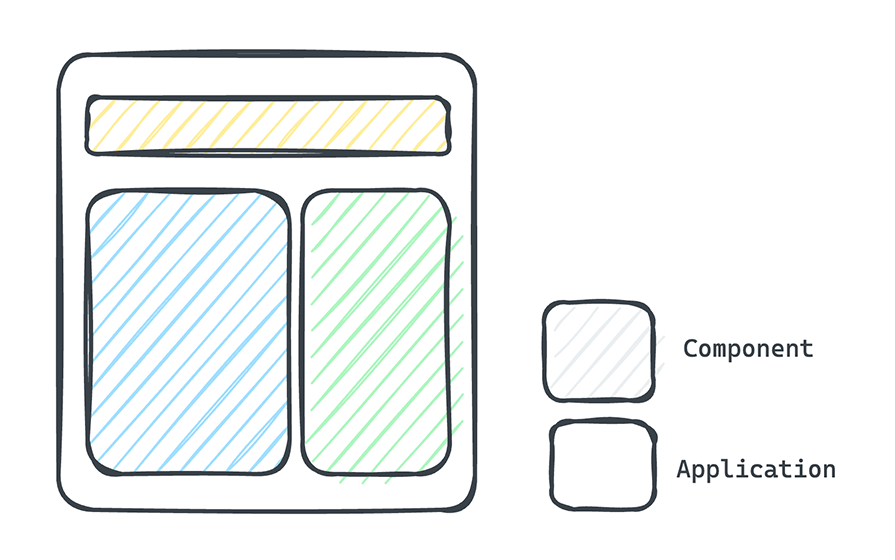
This pattern is a common best practice in the frontend world and is highly recommended for Astro projects. The following article provides an excellent overview of a well-organized Astro project.
Best Practices for File Organization in Astro.js - Tillitsdone
Let's read a section from 'Best Practices for File Organization in Astro.js' on the Tillitsdone blog. It proposes a clear structure for the components directory that aligns perfectly with what we're discussing.
Read the sections titled 'The Heart of Your Project: The src Directory' and 'Breaking Down Each Directory', focusing specifically on the 'Components Directory' part. Notice the suggested subdirectories: common/, features/, and layouts/.
3. Let's Refactor Your Project
Now for the practical part. Let's apply this new structure to our accounting website project. We will create two new subdirectories within src/components/ and move our existing components into their new homes.
Our Target Structure:
src/
├── components/
│   ├── features/  <-- For feature-specific components
│   │   └── TestimonialsSection.astro
│   └── ui/        <-- For general-purpose UI components
│       └── Card.astro
├── content/
├── layouts/
│   └── Layout.astro
└── pages/
    ├── case-studies/
    │   └── [slug].astro
    ├── case-studies.astro
    └── index.astro
Action: Restructure Your Components
-
Create Directories: In your project, navigate to the
src/components/folder. Inside it, create two new folders:uiandfeatures. -
Move the
Cardcomponent:- The
Card.astrocomponent is a generic, reusable element. It's a perfect candidate for ouruidirectory. - Move
src/components/Card.astrotosrc/components/ui/Card.astro.
- The
-
Move the
TestimonialsSectioncomponent:TestimonialsSection.astrois a specific feature for your homepage. It has its own logic for fetching testimonials.- Move
src/components/TestimonialsSection.astrotosrc/components/features/TestimonialsSection.astro. (If you created it in yourindex.astropage directly, now is the time to extract it into this new file).
-
Update Import Paths:
- Now that the files have moved, Astro will show an error because the import paths are broken. Let's fix them.
- In
src/pages/case-studies.astro, find the import forCard.astroand update it:
Before:
import Card from '../components/Card.astro';After:
import Card from '../components/ui/Card.astro';- If you are using
TestimonialsSection.astroon your homepage (src/pages/index.astro), update its import path as well:
Before:
import TestimonialsSection from '../components/TestimonialsSection.astro';After:
import TestimonialsSection from '../components/features/TestimonialsSection.astro';
Your dev server should now be running without errors, but your project is significantly better organized.
Test your understanding!
You need to build a reusable site header component containing the company logo and main navigation links (Home, Services, Case Studies). This header will appear on every page.
Based on our new structure, where would you create the Header.astro file?
Show answer
A great place for this would be src/components/layouts/Header.astro or even src/components/features/navigation/Header.astro.
src/components/layouts/Header.astro: This makes sense because a header is fundamentally part of the page's overall layout. Many developers group headers, footers, and sidebars here. The article from Tillitsdone also suggests this pattern.src/components/features/navigation/Header.astro: This also works well. You can think of the site's entire navigation system as a "feature." This gives you a dedicated place to put related components likeNavMenu.astroorMobileMenuToggle.astroin the future.
For our project, let's stick with the guidance from the resources. src/components/layouts/Header.astro is a clear and conventional choice. You would then import this component into your main Layout.astro file.
4. A Glimpse into Advanced Organization
The ui/features split is a fantastic and scalable pattern. As projects become very large, some teams take this one step further with a "feature-driven" structure. In this model, all code related to a single feature—components, helper functions, state logic—lives inside a single top-level feature folder.
Let's return to the Web Dev Simplified video to see how this more advanced structure works.
This Folder Structure Makes Me 100% More Productive
This part of the video introduces a powerful, feature-centric folder structure where each feature is a self-contained module. This is an excellent pattern to be aware of for large-scale applications.
Watch from 08:11 to 12:02. Pay attention to the distinction between the global/shared folders (blue) and the feature folders (green). Understand the one-way data flow: app can use features and shared, and features can use shared, but shared can't depend on anything, and features can't depend on each other.
For your accounting website, the components/ui and components/features structure we've implemented is the perfect starting point. It provides most of the benefits of organization without the extra overhead of the stricter feature-driven model. However, knowing this advanced pattern exists will be valuable as you work on even larger projects in your career.
Conclusion
Congratulations on taking a significant step towards building a truly professional and scalable web application! It might seem like a small change, but establishing a clean architecture early on pays massive dividends in the long run.
Key Takeaways:
- A flat component directory becomes unmanageable as a project grows.
- Organizing components by their role into
ui(small, reusable primitives) andfeatures(specific, composite sections) dramatically improves maintainability. - Refactoring is a simple process of moving files and updating their import paths.
- This structured approach aligns directly with your goal of creating a clean, scalable, and long-lasting website.
Up Next:
Now that our project is well-structured, we'll turn our attention back to enriching your content. In the next lesson, you will extend your content schemas to establish relationships using categories and tags. This will allow you to build taxonomies for your blog posts and case studies, making your content more organized and enabling powerful features like filtering and archive pages.