Hello! Welcome to our next lesson in advanced SQL querying.
In our last session, we saw how IN and NOT IN could filter data based on a list generated by a subquery. We ended on a critical point: the "NULL trap," where NOT IN can fail unexpectedly if its subquery returns even a single NULL value. This happens because any comparison to NULL results in UNKNOWN, causing the WHERE clause to discard rows.
Today, we'll learn the standard, safer, and often more efficient way to perform these kinds of checks. Our goal is to use EXISTS and NOT EXISTS with a subquery for efficient existence checks.
EXISTS is a logical operator that simply checks whether a subquery returns any rows. It doesn't care what those rows contain, only that they exist. This seemingly small difference in logic makes it a robust tool that avoids the NULL pitfalls of NOT IN and provides a new way of thinking about how to relate data between tables.
The Foundation: Correlated Subqueries
The IN subqueries we used before were typically non-correlated (or independent). The database could run the inner query once, get a list of values, and then use that static list to filter the outer query.
EXISTS works differently. It almost always uses a correlated subquery. This is a subquery that depends on the outer query for its values and is executed repeatedly, once for each row processed by the outer query.
Given your interest in low-level systems and how things work "under the hood," understanding this distinction is key.
- Non-correlated subquery: The inner query runs once. It's like preparing a complete shopping list before you enter the store.
- Correlated subquery: The inner query runs for every row of the outer query. It's like checking your recipe for each item you pick up in the store to see if it's the right one.
SQL Subquery (Visually Explained) | Complete Guide with Correlated Subquery | #SQL Course 27
To start, let's get a clear mental model of this crucial difference. The following video from 'Data with Baraa' provides an excellent visual explanation of non-correlated versus correlated subqueries.
Watch the segment from 00:55:59 to 01:01:16. Focus on the two execution flows: one where the subquery runs only once, and the other where it runs iteratively for each row of the main query. This is the core concept behind EXISTS.
This execution model is central to how EXISTS functions. For each row in the outer table, the subquery is executed with a value from that specific outer row to check if a "match" exists in the inner table.
Finding Matching Records with EXISTS
The EXISTS operator returns TRUE if its subquery returns one or more rows, and FALSE if it returns zero rows.
The syntax is:
SELECT columns
FROM table1
WHERE EXISTS (SELECT 1
              FROM table2
              WHERE table2.common_column = table1.common_column);
Notice a few key things:
- The Correlation: The
WHEREclause inside the subquery linkstable2back totable1. This is the "correlation." SELECT 1: SinceEXISTSonly cares about the existence of rows, not their content, it's a common convention to useSELECT 1. This is a micro-optimization; the database doesn't need to waste time retrieving actual data values.SELECT *would also work, butSELECT 1clearly signals the query's intent.
Let's apply this to a familiar problem: finding all orders made by customers in Germany.
SQL Subquery (Visually Explained) | Complete Guide with Correlated Subquery | #SQL Course 27
This next segment from the same video demonstrates the syntax and logic of EXISTS by tackling that exact problem.
Watch from 01:06:56 to 01:14:18. Observe how the subquery is constructed and, most importantly, how it's correlated back to the main orders table using the customer ID.
As shown in the video, the query checks, for each order, "Does a customer exist in the customers table with this order's customer_id AND a country of 'Germany'?" If the subquery returns a row (i.e., the answer is yes), EXISTS evaluates to TRUE and the order is included in the results.
To solidify your understanding of the row-by-row execution flow, this final clip provides a detailed visual walkthrough.
SQL Subquery (Visually Explained) | Complete Guide with Correlated Subquery | #SQL Course 27
This is the most important part for understanding the 'how.' This animation shows SQL stepping through the outer table, passing values to the inner query, and making a decision for each row.
Watch carefully from 01:16:29 to 01:19:23. This is precisely the 'low-level' execution logic that distinguishes EXISTS from other methods.
Finding Unmatched Records with NOT EXISTS
NOT EXISTS is the logical opposite. It returns TRUE if its subquery returns zero rows. This makes it the perfect tool for finding records in one table that have no corresponding records in another.
Crucially, NOT EXISTS solves the NULL problem we encountered with NOT IN. Since NOT EXISTS is checking for the existence of rows rather than comparing values, NULLs in the data don't cause the logic to break down.
Consider using [NOT] EXISTS instead of [NOT] IN with a ...
Let's dive into why NOT EXISTS is a more robust choice than NOT IN, especially when NULLs might be present. This article from Redgate provides a definitive explanation.
Read the section titled 'The pitfall of NOT IN'. It gives a code example that fails with NOT IN but works with NOT EXISTS, and explains the three-valued logic (TRUE, FALSE, UNKNOWN) that causes the issue.
To summarize the article's point:
col NOT IN (1, 2, NULL)becomescol <> 1 AND col <> 2 AND col <> NULL.- Since
col <> NULLis alwaysUNKNOWN, the entire expression isUNKNOWN, and the row is excluded. NOT EXISTSsimply checks if the subquery returns any rows. A subquery looking for aNULLkey might correctly return zero rows, leadingNOT EXISTSto evaluate toTRUE, as intended.
Here is a practical example of finding customers who have never placed an order.
SELECT customer_name
FROM Customers c
WHERE NOT EXISTS (SELECT 1
                  FROM Orders o
                  WHERE o.customer_id = c.customer_id);
For each customer, this query asks: "Are there zero rows in the Orders table for this customer?" If so, NOT EXISTS is TRUE, and the customer is included.
Efficiency: EXISTS vs. IN and JOIN
A key part of the learning outcome is understanding why EXISTS is described as "efficient." The answer lies in its ability to short-circuit.
When you use EXISTS, the database can stop searching the inner table as soon as it finds the first matching row. It doesn't need to find all of them.
This video from 'Database by Doug' gives a fantastic explanation of the performance difference using a hypothetical scenario with 20 billion product records.
Watch from 00:03:04 to 00:05:35. Pay attention to how EXISTS stops early, whereas a JOIN would have to process all 20 billion records before producing a result.
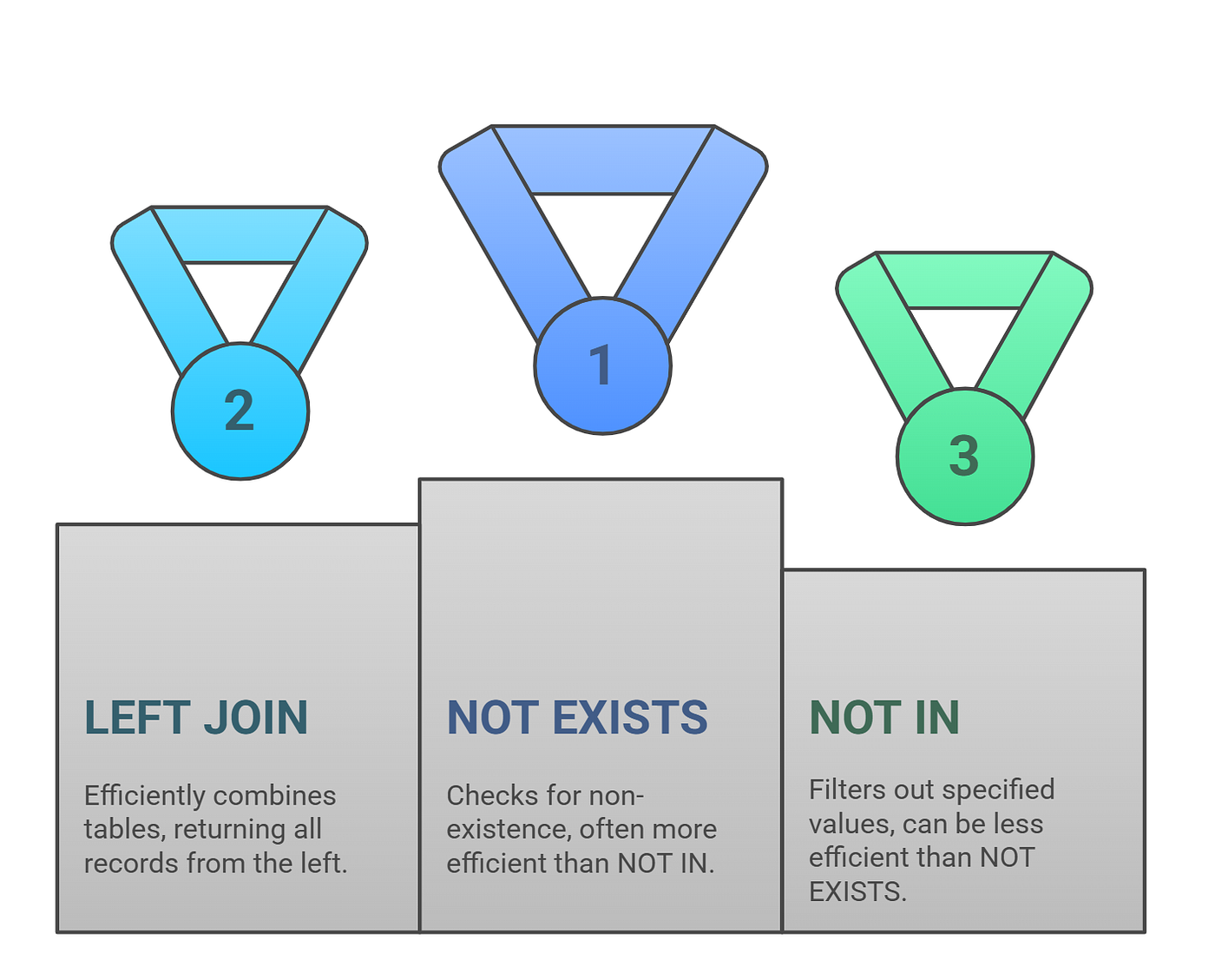
This short-circuiting behavior makes EXISTS a highly efficient choice for existence checks, especially on large datasets. While modern query optimizers have become very smart and can often generate similar execution plans for EXISTS and IN, EXISTS more clearly states your intent and, as we've seen, is much safer when NULLs are involved.
Test your understanding!
You have two tables:
products(with columnsproduct_id,product_name)sales(with columnssale_id,product_id,quantity)
Write a query to find the names of all products that have never been sold. Use NOT EXISTS.
Show answer
SELECT product_name
FROM products p
WHERE NOT EXISTS (SELECT 1
                  FROM sales s
                  WHERE s.product_id = p.product_id);
Explanation:
For each row in the products table, the subquery checks if there is any corresponding product_id in the sales table. If the subquery finds no matching rows, NOT EXISTS evaluates to TRUE, and the product_name is included in the final result.
Conclusion
You've now added one of the most powerful and important tools to your SQL arsenal. Understanding correlated subqueries and the EXISTS operator is a significant step toward writing advanced, correct, and efficient queries.
Key Takeaways:
EXISTSandNOT EXISTSperform existence checks using correlated subqueries, which execute once for each row of the outer query.- They return a boolean (
TRUE/FALSE) based on whether the subquery returns any rows, not on the values in those rows. UsingSELECT 1is a clear and efficient convention. NOT EXISTSis a safer and more robust alternative toNOT INbecause it is not affected byNULLvalues in the subquery's source data.EXISTSis often more efficient thanJOINorINfor simple existence checks because it can short-circuit—stopping the subquery scan as soon as the first matching row is found.
Preview of the Next Lesson:
We've now seen correlated subqueries in action within the WHERE clause. But their utility doesn't end there. In our next lesson, we will explore how a correlated subquery can be placed directly in the SELECT clause to create a calculated column on the fly, allowing you to fetch related data for each row in your result set.