Hello! In our last lesson, we covered the fundamentals of CRUD operations, using basic SELECT, INSERT, UPDATE, and DELETE statements. We briefly used the WHERE clause to target specific rows, but we only scratched the surface of its power.
Today, we're going to do a deep dive into the WHERE clause. You'll learn how to move beyond simple equality checks and write complex, precise queries to filter your data exactly how you need it. This is a crucial skill for any developer, as it forms the basis of how you retrieve specific information from a database, whether it's finding a user by their email, filtering tasks by their status, or searching for products within a price range.
By the end of this lesson, you will be able to filter query results using a variety of powerful operators within the WHERE clause.
The Anatomy of a WHERE Clause
As you saw previously, the WHERE clause follows the FROM clause in a SELECT statement and specifies a condition that must be true for a row to be included in the result set.
SELECT column_list
FROM table_name
WHERE condition;
The condition itself is a boolean expression that evaluates to true, false, or unknown. Your background in programming will be helpful here, as the logic is very similar to using if statements with logical conditions.
Let's explore the various operators you can use to build these conditions.
PostgreSQL WHERE: Filtering Rows of a Query
This article from Neon provides an excellent summary of the WHERE clause and its associated operators. It includes a handy table that you can use as a quick reference.
Read the introductory section and pay close attention to the table of operators. You'll see many familiar comparison and logical operators.
Combining Conditions with Logical Operators: AND, OR, NOT
The real power of WHERE comes from combining multiple conditions.
AND: Requires that all conditions be true.OR: Requires that at least one condition be true.NOT: Negates a condition, selecting rows where the condition is false.
For the examples below, let's assume you've inserted a few more tasks into your tasks table:
-- Run these INSERT statements in pgAdmin to have data to work with
INSERT INTO tasks (user_id, title, description, status) VALUES
(1, 'Design database schema', 'Plan out the tables and columns for the project', 'completed'),
(1, 'Set up Node.js server', NULL, 'in_progress'),
(1, 'Implement user authentication', 'Create login and registration endpoints', 'pending'),
(2, 'Write API documentation', 'Use Swagger or a similar tool', 'pending');
Now, let's query this data.
Example with AND: Find all tasks for user_id = 1 that are still pending.
SELECT * FROM tasks
WHERE user_id = 1 AND status = 'pending';
This will return only the "Implement user authentication" task.
Example with OR: Find all tasks that are either in_progress or completed.
SELECT * FROM tasks
WHERE status = 'in_progress' OR status = 'completed';
This will return "Set up Node.js server" and "Design database schema".
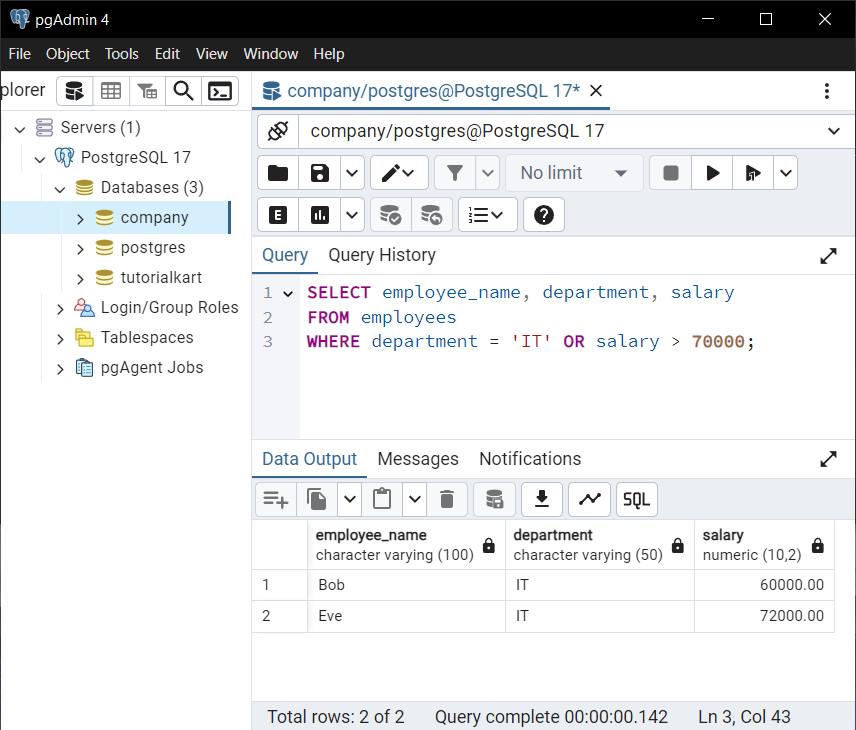
Operator Precedence
Just like in mathematics and programming, AND has a higher precedence than OR. This means AND conditions are evaluated before OR conditions. To control the order of evaluation, use parentheses ().
Incorrect Query: Find all tasks for user_id = 1 that are either pending or in_progress.
-- This query is logically flawed
SELECT * FROM tasks
WHERE user_id = 1 AND status = 'pending' OR status = 'in_progress';
This query actually retrieves: (tasks for user 1 that are pending) OR (any task that is in progress). This is not what we wanted.
Correct Query with Parentheses:
SELECT * FROM tasks
WHERE user_id = 1 AND (status = 'pending' OR status = 'in_progress');
This correctly groups the OR condition, fetching tasks for user 1 that have one of the two specified statuses.
Test your understanding!
Write a SQL query to select all tasks that are not assigned to user_id = 1 AND have a status of pending.
Show answer
You can use either <> or != for "not equal".
SELECT * FROM tasks
WHERE user_id <> 1 AND status = 'pending';
This query should return the "Write API documentation" task.
Filtering with a Broader Brush: IN, BETWEEN, and LIKE
Typing out many OR conditions can be tedious. SQL provides more elegant operators for common filtering scenarios.
IN: Checks if a value matches any value in a list. It's a concise alternative to multipleORconditions.BETWEEN: Checks if a value is within a specified range (inclusive).LIKE: Performs pattern matching on strings using wildcards.%: Matches any sequence of zero or more characters._: Matches any single character.
PostgreSQL also has ILIKE, which is a case-insensitive version of LIKE.
How to Filter with the WHERE clause in SQL
This video provides a fantastic tour of the most common WHERE clause operators. Watch it to see these concepts in action.
Watch the video from the beginning until 09:36. The presenter covers filtering by exact values, pattern matching with LIKE, numerical comparisons, combining conditions with AND and OR, and using BETWEEN and IN. This covers almost everything we've discussed so far and will discuss next.
Let's see these operators in action.
Example with IN: Find all tasks that are pending or in_progress.
SELECT * FROM tasks
WHERE status IN ('pending', 'in_progress');
This is much cleaner than status = 'pending' OR status = 'in_progress'.
Example with BETWEEN: Suppose tasks had a priority column (integer from 1 to 5). To find tasks with medium priority:
-- This is a hypothetical example as our table doesn't have `priority`
SELECT * FROM tasks
WHERE priority BETWEEN 2 AND 4;
Example with LIKE: Find all tasks with "database" or "Database" in the title.
-- LIKE is case-sensitive
SELECT * FROM tasks WHERE title LIKE '%database%';

-- ILIKE is case-insensitive (PostgreSQL specific)
SELECT * FROM tasks WHERE title ILIKE '%database%';
The ILIKE query would match "Design database schema".

Handling the Absence of Data: IS NULL
In databases, NULL represents a missing or unknown value. It's a special marker, not a value like 0 or an empty string. You cannot use standard comparison operators like = or <> with NULL.
Instead, you must use IS NULL or IS NOT NULL.
How to Filter with the WHERE clause in SQL
Let's finish the video you started. This last part explains the correct way to filter for NULL values.
Watch from 09:36 to 10:55. The presenter explains why region = null doesn't work and how to use IS NULL and IS NOT NULL instead.
Example with IS NULL: Find all tasks that do not have a description.
SELECT * FROM tasks
WHERE description IS NULL;
This will return the "Set up Node.js server" task.
Example with IS NOT NULL: Find all tasks that do have a description.
SELECT * FROM tasks
WHERE description IS NOT NULL;
Test your understanding!
Write a single query to find all tasks for user_id = 1 where the title contains the word 'implement' (case-insensitive) and the description is not null.
Show answer
SELECT * FROM tasks
WHERE user_id = 1
  AND title ILIKE '%implement%'
  AND description IS NOT NULL;
This query should return the "Implement user authentication" task.
Conclusion
You have now explored the core tools for filtering data in SQL. The WHERE clause is fundamental to retrieving meaningful information, and mastering its operators will make you far more effective at interacting with databases.
Key Takeaways:
- Use
ANDandORto combine conditions, and always use parentheses()to ensure the correct order of operations. - Use
INto simplify multipleORconditions on a single column. - Use
LIKE(orILIKEin Postgres) with wildcards (%,_) for flexible string pattern matching. - Always use
IS NULLorIS NOT NULLto check for the presence or absence of data; never use= NULL.
Here's a quick reference table:
| Operator | Purpose | Example |
|---|---|---|
AND, OR |
Combine logical conditions | user_id = 1 AND status = 'pending' |
IN |
Match against a list of values | status IN ('pending', 'completed') |
BETWEEN |
Match a value within a range | priority BETWEEN 1 AND 3 |
LIKE, ILIKE |
Match a string pattern | title LIKE 'Design%' |
IS NULL |
Check if a value is missing | description IS NULL |
NOT |
Negate any condition | status NOT IN ('completed') |
Preview of the Next Lesson:
So far, all our queries have dealt with one table at a time. But in a relational database, the real power comes from connecting data across tables. In our next lesson, we will learn about SQL JOINs. You'll see how to combine rows from our users and tasks tables to retrieve results like "show me all tasks along with the username of the person who owns them." This is where your database schema really starts to shine