In our previous lesson, we meticulously implemented the Rule of Three to ensure our resource-managing classes behave correctly during copying, assignment, and destruction. We did this to prevent a specific class of subtle but severe bugs. Today, we'll confront those bugs head-on. This lesson is dedicated to identifying and fixing the three most common memory management errors in C++: memory leaks, dangling pointers, and double frees.
For a senior developer interview, your ability to discuss these issues, explain their causes, and describe modern prevention techniques is non-negotiable. It demonstrates a deep understanding of the C++ memory model and the discipline required to write robust, production-grade code.
1. Memory Leaks: The Silent Resource Drain
A memory leak occurs when your program allocates memory on the heap (using new or new[]) but fails to release it when it's no longer needed. Unlike a dramatic crash, a leak is often a silent problem. In a long-running application like a server or a game engine, these small, unreleased memory blocks accumulate over time, consuming available RAM, degrading performance, and eventually causing the application or even the entire system to fail.
The most common causes are:
- Forgetting to call
deleteordelete[]for everynewornew[]. - Losing the only pointer to a heap-allocated resource, for example, by reassigning it before deleting the old memory.
- An exception being thrown between allocation and deallocation, causing the
deletestatement to be skipped.
void cause_a_leak() {
    while (true) {
        // Allocate memory for 1024 integers
        int* data = new int[1024];
        // We do some work with data...
        // But we never call delete[] data;
        // The 'data' pointer goes out of scope at the end of the loop,
        // but the memory it pointed to remains allocated. We've lost our handle to it.
    }
}
The CppCon talk by Mike Shah provides an excellent conceptual overview of memory leaks and introduces the tools used to find them.
Back to Basics: Pointers - Mike Shah - CppCon 2021
This segment of the "Back to Basics: Pointers" talk clearly defines what a memory leak is and shows a code example of how one can occur.
Please watch the section covering memory leaks, from this timestamp. Pay attention to his explanation of why this is a problem for long-running applications and his introduction to detection tools.
Identifying Leaks
Since memory leaks don't cause immediate crashes, you need specialized tools to detect them. The two most common tools in the C++ ecosystem are Valgrind (on Linux/macOS) and AddressSanitizer (ASan), which can be enabled with a compiler flag in GCC and Clang.
Mike Shah also has a fantastic, hands-on video demonstrating how to use these tools to pinpoint a leak.
Pitfalls of Pointers (and using address sanitizer and gdb to find them) | Modern Cpp Series Ep. 29
In this video, "Pitfalls of Pointers," the presenter provides a live demonstration of compiling and running code with a memory leak, and then uses both Valgrind and AddressSanitizer to detect it.
Watch the segment on memory leaks from this timestamp. This practical demonstration is exactly what you might be asked to describe in an interview.
2. Dangling Pointers: Accessing Invalid Memory
A dangling pointer is a pointer that holds the address of a memory location that has been deallocated or is no longer valid. Attempting to read from or write to a dangling pointer results in Undefined Behavior (UB). This is one of the most dangerous types of bugs because the program might crash immediately with a segmentation fault, it might corrupt other data silently, or it might appear to work correctly, only to fail later in a completely unrelated part of the code.

Common causes include:
- Use-after-free: Accessing a pointer after the memory it points to has been freed with
delete. - Returning a pointer to a local variable: A function's local variables exist on the stack and are destroyed when the function returns. Returning a pointer to such a variable leaves the caller with a pointer to an invalid stack location.
int* create_dangling_pointer() {
    int local_value = 42;
    return &local_value; // DANGER: local_value is destroyed when the function exits.
}

void use_after_free() {
    int* ptr = new int(100);
    std::cout << *ptr << std::endl; // Prints 100

    delete ptr; // Memory is deallocated. 'ptr' is now a dangling pointer.

    // *ptr = 200; // Undefined Behavior! This might crash or corrupt memory.
}
The CppCon talk also covers this pitfall clearly.
Back to Basics: Pointers - Mike Shah - CppCon 2021
This part of the talk explains what a dangling pointer is, using the classic example of returning the address of a local variable.
Watch the section on dangling pointers from here. Notice how the compiler itself often provides a warning for this specific, common error.
AddressSanitizer is extremely effective at catching use-after-free errors. It replaces the standard memory allocator with a version that "quarantines" freed memory for a while, allowing it to detect if your program tries to access it.
3. Double Free: Corrupting the Heap
A double free error occurs when delete or delete[] is called more than once on the same memory address. This is another form of Undefined Behavior that can corrupt the internal data structures of the heap manager. The consequences are unpredictable; it can cause an immediate crash or, more insidiously, lead to strange behavior or crashes much later in the program's execution, making the root cause very difficult to debug.
This bug is a classic consequence of incorrect manual memory management, especially with shallow copies, which we discussed in the previous lesson. If two objects have pointers to the same heap-allocated resource (a shallow copy) and both of their destructors call delete, a double free is guaranteed.
void cause_a_double_free() {
    float* data = new float[10];

    // ... work with data ...

    delete[] data; // Correctly free the memory.

    // ... some other part of the code, perhaps erroneously ...
    delete[] data; // Double free! Undefined Behavior.
}
Let's return to the CppCon talk for the final of the three major pitfalls.
Back to Basics: Pointers - Mike Shah - CppCon 2021
This final segment on pitfalls explains the double free error, highlighting how it happens when multiple pointers point to the same data and both attempt to free it.
Watch the section on double free, starting from this timestamp. This directly connects to the problems we solved with the Rule of Three.
Like the other memory errors, a double free is readily detected by tools like AddressSanitizer. In an interview context, mentioning these tools demonstrates your practical debugging experience.
Fixing and Preventing Memory Bugs
While tools help identify these bugs, the best strategy is to prevent them by design. This is where modern C++ practices shine. The article from Utkrusht provides a concise, interview-ready summary of prevention strategies.
The Most Impactful C++ interview questions in Tech Hiring
This article frames memory management in the context of an interview. It lists modern C++ features as the primary method for preventing memory leaks and describes a systematic approach to debugging them.
First, read the answer to question 73, "How do you prevent memory leaks in C++?". Note that the solutions—RAII and smart pointers—are proactive design choices, not reactive fixes. Next, review the answer to the scenario-based question 12, "Walk through how you would investigate and fix a memory leak...". This outlines the professional workflow for tackling such a problem.
The core idea behind modern C++ memory management is to express ownership through the type system and automate cleanup. This is achieved through the RAII idiom and smart pointers.
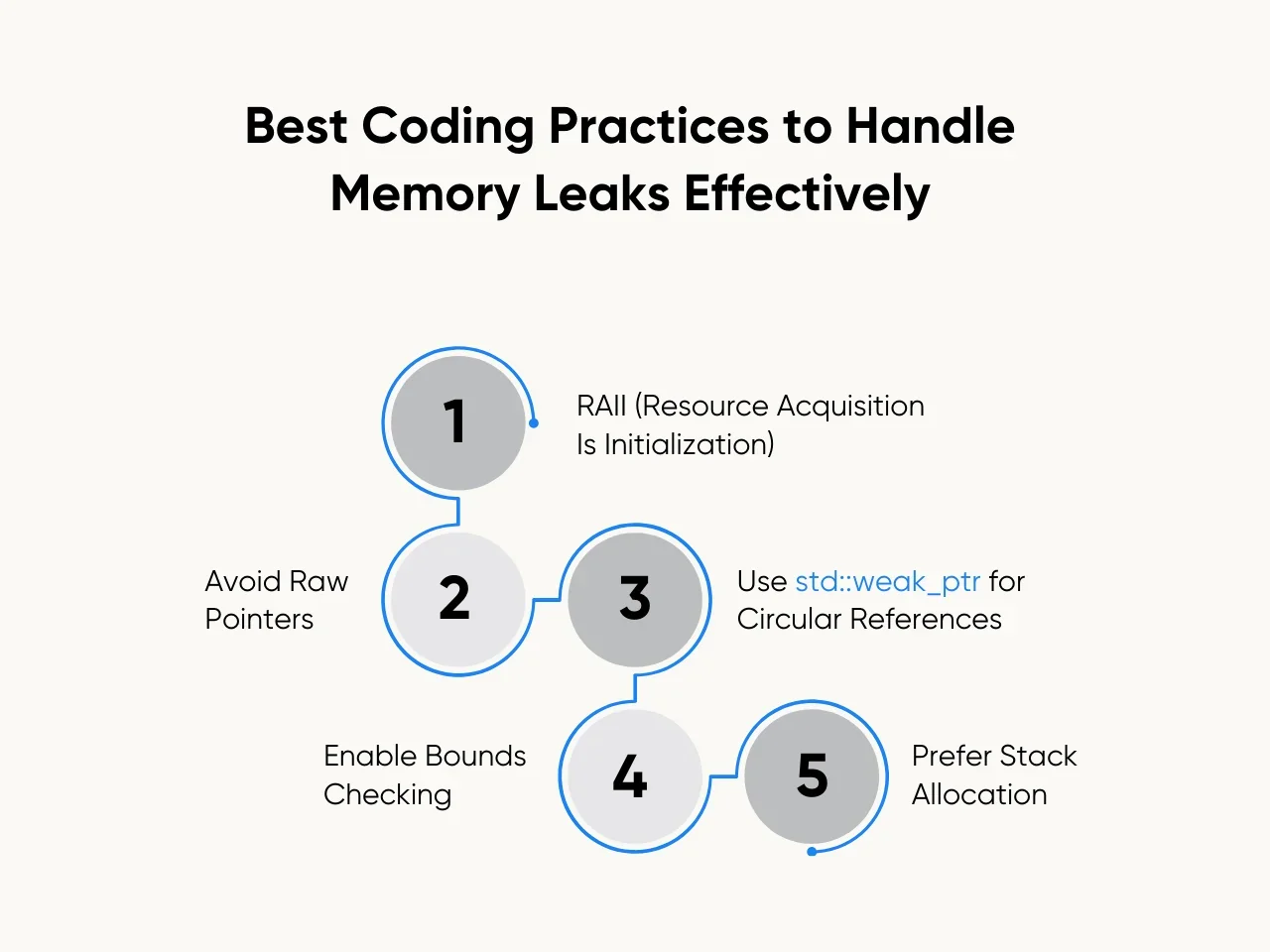
By wrapping a raw pointer in a smart pointer, you tie the lifetime of the allocated memory to the scope of the smart pointer object itself. When the smart pointer is destroyed, its destructor automatically frees the memory. This eliminates all three bugs we've discussed:
- Memory leaks are prevented because
deleteis called automatically. - Dangling pointers (from use-after-free) are harder to create because once the owning smart pointer is gone, you can't access the memory. Setting the pointer to
nullptrafter a move makes this explicit. - Double frees are impossible with
std::unique_ptr(as only one exists) and managed correctly bystd::shared_ptr's reference counting.
Conclusion
In this lesson, we dissected the three classic memory management bugs in C++:
- Memory Leak: Forgetting to free allocated memory, leading to resource exhaustion.
- Dangling Pointer: Using a pointer to memory that is no longer valid, leading to undefined behavior.
- Double Free: Freeing the same memory more than once, leading to heap corruption and undefined behavior.
You should be comfortable explaining each bug, providing a small code example of how it occurs, and describing how tools like AddressSanitizer or Valgrind can be used to detect them. Most importantly, the modern C++ solution is not to be more careful with new and delete, but to eliminate manual calls altogether through principled resource management.
This brings us perfectly to our next topic. We will dive deep into RAII (Resource Acquisition Is Initialization), the fundamental C++ idiom that underpins smart pointers and exception-safe resource handling. Mastering RAII is the key to moving beyond fixing memory bugs and starting to write code that prevents them by its very structure.