Hello! Let's dive into our next topic.
In our previous lessons, we've established that useState is the hook for managing data that changes over time within a component. We've seen that when we call a state setter function, like setCount(1), the UI updates to reflect the new value. But what are the precise rules governing this update process? Why does one component update while another stays the same?
Today, we'll demystify this process. This lesson focuses on explaining when a component re-renders in response to state changes. Understanding this is fundamental to understanding how React works, predicting its behavior, and eventually, optimizing its performance. We'll cover the primary triggers for re-renders and debunk a very common myth along the way.
1. What is a Re-Render?
First, let's clarify our terms. A component "render" can happen at two different times:
- Initial Render: This happens only once, when a component is first created and displayed on the screen.
- Re-Render: This is the second and any subsequent render of a component that is already on the screen. A re-render's purpose is to update the UI with new data.
Re-renders are a normal and necessary part of how React keeps your UI in sync with your application's state. However, understanding what causes them is crucial for performance. As applications grow, unnecessary re-renders can slow things down.
The following video provides a great introduction to what re-renders are and why they matter.
Why React components re-render?
Watch this segment from the Developer Way channel to get a clear definition of a re-render and understand the difference between necessary and unnecessary re-renders.
Watch from 00:40 to 02:59. Pay attention to the distinction between the initial render and a re-render, and the explanation of why excessive, unnecessary re-renders can impact user experience.
2. The Triggers for a Re-render
So, what causes a component to re-render? While it might seem complex, there are a few clear rules. We'll focus on the two most important ones first.
Rule 1: A State Change within the Component
This is the root cause of all re-renders in React. When you call the setter function from useState (e.g., setCount(newCount)), you are telling React to schedule a re-render for that specific component. React then re-executes the component's function to generate its new UI based on the updated state.
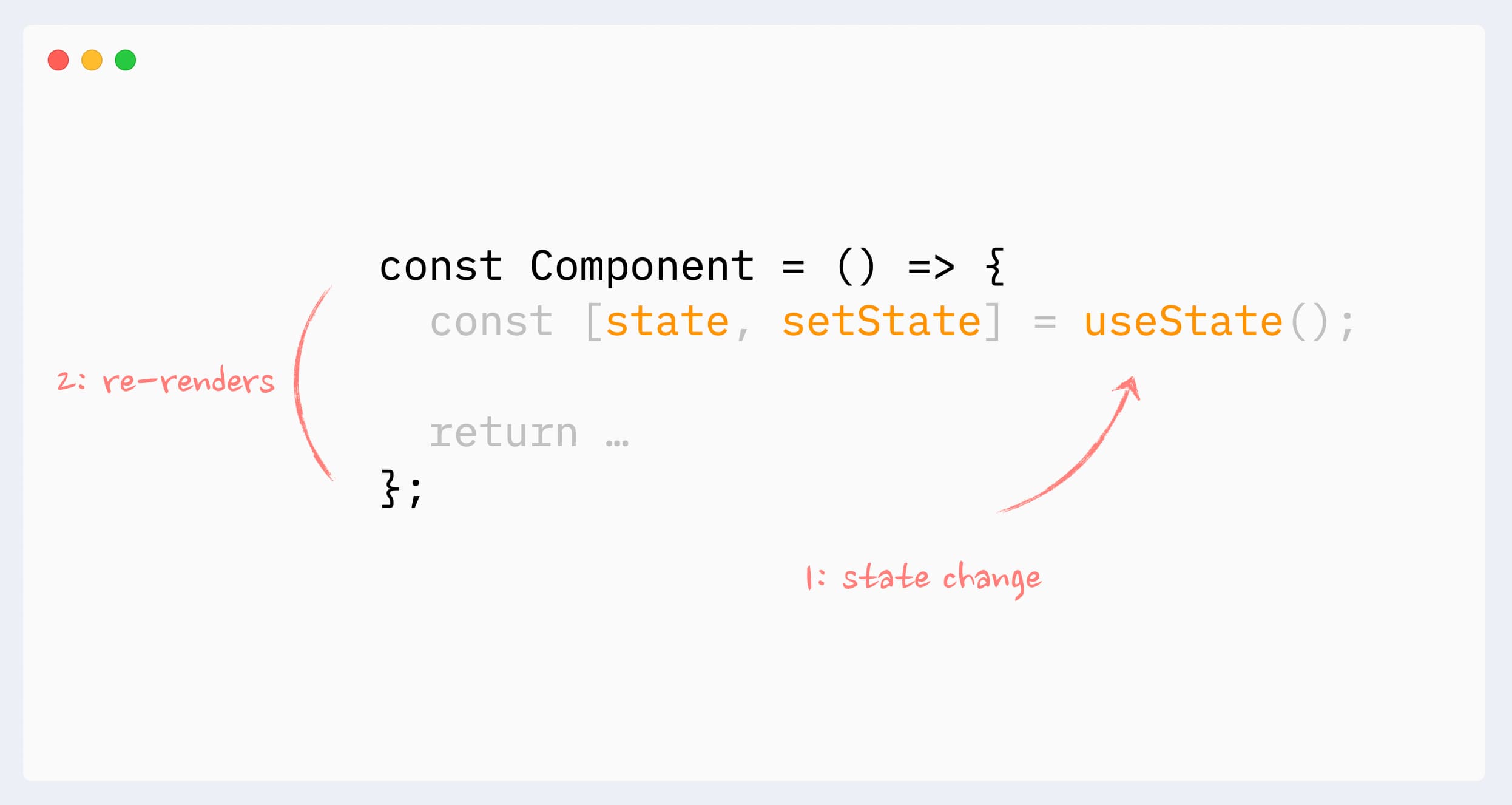
This is the principle we've been using implicitly until now. Every time we called a state setter, the component function ran again with the new state value, and React updated the DOM.
Let's hear a quick, clear explanation of this core mechanism.
Why React components re-render?
This short clip reinforces the direct link between a state update and a component re-render.
Watch from 04:13 to 05:05. The key takeaway is that state is the 'initial source of all the renders' and is what makes an application interactive.
Rule 2: A Re-render of a Parent Component
This rule is just as important as the first one: When a component re-renders, it re-renders all of its child components by default.
This re-render cascades down the component tree. If App re-renders, its child Page will re-render, and Page's child Header will re-render, and so on.
Why React components re-render?
This video segment explains this cascading or recursive nature of re-renders, showing how an update at the top of a tree propagates downwards.
Watch from 05:05 to 06:39. Notice how a re-render in a parent component triggers re-renders for all its children, and their children, all the way down.
This default behavior happens because React can't be certain that a child component isn't somehow dependent on the changes in the parent. For example, a child component might read from a ref passed by the parent or use a function like Date.now() that produces different output on every call. To be safe and ensure the UI is always correct, React re-renders the entire subtree.
3. Debunking a Common Myth: "Props Changes Cause Re-renders"
You will often hear that "a component re-renders when its props change." While this sounds intuitive, it's one of the biggest misconceptions in React.
A component does not re-render because its props changed.
Think about it based on the rules we just learned:
- For a child component's props to change, its parent component must have re-rendered first (to create and pass down the new props).
- When the parent re-renders, it triggers a re-render of the child component by default (Rule #2).
So, the child re-renders because its parent re-rendered, not because its props changed. The prop change is just a consequence of the parent's re-render.
The following resource explains this critical distinction with clear examples.
This article by Josh W. Comeau provides an excellent mental model for why React re-renders. We'll focus on the part that debunks the props myth.
Read the sections 'The core React loop' and 'It's not about the props'. The first section establishes the foundation that re-renders start with state changes and cascade down. The second section directly addresses and dismantles the misconception about props, explaining why React chooses to re-render all descendants by default.
So, when do prop changes actually matter? They matter when you specifically tell React to prevent the default re-render behavior. This is an optimization technique using a tool called React.memo. When you wrap a component in React.memo, you are telling React: "This component is 'pure'. Don't re-render it unless its props have actually changed."
We won't go deep into React.memo now, as it's an optimization topic for later, but it's important to know it exists as the exception that proves the rule.
4. Other Triggers and How to See Re-renders
For completeness, you should know about two other triggers:
- Context Changes: If a component consumes a React Context using
useContext, it will re-render whenever that Context's value changes. - Hook Changes: If a custom hook you're using has an internal state update, it will trigger a re-render in the component using that hook.
A Practical Tool: Highlighting Re-renders
It can be hard to track what's re-rendering just by looking at code. Luckily, the React DevTools have a built-in feature to help you visualize this.
Let's return to Josh W. Comeau's article to learn a practical skill: how to enable render highlighting in the React DevTools.
Read the short section 'Highlighting re-renders'. Follow the instructions to enable this setting in your browser's developer tools. It will draw a green box around any component that re-renders, which is incredibly helpful for debugging and understanding the render flow.
I highly encourage you to enable this feature and play around with the code you've written so far. Click buttons that change state and watch which components get highlighted. It's the best way to solidify your mental model of how re-renders propagate.
Conclusion
You've now learned the fundamental rules that govern React's rendering behavior. This is a huge step in truly understanding how React works under the hood.
Key Takeaways:
- A re-render is when React calls your component function again to get an updated description of the UI.
- There are two primary triggers for a re-render:
- A state change occurs within the component itself (
useState). - The component's parent re-renders.
- A state change occurs within the component itself (
- Myth Debunked: A component does not re-render simply because its props change. It re-renders because its parent re-rendered, which is what caused the props to change in the first place.
- You can use the React DevTools "Highlight updates when components render" feature to visually confirm which components are re-rendering.
Next Up:
We've learned that React re-renders when state changes. But how does React know if a state variable—especially an object or an array—has actually changed? This question leads directly to our next topic: the crucial difference between mutable and immutable state updates. Understanding this will complete your knowledge of how to update state correctly and efficiently.