Hello! In our previous lessons, we've taken a business idea from concept to a full-fledged launch plan. We've defined the business, built financial models, crafted marketing copy, and even designed the brand's visual identity. You've essentially built the strategic and creative foundation for your startup.
This lesson addresses the final, crucial piece of the puzzle for a solo founder: identifying which business functions can be substantially AI-automated. As a one-person operation, your time is your most valuable asset. AI's true power lies in its ability to act as a "capability multiplier," automating the repetitive tasks that consume your time so you can focus on strategic growth, product development, and building customer relationships.
We'll explore a framework for finding these automation opportunities and then look at concrete examples across customer support, operations, finance, and more, focusing on how you can use Google Gemini Pro and other tools to build your own AI-powered support system.
1. The Mindset for Automation: Process First, Tools Second
The most common mistake businesses make with AI is getting excited about a new tool and trying to force it into their workflow. The successful approach is the reverse: start by understanding your processes, identifying the bottlenecks, and then finding the right AI solution.
To understand this strategic mindset, let's watch a few clips from Liam Ottley, who runs an AI implementation agency. He explains this "process-first" methodology, which is just as relevant for a solo founder as it is for a large enterprise.
How to Automate Any Business With AI in 3 Steps (Beginner's Guide)
In this video, 'How to Automate Any Business With AI in 3 Steps,' Liam explains why it's critical to identify the right opportunities before jumping to development.
Please watch the following three segments: The Process-First Mindset (00:00 - 03:16): Pay attention to the core argument about why most AI initiatives fail and the importance of finding 'quick wins'. The Identification Phase (06:03 - 07:57): This is the key part. Focus on how to map workflows and pinpoint bottlenecks like manual data entry and repetitive tasks. Prioritizing Quick Wins (07:57 - 11:32): Note the concept of the 'opportunity matrix' (impact vs. difficulty) and the key takeaway that the biggest ROIs often come from automating the most 'boring' tasks.
The key takeaway is to map out your own business processes—even if they're simple—and ask:
- What tasks are repetitive and follow a pattern?
- Where am I spending time on manual data entry or "looking things up"?
- What do I wish I could delegate?
These are your prime candidates for automation.
2. A Map of AI Automation in Business
As a solo founder, you wear every hat: CEO, marketer, salesperson, customer support agent, and CFO. AI can provide an assistant for each of these roles. This diagram gives a great overview of the business functions where AI can make a significant impact.
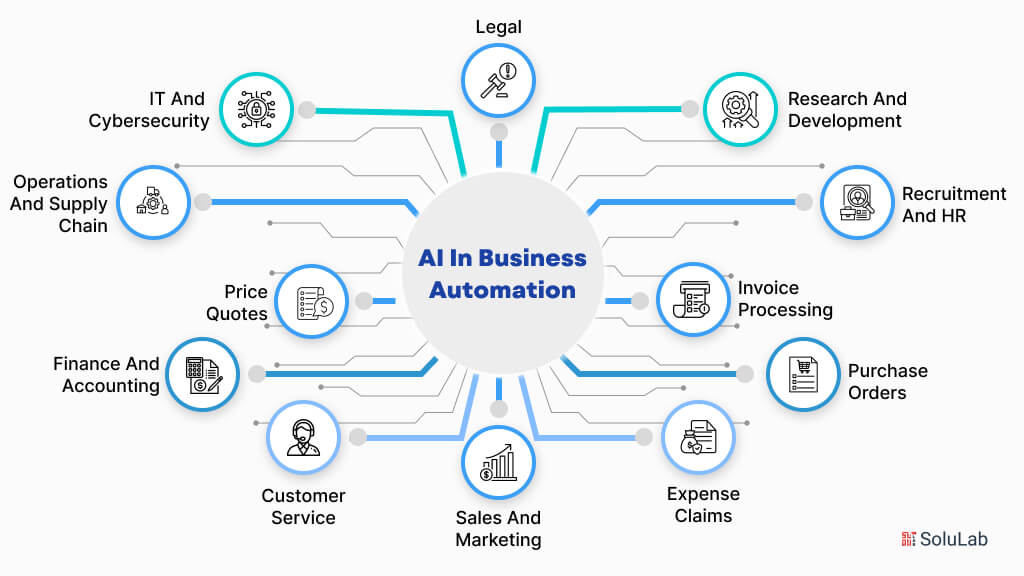
Let's dive into some of the most critical areas for a solo founder and see how you can use tools like Gemini to build these automations.
3. Automating Key Business Functions
A. Customer Support and Communication
This is one of the biggest time sinks but also one of the easiest areas to automate, especially for common inquiries.
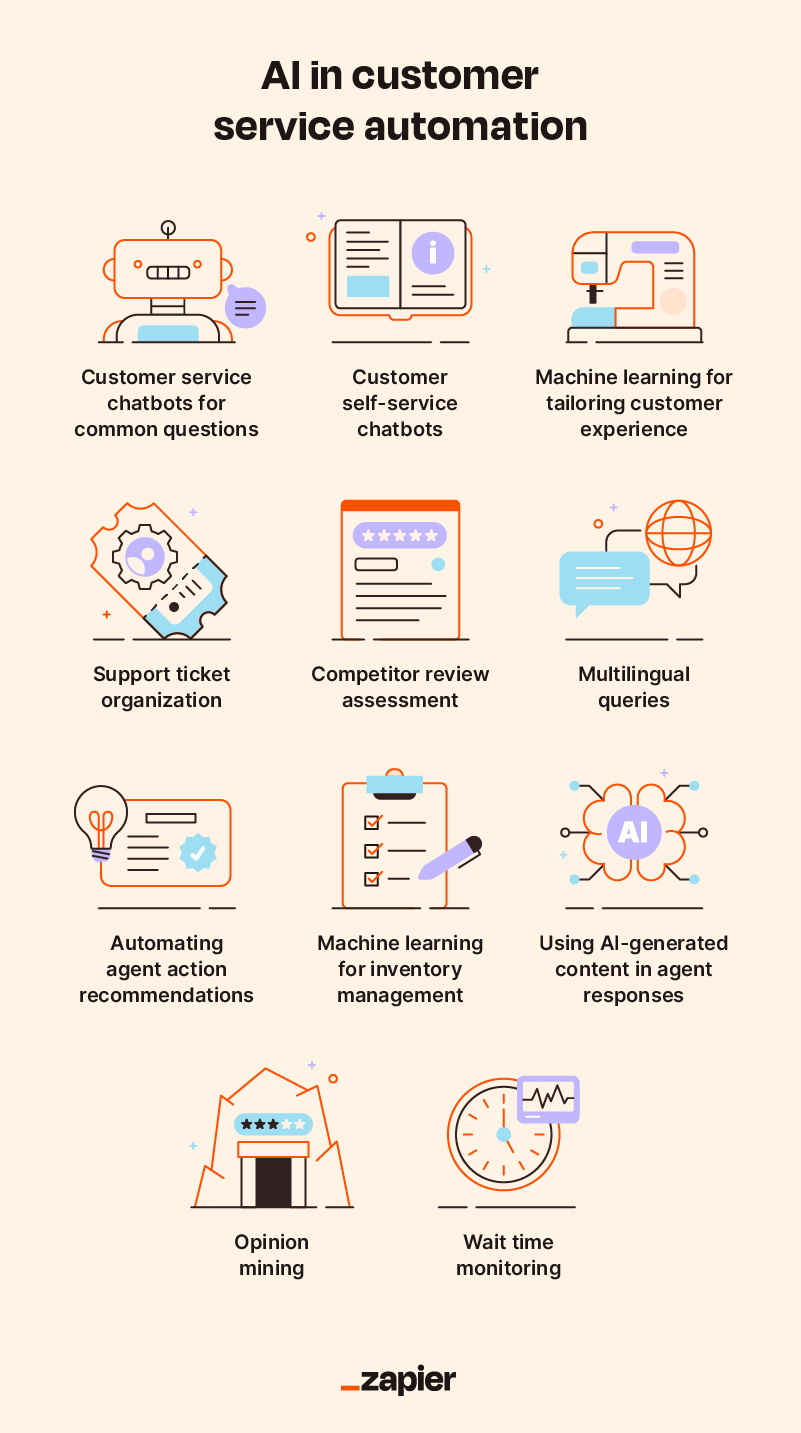
Automating Email: Gemini, when connected to your Google Workspace, can be a powerful email assistant. It can summarize long email threads, identify action items, and draft replies, saving you significant time.
Ultimate Google Workspace AI Tutorial | Everything You Can Do with Gemini AI! (2026)
Let's look at a practical demonstration of Gemini in Gmail from the 'Ultimate Google Workspace AI Tutorial' by Stewart Gauld.
Watch the section on Gemini inside Gmail (04:26 - 05:54). Notice how it can summarize a conversation and suggest replies, which is a great first-level automation.
Creating a Customer Support Bot: For a more advanced solution, you can create a custom AI assistant—a Gemini Gem—trained on your specific business information. A Gem is like a specialized version of Gemini that has your brand guidelines, FAQs, and product documentation pre-loaded.
How Smart Business Owners Are Using Gemini Gems to Automate...
This article, 'How Smart Business Owners Are Using Gemini Gems,' provides an excellent, detailed guide on creating these custom assistants. We'll focus on the customer support example.
Read the section '1. Customer Support Specialist Gem'. Pay close attention to the PERSONA, TASK, CONTEXT, and FORMAT structure. This is a powerful template you can adapt for your own business. Also, note the list of 'Documents to Upload'—this is how you give the Gem its knowledge.
By creating a Customer Support Gem, you can instantly generate 80% of a response to a customer query. You simply copy the question into your Gem, review the AI-generated draft, personalize it, and send.
B. Operations and Task Management
As a solo founder, staying organized is non-negotiable. AI can help you manage your tasks and operational planning.
Ultimate Google Workspace AI Tutorial | Everything You Can Do with Gemini AI! (2026)
Let's return to the 'Ultimate Google Workspace AI Tutorial' to see how Gemini can serve as an operational assistant.
Watch these three short clips: Automating Task Creation (01:00 - 04:08): See how you can use voice commands on the go to add tasks and reminders directly to Google Tasks. This is invaluable for capturing ideas without stopping what you're doing. Organizing with Google Sheets (06:35 - 07:48): Observe how Gemini can generate a structured task list or project plan directly within a spreadsheet. Summarizing Meetings (13:03 - 13:48): If you have meetings with potential partners or freelancers, Gemini in Google Meet can automatically take notes and provide a summary.
C. Research and Knowledge Management
Whether you're analyzing competitors, studying market trends, or learning a new skill, you'll be consuming a lot of information. NotebookLM is a Google AI tool designed specifically for this. It lets you upload your sources (PDFs, text files, Google Docs, website links) and then acts as a research assistant that is grounded only in the information you provided. This directly aligns with your goal of analyzing public documents like annual reports.
Ultimate Google Workspace AI Tutorial | Everything You Can Do with Gemini AI! (2026)
This is one of the most powerful tools for a solo founder. Watch this demonstration of NotebookLM to understand how it can become your personal research analyst.
Watch the segment on NotebookLM (13:48 - 17:24). Focus on how you can upload multiple sources and then ask complex questions, generate summaries, and even create audio discussions based on your documents.
D. Financial Analysis and Reporting
Given your background in corporate finance, you know how time-consuming financial modeling and reporting can be. While you cannot upload confidential data, you can use AI to build the frameworks and run scenarios. This is another perfect use case for a Gemini Gem.
How Smart Business Owners Are Using Gemini Gems to Automate...
Let's go back to the article on Gemini Gems to look at an example that's right in your wheelhouse.
Please read the section '5. Financial Analysis & Reporting Gem'. Notice how the prompt asks the user for the data, but the Gem itself is pre-loaded with your report templates, KPI definitions, and budget frameworks. This is how you leverage AI for analysis without compromising data privacy.
You can feed this Gem raw, non-sensitive data and ask it to generate formatted reports, identify trends, or run scenario analyses like, "What happens to our projected cash flow if we increase marketing spend by 20%?"
4. Building Your Automation Engine
Now that you've seen what's possible, how do you build it?
-
Create Custom Assistants with Gemini Gems: The LINK article we've been referencing provides the blueprint. By defining a Persona, Task, Context, and Format, you can create a specialized AI assistant for almost any repetitive task. I highly recommend reading the sections "The Three Essential Elements of Every Gem" and "Google’s Formula for Great AI Instructions" from that same article to master this technique.
-
Connect Everything with Zapier: Creating individual automations is powerful, but connecting them is transformative. Tools like Zapier allow you to create automated workflows that link different applications together. For example:
When a new lead fills out a form on my website (Step 1), use Gemini to qualify the lead and draft a personalized outreach email (Step 2), then create a task in Google Tasks to follow up (Step 3).This moves you from simple assistance to true Business Process Automation (BPA).
How to use Gemini: A detailed beginner's guide - Zapier
This Zapier article gives a great overview of how you can connect Gemini to thousands of other apps to create powerful, multi-step automations.
Please read the section 'Automate Gemini with Zapier'. You don't need to build these workflows now, but understand the concept. See how it can trigger AI actions based on events in other apps, like Gmail or Slack. Given your Python skills, you'll appreciate that Zapier also allows for custom code steps, giving you near-limitless flexibility.
Conclusion
In this lesson, you've learned how to strategically identify and automate key business functions, transforming AI from a simple chatbot into a scalable support system for your entire operation. For a solo founder, this isn't just a time-saver; it's a fundamental competitive advantage.
Key Takeaways:
- Think Like a Strategist: Always start by analyzing your processes to find repetitive, low-value tasks. The biggest wins are often in the most "boring" areas.
- Automate Core Functions: Focus your initial efforts on high-impact areas like customer support, operations, research, and financial reporting.
- Build Custom Assistants: Use Gemini Gems and the Persona-Task-Context-Format framework to create specialized AI helpers trained on your specific business knowledge.
- Connect Your Tools: Leverage integration platforms like Zapier to create multi-step automations that handle entire business processes from end to end.
Next Up:
This lesson concludes our module on the AI-Powered Startup Toolkit. You now have a comprehensive plan for your business, from strategy and finance to marketing and operations. In our next module, Rapid Prototyping with Python and AI, we'll shift from planning to building. You'll get to leverage your programming skills to generate the code for a functional web app prototype, turning your startup idea into something tangible that users can interact with.